Powerline 600 Duo Wi-Fi EU
Ei löytynyt kohteita.
Ei löytynyt kohteita.
Kaikki kysymykset
Powerline 600 Duo Wi-Fi EU
Ei löytynyt kohteita.
Ei löytynyt kohteita.
Wi-Fi-sovittimen kotikuvakkeen LED-valo palaa, mutta en pysty muodostamaan yhteyttä Powerline 600:n Wi-Fi-verkkoon.

Jos sinulla on ongelmia salasanan syöttämisessä Wi-Fi-verkkoon liitettäessä, ota huomioon, että pieni L-kirjain voi sekoittua isoon i-kirjaimeen, joten kokeile eri vaihtoehtoja.
1. Yhdistäreitittimesi Wi-Fi-verkkoon
Kun muodostat yhteyden Wi-Fi Powerline -laitteeseen ensimmäistä kertaa, sinun on muodostettava yhteys laitteen takapuolella ilmoitettuun SSID-tunnukseen ja käytettävä siellä ilmoitettua Wi-Fi-salasanaa.

2. NollaaWi-Fi-yhteys
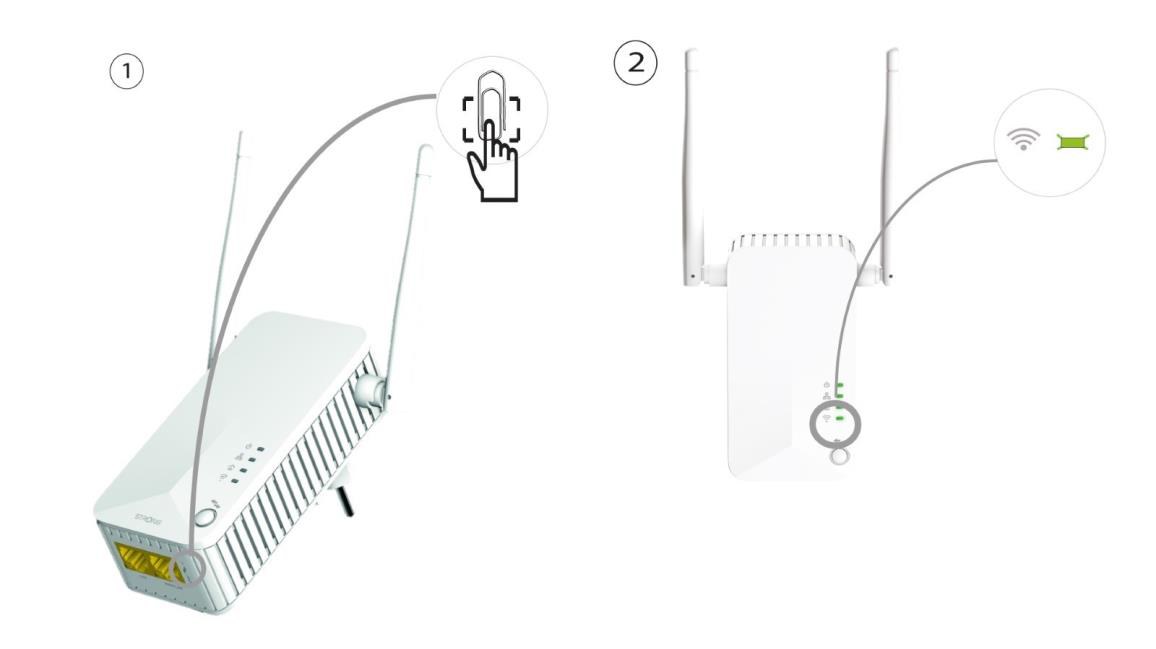
Jos et vieläkään pysty muodostamaan yhteyttä Powerline 600 Wi-Fi -verkkoon, nollaa Powerline Wi-Fi -laite painamalla paperiliitintä Ethernet-porttien vieressä olevaan reikään, kunnes LED-valot alkavat vilkkua.