
Powerline 600 Duo Wi-Fi Mini
Minden kérdés
Powerline 600 Duo Wi-Fi Mini
Letilthatom a Wi-Fi-modul Wi-Fi-funkcióját, hogy egyszerű Powerline-ként működjön?
Igen, le lehet kapcsolni a Wi-Fi-t. Ehhez kövesse az alábbi lépéseket.
1. Csatlakozzona Powerline Wi-Fi hálózathoz
Csatlakozz a Powerline Wi-Fi-hálózatához.
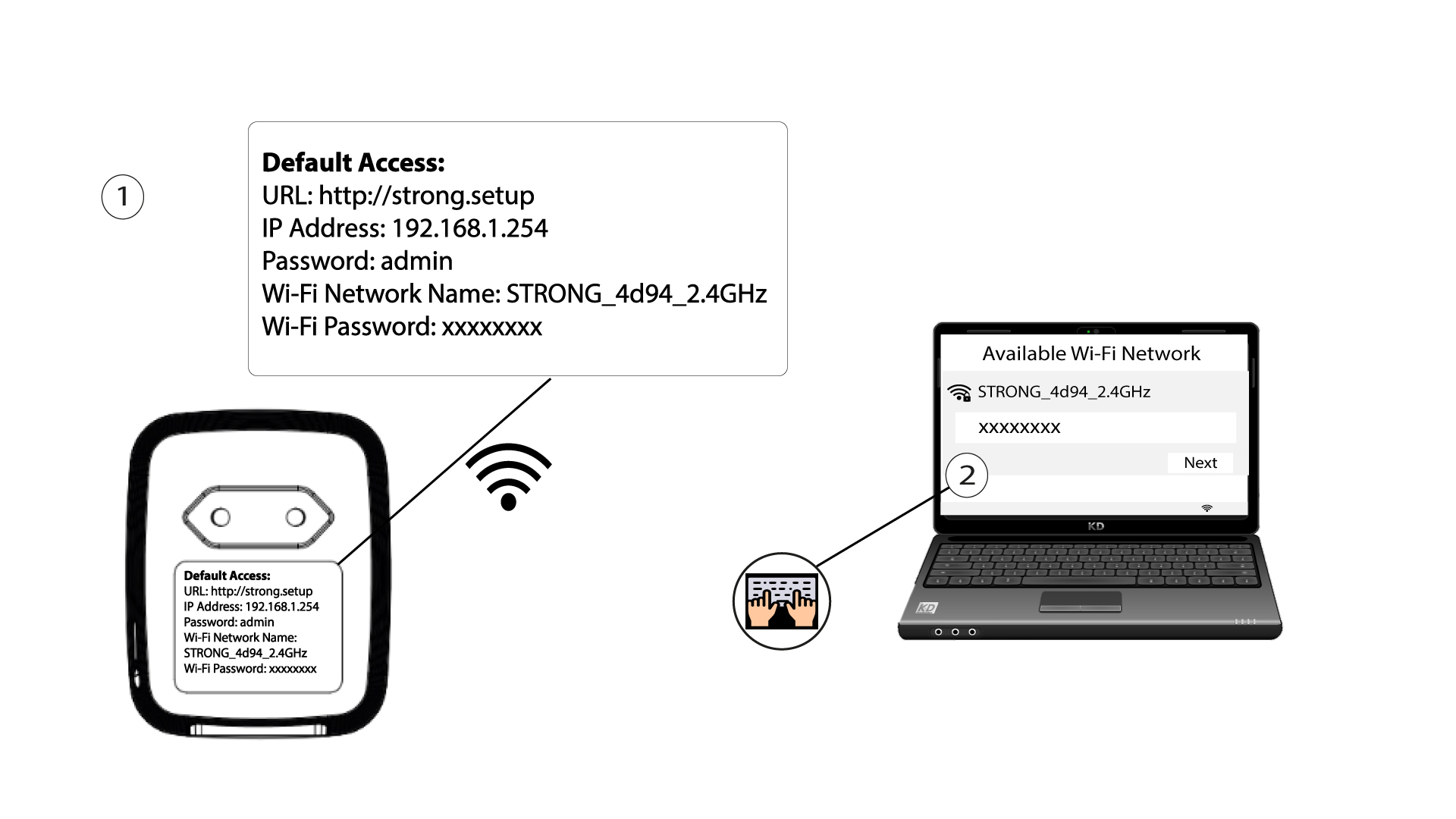
2. Keressemeg a webes felhasználói felület IP-címét
Csatlakozzon a Powerline Wi-Fi modul felhasználói felületéhez Wi-Fi-n keresztül, vagy írja be a http://strong.setup címet az internetböngésző címsorába – ekkor megjelenik a felület.

3. Adja mega bejelentkezési adatait
3. A kezdőlapon írja be a jelszót: admin

4. WLAN-beállítások
Kattintson a „WLAN-beállítások” elemre, majd válasszaaz „Alapbeállítások” menüpontot.

5. A Wi-Fi kikapcsolása
Szükség szerint törölje a jelölést az „Engedélyezés” jelölőnégyzetből a „Vezeték nélküli” sorban, majd kattintson a „Mentés” gombra.


Felhívjuk figyelmét, hogy a Wi-Fi-kapcsolat újraaktiválásához a modul felhasználói felületén keresztül RJ45-kábellel kell csatlakoznia. A Wi-Fi újraaktiválásának másik módja az, hogy a Powerline Wi-Fi-adaptert egy gemkapoccsal addig nyomja meg, amíg a LED-ek villogni nem kezdenek. A Wi-Fi-hez csatlakozó összes eszköz automatikusan leválik a hálózatról.