Univerzális ismétlő 300 V2
Minden kérdés
Univerzális ismétlő 300 V2
Hogyan állíthatom be az Universal Repeater 300 készüléket hozzáférési pontként?
Kérjük, győződjön meg arról, hogy az Universal Repeater 300 készülék oldalsó paneljén található üzemmód-választó ( switch ) az „Access Point” (hozzáférési pont) üzemmódra van állítva.
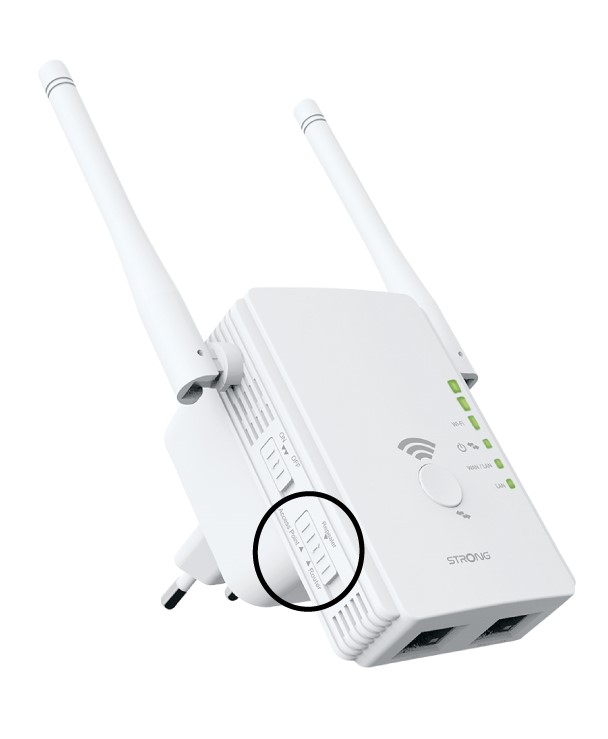
1. Ellenőrizzea készülék üzemmódját
Ellenőrizze a repeater bal oldalán található „ switch ” (Hálózati beállítások) menüpontot, hogy megnézze a repeater működési módját. A „ switch ” (Hálózati üzemmód) beállítást routerre kell állítani.
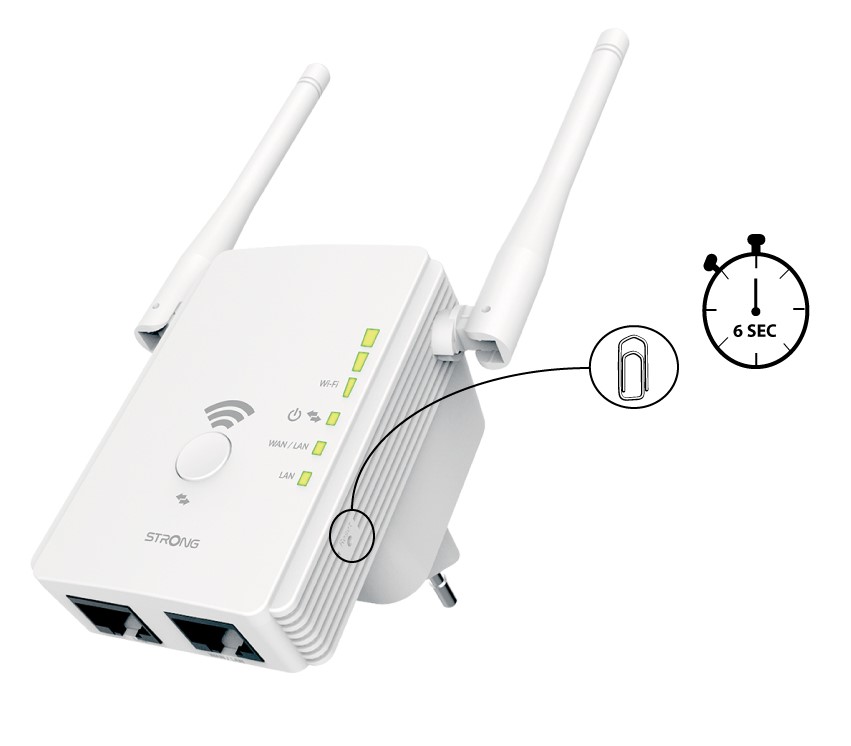
2. Állítsa visszaaz átjátszót a gyári beállításokra
Állítsa vissza a készüléket a gyári beállításokra úgy, hogy egy gemkapoccsal 6 másodpercig lenyomva tartja a „Reset” gombot.
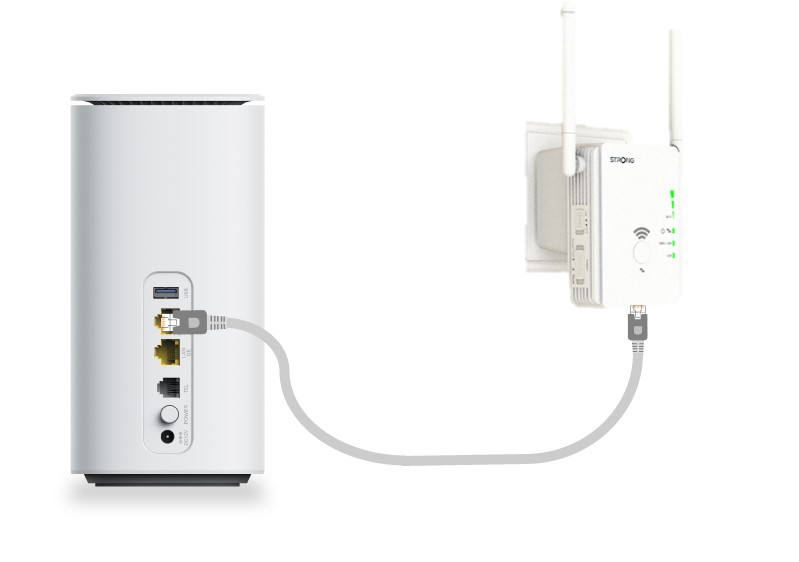
3. Csatlakoztassaaz átjátszót a modemhez
Csatlakoztassa a modemet/routert egy RJ45-ös Ethernet-kábellel az Universal Repeater 300 készülék WAN/LAN-portjához.
4. Csatlakozása Wi-Fi-hez
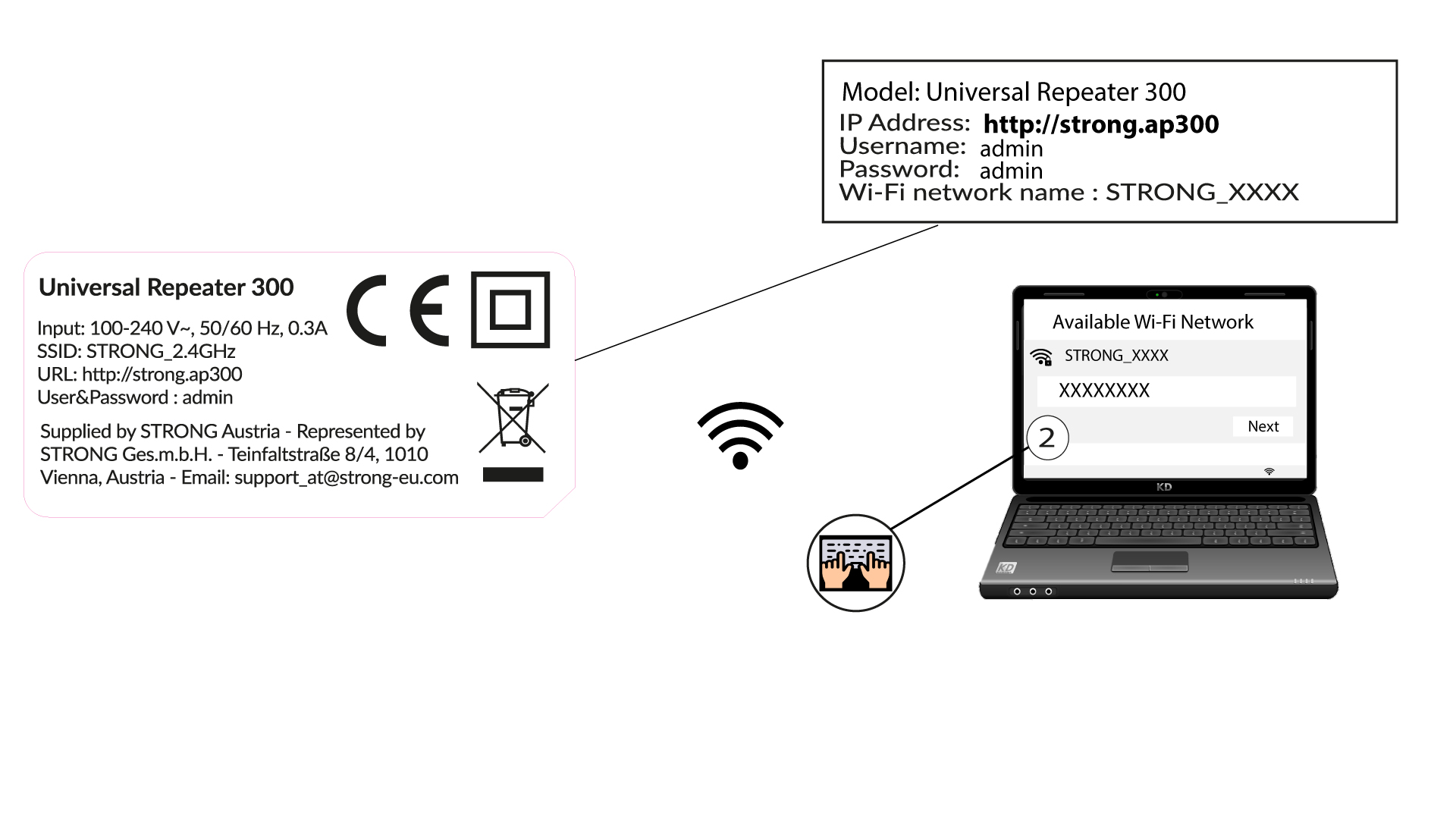
Csatlakoztassa a Wi-Fi-eszközét az Universal Repeater 300 által biztosított egyik alapértelmezett Wi-Fi-hálózathoz (STRONG_2.4GHz). Az alapértelmezett Wi-Fi-hálózatnak nincs jelszava.
5. Nyissa mega webes felhasználói felületet
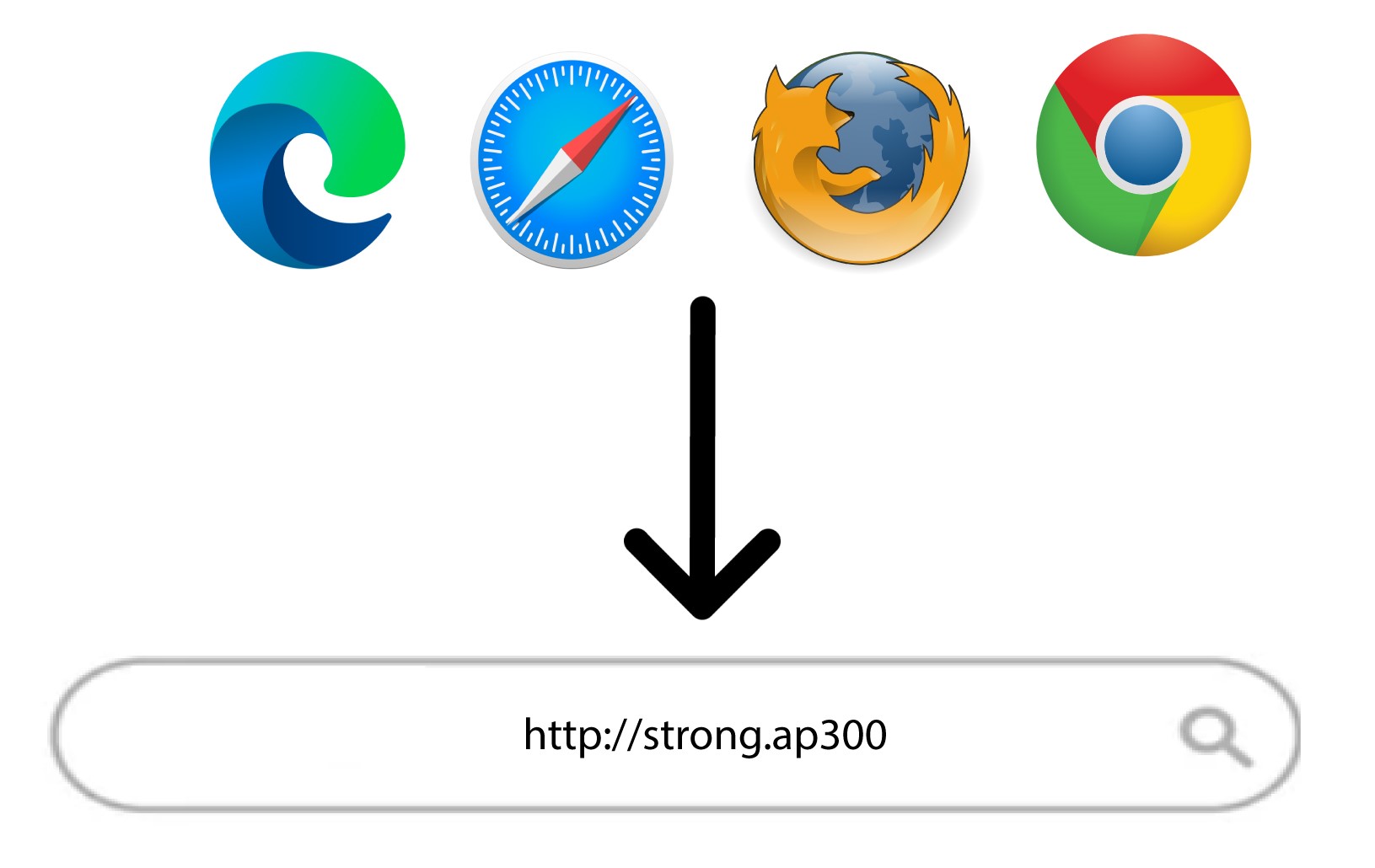
Írja be a következő URL-címet a keresősávba: http://strong.ap300
6. Adja mega bejelentkezési adatait
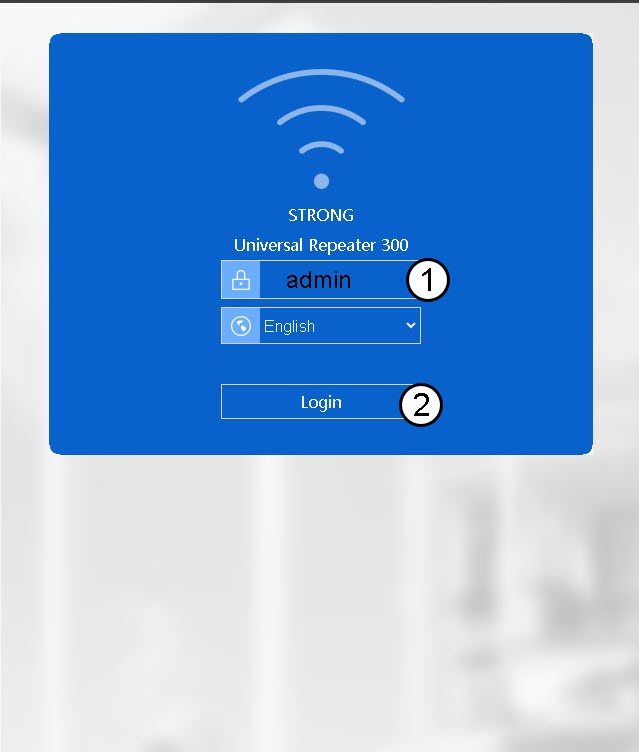
A „Bejelentkezés” gombra kattintás előtt írja be a jelszavát (admin).
7Wizard
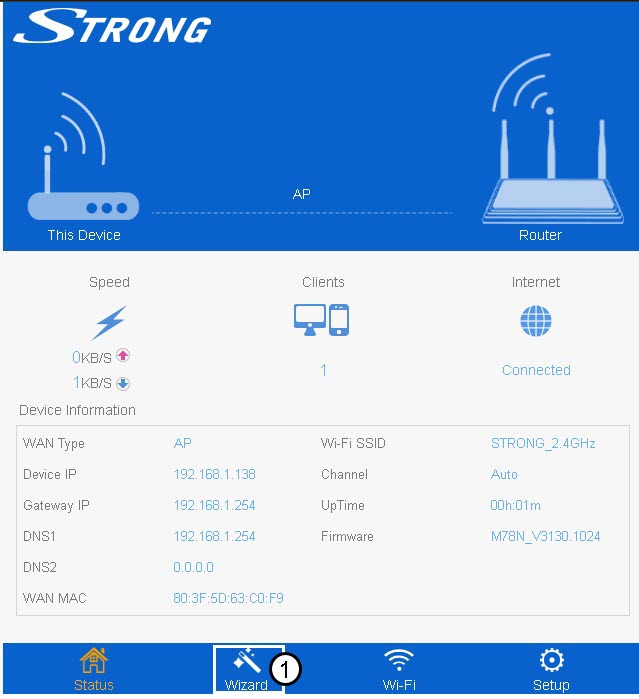
Kattintson a „Varázsló” gombra az alsó menüsorban.
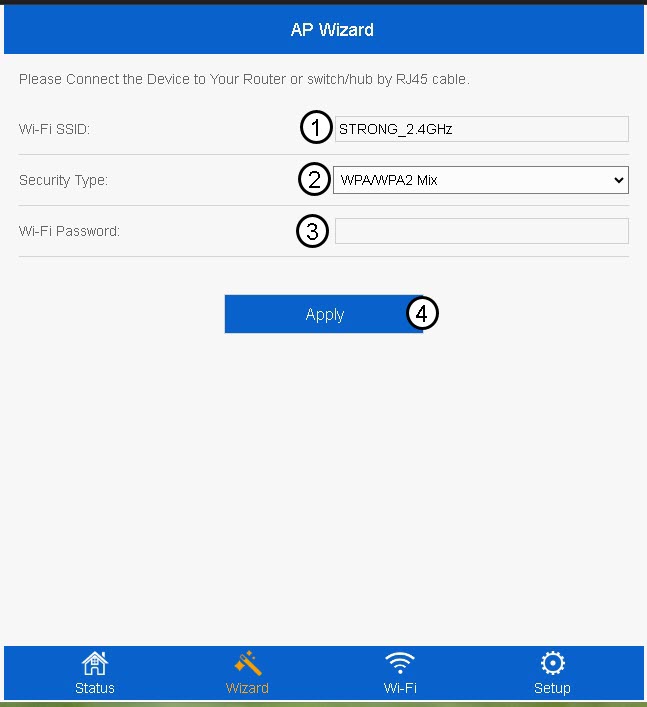
8. Az AP beállítása
Írja be a Wi-Fi SSID-jét, és válassza ki a biztonsági típusát. Ezután írja be a Wi-Fi jelszavát, majd kattintson az „Alkalmaz” gombra.
A WPA/WPA2 Mix használatát javasoljuk.
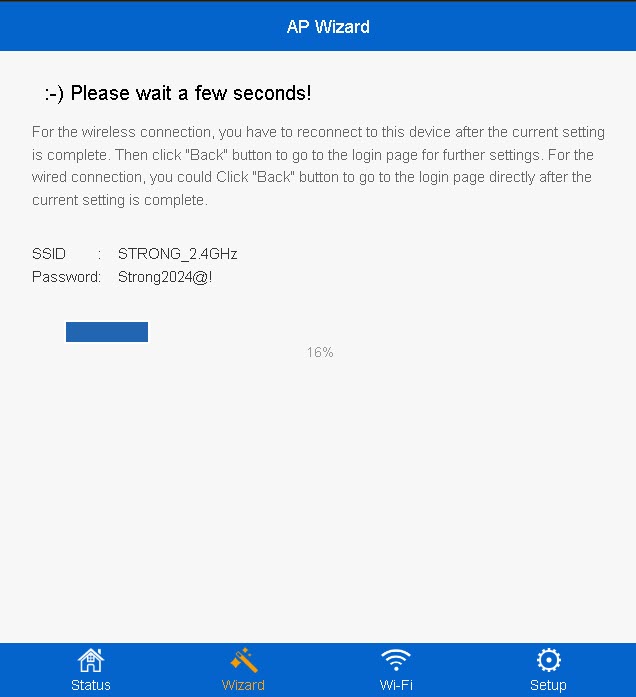
9Várjona beállítás során
A konfiguráció befejezettségi aránya megjelenik a képernyőn. Kérjük, várja meg, amíg a konfiguráció befejeződik.
Írja le az új Wi-Fi-hálózat adatait! Ezekre lesz szüksége a konfigurálás után a hálózathoz való csatlakozáshoz.