4G AIRHOME 210 UK rögzített UK G UK
Minden kérdés
4G AIRHOME 210 UK rögzített UK G UK
Hogyan módosíthatom az SSID-t (a Wi-Fi-hálózat nevét) és a Wi-Fi-jelszót? (Gyorsbeállítások)
A webes felhasználói felületen kétféle módon módosíthatja az útválasztó SSID-jét (Wi-Fi-hálózat nevét) és Wi-Fi-jelszavát:
- A Gyorsbeállítások használatával
- Vagy a Wi-Fi-beállítások használatával.
1. A webes felhasználói felület eléréséhez
A webes felhasználói felület eléréséhez kérjük, kövesse az alábbi webes felhasználói felülethez való csatlakozási eljárást:
2Gyorsbeállítások
A webes felhasználói felületen a „Gyorsbeállítások” menüpont segítségével módosíthatja a hálózat adatait: az SSID-t (a Wi-Fi-hálózat nevét) és a Wi-Fi-jelszót.
Ehhez kattints a felső sávban a „Gyorsbeállítások” elemre.

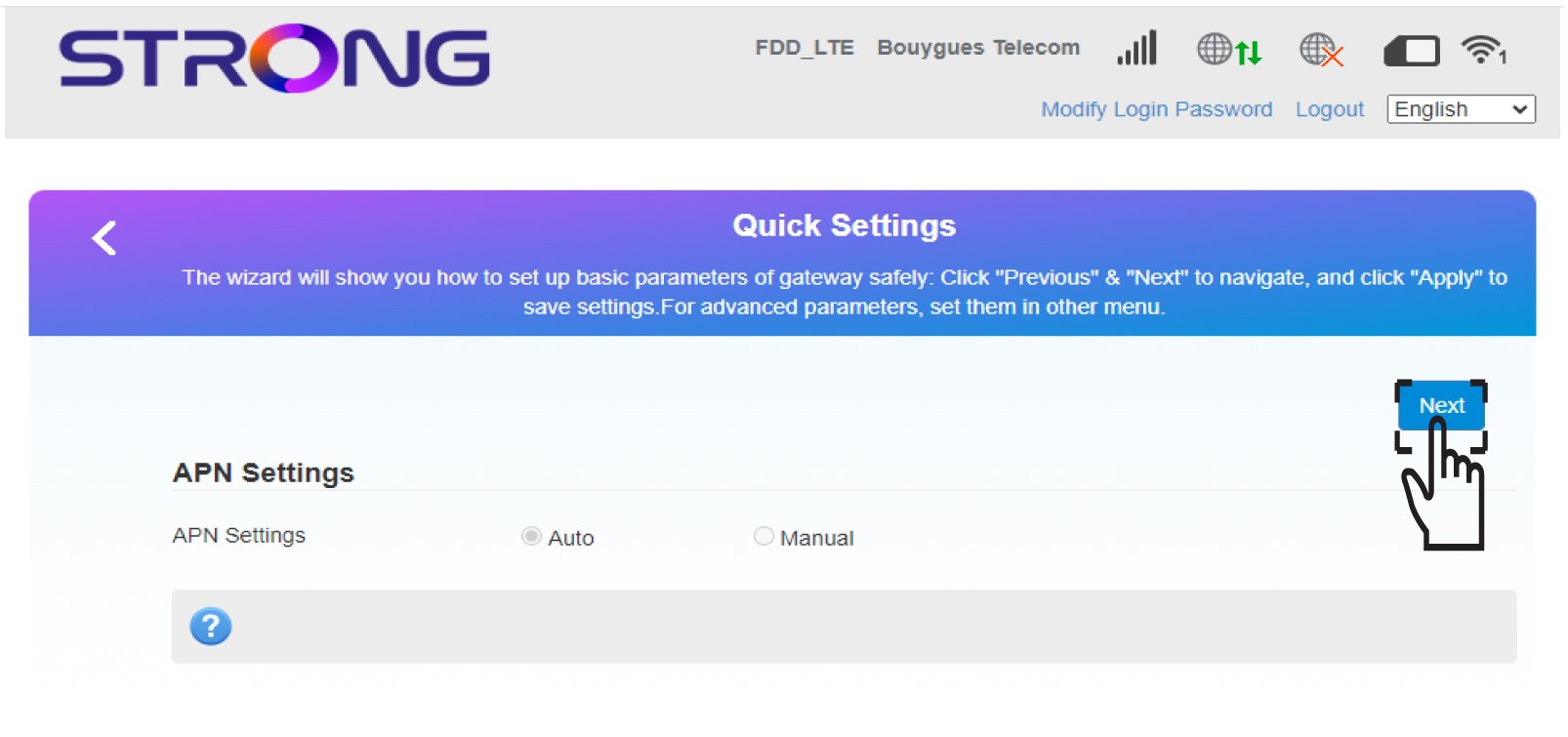
3APNbeállítások
Kattintson a „Tovább” gombra.
4. Írja beaz új hálózat nevét
Írja be az új hálózat nevét, majd kattintson a „Tovább” gombra.

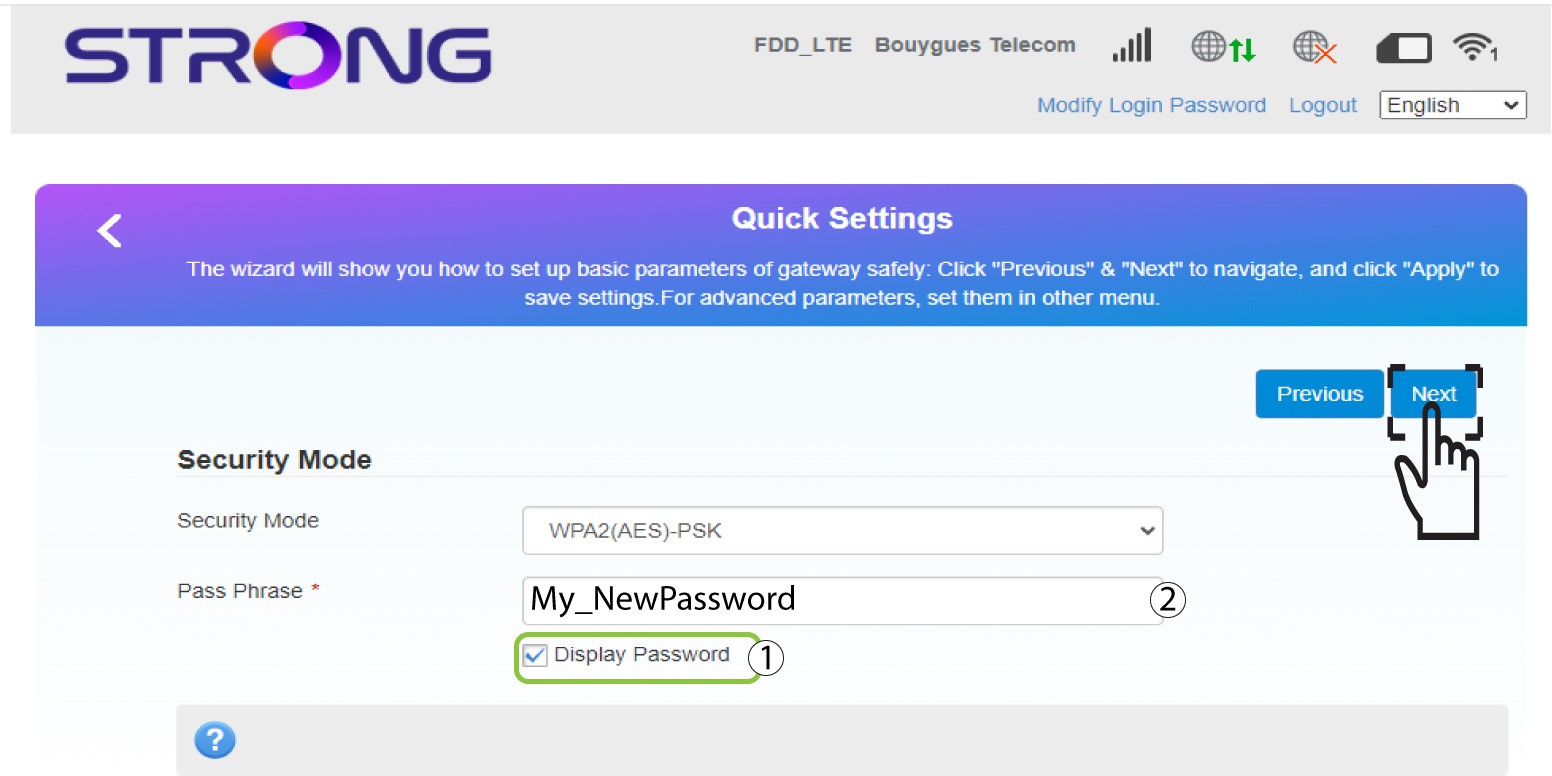
5. Írja beaz új Wi-Fi jelszót
Kattintson a „Jelszó megjelenítése ” gombra, írja be a Wi-Fi-hálózat új jelszavát, majd kattintson a „Tovább” gombra.
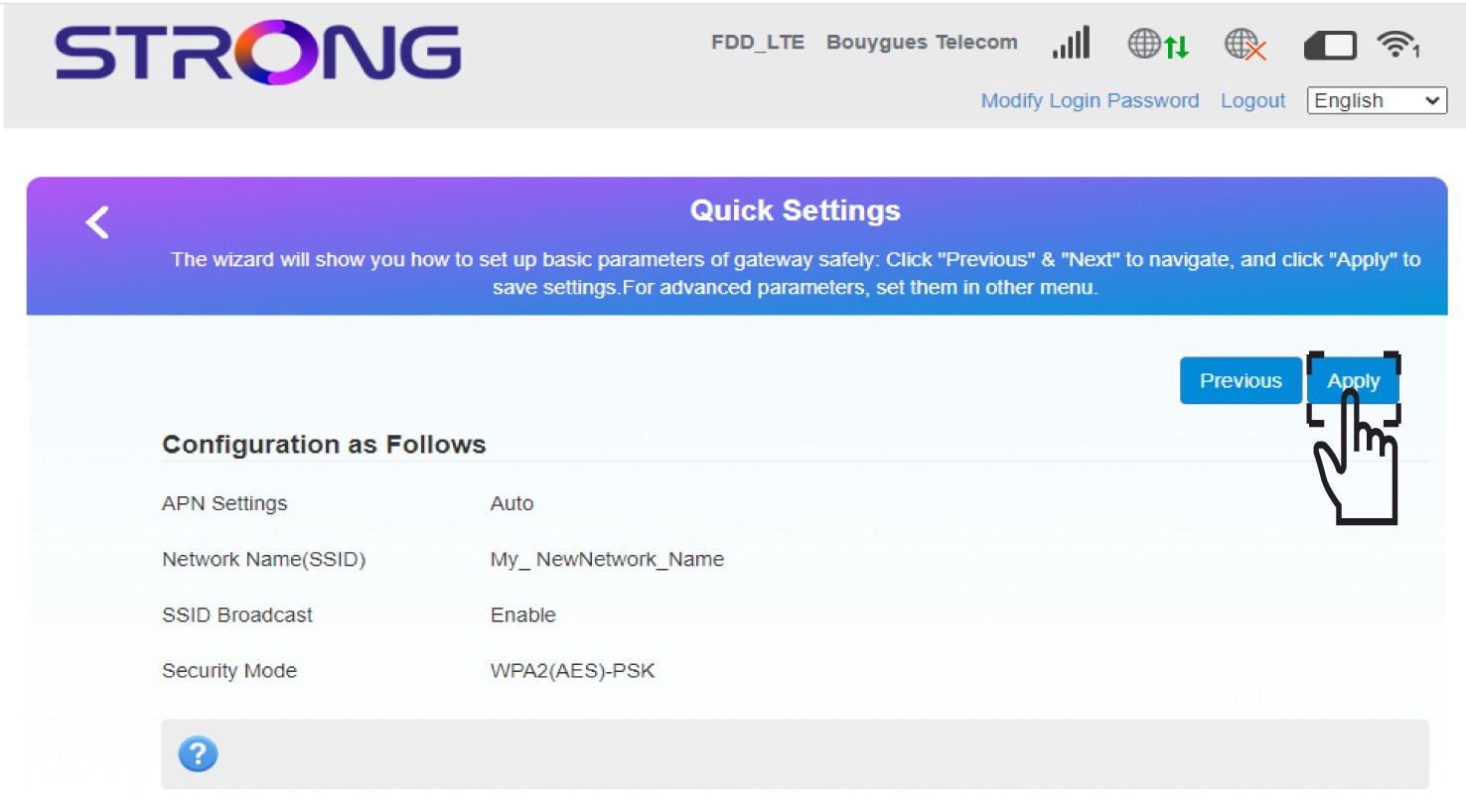
6. Az új hálózati adatok mentése
Kattintson az „Alkalmazás” gombra a módosítások mentéséhez.
7. Írjale az új hálózati adatokat
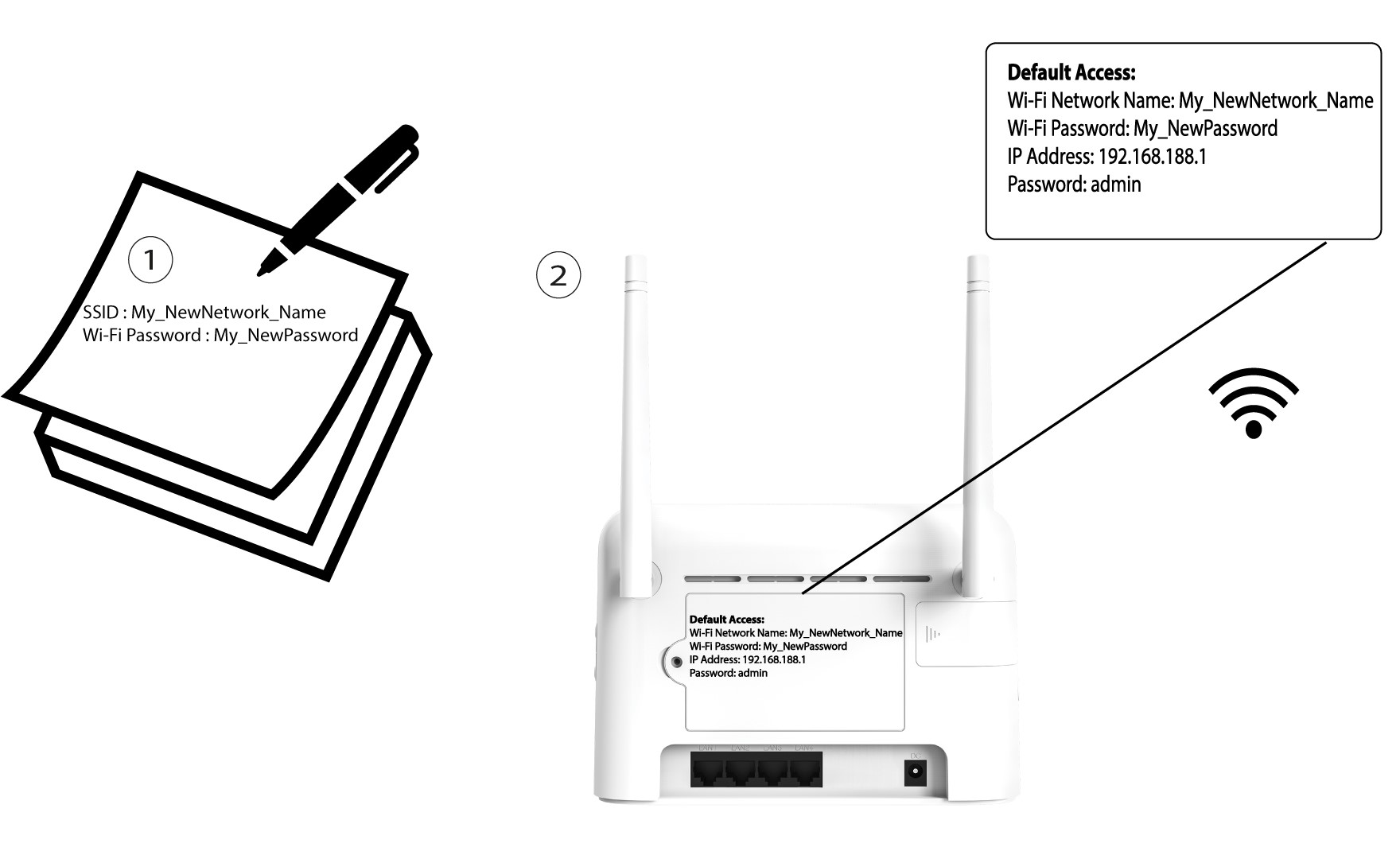
Írja le az új hálózati adatokat egy papírlapra.