Kétcsatornás átjátszó 750 UK
Minden kérdés
Kétcsatornás átjátszó 750 UK
Hogyan állítsam be az átjátszómat?
Az erősítő beállítása előtt kérjük, olvassa el az alábbi útmutatót az erősítő elhelyezésének kiválasztásához: Mi a legjobb hely az erősítőm számára?
1. Csatlakozása webes felhasználói felülethez
A webes felhasználói felülethez való csatlakozáshoz kövesse az alábbi eljárások egyikét:
- Hogyan csatlakozhatok az átjátszó webes felhasználói felületéhez? (RJ45-kábel)
- Hogyan tudok csatlakozni az átjátszó webes felhasználói felületéhez? (Wi-Fi)
2. Válassza kiaz ismétlő módot
Az ismétlő jobb oldalán található „ switch ” (Mód) gomb segítségével válassza ki az ismétlő pozícióját.
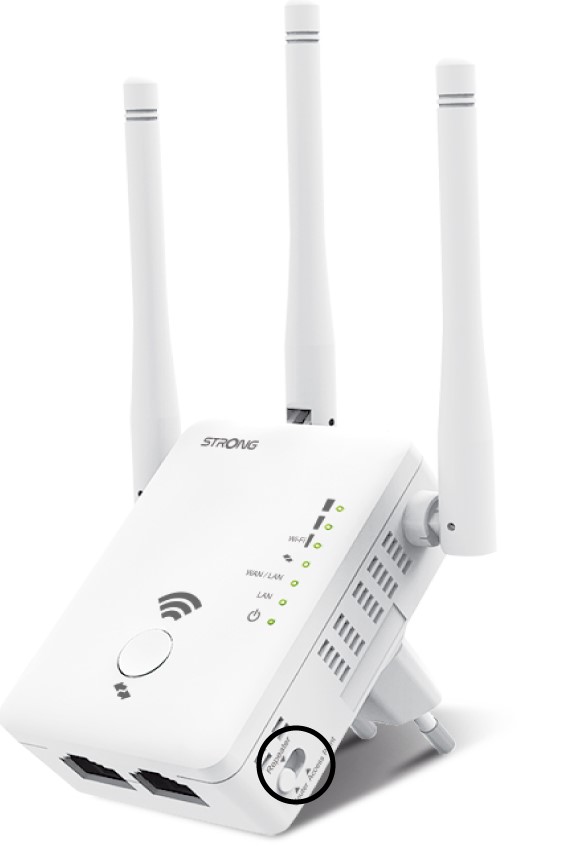
3Repatervarázsló
Kattintson a „Repeater Wizard” gombra .
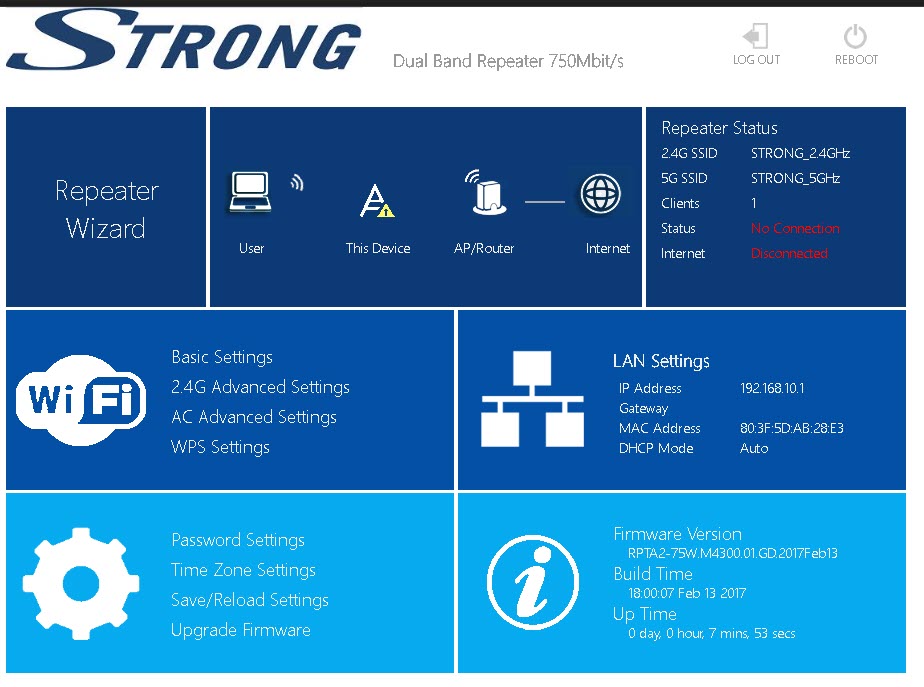
4. Hálózativizsgálat
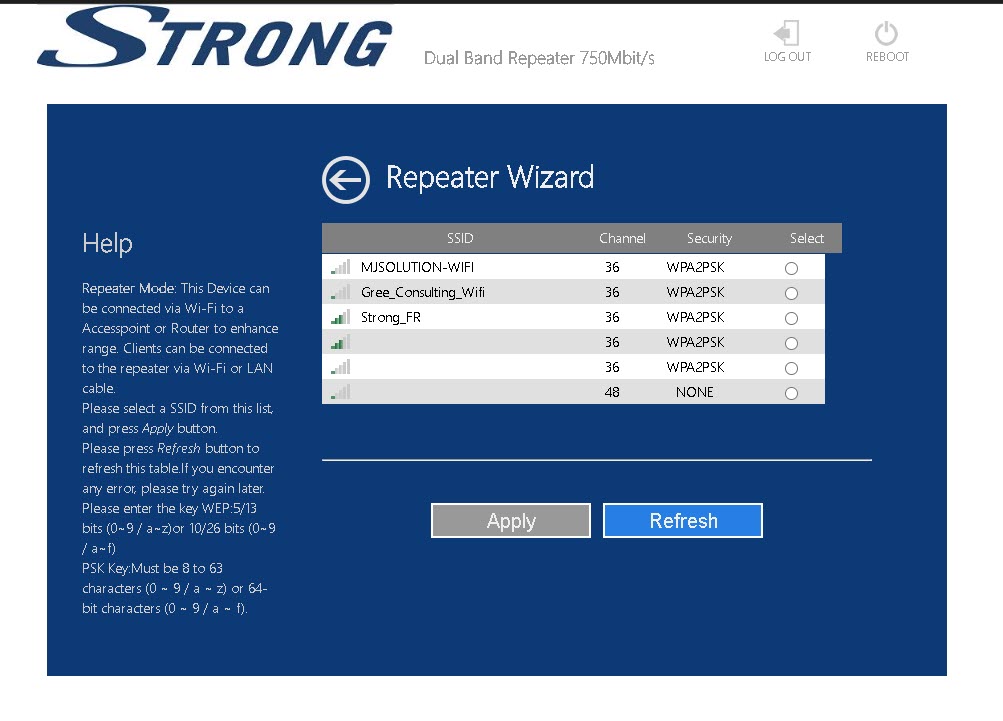
Az átjátszó átvizsgálja az összes elérhető 2,4 GHz-es és 5 GHz-es Wi-Fi-hálózatot, hogy meghatározza a gazdahálózatot. Válassza ki az útválasztója Wi-Fi-hálózatának nevét. Ezután kattintson az „Alkalmaz” gombra.
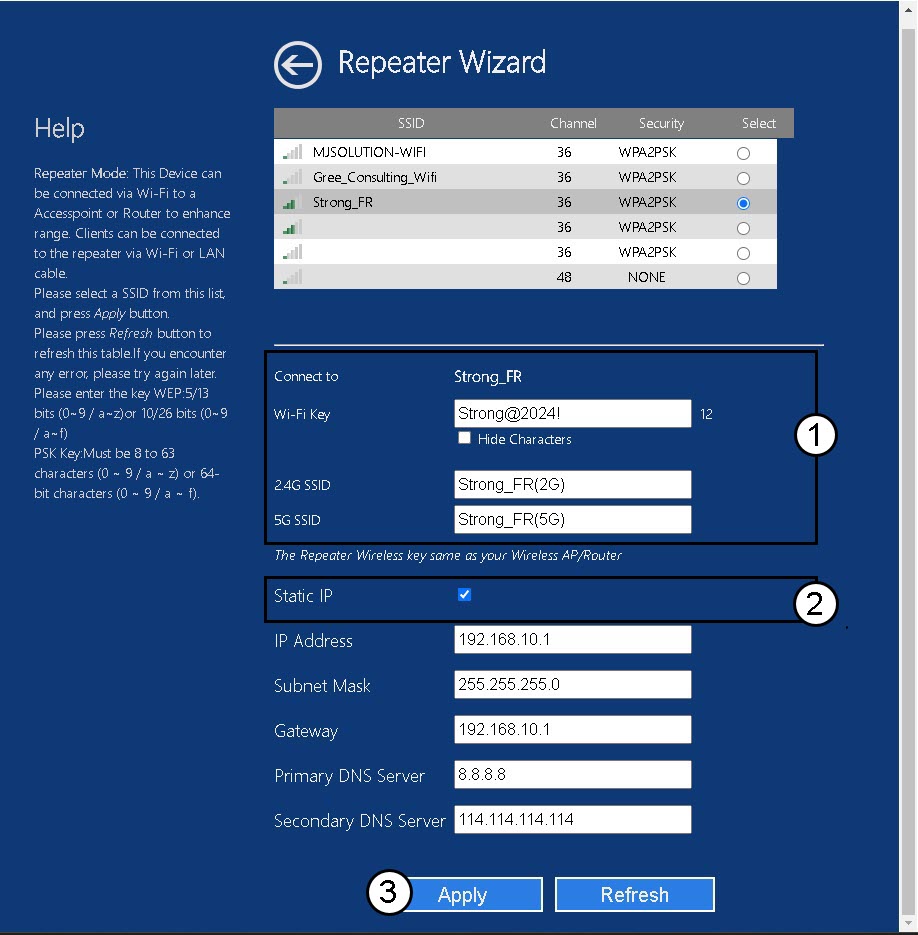
5. Adja mega gazda- és az átjátszó-hálózatok adatait
Írja be az útválasztó Wi-Fi-jelszavát, adja meg az ismétlő Wi-Fi-hálózatait, majd kattintson az „Alkalmaz” gombra.
TIPP: A „Statikus IP” jelölőnégyzetet bejelölve beállíthatja az átjátszó statikus IP-címét.
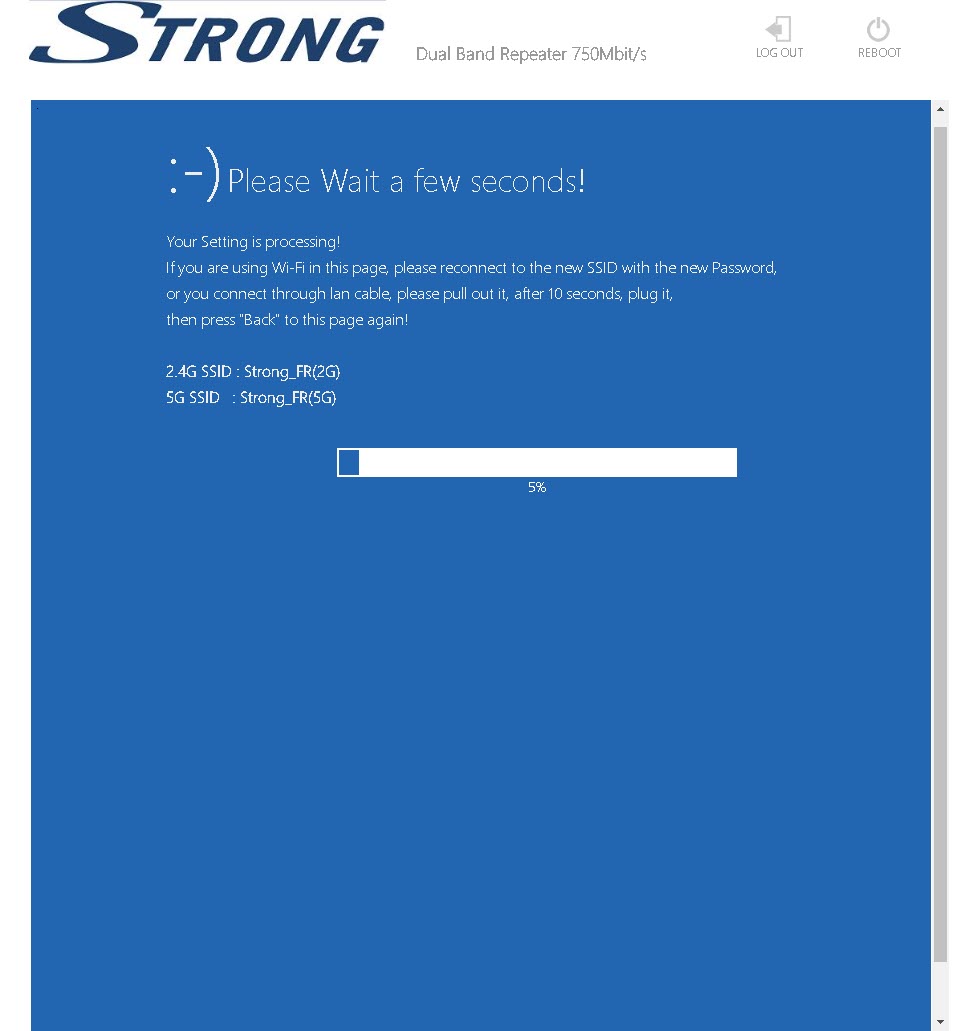
6. Várjona konfigurálás során
Kérjük, várjon, amíg az átjátszó beállítódik.