Nem találtunk tárgyakat.
LEAP AIR | 4K Google TV HDR10+ támogatással
Nem találtunk tárgyakat.
Minden kérdés
Nem találtunk tárgyakat.
LEAP AIR | 4K Google TV HDR10+ támogatással
Nem találtunk tárgyakat.
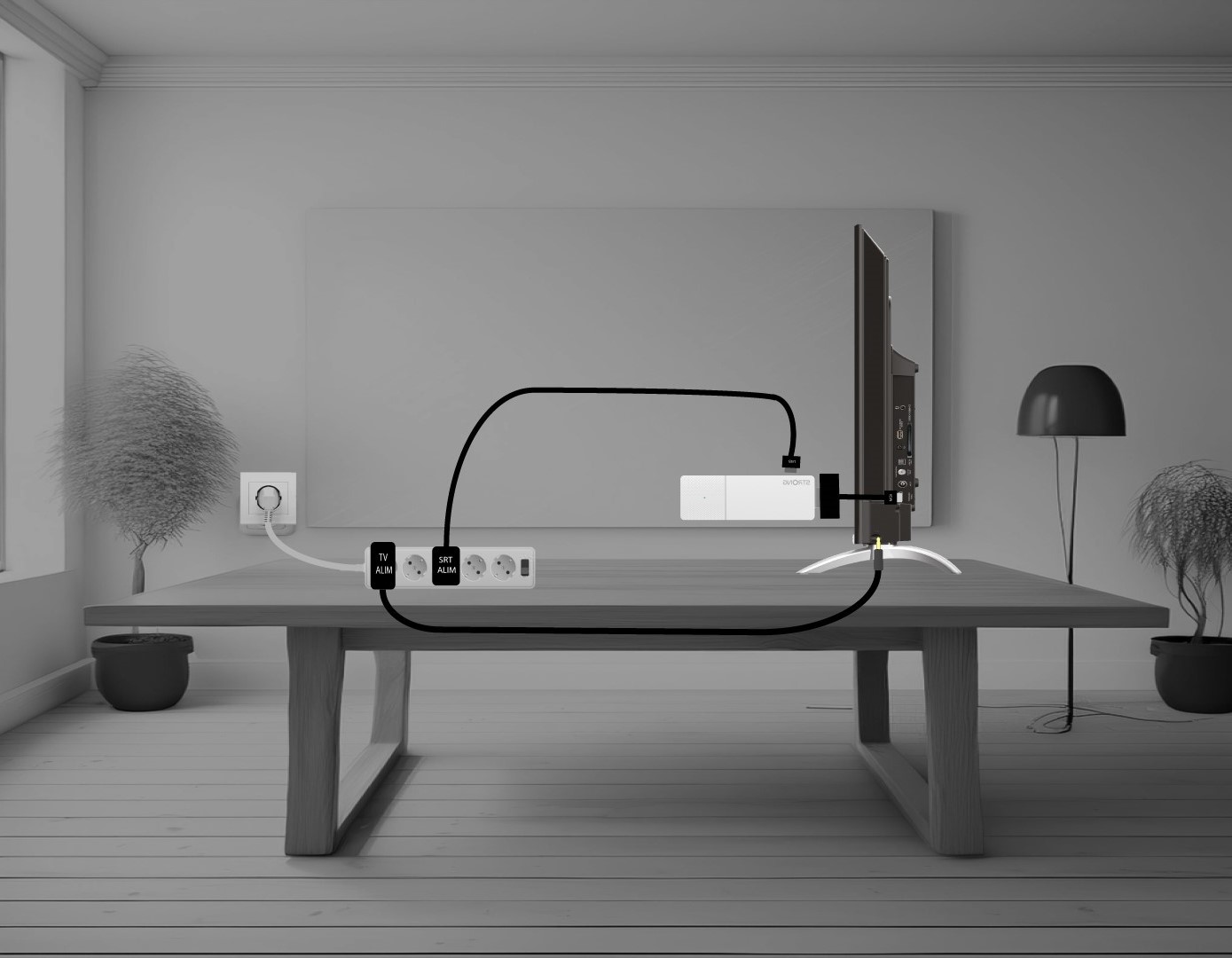
Hogyan csatlakoztathatom a LEAP AIR készüléket a tévémhez?
Csatlakoztassa a HDMI- stick -t a HDMI-kábellel, majd csatlakoztassa a TV HDMI-csatlakozójához (1). Ezután dugja be az USB-kábelt a LEAP AIR készülékbe, csatlakoztassa a hálózathoz (2), majd csatlakoztassa a TV-hez (3).