
4G LTE Router 300 UK
Minden kérdés
4G LTE Router 300 UK
Hogyan kapcsolhatom ki a Wi-Fi-t?
Ha úgy szeretnéd használni az útválasztót, hogy Ethernet-kábellel közvetlenül csatlakoztatod a készülékedhez, akkor kikapcsolhatod a Wi-Fi-t.
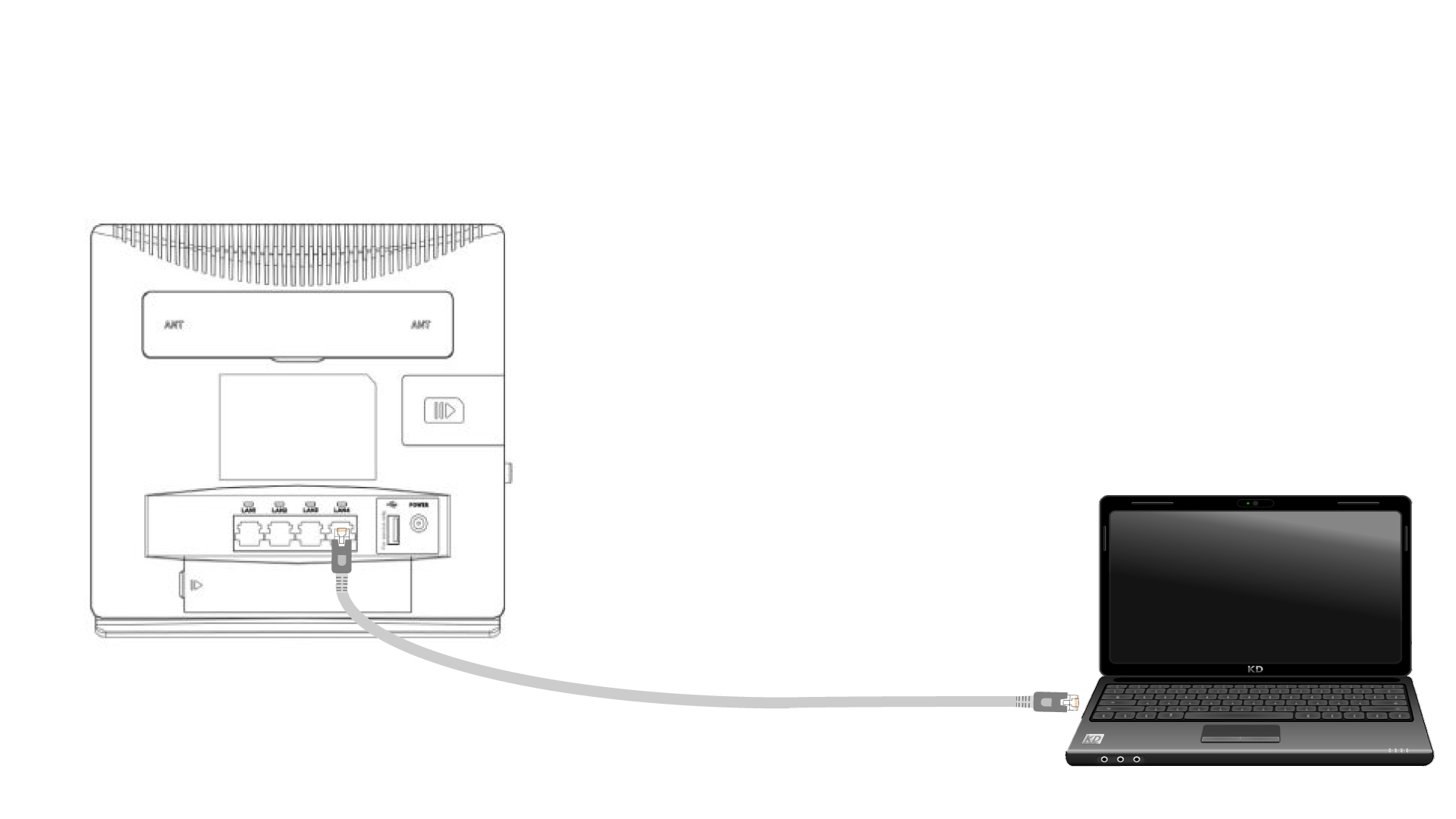
1. Csatlakozzonaz útválasztóhoz Ethernet-kábellel
Csatlakoztasson egy RJ45-kábelt az útválasztóhoz a webes felhasználói felület eléréséhez, majd kövesse az alábbi eljárást a webes felhasználói felülethez való csatlakozáshoz (a 2. lépés után):
2. Wi-Fi-beállítások
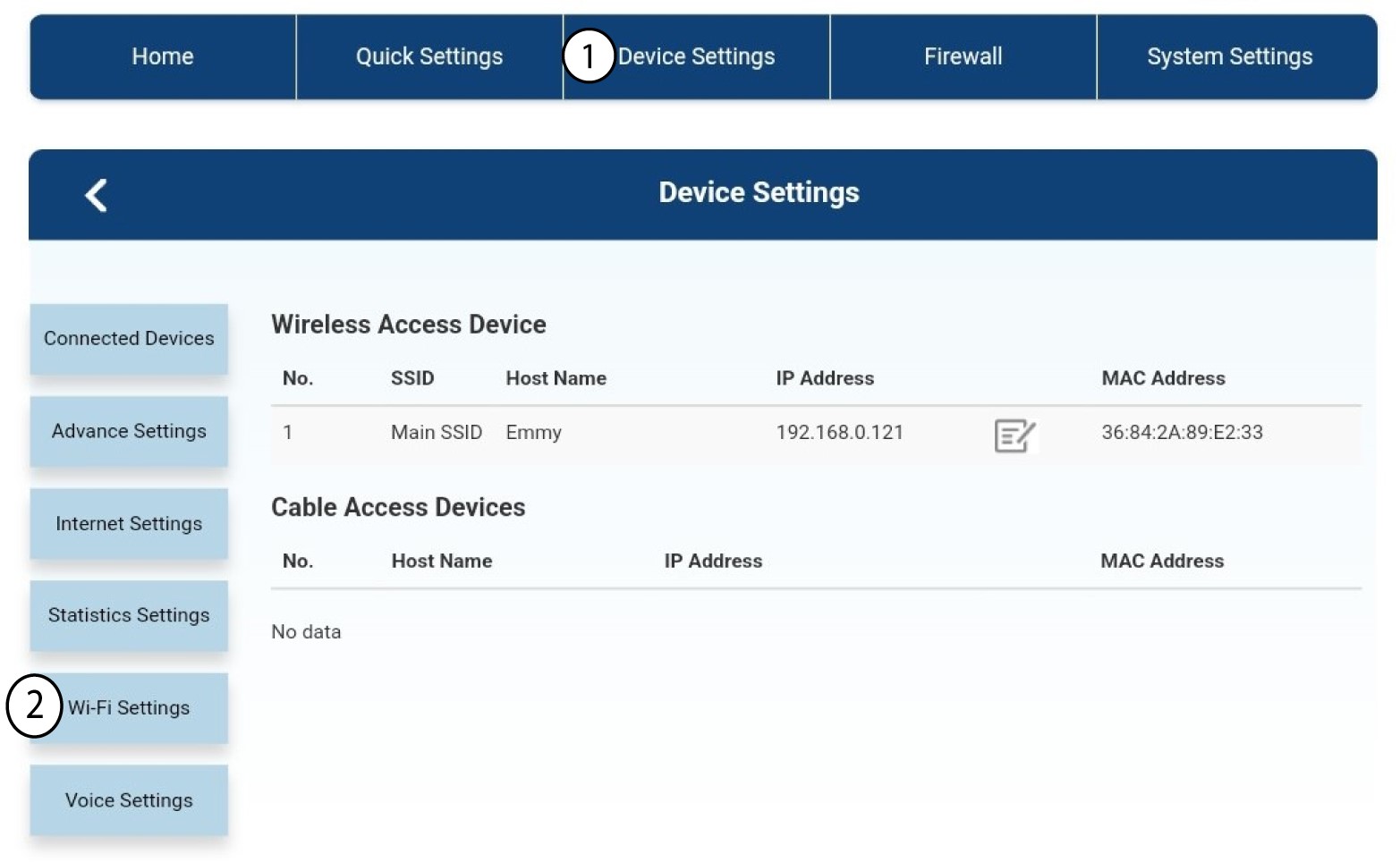
Ezután kattintson az „Eszközbeállítások” elemre, majd válassza ki a „Wi-Fi-beállítások” menüpontot.
3. A Wi-Fi kikapcsolása
A Wi-Fi-beállításokban válassza ki a „Wi-Fi- Switch ” (Wi-Fi-hálózatok) menüpontot. Ezután jelölje be a „Disabled” (Letiltva) jelölőnégyzetet, majd kattintson az „Apply” (Alkalmazás) gombra.
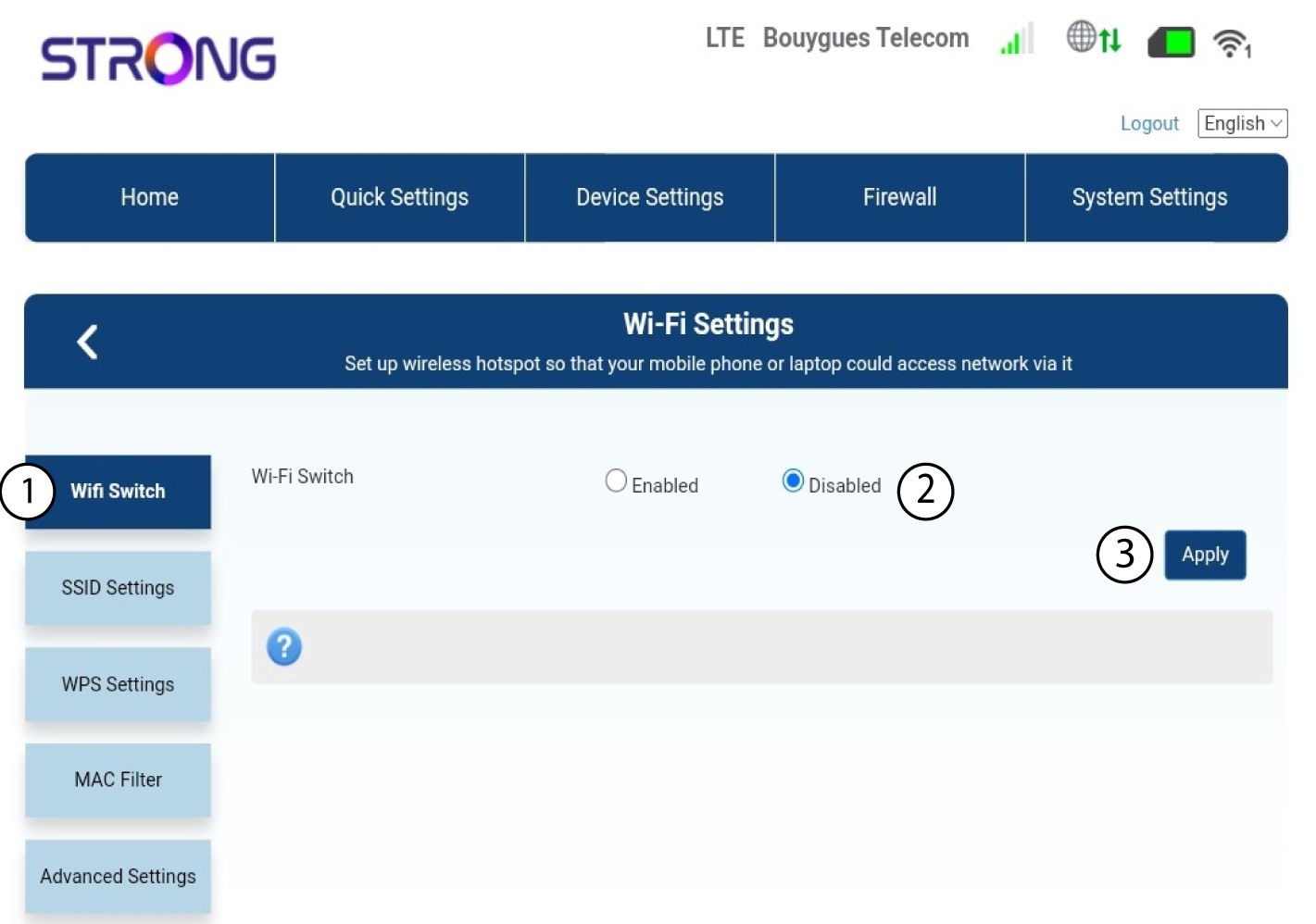

Az útválasztó Wi-Fi-hálózata kikapcsolva van. Az összes, korábban a hálózathoz csatlakozó eszköz automatikusan leválik a hálózatról. A Wi-Fi újraaktiválásához be kell lépnie a webes felhasználói felületre, vagy visszaállíthatja az útválasztót a gyári beállításokra.