
4G+ AIRSPOT 510 Wi-Fi
Nem találtunk tárgyakat.
Nem találtunk tárgyakat.
Minden kérdés
4G+ AIRSPOT 510 Wi-Fi
Nem találtunk tárgyakat.
Nem találtunk tárgyakat.
Hogyan állíthatom be a készülékem APN-beállításait?
Előfordulhat, hogy a készülék beállítása és a PIN-kód megadása után problémák lépnek fel a mobiladat-hálózattal. Ebben az esetben kövesse az alábbi lépéseket az APN-beállítások ellenőrzéséhez.
1. Nyissa mega webes felhasználói felületet
A webes felhasználói felülethez való csatlakozáshoz kövesse az alábbi eljárást: Hogyan érhetem el a webes felhasználói felületet?
2. Az APN-beállítások megnyitása
Kattintson az „Internetbeállítások” és az „APN-konfiguráció” elemre. Ezután kattintson az „APN hozzáadása” gombra.
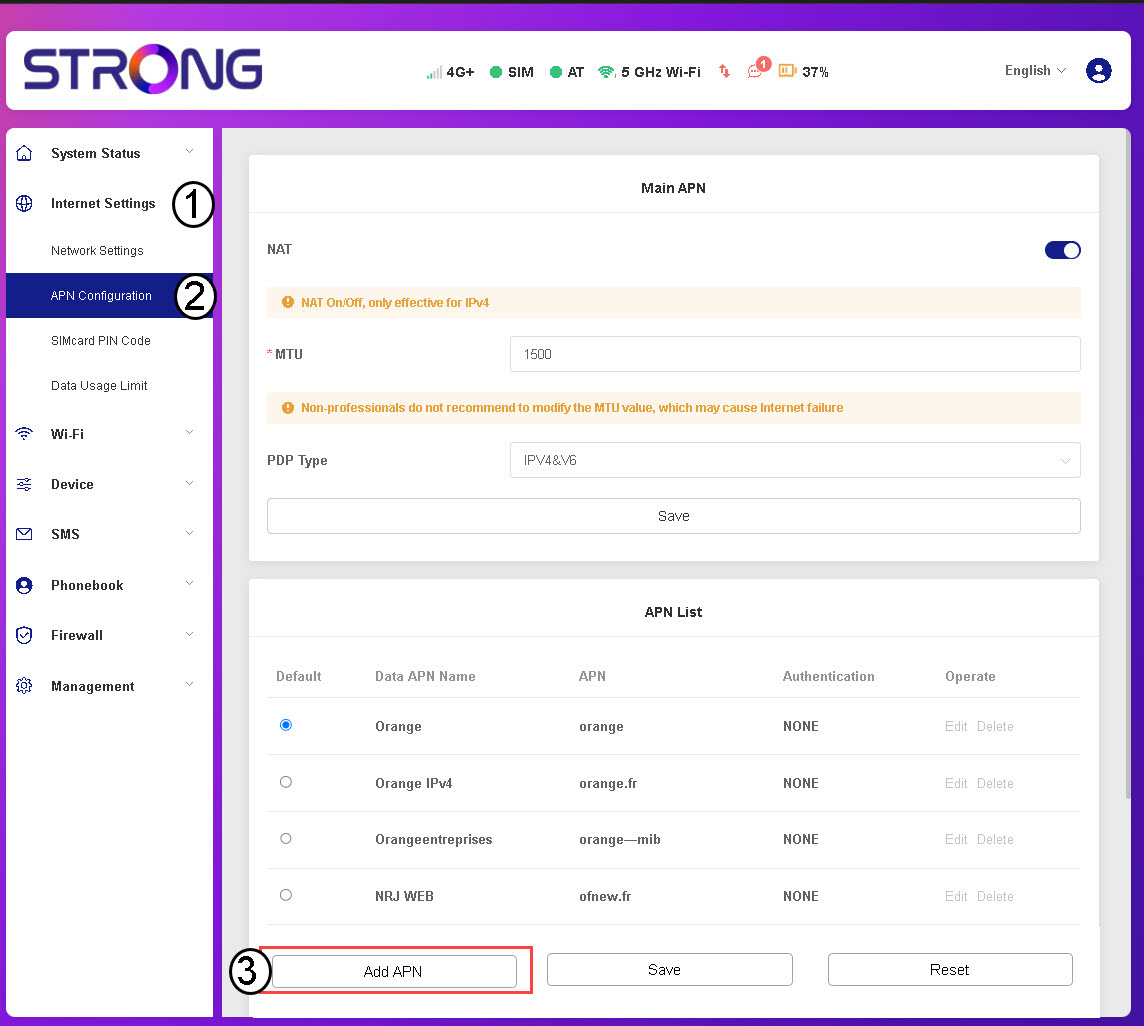
3. Az APN-adatok megadásaés mentése
A „Mentés” gombra kattintás előtt adja meg az alábbi adatokat :
- APN-név: Írja be a szolgáltatója által megadott APN-nevet.
- APN: Írja be a szolgáltatója által megadott APN-t.
- Hitelesítés: A szolgáltató által megadott információk alapján válassza ki a hitelesítési típust a listából.