Nem találtunk tárgyakat.
4K GOOGLE TV BOX S3+ | DOLBY VISION ATMOS
Nem találtunk tárgyakat.
Minden kérdés
Nem találtunk tárgyakat.
4K GOOGLE TV BOX S3+ | DOLBY VISION ATMOS
Nem találtunk tárgyakat.
Hogyan állíthatom vissza a LEAP S3-at a gyári beállításokra?

Figyelem: Ha a készüléket gyári beállításokra állítja vissza, az összes alkalmazás és egyéni beállítás törlődik. Az összes alkalmazást újra kell telepítenie.
1. Kapcsoljabe a készüléket
Kapcsolja be a tévét és a LEAP S3 készüléket.
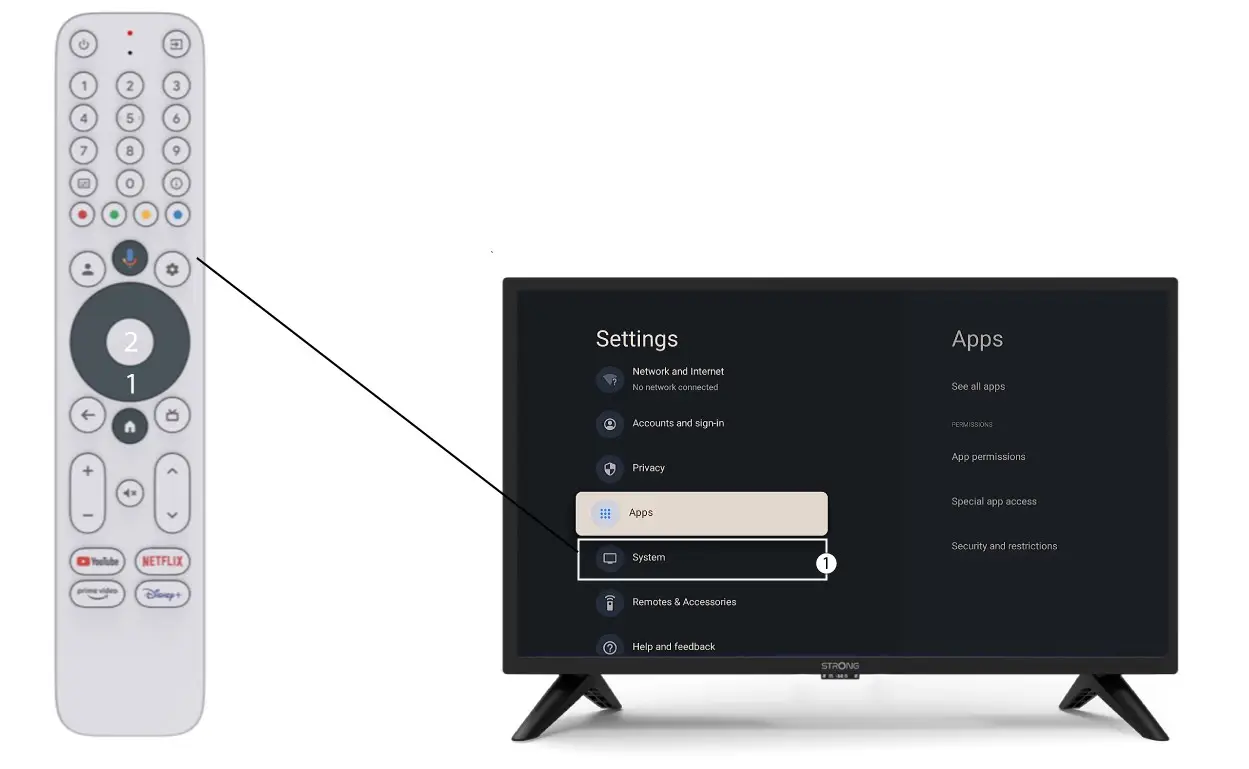
2. Nyissa mega Beállítások menüt
Nyomja meg a távirányítón a fogaskerék ikont (Beállítások gomb). Ezután nyomja meg a távirányítón az OK gombot a Beállítások menü megnyitásához.

3. Rendszerbeállítások
A Beállítások menüben válassza ki a Rendszer menüpontot, majd nyomja meg az OK gombot.
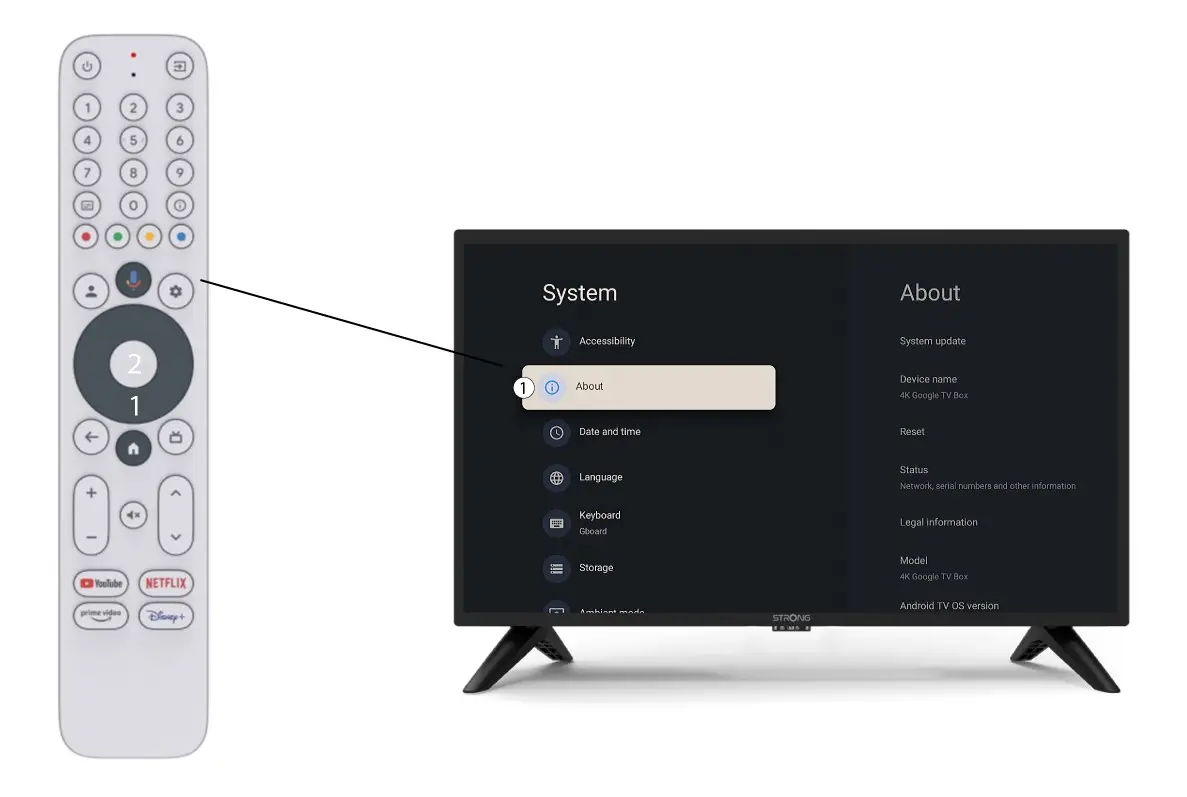
4Rólunk
Válassza ki a „Névjegy” menüpontot a Rendszerbeállítások menüben, majd nyomja meg a távirányítón az OK gombot.
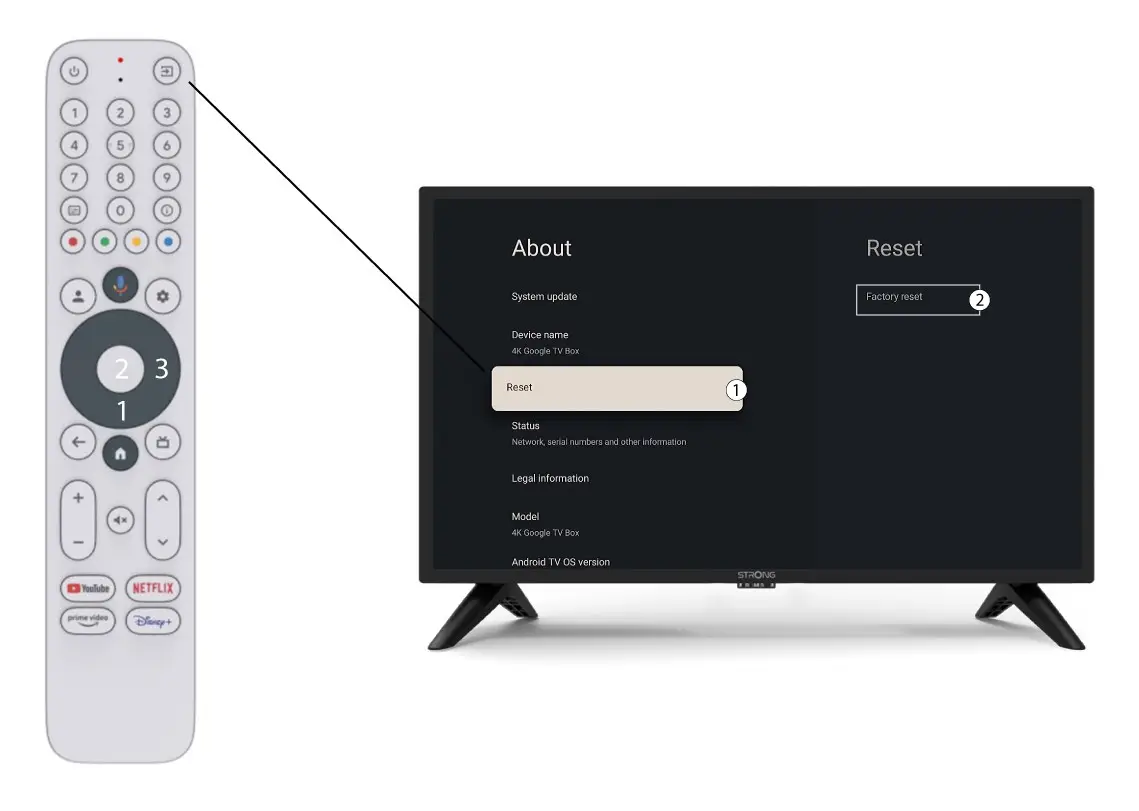
5. Gyári beállítások visszaállítása
Válassza a „Visszaállítás” lehetőséget, majd a „Gyári beállítások visszaállítása” lehetőséget, mielőtt megnyomná az „OK” gombot.