
ATRIA Wi-Fi 5 Mesh 2100 UK 2 db-os csomag)
Minden kérdés
ATRIA Wi-Fi 5 Mesh 2100 UK 2 db-os csomag)
Hogyan szervezzem meg a „ Mesh ” hálózatomat a Wi-Fi-hálózatom optimalizálása érdekében?
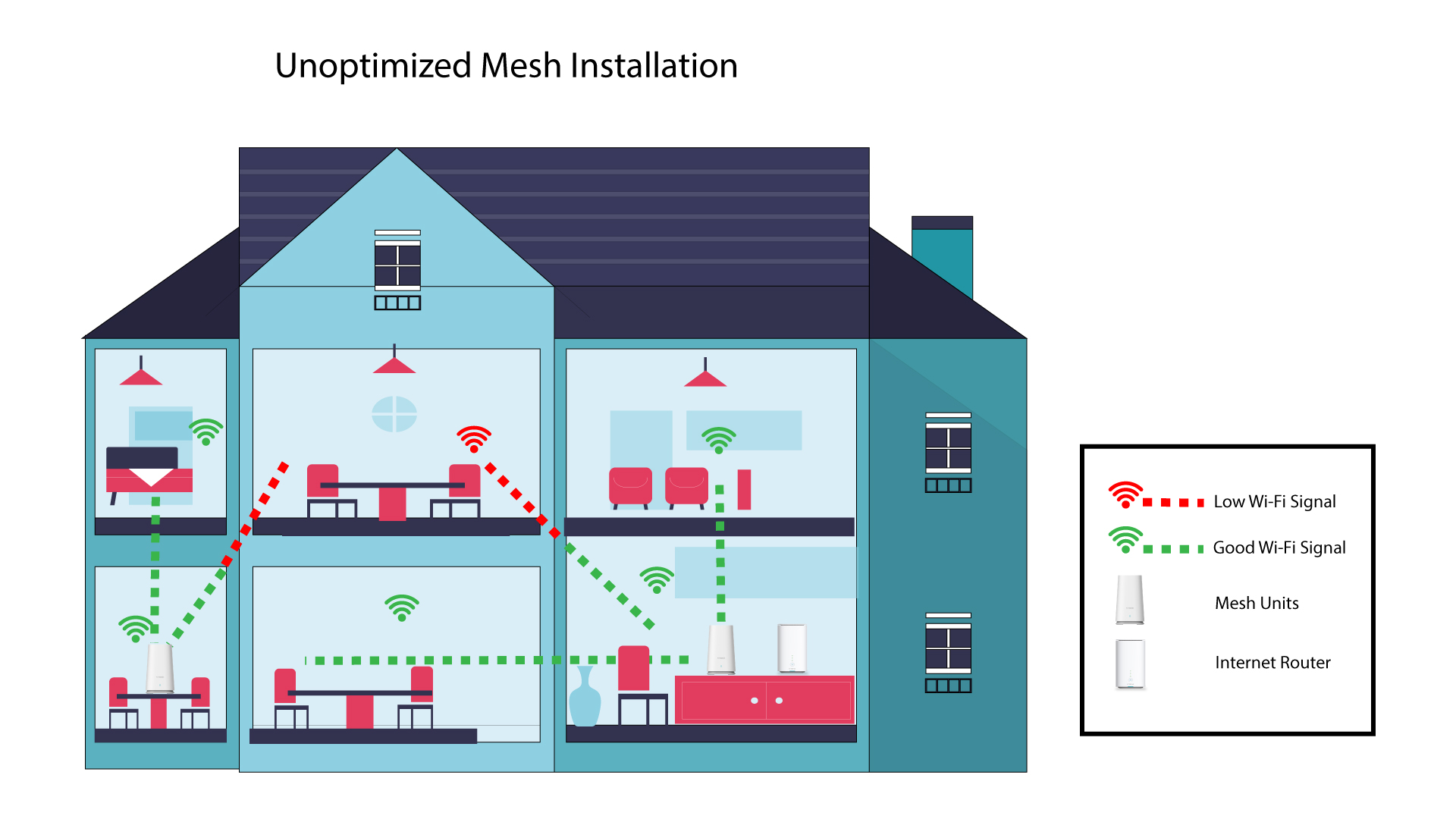
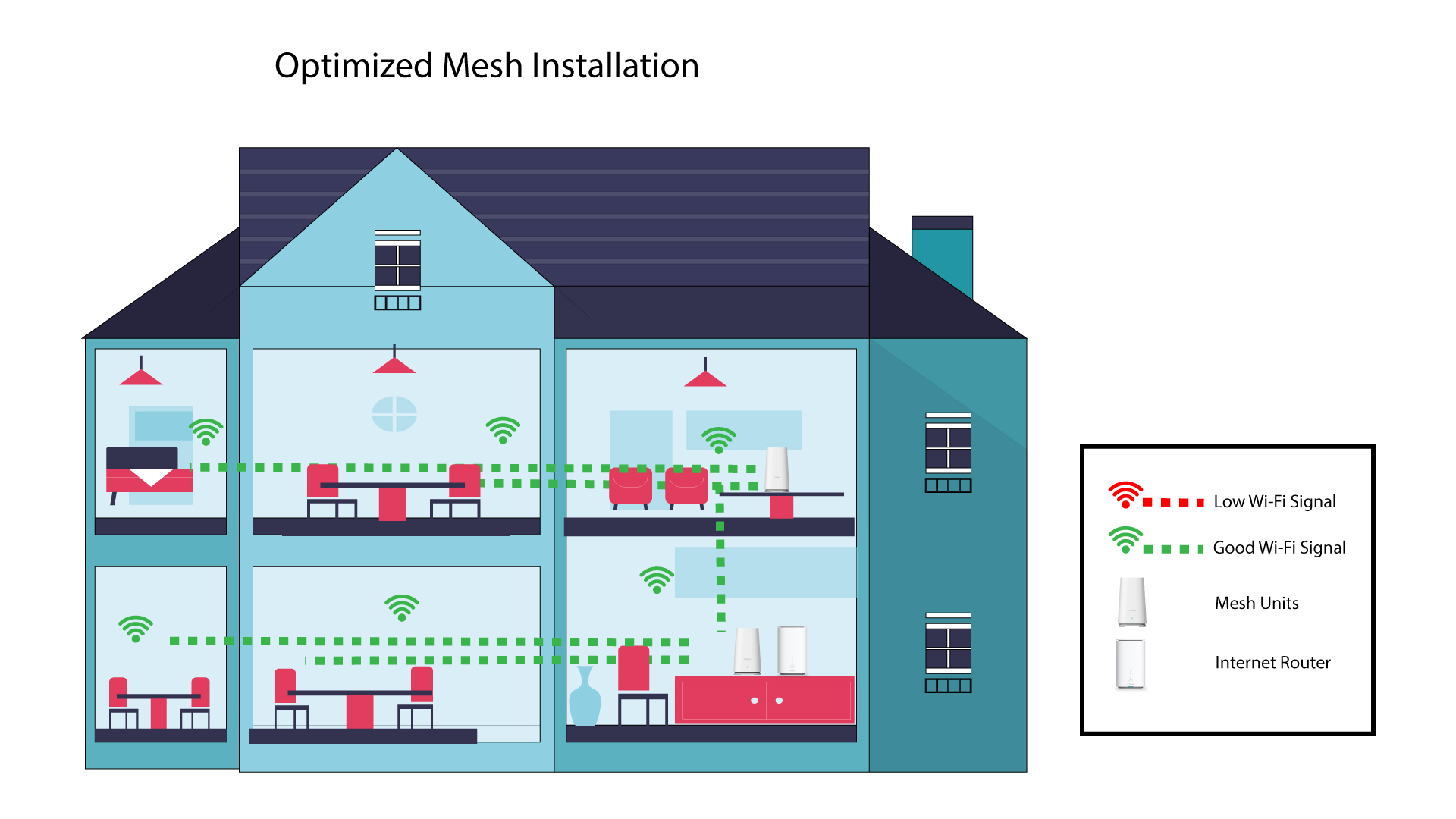
A vételoptimalizálás érdekében az „ mesh ” készüléket azon a helyen kell felszerelni, ahol vételi problémák merülnek fel, hogy az otthonában a lehető legnagyobb területet lefedje.
Kérjük, ügyeljen arra, hogy a „ mesh ” készülékek ne legyenek olyan helyiségben, ahol teherhordó fal található, mivel minél vastagabb a fal, annál nehezebb lehet a Wi-Fi-jelnek áthatolnia rajta.
1. Nem optimalizált„ Mesh ” telepítés
Az alábbi ábra egy házon belüli Wi-Fi-lefedettséget szemlélteti, ahol a „ mesh ” csomópontok nem a ház megfelelő területén helyezkednek el ahhoz, hogy megfelelő lefedettséget biztosítsanak.
2. Az „ Mesh ” telepítésének optimalizálása
Az alábbi ábra egy házon belüli Wi-Fi-lefedettséget mutatja, ahol a „ mesh ” csomópontok a ház megfelelő részén helyezkednek el a megfelelő lefedettség biztosítása érdekében.
1Atria„ Mesh ” alkalmazás
Töltse le az„ATRIA MESH ” okostelefonos alkalmazást az App Store-ból vagy a Google Play Store-ból.

2. Csatlakozása Wi-Fi-hez
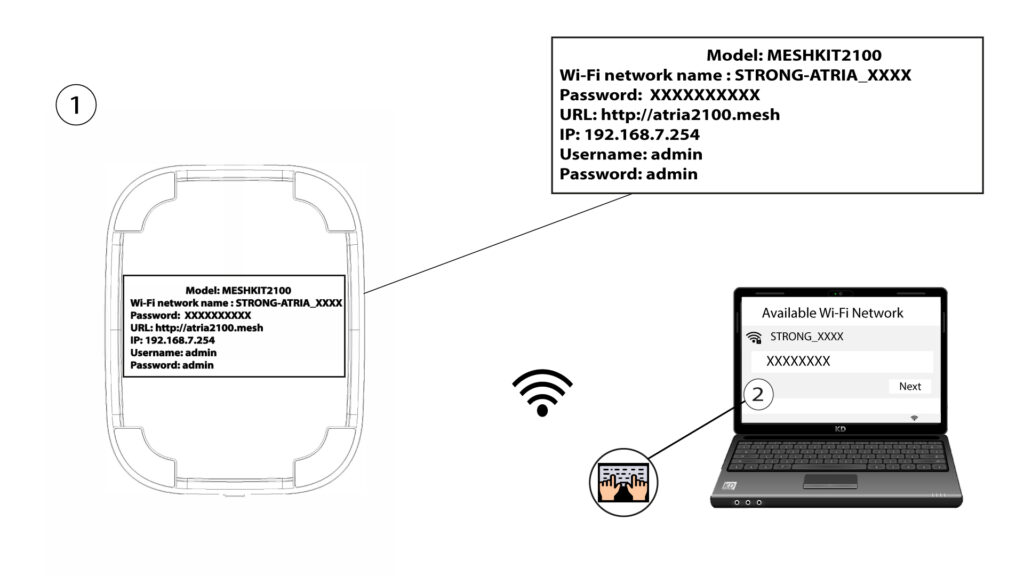
Csatlakozzon az „ mesh ” készülék Wi-Fi-hálózatához.
3. Hitelesítő adatok
Ezután okostelefonjával csatlakoznia kell az „ Mesh ” Wi-Fi-hálózatához, majd be kell jelentkeznie az alkalmazásba a bejelentkezési adataival, amelyek – amennyiben nem módosította őket –„admin” és„admin” kell, hogy legyenek.

4Ahálózatom
Kattintson a „Saját hálózat” elemre.

5. A Mesh
Megjelenik a hálózatodon beállított „ mesh ” egységek neve.
Kattintson az „ mesh ” egység nevére az ehhez tartozó információk megtekintéséhez.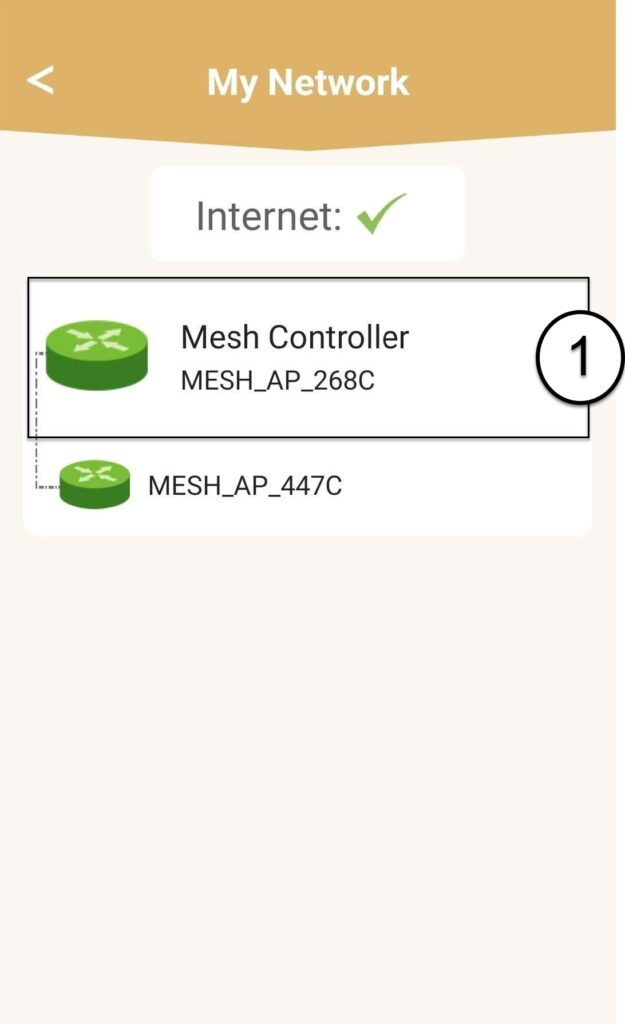
6. Név
Kattintson a név mezőre.
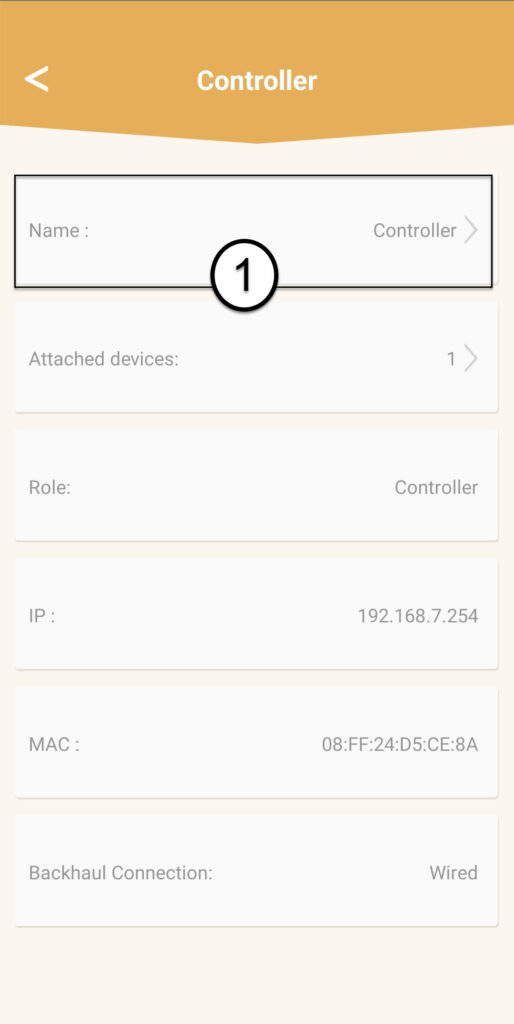
7. A vezérlő nevének módosítása
Írjon be egy új nevet, majd kattintson a „Mentés” gombra:
- Az „ mesh ” vezérlőt a következőképpen kell elnevezni: MeshAX3000-Main-A szoba neve
- Az „ mesh ” eszközöket a következőképpen kell elnevezni: MeshAX3000-A szoba neve
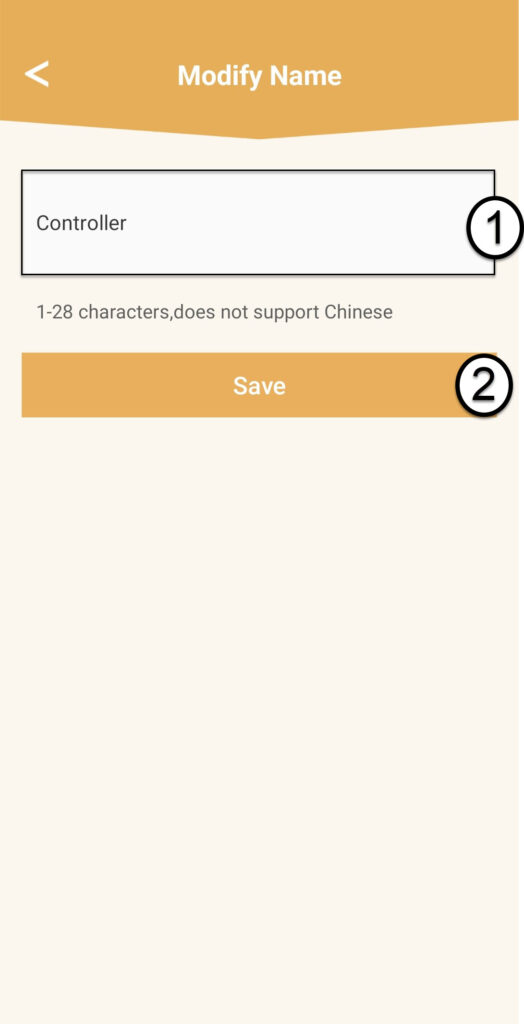

Figyelem: Ha az „ mesh ” egység szürkén jelenik meg, az azt jelenti, hogy nem biztosít megfelelő lefedettséget, ezért a „ mesh ” hálózat optimális működése érdekében módosítania kell az egység elhelyezkedését.