
CPL 600 Trio FR
Minden kérdés
CPL 600 Trio FR
Nincs internet-hozzáférésem, és/vagy a „home” ikon LED-je nem világít.
Az adaptereket vissza kell állítania a gyári beállításokra. Az adapterek visszaállításához kövesse az alábbi lépéseket.
1. Csatlakoztassaaz adaptereket egy elosztóba
Csatlakoztassa az adaptereket egymás után egy többaljzatos elosztóhoz.
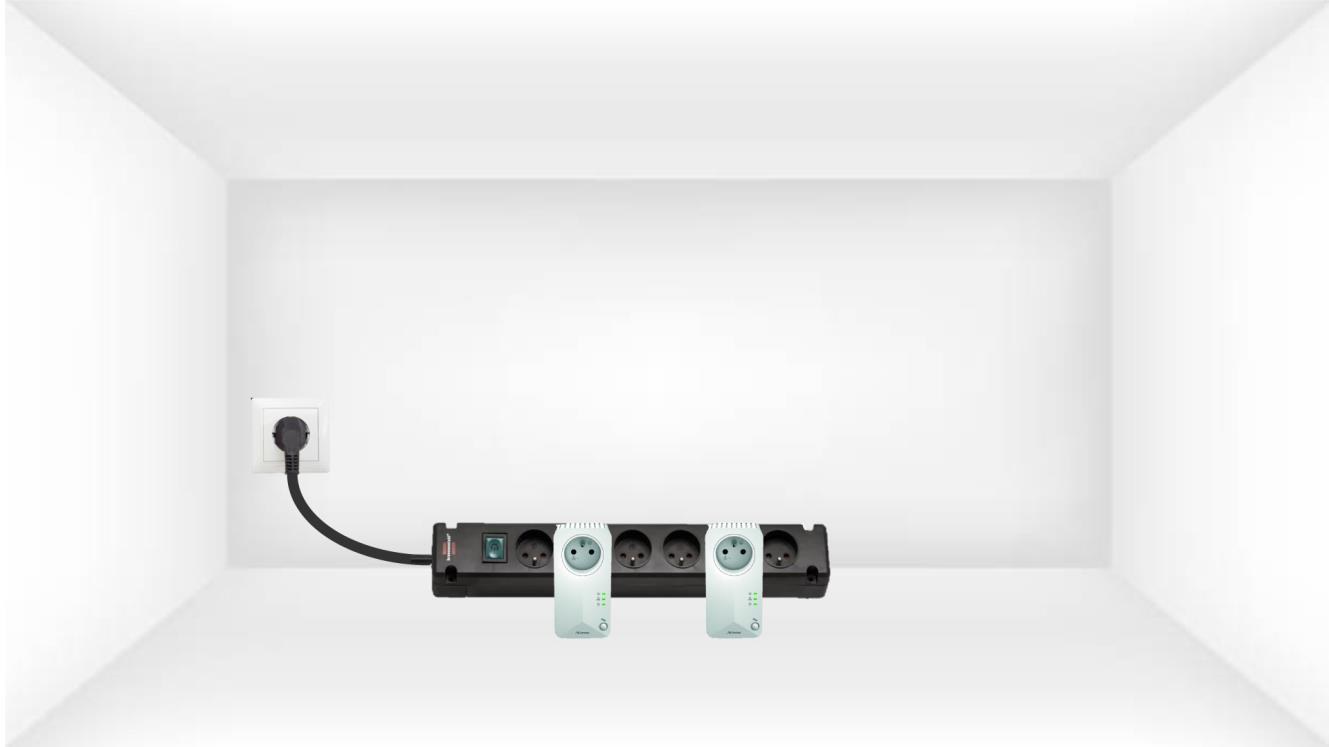
2. Csatlakoztassaaz adaptereket az internethez
Csatlakoztassa az egyes adaptereket egy működő eszközhöz (internet-router/gateway, Android-set-top box, okos-TV, számítógép stb.) Ethernet-kábellel. Az eszközök között kommunikációnak kell lennie, ellenkező esetben az adapter automatikusan készenléti módba vált.
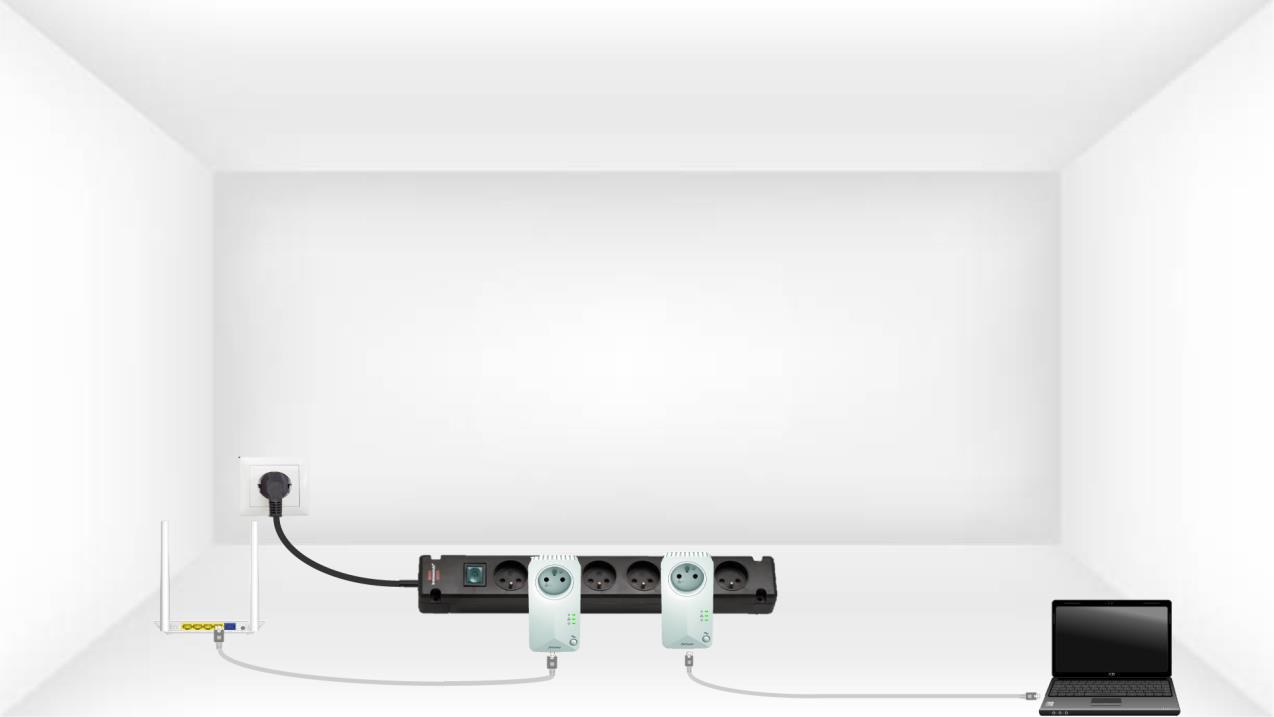
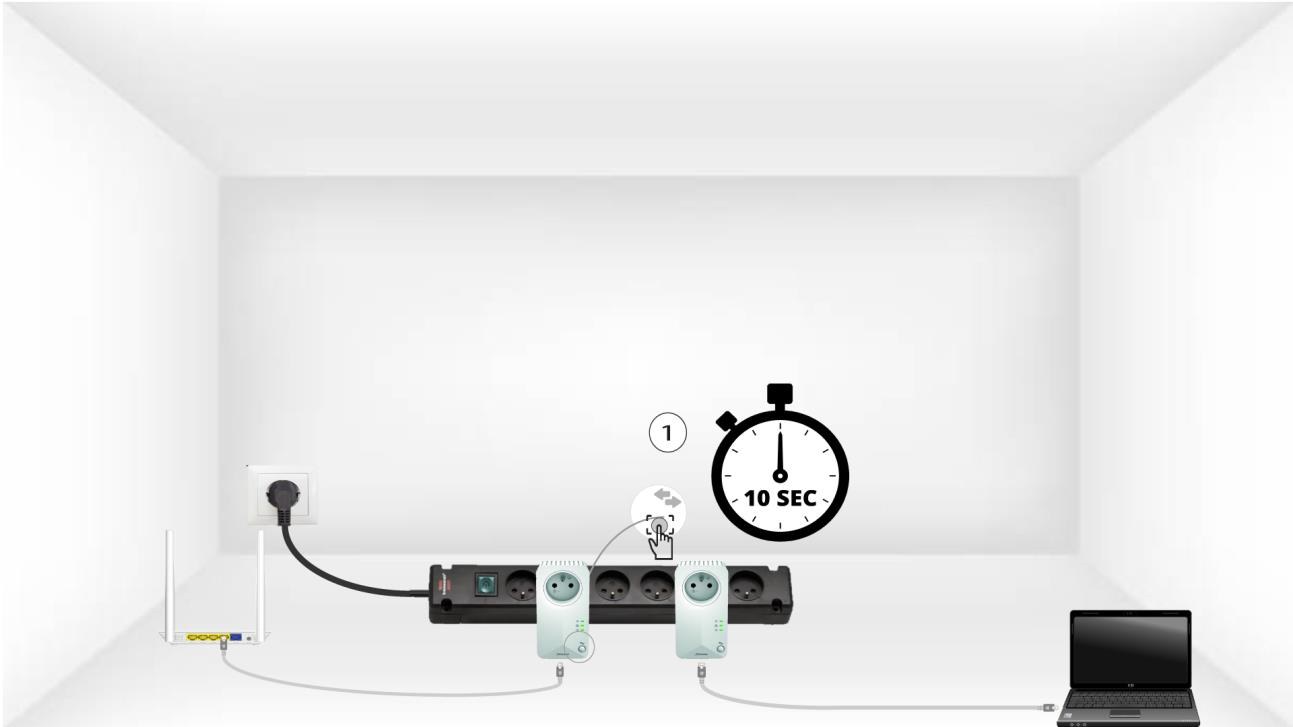
3. Nyomja mega „Connect & Secure” gombot (az első adapteren)
Miután az adaptert csatlakoztatta és az Ethernet-hálózathoz kapcsolta, egyszerűen nyomja meg az előlapon található„Connect & Secure”gombot 10 másodpercig.
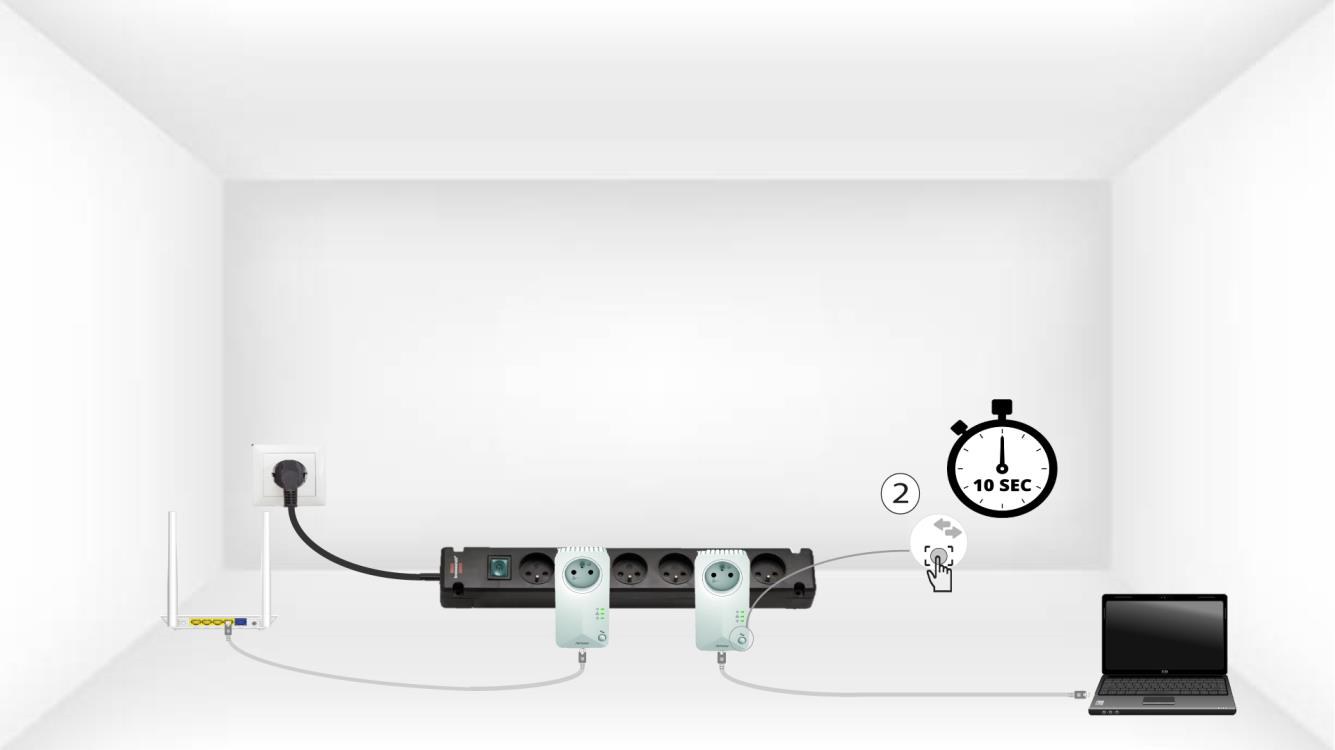
4. Nyomja mega „Connecy & Secure” gombot (második adapter)
Tartsa lenyomva 10 másodpercig a második eszköz elülső paneljén található „Connect & Secure” gombot.
Az 5HomeLED villog
A kezdőlap-ikon LED-jeinek el kell kezdeniük villogni.
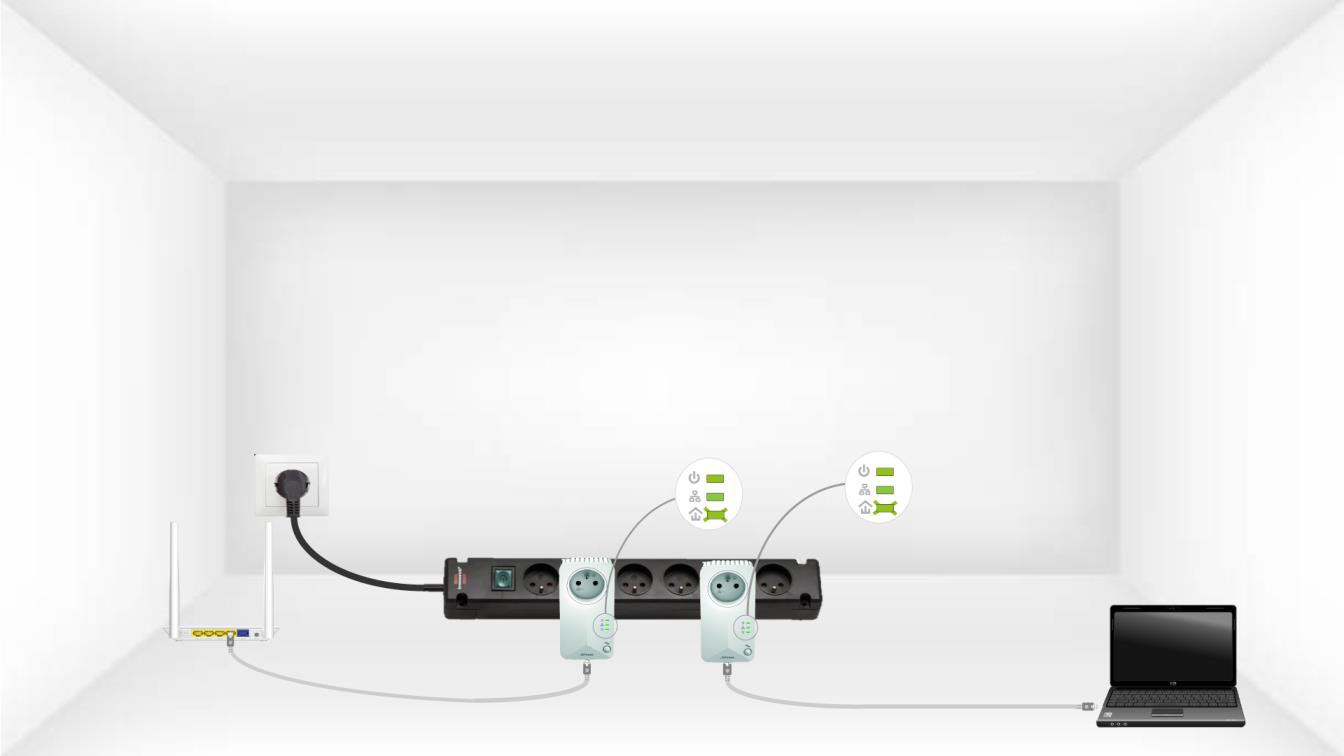
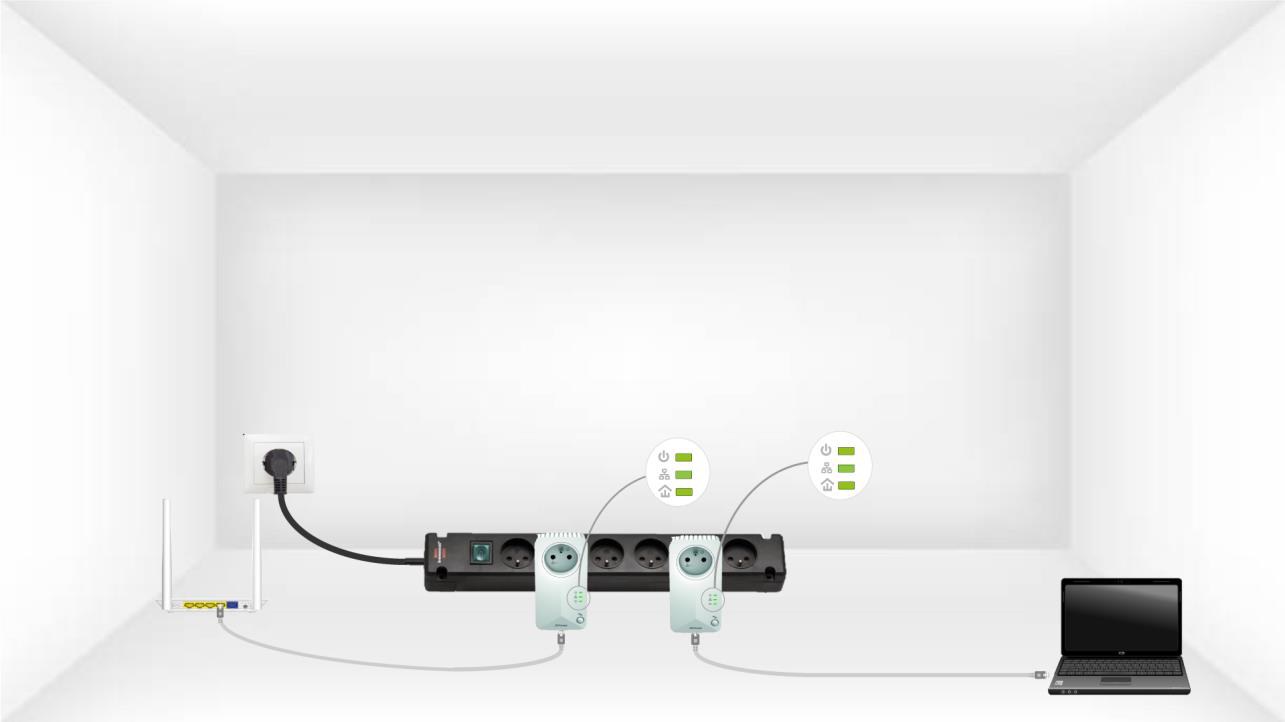
6. Az adapterekvisszaállnak
A műveletek befejeztével az összes LED-nek zöldnek kell lennie.
Ismételje meg ugyanezt a műveletet egy harmadik Powerline eszköz esetében is. Ugyanazon a villamos hálózaton legfeljebb nyolc Powerline 600 eszköz csatlakoztatható.
Miután az összes eszközt párosította, elhelyezheti őket abban a helyiségben, ahol szüksége van rájuk.