CPL 600 Duo Wi-Fi FR V2
Minden kérdés
CPL 600 Duo Wi-Fi FR V2
Miért szakad meg a 2,4 GHz-es Wi-Fi-kapcsolatom, és hogyan segíthet, ha a csatornát az 1-esre, a 6-osra vagy a 11-esre állítom?
Miért szakad meg a 2,4 GHz-es Wi-Fi-kapcsolatom, és hogyan segíthet, ha a csatornát az 1-esre, a 6-osra vagy a 11-esre állítom?
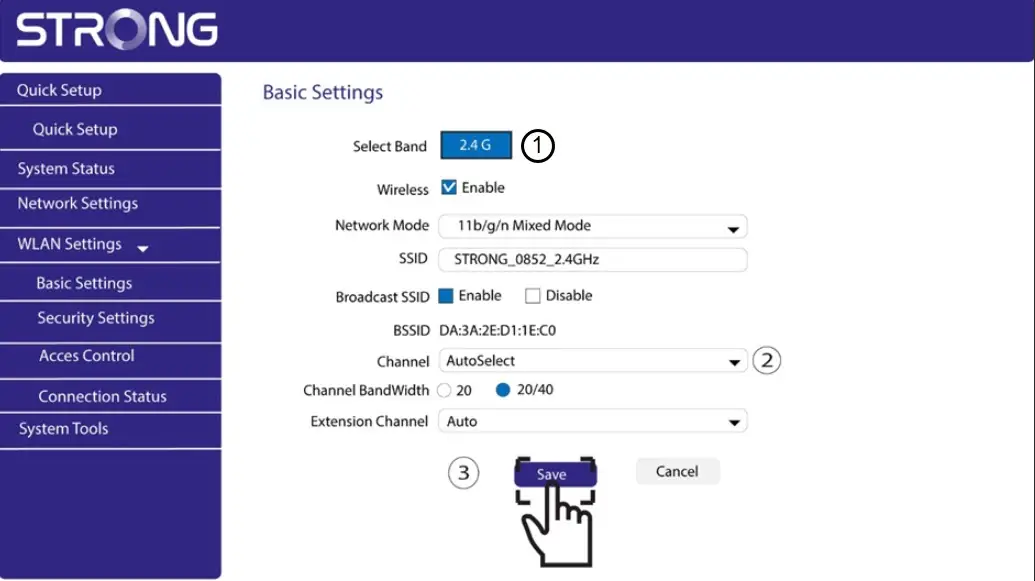
Az interferencia minimalizálása érdekében azt javasoljuk, hogy állítsa be a Wi-Fi-csatornát az 1-es, 6-os vagy 11-es értékre. Ezek a csatornák egymástól elég nagy távolságra vannak ahhoz, hogy ne fedjék át egymást, ami csökkenti a közelben működő más hálózatok és eszközök által okozott interferencia esélyét. E csatornák egyikének kiválasztásával javíthatja a Wi-Fi-kapcsolat stabilitását és teljesítményét.
A csatorna megváltoztatásához nyissa meg a Powerline Wi-Fi-eszköz beállításait a webes felületén. Keresse meg a „WLAN-beállítások > Alapbeállítások” részt, majd válassza ki az 1., 6. vagy 11. csatornát.
1. Csatlakozza Wi-Fi-hez
Ehhez írja be a készülékébe az útválasztó SSID-jét és jelszavát.

2. Adja mega webes felhasználói felület IP-címét
Ezután írja be a böngészőjébe a következő IP-címet: http://strong.500.ap

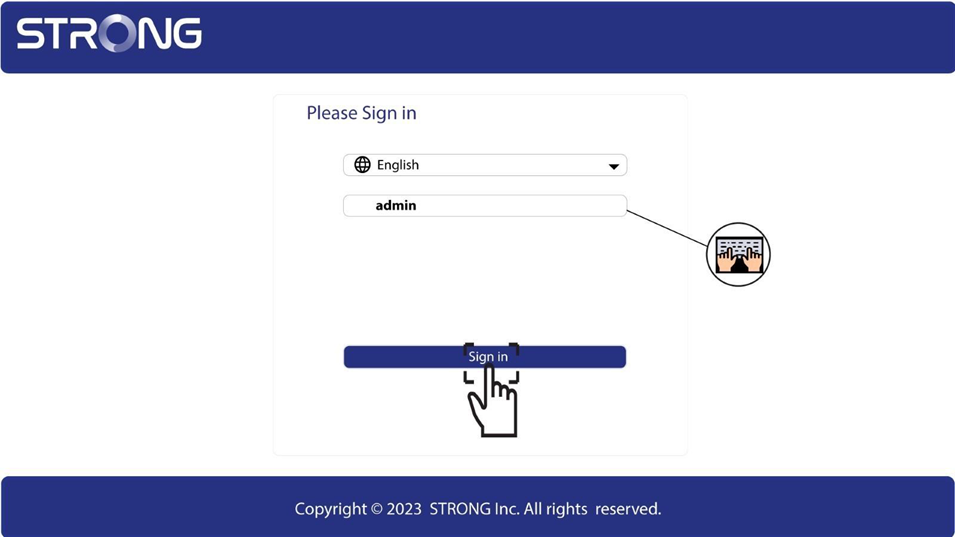
3. Bejelentkezésioldal
Miután beírta az IP-címet, kattintson rá, majd adja meg a felhasználónevet (admin). Ezután kattintson a „Bejelentkezés” gombra.
4. WLAN-beállítások
Kattintson a „WLAN-beállítások” és az „Alapbeállítások” elemre.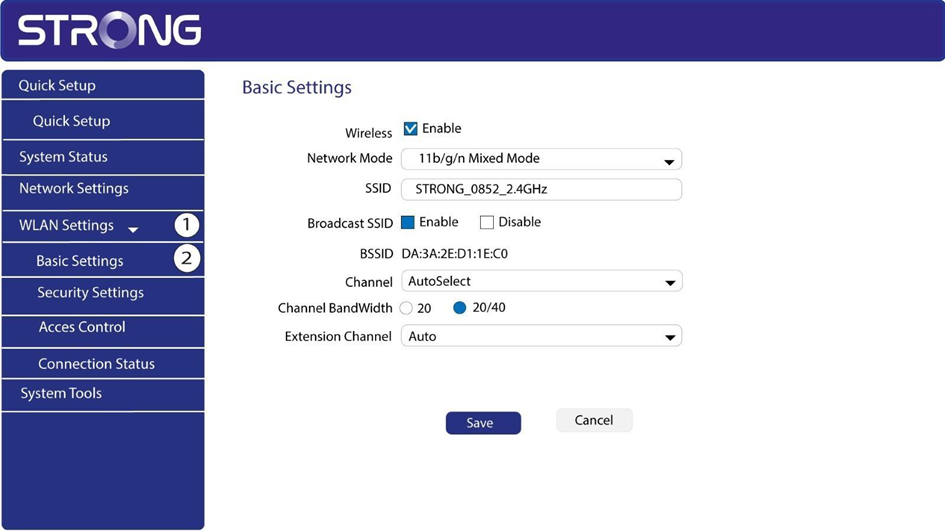
5. Válassza kia hálózati sávot
Válassza ki a 2,4 GHz-es hálózati sávot. Ezután válassza ki a csatornát a legördülő listából (1, 6 vagy 11), majd kattintson a „Mentés” gombra.