4G AIRHOME 200 Mini-ruter med avtakbare 4G-antenner
Ingen gjenstander funnet.
Ingen gjenstander funnet.
Alle spørsmål
4G AIRHOME 200 Mini-ruter med avtakbare 4G-antenner
Ingen gjenstander funnet.
Ingen gjenstander funnet.
Hvordan endrer jeg PIN-koden til SIM-kortet?
Det er mulig å endre PIN-koden til SIM-kortet ditt i nettgrensesnittet. Følg prosedyren nedenfor for å gjøre det.
1 Koble til Wi-Fi-nettverket til ruteren din
Du må koble til nettgrensesnittet. For å gjøre dette, skriv inn SSID-en (Wi-Fi-nettverksnavnet) og Wi-Fi-passordet til ruteren på enheten din.

2 Bla til følgende IP-adresse
Deretter skriver du inn følgende IP-adresse i nettleseren din: 192.168.188.1

3 Skriv inn påloggingsinformasjonen din
Du må skrive inn passordet . Klikk deretter på Logg inn .

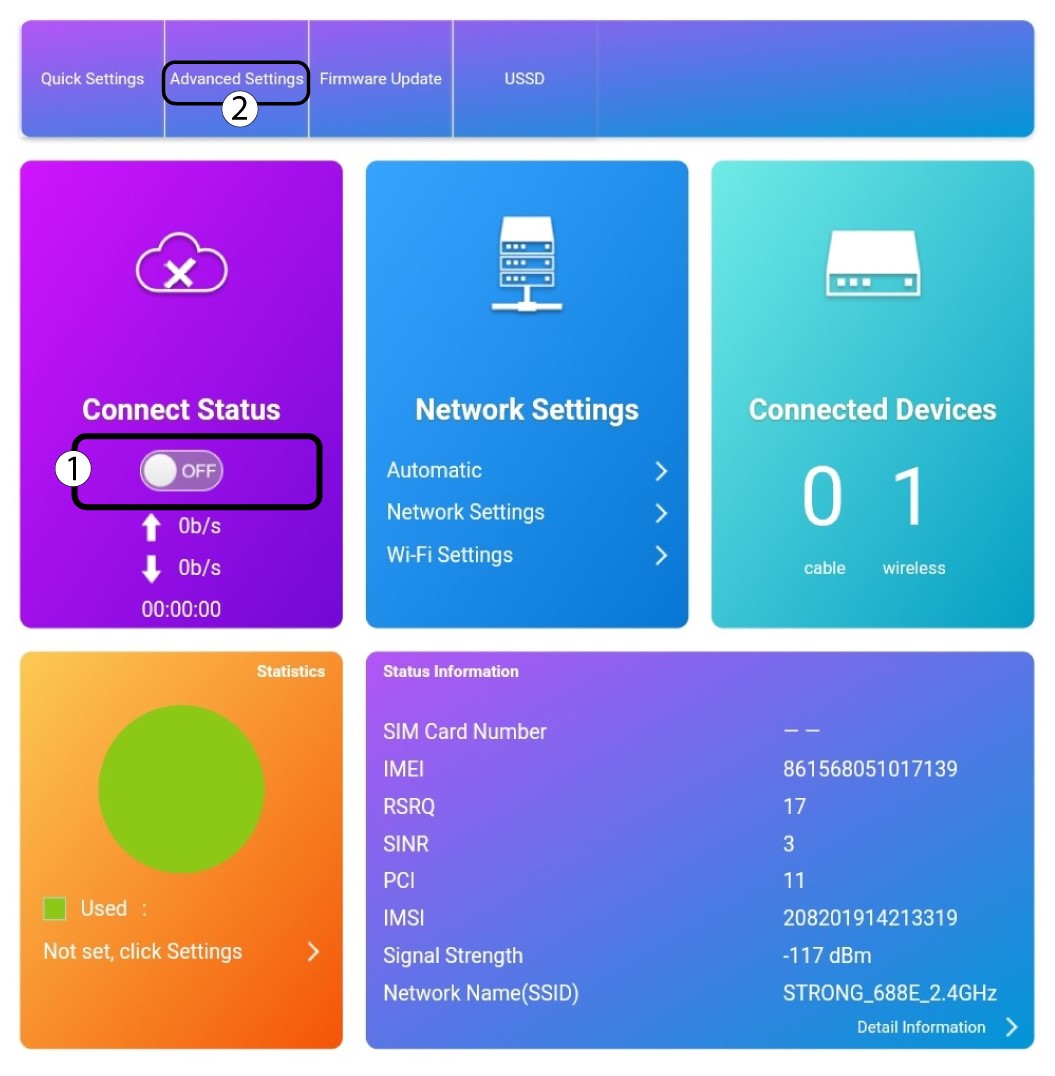
4 Avanserte innstillinger
Klikk på veksleknappen i delen Tilkoblingsstatus, og klikk på Avanserte innstillinger.
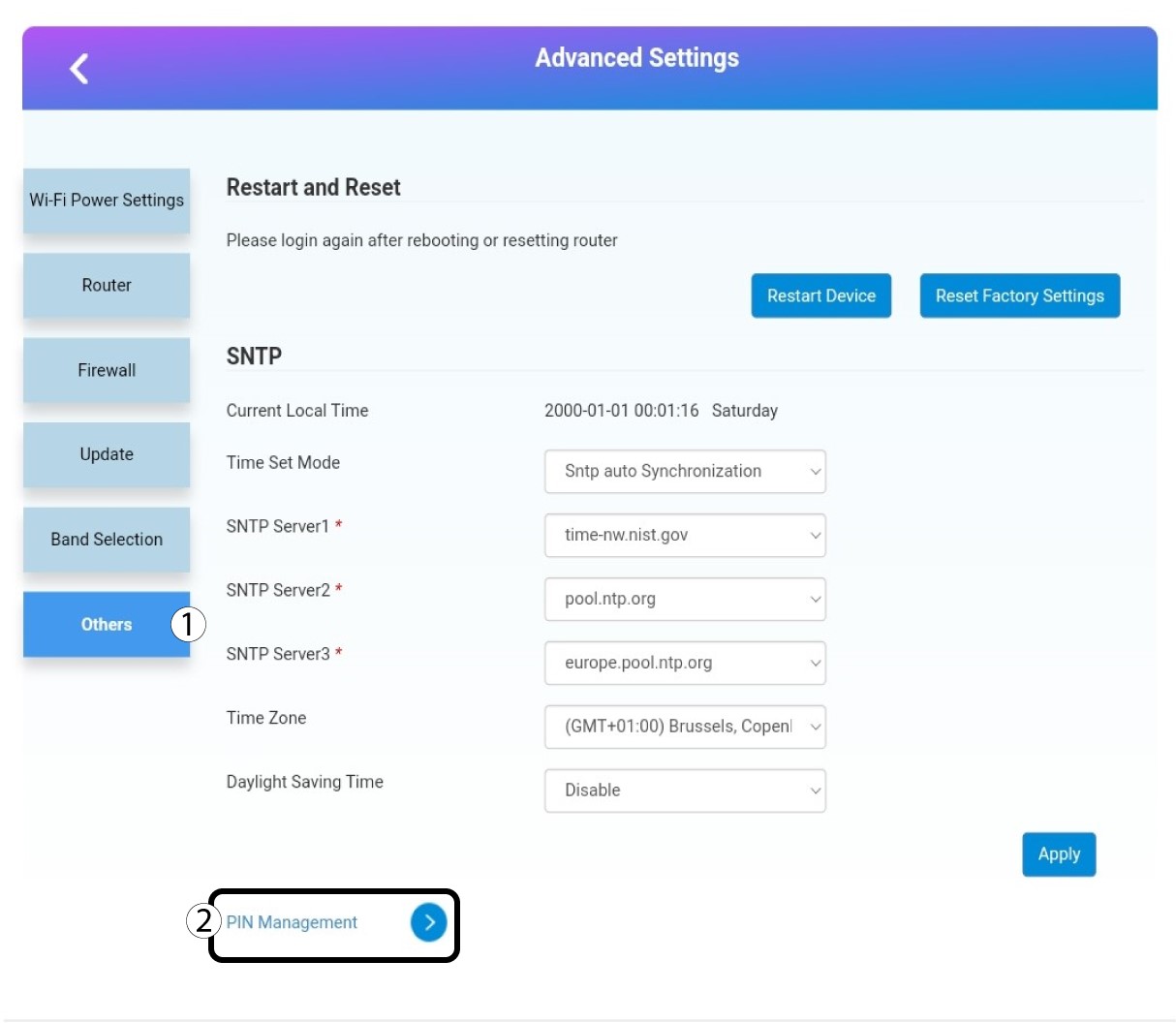
5 PIN-administrasjon
Klikk på Andre og PIN- administrasjon .
6 Endre PIN-kode
Klikk på Endre PIN-kode.

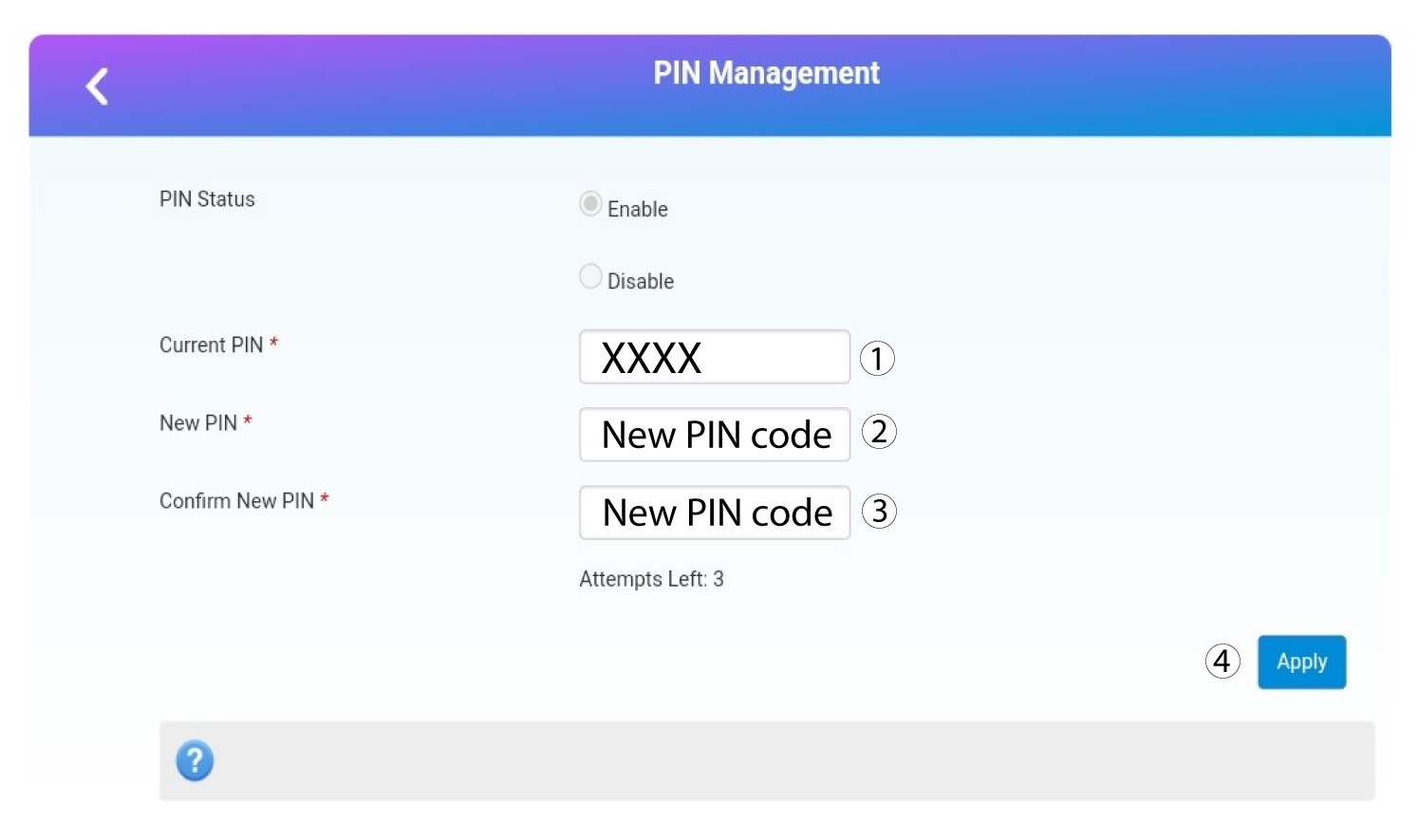
7 Tast inn den nye PIN-koden
Skriv inn følgende informasjon før du klikker på Bruk :
- Gjeldende PIN: Skriv inn din nåværende PIN-kode.
- Ny PIN: Skriv inn den nye PIN-koden din.
- Bekreft ny PIN: Skriv inn den nye PIN-koden.