
Powerline 1000 Duo Wi-Fi Mini
Alle spørsmål
Powerline 1000 Duo Wi-Fi Mini
Hvordan endrer jeg SSID-navnet og passordet til Powerline 1000 Mini Wi-Fi-nettverket?
1 Koble til Wi-Fi
Koble til Wi-Fi-nettverket til Powerline 1000 Wi-Fi Mini.
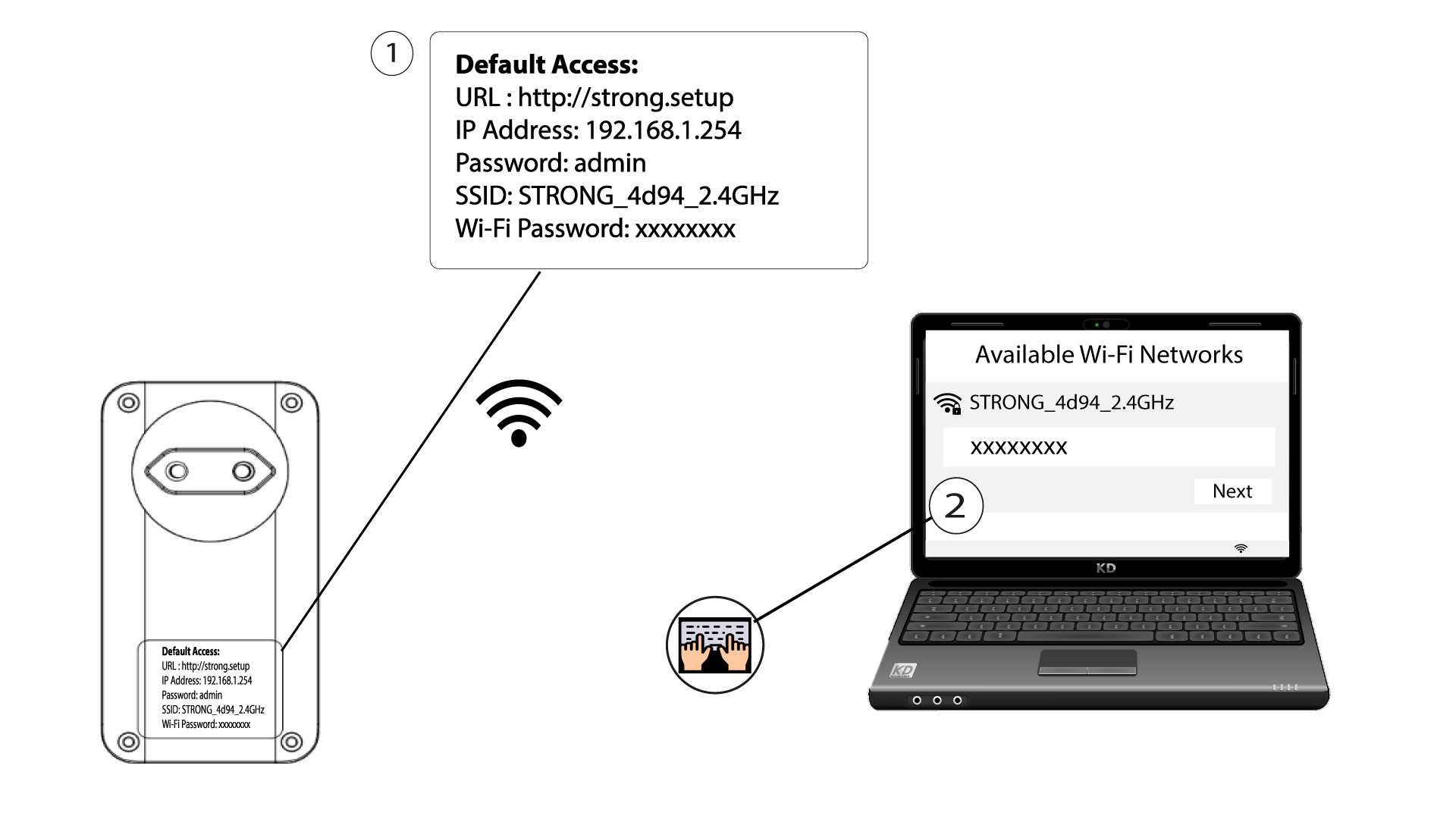
2 Bla til IP-adressen for webgrensesnittet
Få tilgang til brukergrensesnittet ved å skrive inn URL-en: http://strong.setup i adressefeltet i nettleseren din.

3 Skriv inn påloggingsinformasjonen din
Skriv deretter inn passordet: admin

4 Hurtigoppsett
Gå til menyen, velg Hurtigoppsett , klikk deretter på Tilgangspunkt (AP ) og klikk på NESTE .

5 Skriv inn det nye nettverksnavnet og passordet
Rediger SSID og passordfrase. Når du definerer det nye passordfrasen, må du unngå å bruke store bokstaver (I) og små bokstaver (L), da de lett kan blandes sammen. Vi anbefaler også at du oppretter et passordfrase som består av store bokstaver, små bokstaver og tall vekselvis. Når endringene er fullført, klikker du på NESTE for å lagre.

6 Skriv ned den nye nettverksinformasjonen
Skriv ned den nye SSID-en og passordfrasen på et ark, og koble deretter alle enhetene dine til Powerline 1000 Wi-Fi Mini på nytt ved å bruke de nye innstillingene.
