Repeater AX1800
Alle spørsmål
Repeater AX1800
Hvordan konfigurerer jeg repeateren min?
Før du konfigurerer repeateren, vennligst sjekk følgende prosedyre for å bestemme plasseringen av repeateren: Hva er den beste plasseringen for repeateren min?
1 Koble til nettgrensesnittet
Følg én av fremgangsmåtene nedenfor for å koble til nettgrensesnittet:
- Hvordan kobler jeg til repeaterens nettgrensesnitt? (RJ45-kabel)
- Hvordan kobler jeg til repeaterens nettgrensesnitt? (Wi-Fi)
2 Velg modus for repeateren din
Veiviseren for oppsett av repeateren åpnes. Velg Trådløs forlenger og klikk på Neste .

3 Velg tidssone
Velg tidssonen fra listen hvis den som oppdages automatisk er feil, og klikk på Neste.

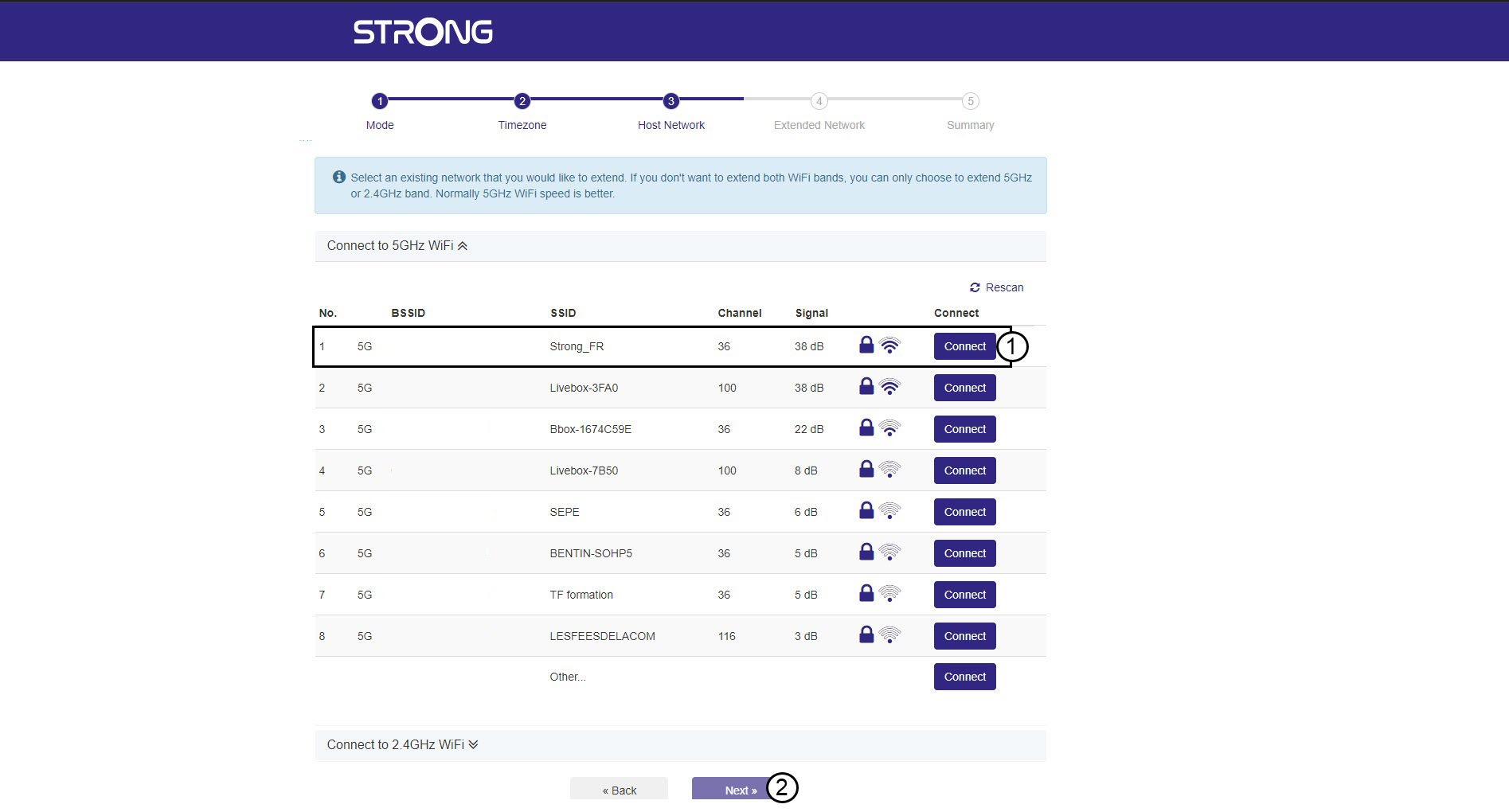
4 Skanner det tilgjengelige nettverket
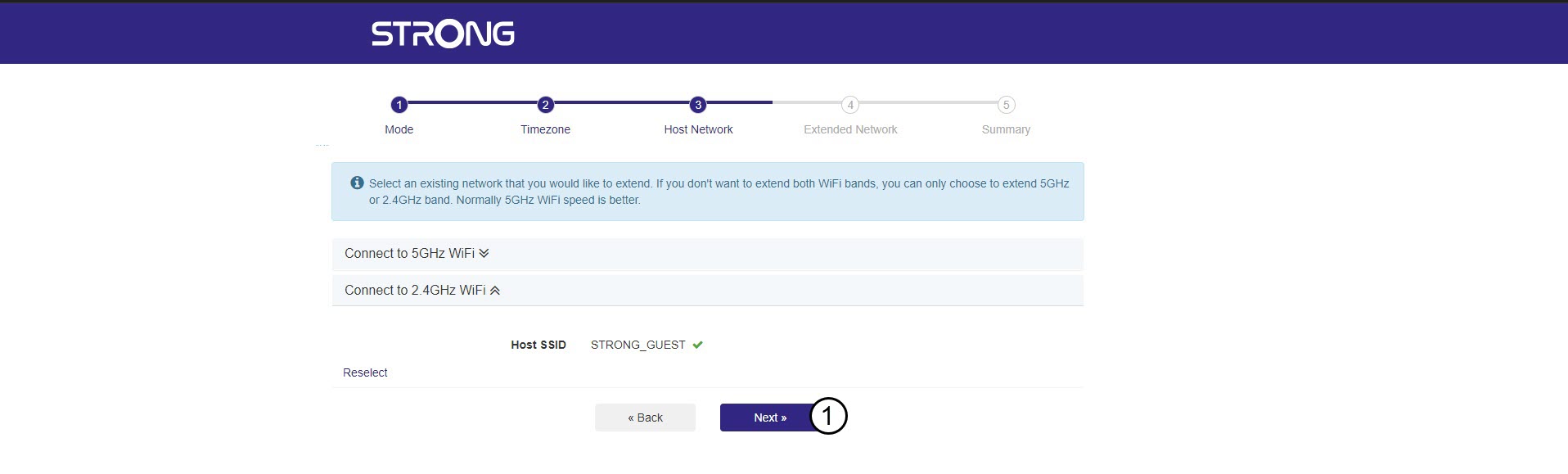
Repeateren din vil utføre en skanning av alle tilgjengelige 2,4G- og 5G Wi-Fi-nettverk for å bestemme vertsnettverket. Velg Wi-Fi-nettverksnavnet til ruteren din. Klikk deretter på Koble til og Neste .
5 Skriv inn passordet for Wi-Fi-vertsnettverket
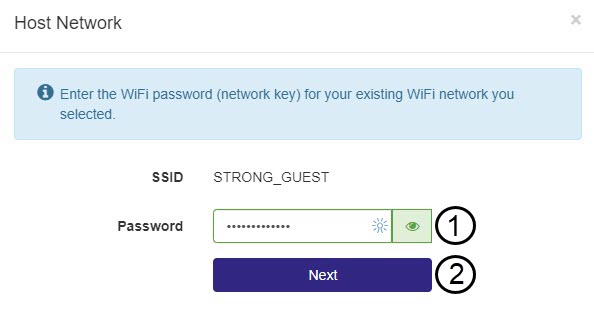
Skriv inn Wi-Fi-passordet til ruteren din og klikk på Neste .
Du kan klikke på øyeikonet for å vise passordet du skriver.
6 Vent under konfigurasjonen
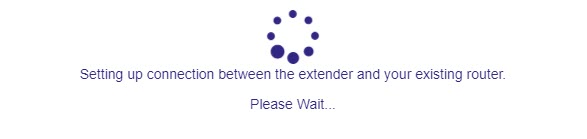
Vent mens repeateren konfigureres.
7 Bekreft konfigurasjonen
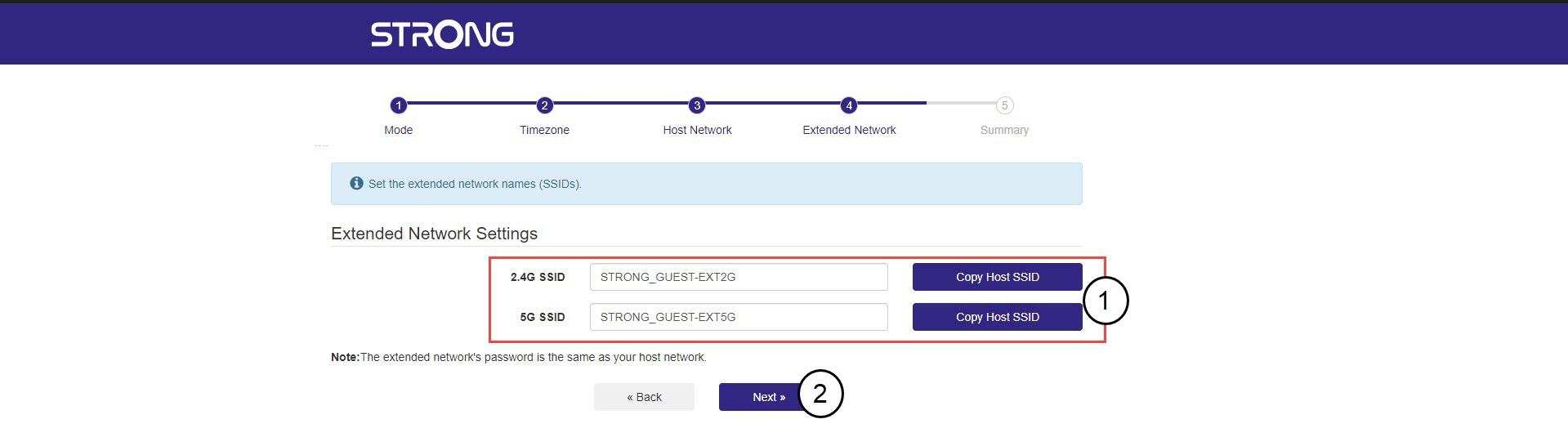
Klikk på Neste for å bekrefte konfigurasjonen.
8 Skriv ned nettverksinformasjonen
Skriv ned informasjonen om de nye Wi-Fi-nettverkene, og klikk på Neste .