
Dobbeltbåndsrepeater 750 UK V2
Ingen gjenstander funnet.
Ingen gjenstander funnet.
Alle spørsmål
Dobbeltbåndsrepeater 750 UK V2
Ingen gjenstander funnet.
Ingen gjenstander funnet.
Hvordan konfigurerer jeg repeateren min som en ruter?
TIPS: Før du konfigurerer repeateren, vennligst sjekk følgende prosedyre for å bestemme plasseringen av repeateren: Hva er den beste plasseringen for repeateren min?
1 Koble til nettgrensesnittet
Følg én av fremgangsmåtene nedenfor for å koble til nettgrensesnittet:
- Hvordan kobler jeg til repeaterens nettgrensesnitt? (RJ45-kabel)
- Hvordan kobler jeg til repeaterens nettgrensesnitt? (Wi-Fi)
2 Velg rutermodus
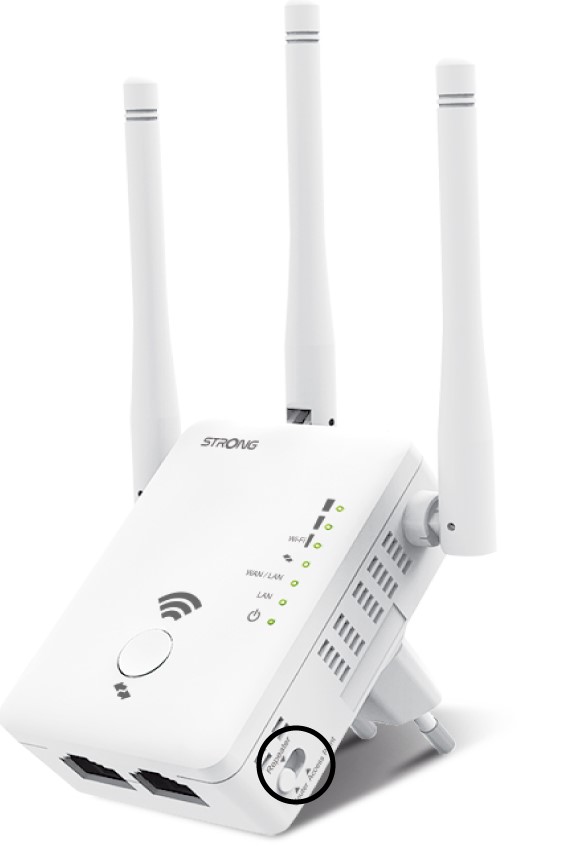
På modusen switch som ligger på høyre side av repeateren din, velg ruterposisjonen.
3 Ruterveiviser
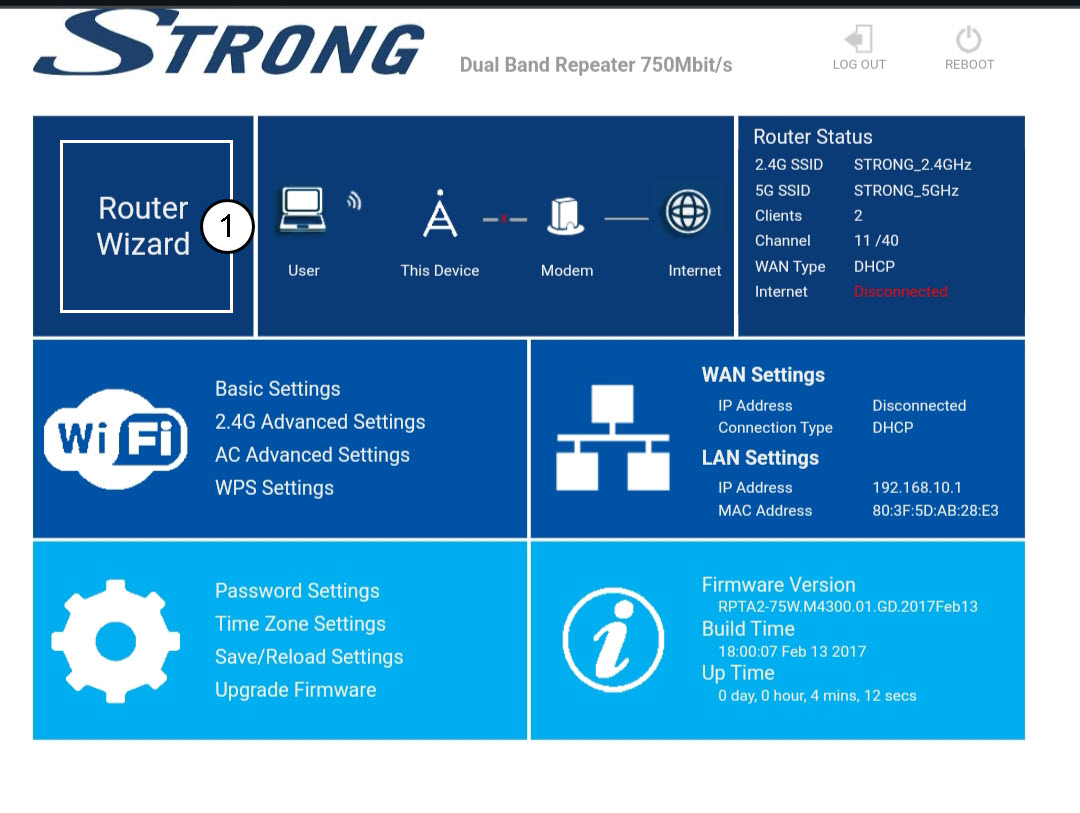
Klikk på Ruterveiviser.
4 Ruteroppsett
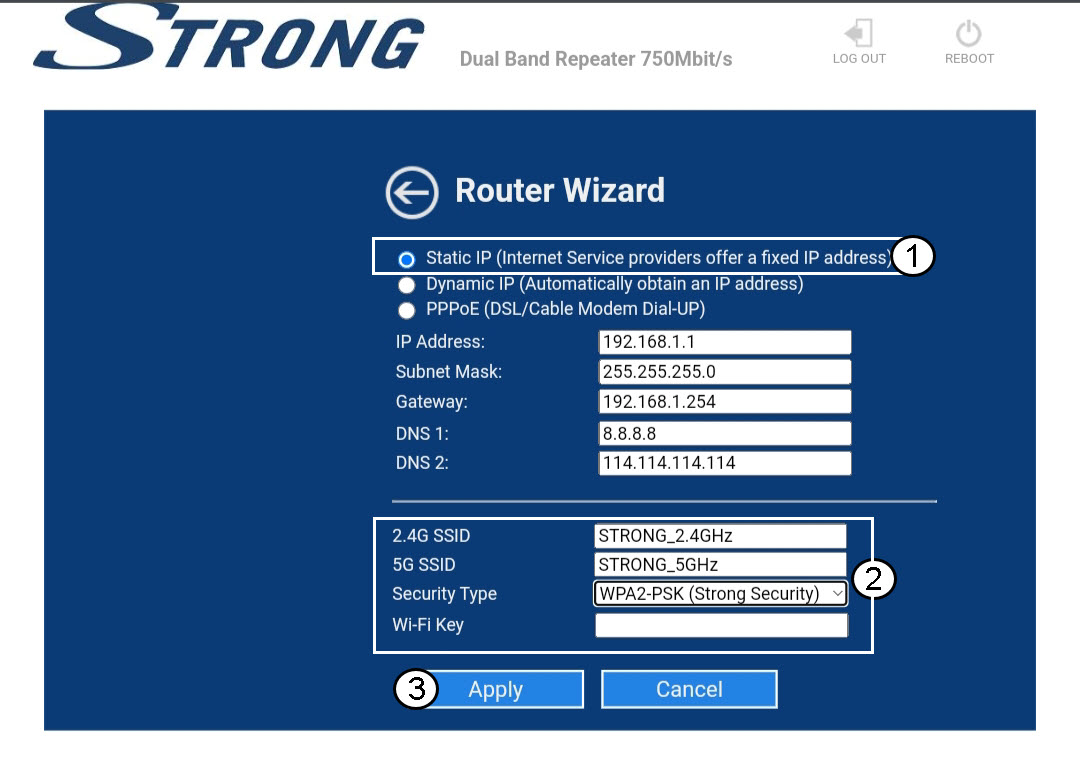
Velg alternativet Statisk IP for å konfigurere nettverket ditt . Skriv inn et navn for hver SSID og velg sikkerhetstypen for nettverket ditt. Vi anbefaler å bruke alternativet WPA2-PSK . Klikk på Bruk for å bekrefte .
TIPS: Du vil kunne koble til nettgrensesnittet ved å bruke IP-adressen til repeateren .
5 Vent under konfigurasjonen
Vent mens repeateren konfigureres.
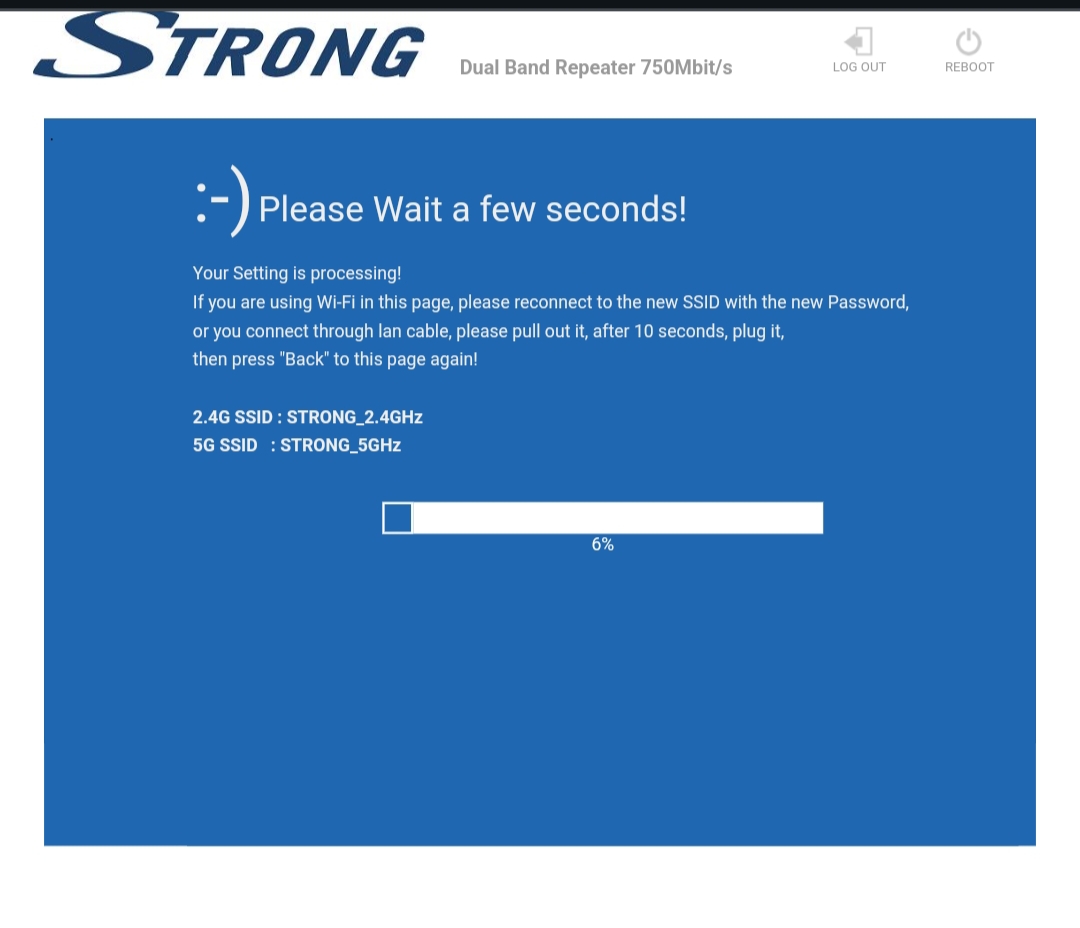

Advarsel: Skriv ned passordene og navnene på Wi-Fi-nettverkene.