
Dobbeltbåndsrepeater 750 UK
Ingen gjenstander funnet.
Ingen gjenstander funnet.
Alle spørsmål
Dobbeltbåndsrepeater 750 UK
Ingen gjenstander funnet.
Ingen gjenstander funnet.
Hvordan konfigurerer jeg repeateren min som et tilgangspunkt?
TIPS: Før du konfigurerer repeateren, vennligst sjekk følgende prosedyre for å bestemme plasseringen av repeateren: Hva er den beste plasseringen for repeateren min?
1 Koble til nettgrensesnittet
Følg én av fremgangsmåtene nedenfor for å koble til nettgrensesnittet:
- Hvordan kobler jeg til repeaterens nettgrensesnitt? (RJ45-kabel)
- Hvordan kobler jeg til repeaterens nettgrensesnitt? (Wi-Fi)
2 Velg tilgangspunktmodus
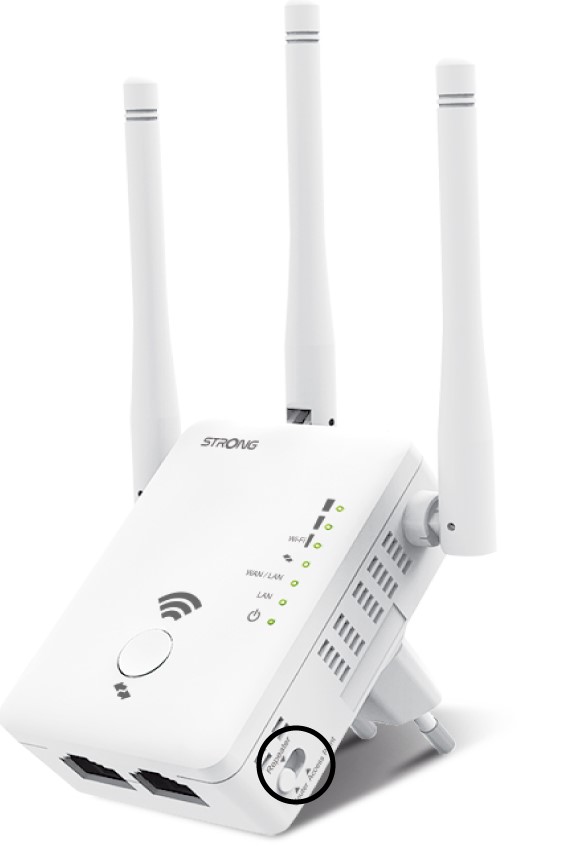
På modusen switch som ligger på høyre side av repeateren din, velg AP-posisjonen.
3 AP-veiviser
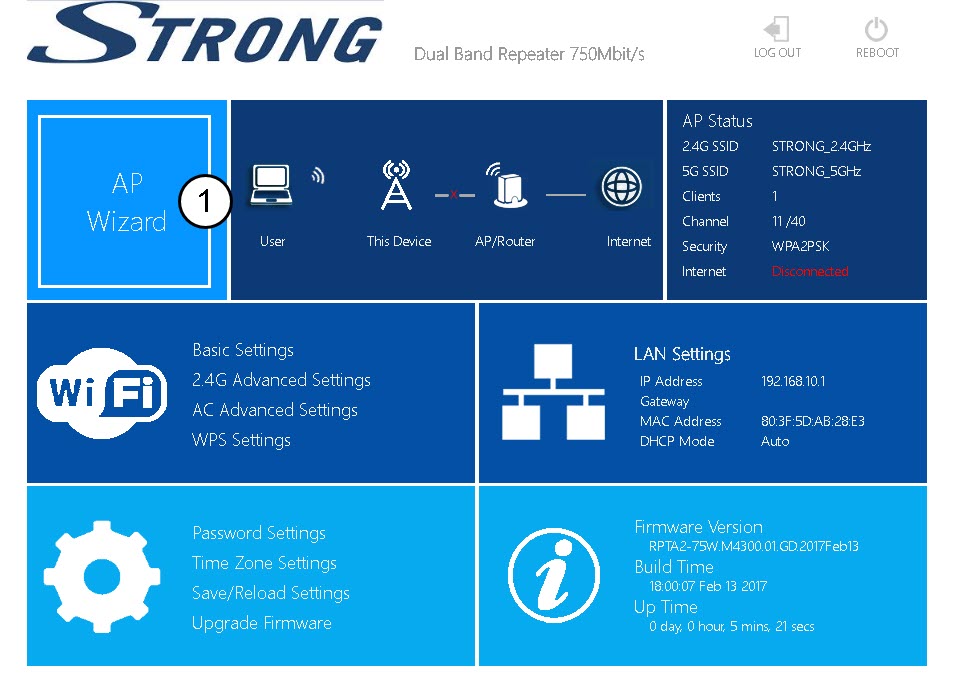
Klikk på AP-veiviseren.
4 Oppsett av tilgangspunkt
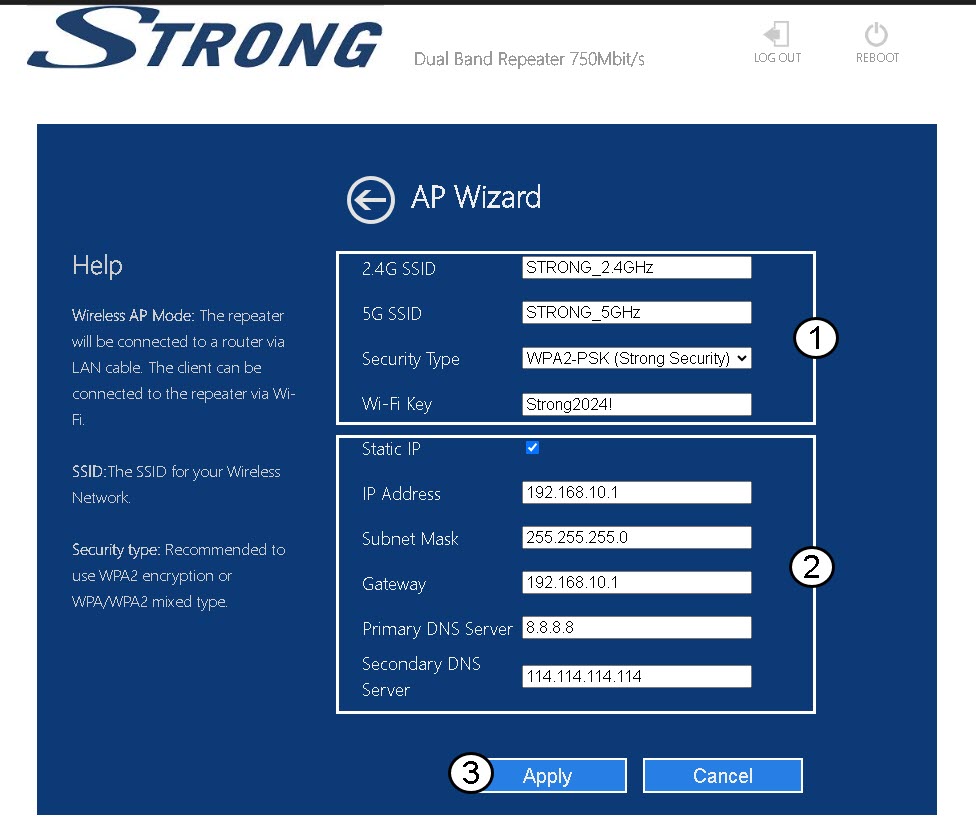
Velg alternativet Statisk IP for å konfigurere nettverket ditt . Skriv inn et navn for hver SSID og velg sikkerhetstypen for nettverket ditt. Vi anbefaler å bruke alternativet WPA2-PSK . Klikk på Bruk for å bekrefte .
TIPS: Du vil kunne koble til nettgrensesnittet ved å bruke IP-adressen til repeateren .
5 Vent under konfigurasjonen
Vent mens repeateren konfigureres.
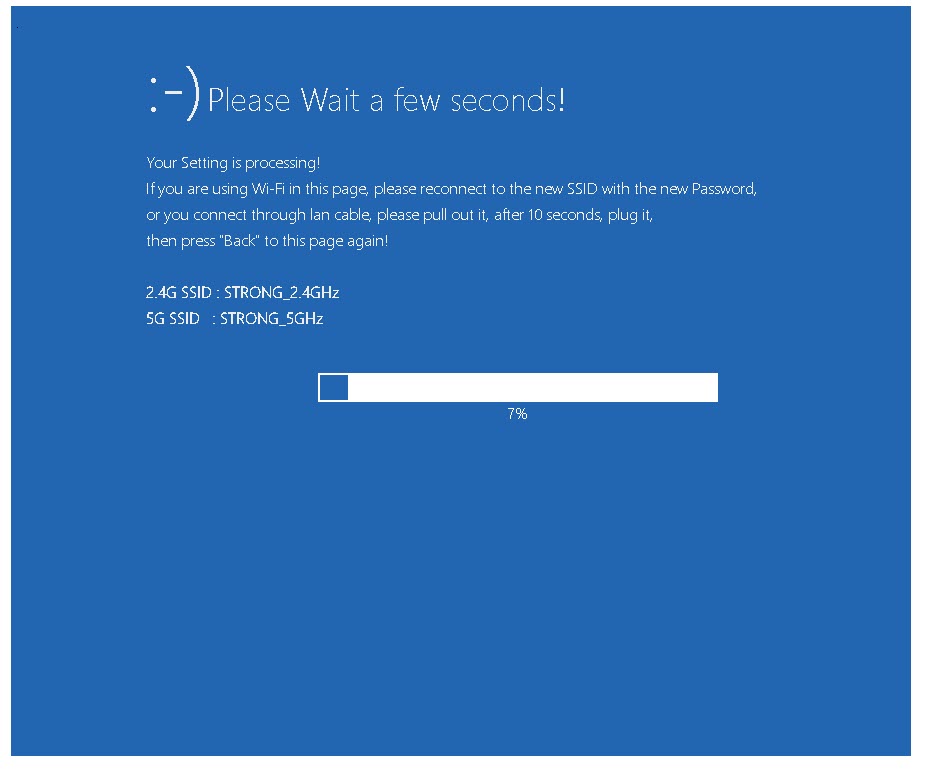

Advarsel: Skriv ned passordene og navnene på Wi-Fi-nettverkene.