
4G AIRHOME 210 UK med faste 4G-antenner
Alle spørsmål
4G AIRHOME 210 UK med faste 4G-antenner
Hvordan tilbakestiller jeg ruteren min til fabrikkinnstillingene?
Noen ganger er det mulig at enheten din ikke fungerer som den skal, og at du ikke har internettilgang. I dette tilfellet foreslår vi at du tilbakestiller enheten til fabrikkinnstillingene og oppdaterer fastvaren på nytt etterpå om nødvendig.
Du har to måter å gjøre det på: du kan tilbakestille enheten ved å trykke på tilbakestillingsknappen eller gjøre det i nettgrensesnittet.
TILFELLES 1: Tilbakestillingsknapp
For å gjøre dette, trykk på Reset-knappen på høyre side av ruteren i to sekunder.

1 TILFELLES 2: Tilbakestill i nettgrensesnittet
For å koble til nettgrensesnittet, følg retningslinjene i: Hvordan får jeg tilgang til nettgrensesnittet?
2 Fastvareoppdatering
Klikk deretter på Fastvareoppdatering .

3 Tilbakestill fabrikkinnstillinger
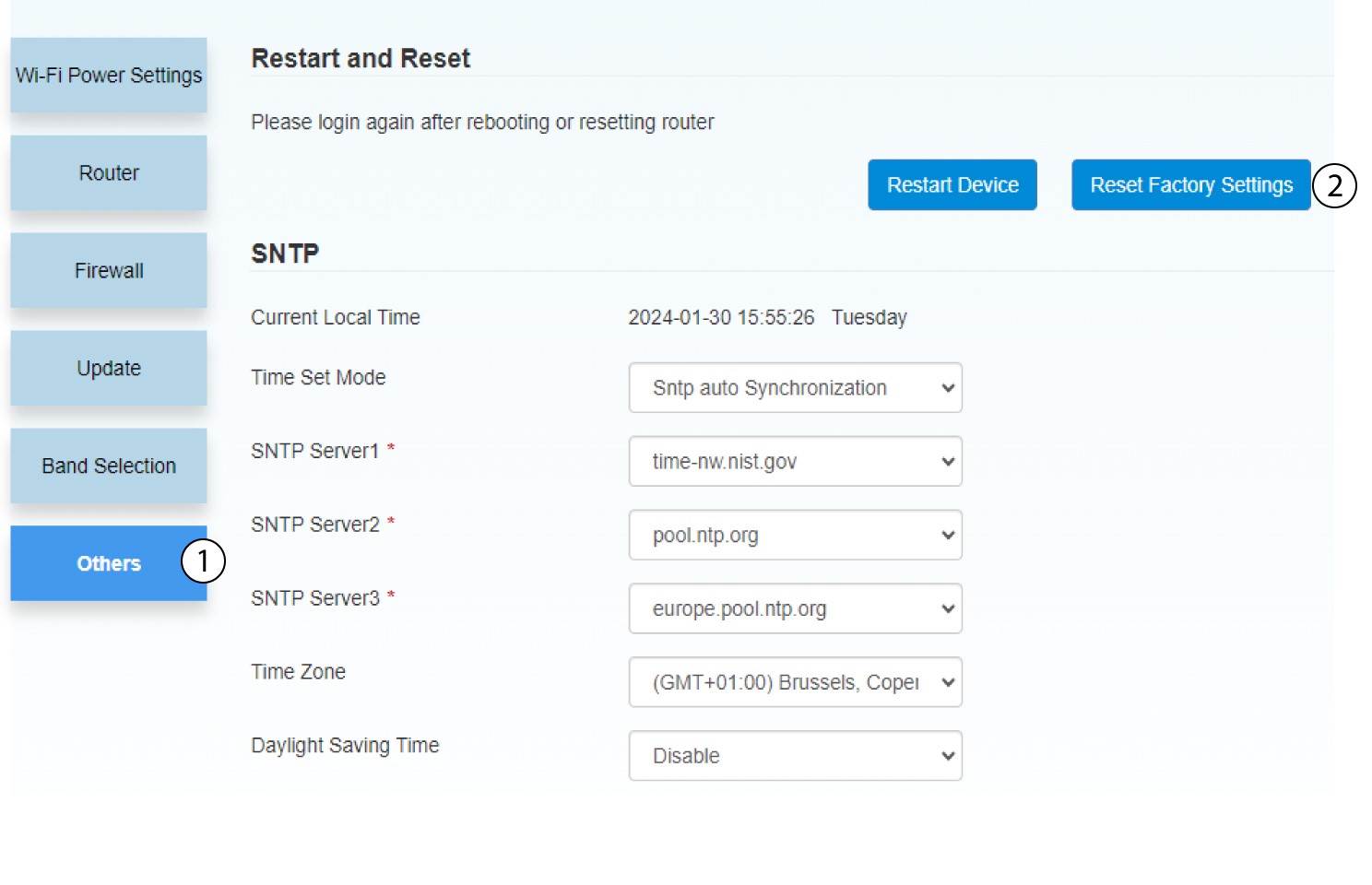
Klikk på Andre. I delen Omstart og tilbakestill klikker du på Tilbakestill fabrikkinnstillinger
4 Popup-varsling
Klikk på JA i popup-meldingen.
