4G AIRSPOT 220 Mobil Wi-Fi med skjerm
Ingen gjenstander funnet.
Ingen gjenstander funnet.
Alle spørsmål
4G AIRSPOT 220 Mobil Wi-Fi med skjerm
Ingen gjenstander funnet.
Ingen gjenstander funnet.
Hvordan tilbakestiller jeg ruteren min til fabrikkinnstillingene?
Noen ganger er det mulig at enheten din ikke fungerer som den skal, og at du ikke har internettilgang. I dette tilfellet foreslår vi at du tilbakestiller enheten til fabrikkinnstillingene og oppdaterer fastvaren på nytt etterpå om nødvendig.
Du har to måter å gjøre det på: du kan tilbakestille enheten ved å trykke på tilbakestillingsknappen eller gjøre det i nettgrensesnittet.
TILFELLES 1: Tilbakestillingsknapp.
For å gjøre dette, fjern dekselet på baksiden av ruteren og trykk på RESET-knappen i 2 sekunder med en binders.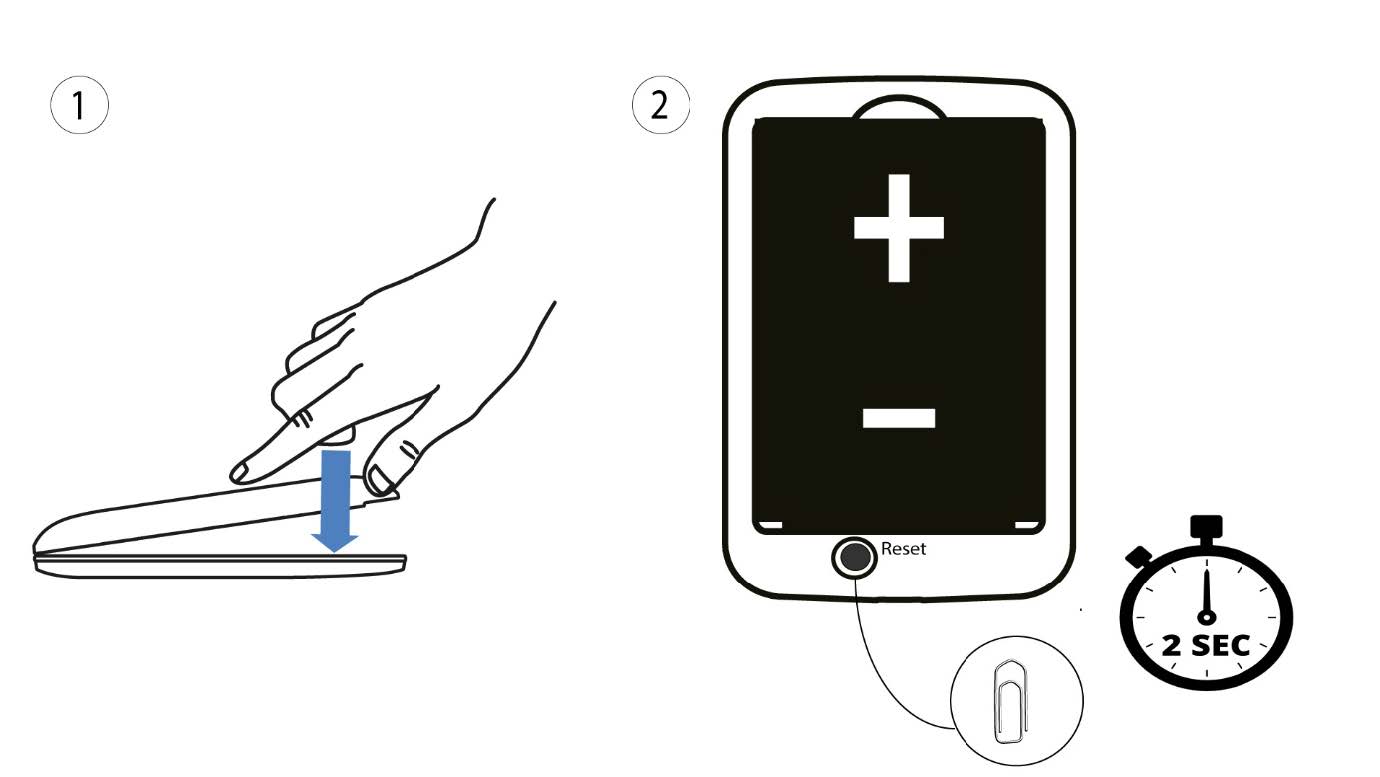
1 Tilfelle 2: tilbakestill i nettgrensesnittet
1. Du må koble til Wi-Fi-nettverket på enheten din.

2 Bla til IP-adressen til webgrensesnittet
Skriv deretter inn følgende IP-adresse: 192.168.188.1 i nettleseren din.

3 Logg inn
Du må skrive inn passordet.

4 Innstillinger
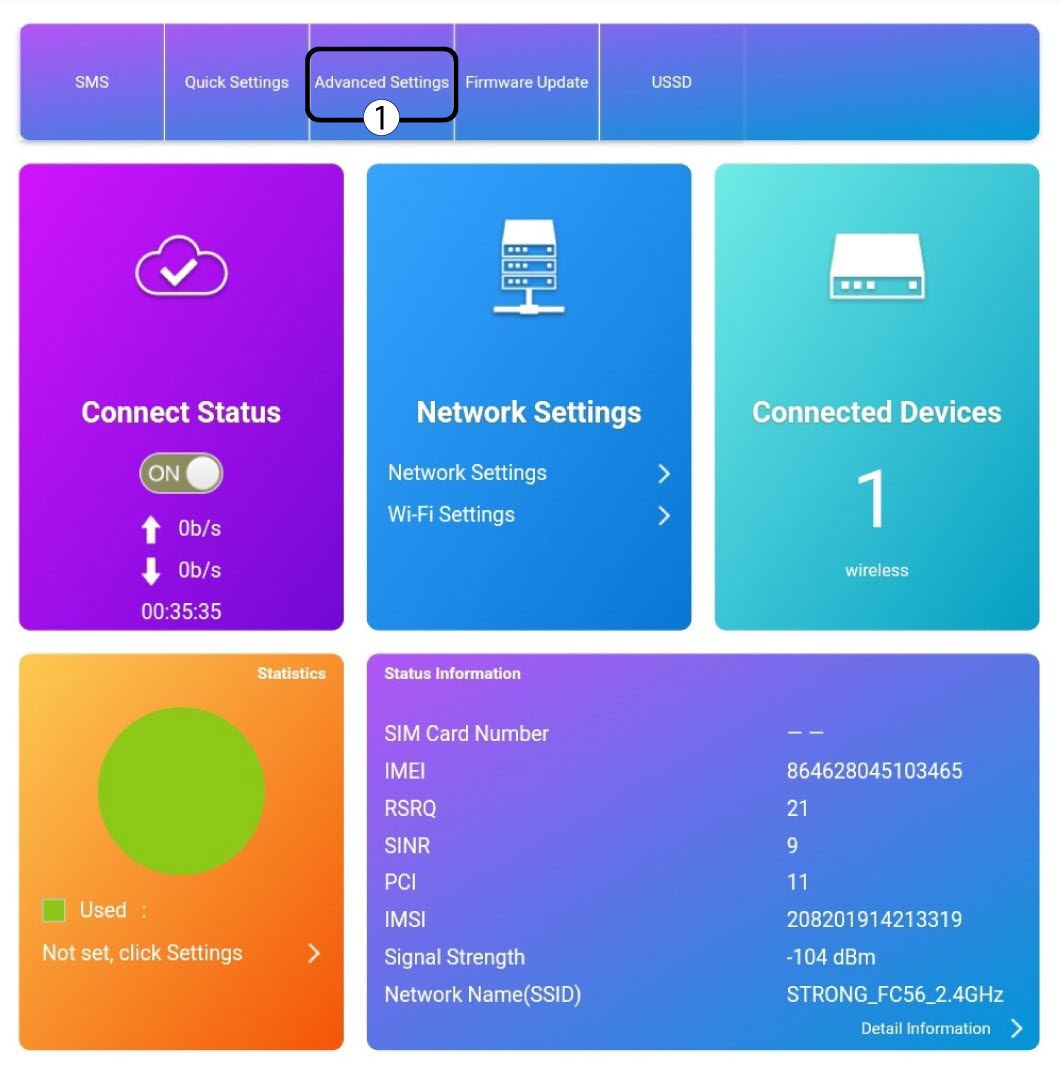
Klikk deretter på Avanserte innstillinger .
5 Tilbakestill til fabrikkinnstillinger
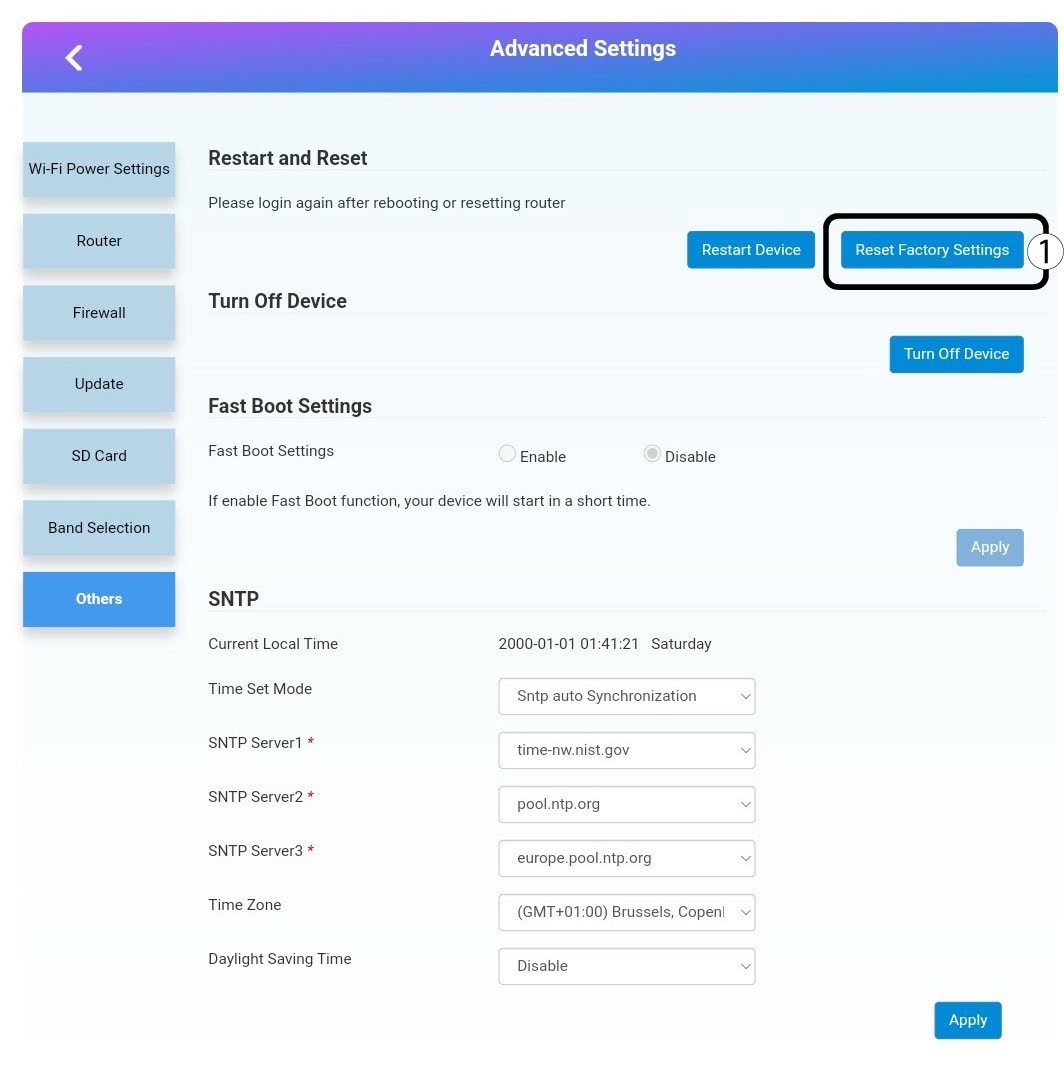
Klikk på Andre. I delen Omstart og tilbakestill klikker du på Tilbakestill fabrikkinnstillinger.
6 Bekreftelse
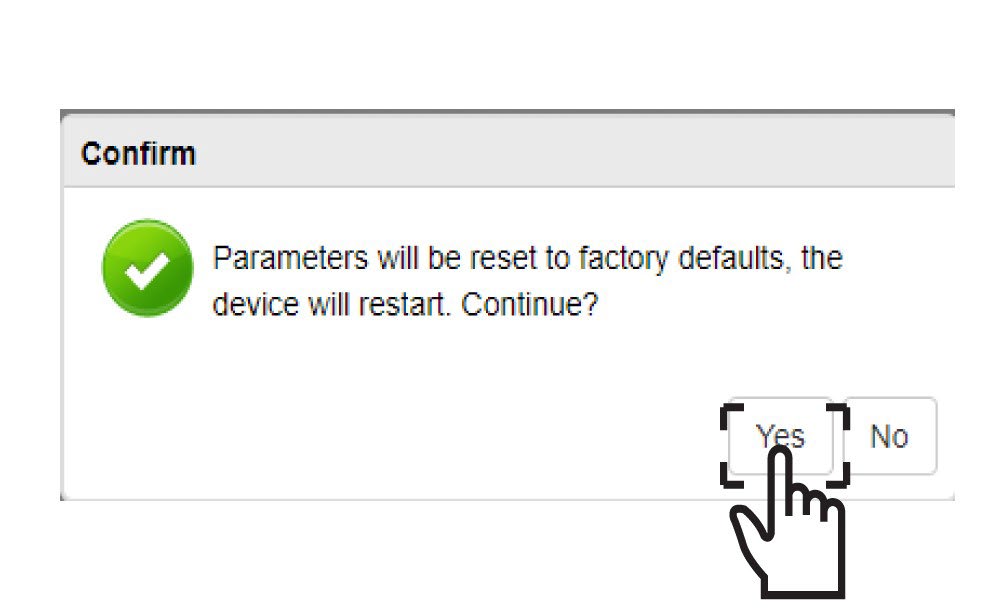
Klikk på JA i popup-meldingen .