
Dual Band Repeater 1200
Ingen gjenstander funnet.
Ingen gjenstander funnet.
Alle spørsmål
Dual Band Repeater 1200
Ingen gjenstander funnet.
Ingen gjenstander funnet.
Hvordan oppdaterer jeg fastvaren til repeateren min?
1 Se etter en fastvareoppdatering
Før oppdateringen må du gå til nedlastingsdelen av nettstedet vårt for å se om det finnes en ny programvareversjon tilgjengelig.
2 Naviger til nedlastingssiden
Klikk på HJELP > Nedlastinger.

3 Velg produktet ditt
Når du har gått til nedlastingssiden, klikker du på Hjemmenettverk og repeater og klikker på produktreferansen.
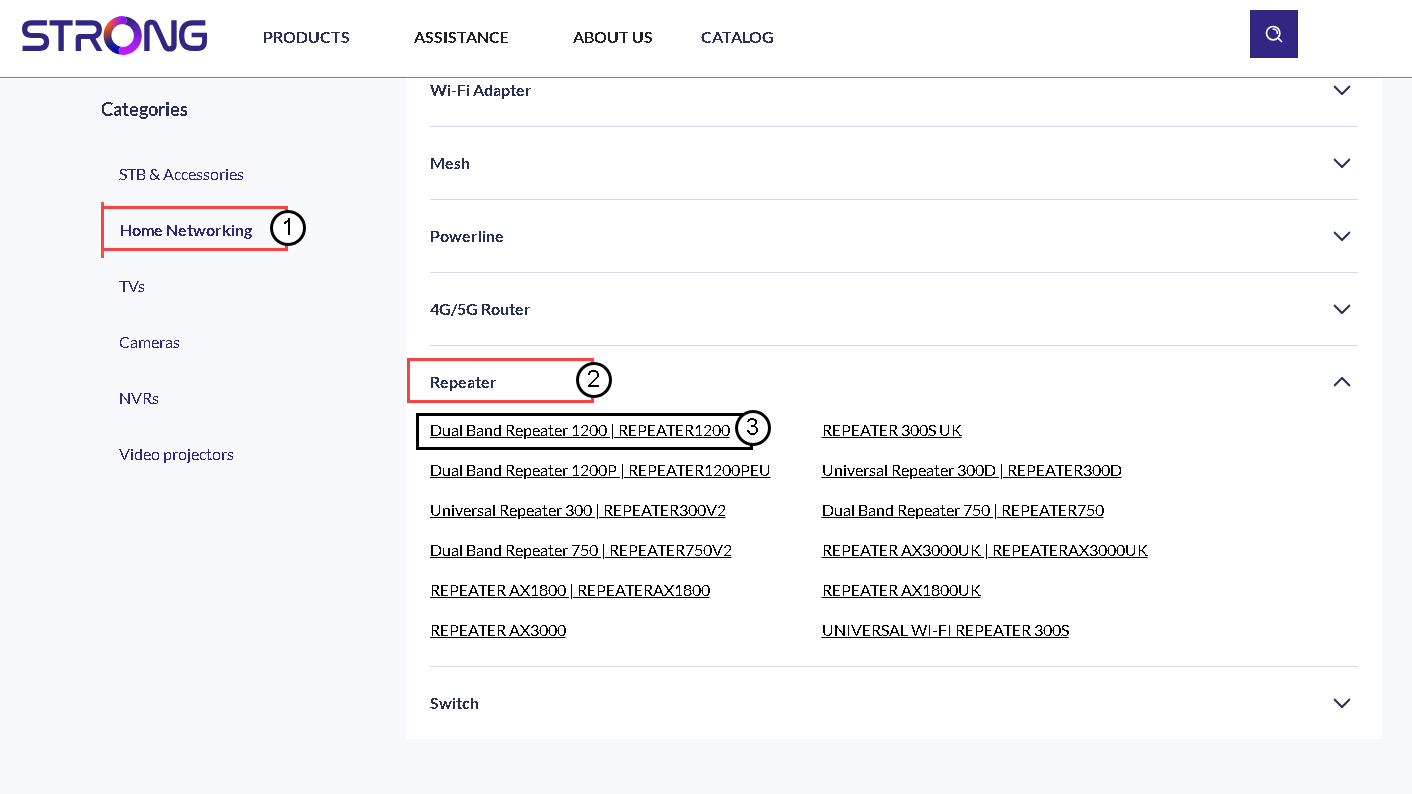
4 Last ned fastvaren
På siden nedenfor finner du den nye programvareversjonen under firmware-delen. Hvis en fil er tilgjengelig, kan du laste den ned.
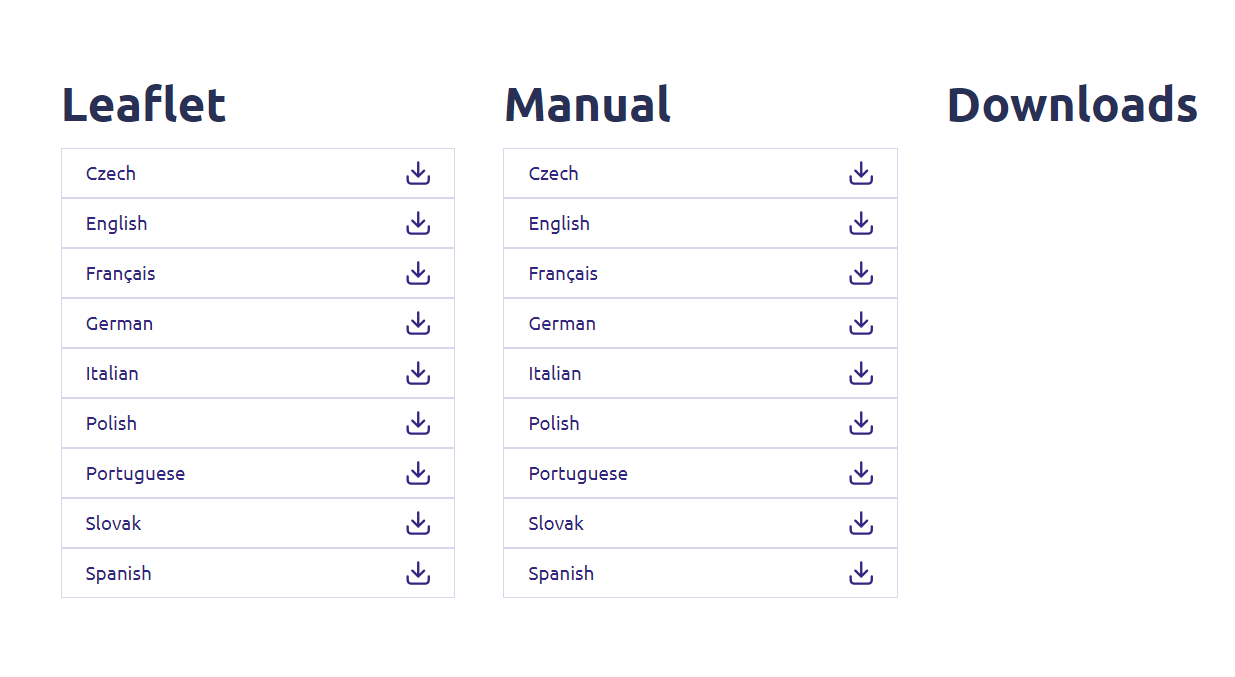
5 Koble til repeateren
Når dette er gjort, koble til Wi-Fi-en til repeateren.

6 Tilgang til nettgrensesnittet
Bla til URL-en til webgrensesnittet.

7 Åpne oppsettmenyen
Klikk på Oppsett.
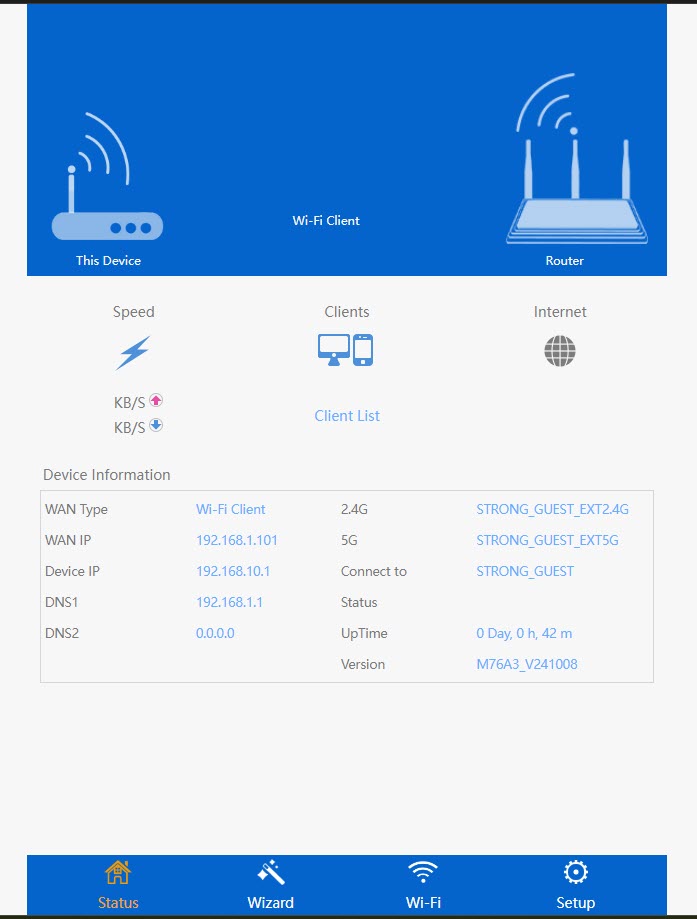
8 Start fastvareoppgraderingen
Klikk på Oppgrader fastvare.
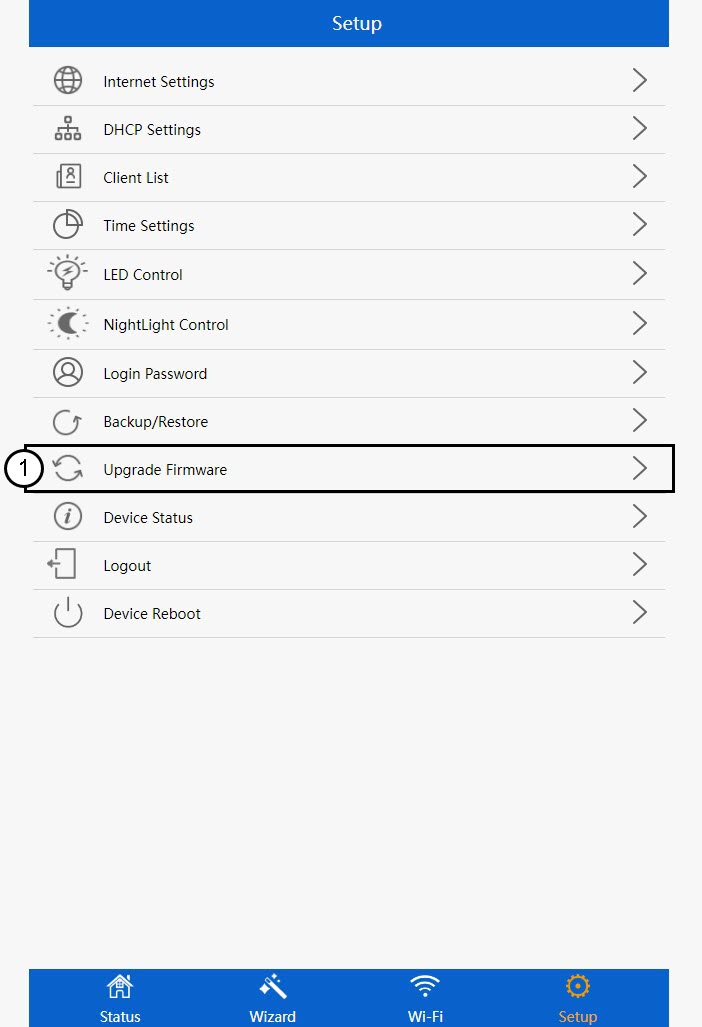
9 Bruk oppdateringen
Velg filen din og klikk på Bruk. Deretter starter oppdateringen automatisk.
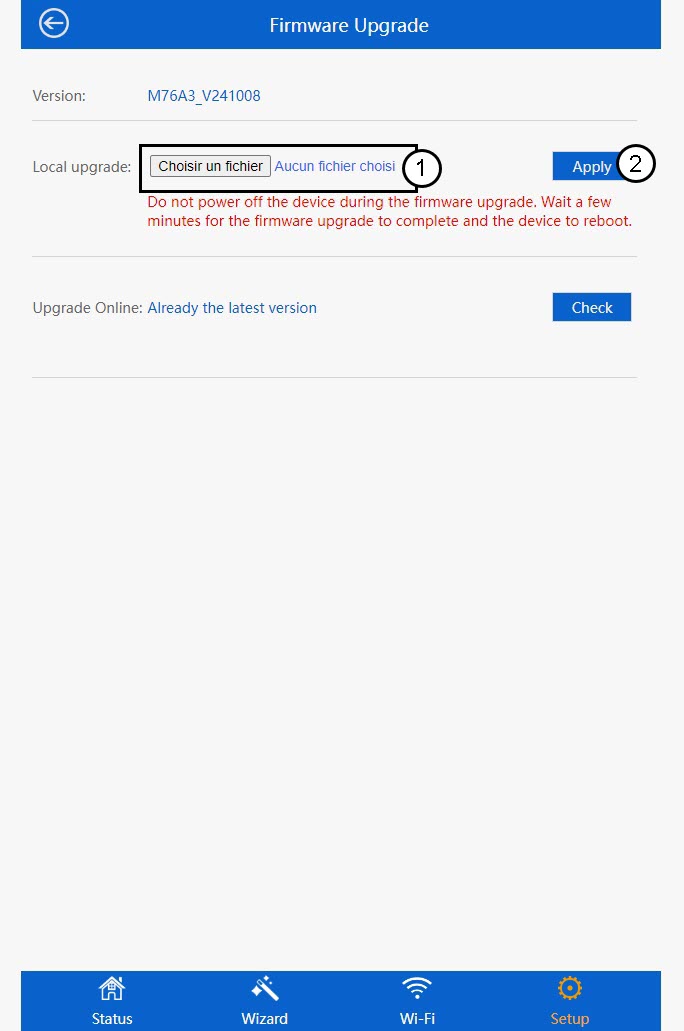
 Advarsel: Vent til oppdateringen er fullført og enheten starter på nytt. Du må koble til Wi-Fi-nettverket igjen etter oppdateringen.