Ingen gjenstander funnet.
4K GOOGLE TV BOX S3+ | DOLBY VISION ATMOS
Ingen gjenstander funnet.
Alle spørsmål
Ingen gjenstander funnet.
4K GOOGLE TV BOX S3+ | DOLBY VISION ATMOS
Ingen gjenstander funnet.
Jeg har koblet til et AZERTY-tastatur via USB, men det gjenkjennes som et QWERTY-tastatur. Hvorfor?
Jeg har koblet til et AZERTY-tastatur via USB, men det gjenkjennes som et QWERTY-tastatur, hvorfor?

Advarsel: Vær oppmerksom på at støttede tastaturoppsett for eksterne tastaturer er definert av Google. Derfor støttes kanskje ikke tastaturoppsettet ditt. I dette tilfellet oppfordrer vi deg til å kontakte tastaturprodusenten for å se om det finnes en app som kan gjøre tastaturet ditt kompatibelt.
1 Slå på enheten
Slå på TV-en og LEAP S3-en.
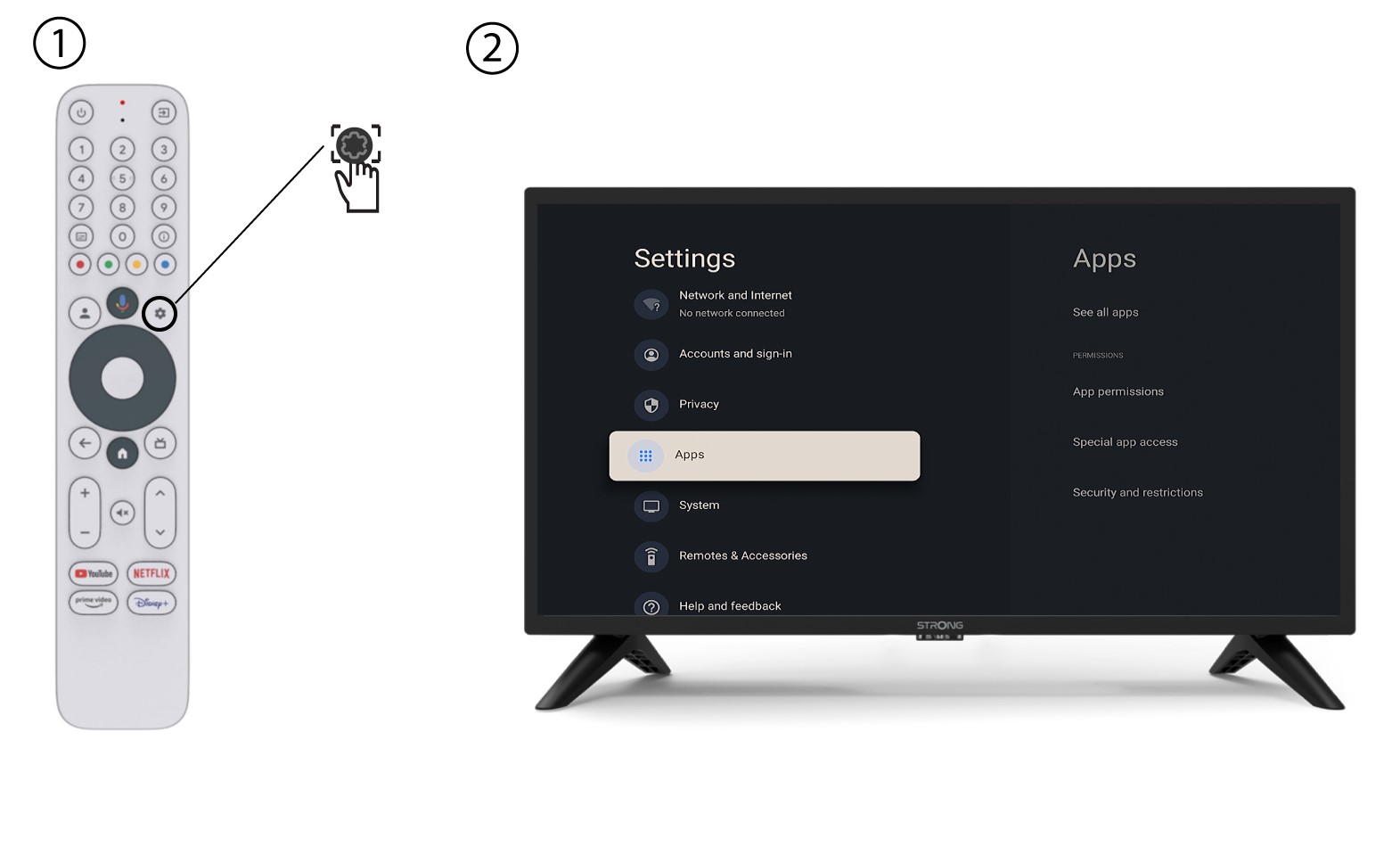
2 Innstillingsmeny
Trykk på Innstillinger-knappen på fjernkontrollen (tannhjulikonet). Innstillinger-menyen vises på TV-skjermen.
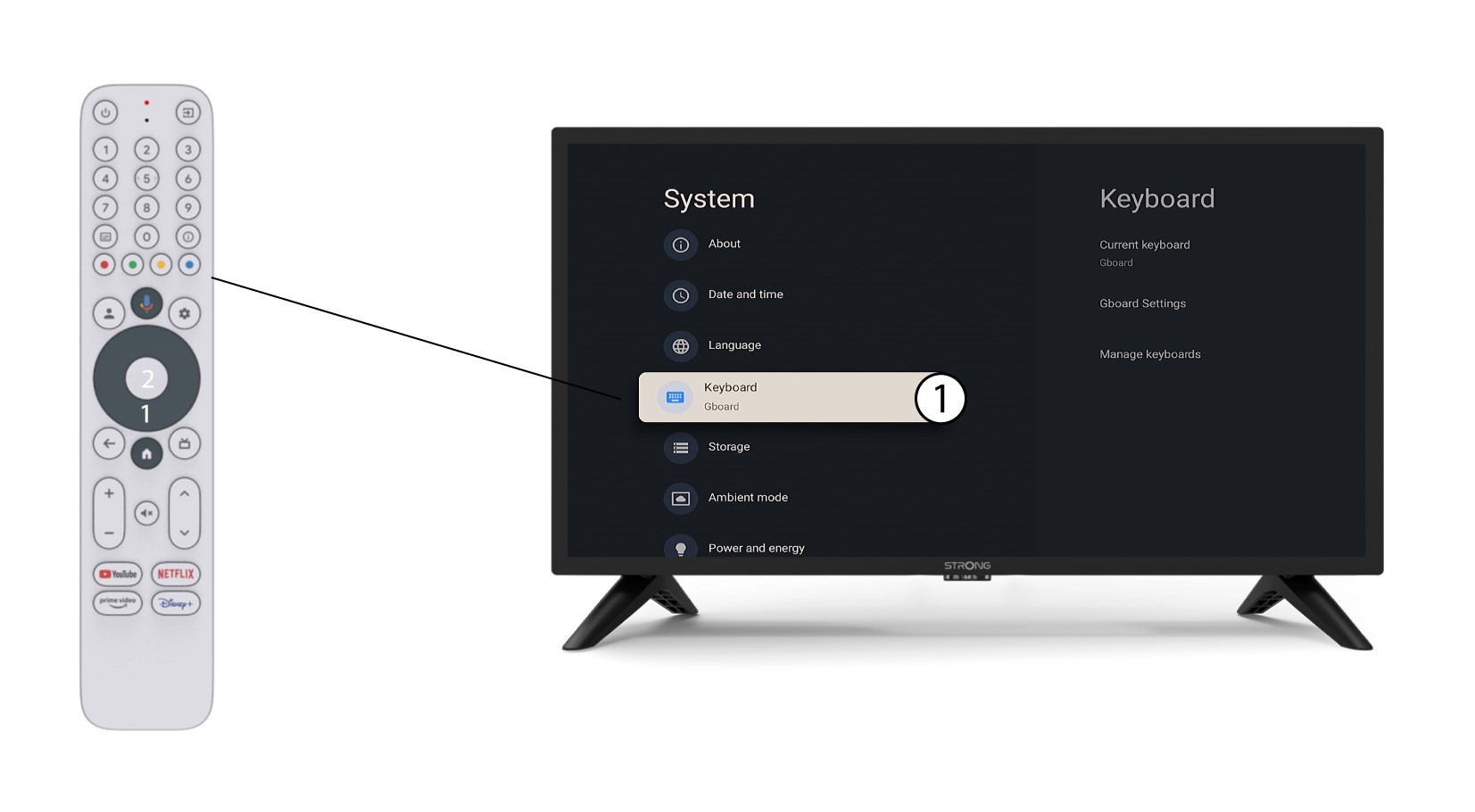
3 Tastaturinnstillinger
Velg Tastatur i Innstillinger-menyen og trykk på OK-knappen på fjernkontrollen.
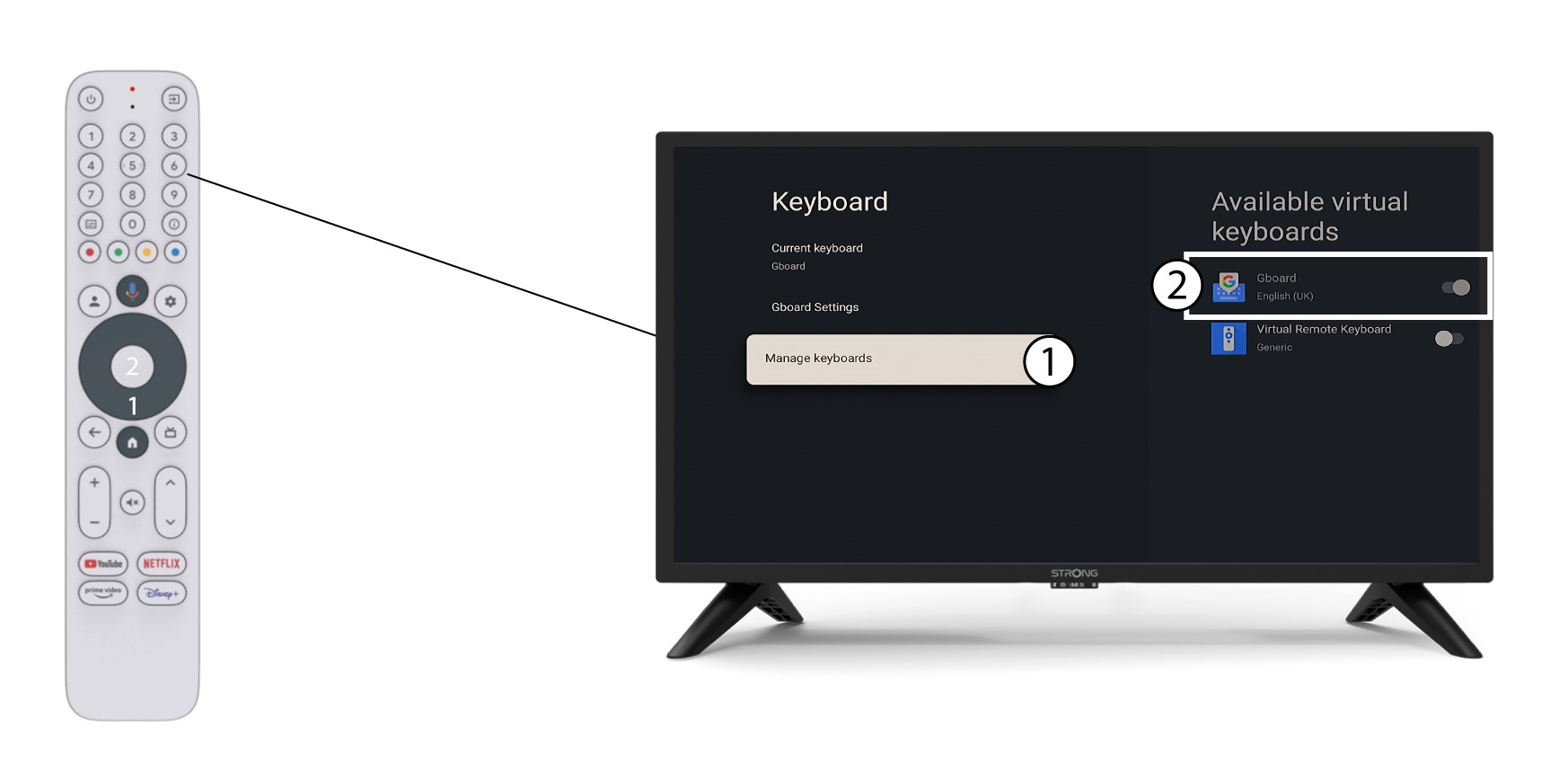
4 Administrer tastatur
Klikk på Administrer tastatur . Klikk deretter på veksleknappen for å deaktivere den.
5 Gboard-innstillinger
Klikk på Gboard-innstillinger, velg språk og trykk på OK.
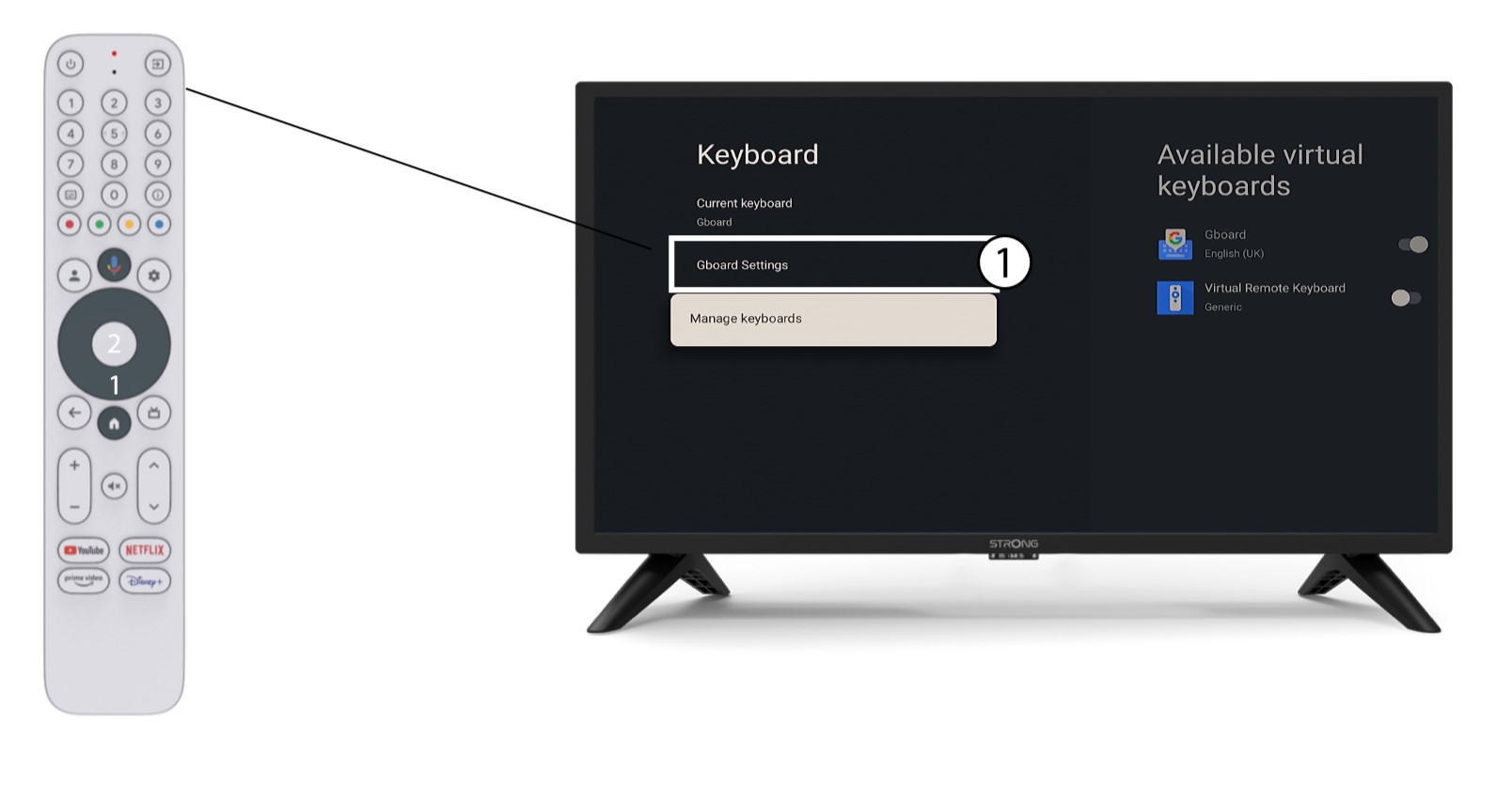
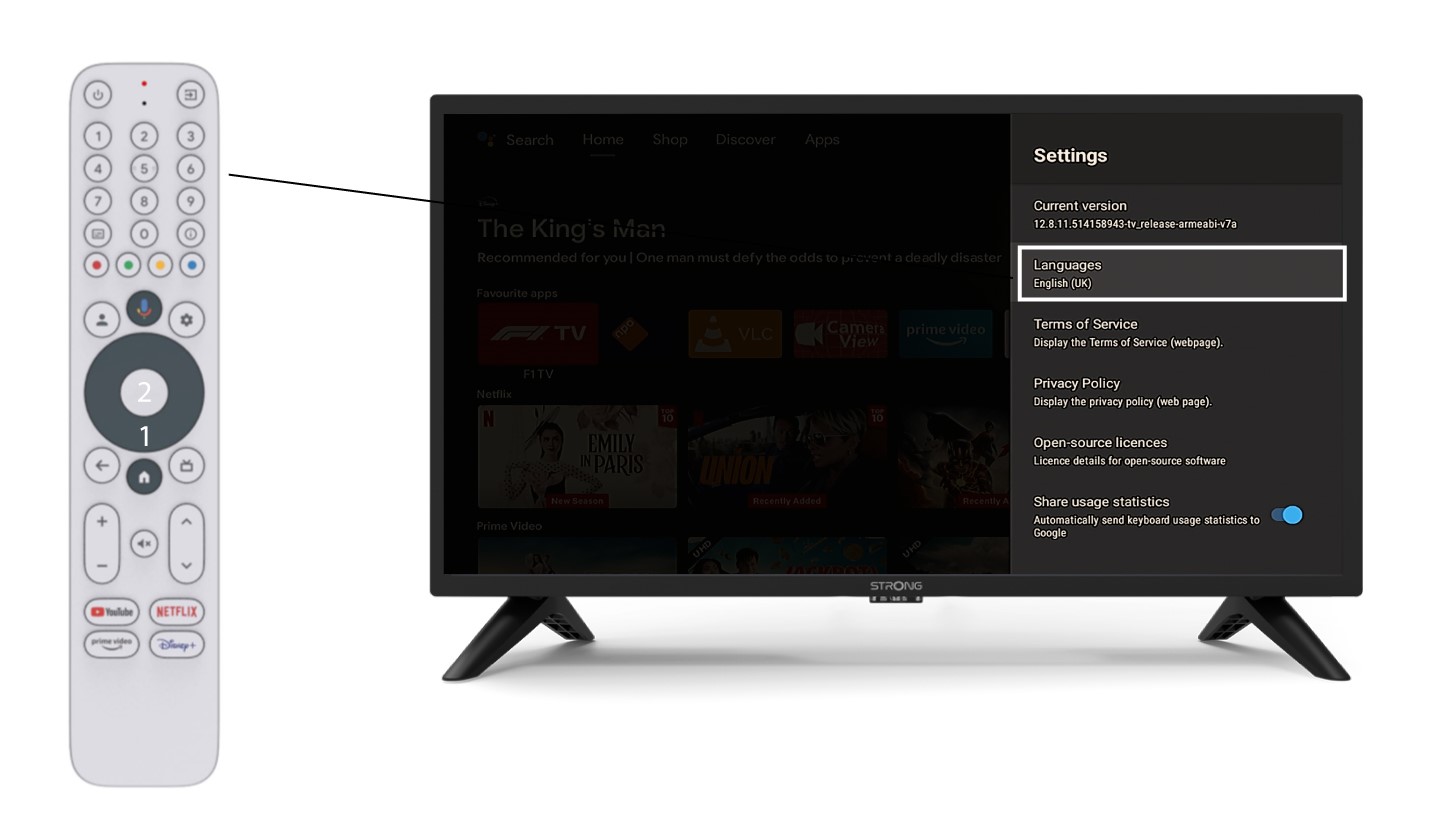
6 Språkinnstillinger
Klikk på Språk i Innstillinger og velg riktig verdi