CPL 600 Duo Wi-Fi FR V2
Alle spørsmål
CPL 600 Duo Wi-Fi FR V2
Hvorfor opplever 2,4 GHz Wi-Fi-en min avbrudd, og hvordan kan det hjelpe å endre kanal til 1, 6 eller 11?
Hvorfor opplever 2,4 GHz Wi-Fi-en min avbrudd, og hvordan kan det hjelpe å endre kanal til 1, 6 eller 11?
For å minimere interferens anbefaler vi at du endrer WiFi-kanalen din til 1, 6 eller 11. Disse kanalene er plassert langt nok fra hverandre til å unngå overlapping med hverandre, noe som reduserer sjansen for interferens fra andre nettverk og enheter i nærheten. Ved å velge en av disse kanalene kan du forbedre stabiliteten og ytelsen til WiFi-tilkoblingen din.
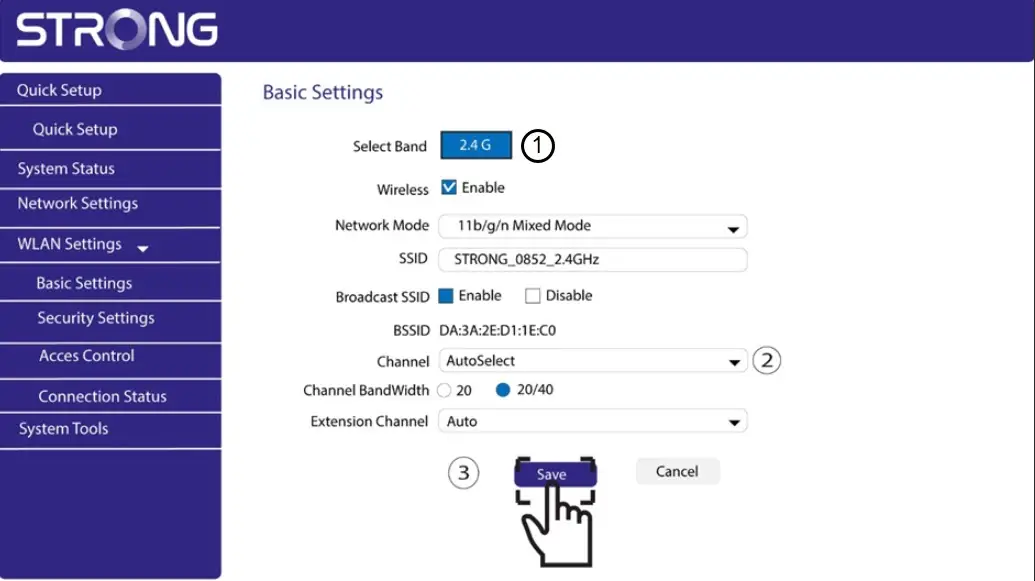
For å endre kanal, gå til innstillingene for Powerline Wi-Fi-enheten din via nettgrensesnittet. Se etter WLAN-innstillinger > Grunnleggende innstillinger, og velg Kanal 1, 6 eller 11.
1 Koble til Wi-Fi
For å gjøre dette, skriv inn SSID-en og passordet til ruteren på enheten din.

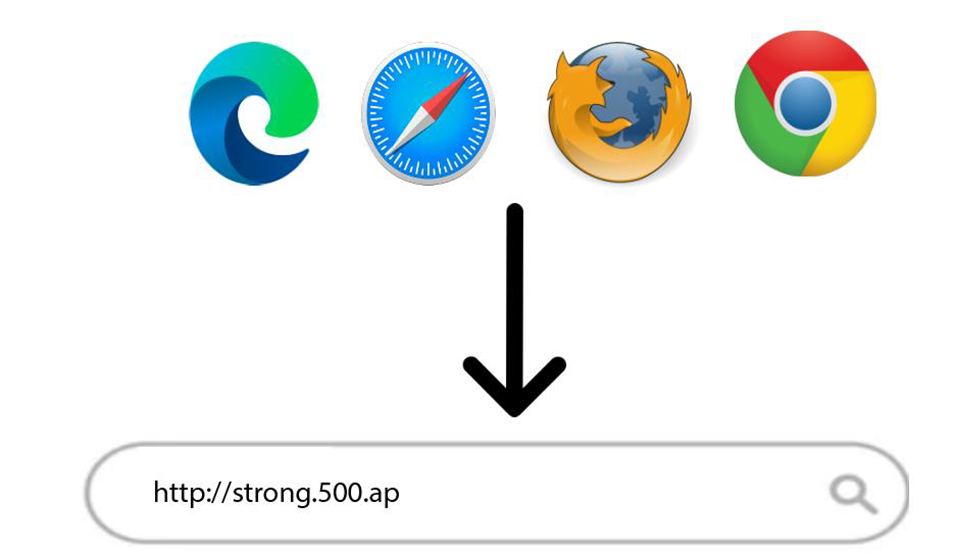
2 Skriv inn IP-adressen til webgrensesnittet
Skriv deretter inn følgende IP-adresse i nettleseren din: http://strong.500.ap
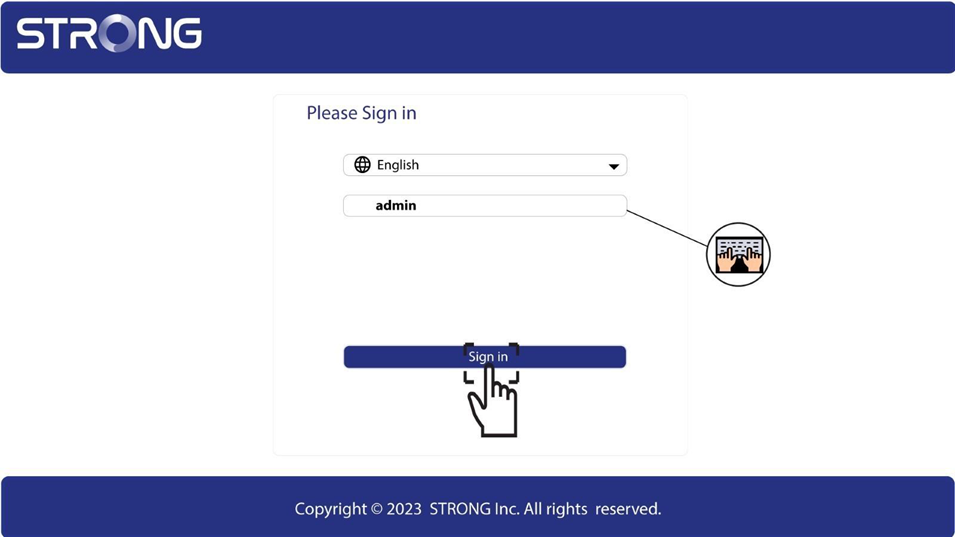
3 Innloggingsside
Når du har bladd frem til IP-adressen, klikk på , må du skrive inn brukernavnet (admin). Klikk deretter på Logg inn .
4 WLAN-innstillinger
Klikk på WLAN-innstillinger og Grunnleggende innstillinger.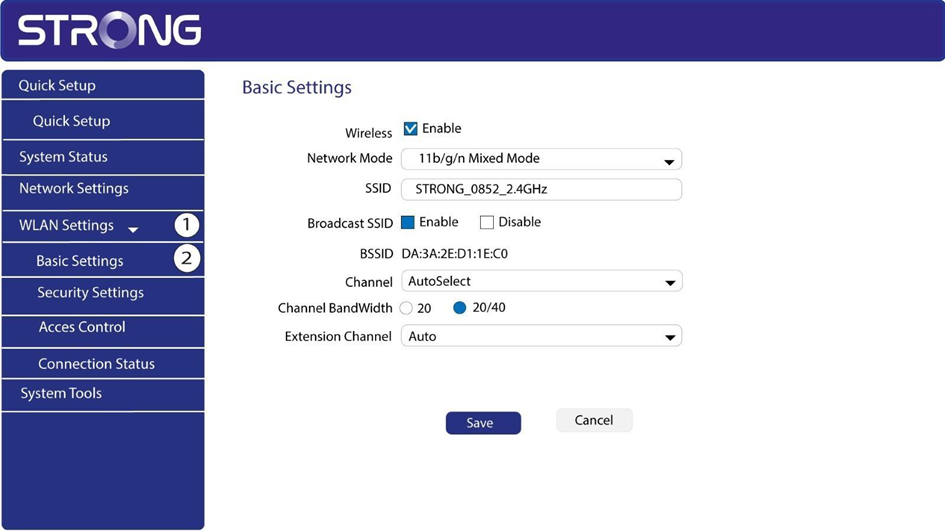
5 Velg nettverksbåndet
Velg nettverksbåndet mellom 2,4G . Velg deretter kanalen i rullegardinlisten (1, 6 eller 11) og klikk på Lagre.