Nie znaleziono żadnych elementów.
LEAP
Nie znaleziono żadnych elementów.
Wszystkie pytania
Nie znaleziono żadnych elementów.
Nie znaleziono żadnych elementów.
Jak mogę dodać lub usunąć aplikację z ekranu głównego?
1Przypadek1: Dodawanie aplikacji
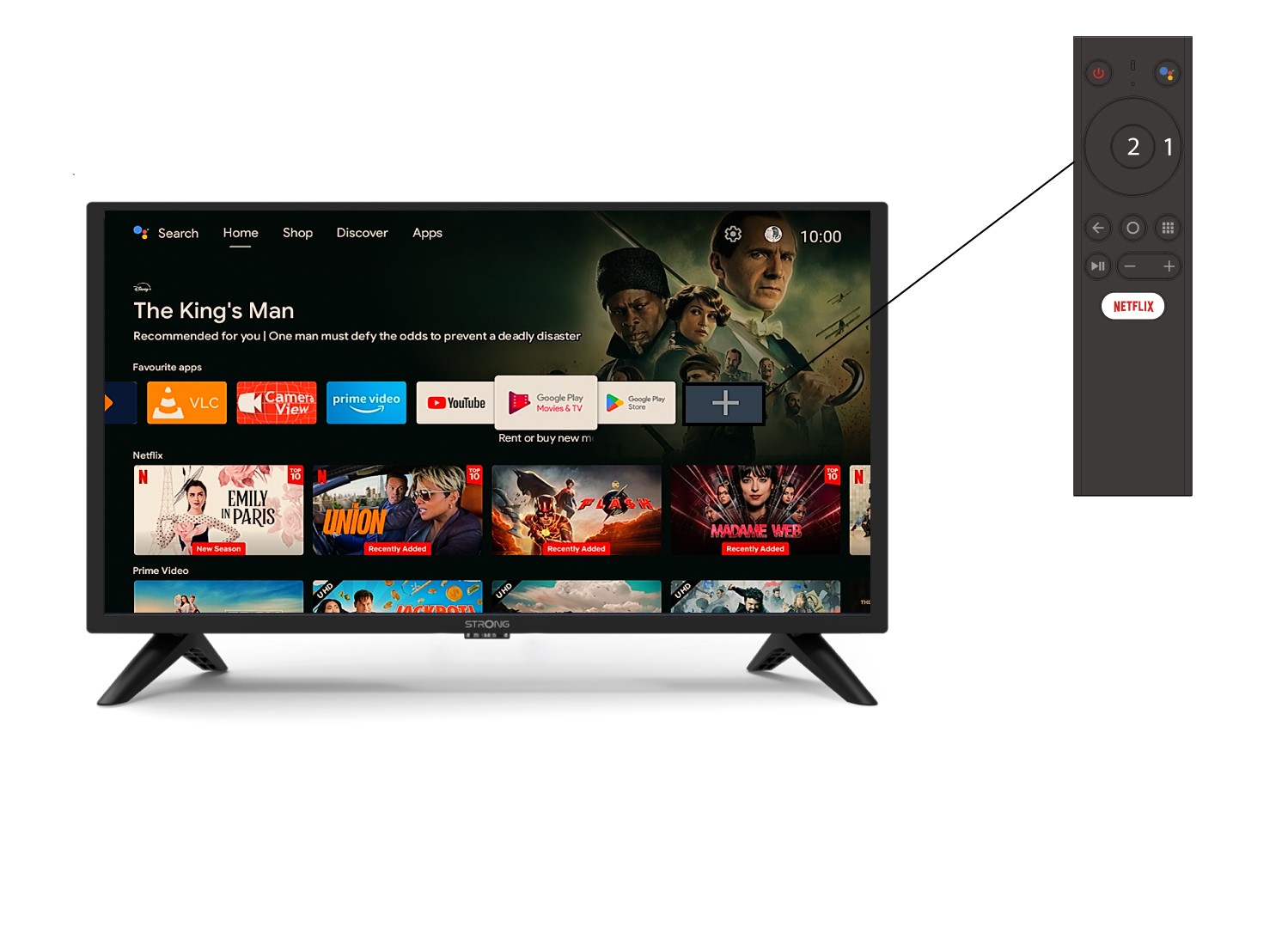
Aby dodać aplikację na ekran główny, przejdź do ikony „+” znajdującej się na końcu listy aplikacji już znajdujących się na ekranie głównym, a następnie naciśnij „OK”.
2. Lista aplikacji
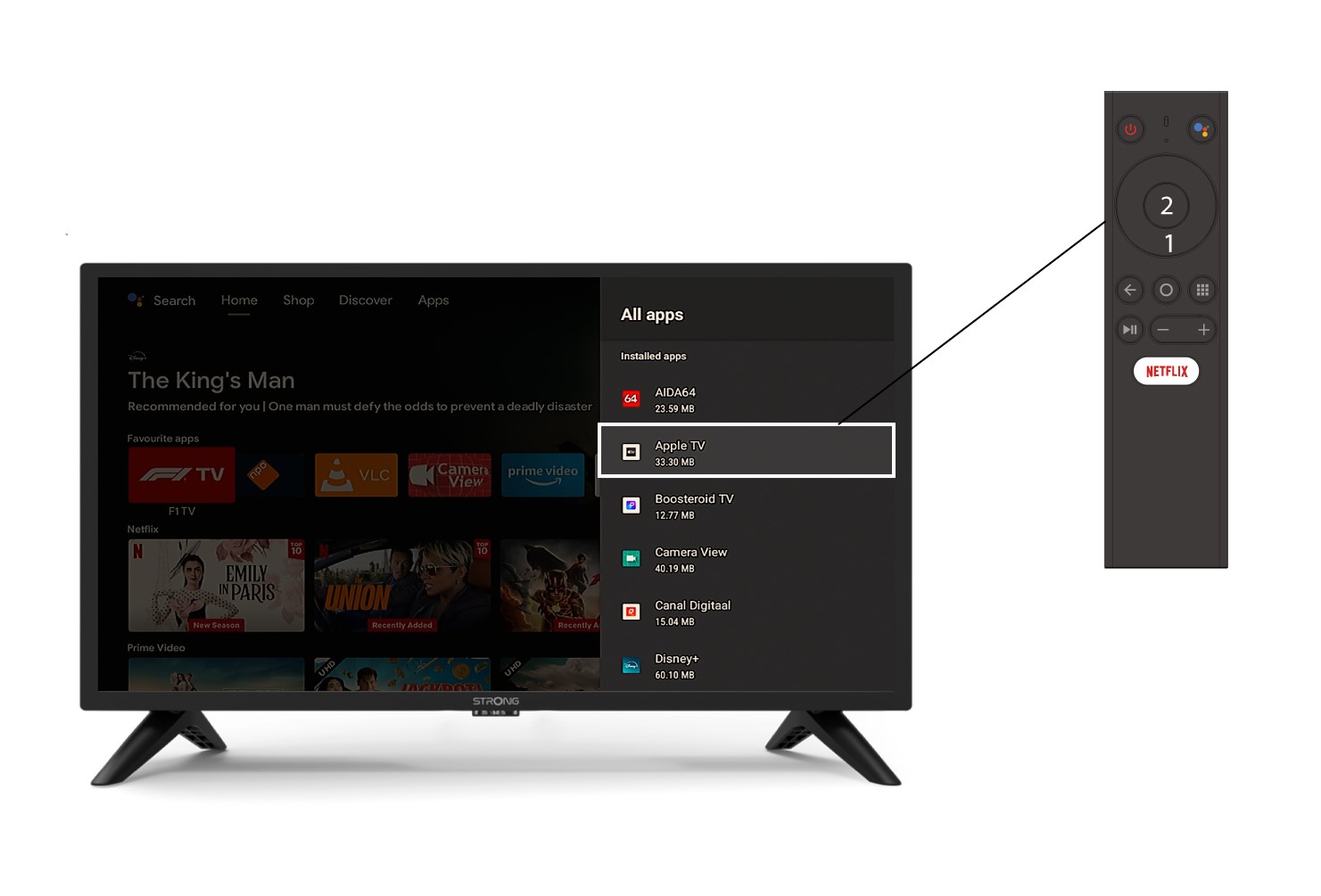
Następnie otworzy się lista aplikacji – wybierz żądaną aplikację i naciśnij przycisk OK na pilocie.
3Przypadek2: Usuwanie aplikacji
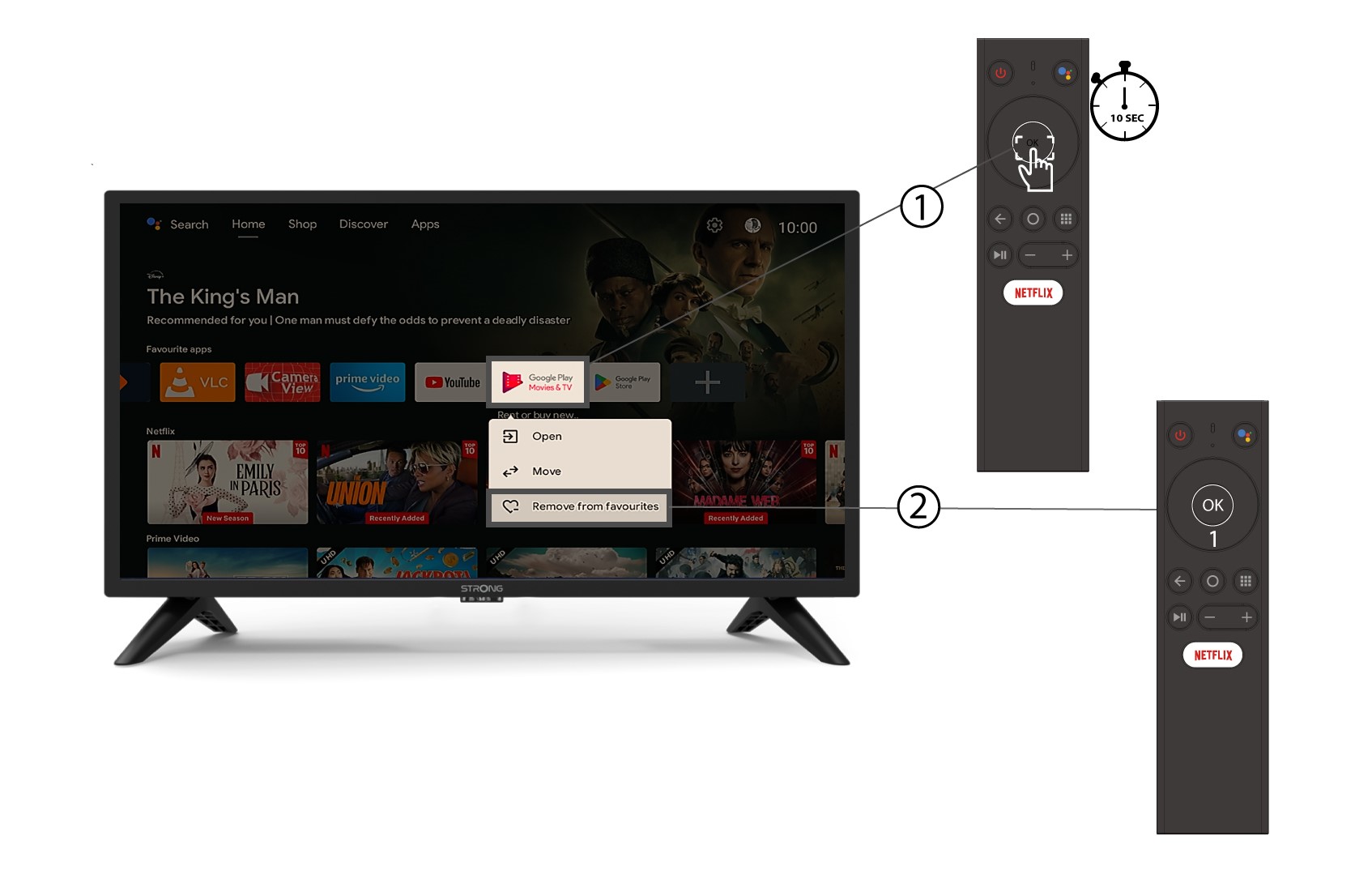
Aby usunąć aplikację z ekranu głównego, na liście aplikacji znajdujących się już na ekranie głównym przejdź do aplikacji, którą chcesz usunąć, naciśnij i przytrzymaj przycisk „OK” – pojawi się okno, w którym należy wybrać opcję „Usuń z ulubionych”.