Router 4G LTE 300 Mini UK
Nie znaleziono żadnych elementów.
Nie znaleziono żadnych elementów.
Wszystkie pytania
Router 4G LTE 300 Mini UK
Nie znaleziono żadnych elementów.
Nie znaleziono żadnych elementów.
Jak podłączyć moje urządzenia za pomocą funkcji WPS?

Za pomocą funkcji WPS można na przykład skonfigurować połączenie Wi-Fi między routerem a komputerami i/lub drukarką. Nie ma możliwości podłączenia telefonu komórkowego za pomocą funkcji WPS. Aby w prosty sposób podłączyć telefon do sieci Wi-Fi, zeskanuj kod QR znajdujący się z tyłu routera — telefon automatycznie połączy się z siecią bez konieczności wpisywania hasła Wi-Fi.
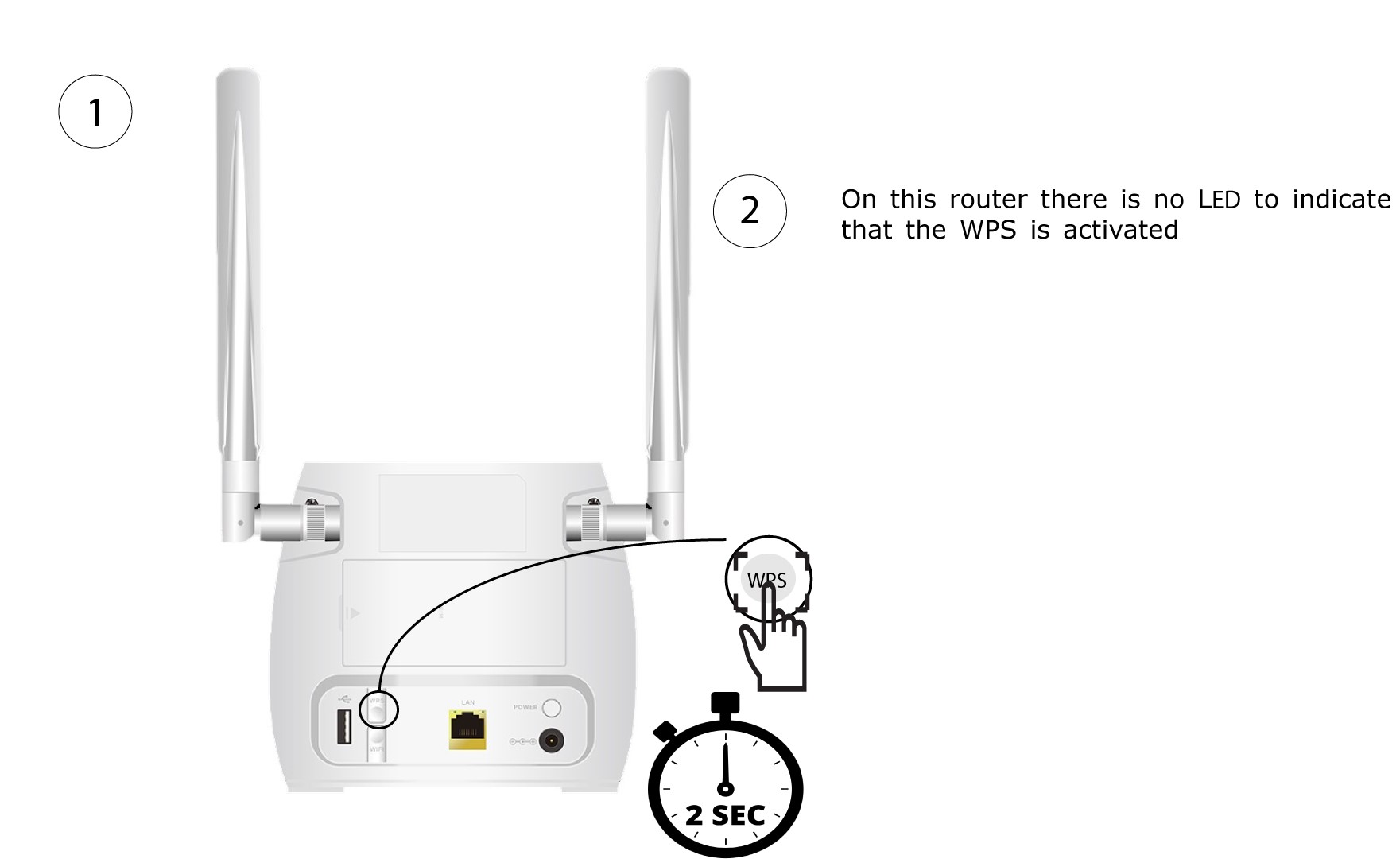
1. Naciśnijprzycisk WPS
Naciśnij przycisk WPS znajdujący się z tyłu routera i przytrzymaj go przez 2 sekundy, aby umożliwić dowolnemu kompatybilnemu urządzeniu w Twoim domu automatyczne połączenie się z siecią Wi-Fi routera.
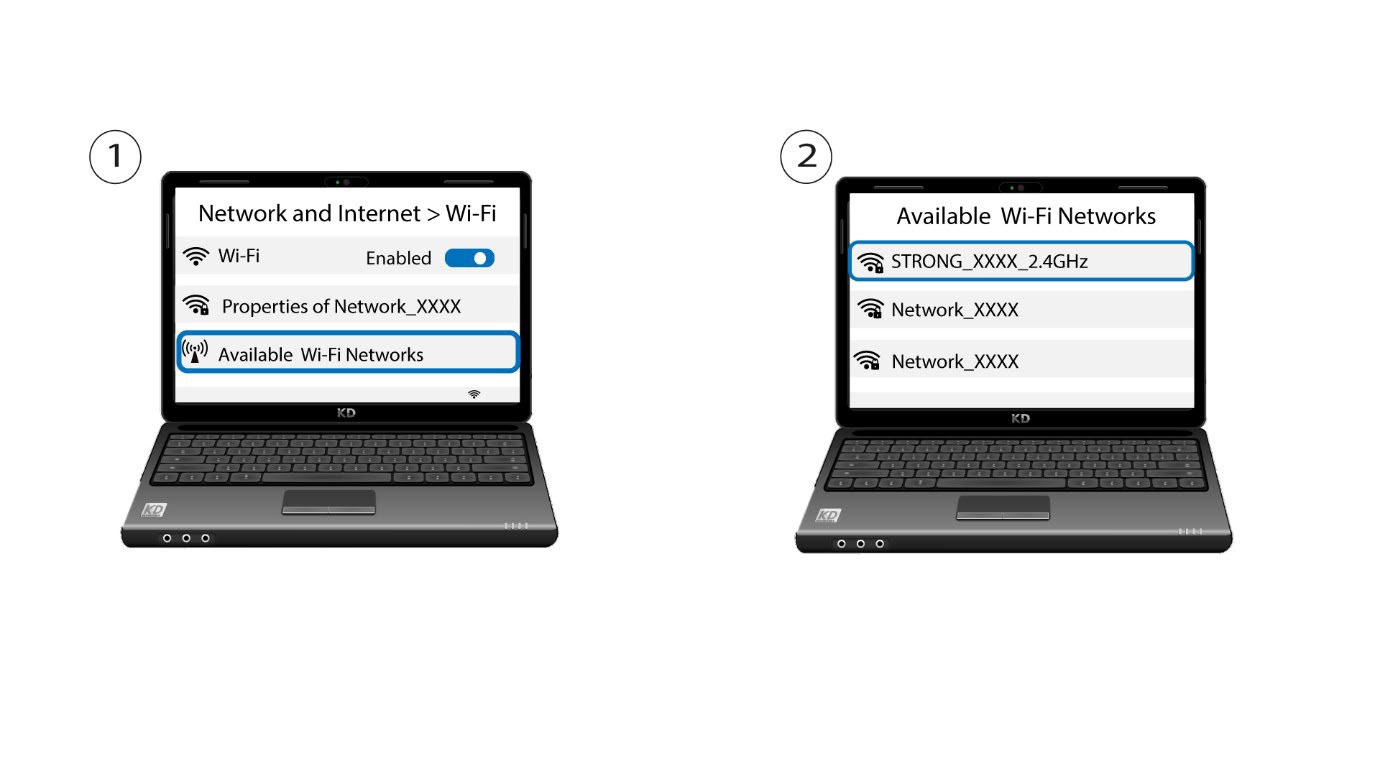
2. Wybierzsieć Wi-Fi routera
Przejdź do ustawień Wi-Fi na komputerze lub telefonie i kliknij nazwę routera, aby go wybrać.
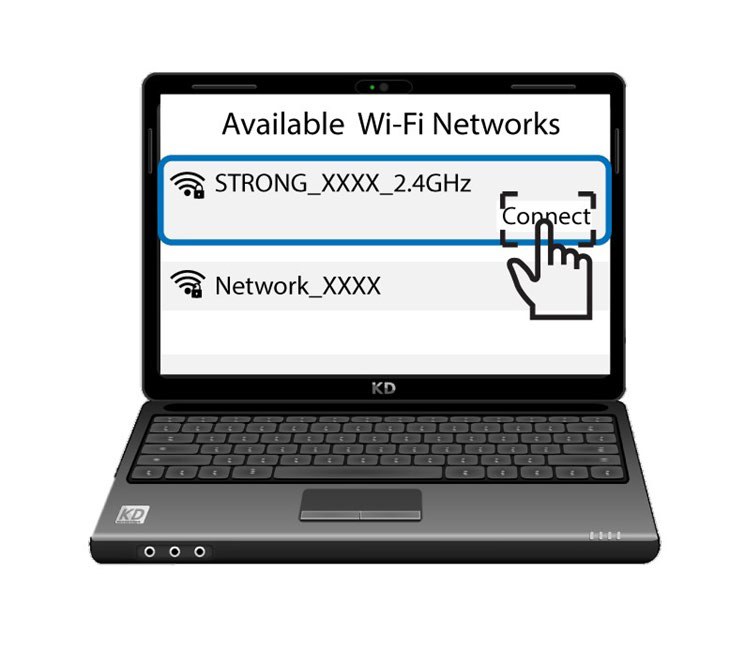
3. Połącz sięz siecią Wi-Fi
Następnie kliknij przycisk „Połącz ”