Nie znaleziono żadnych elementów.
Nie znaleziono żadnych elementów.
Kamera IP z podwójnym oświetleniem
Wszystkie pytania
Nie znaleziono żadnych elementów.
Nie znaleziono żadnych elementów.
Kamera IP z podwójnym oświetleniem
Jak utworzyć profile użytkowników w moim rejestratorze NVR?
Można dodawać użytkowników, którzy będą mieli dostęp do rejestratora NVR, oraz przypisywać im określone uprawnienia w zależności od typu użytkownika.
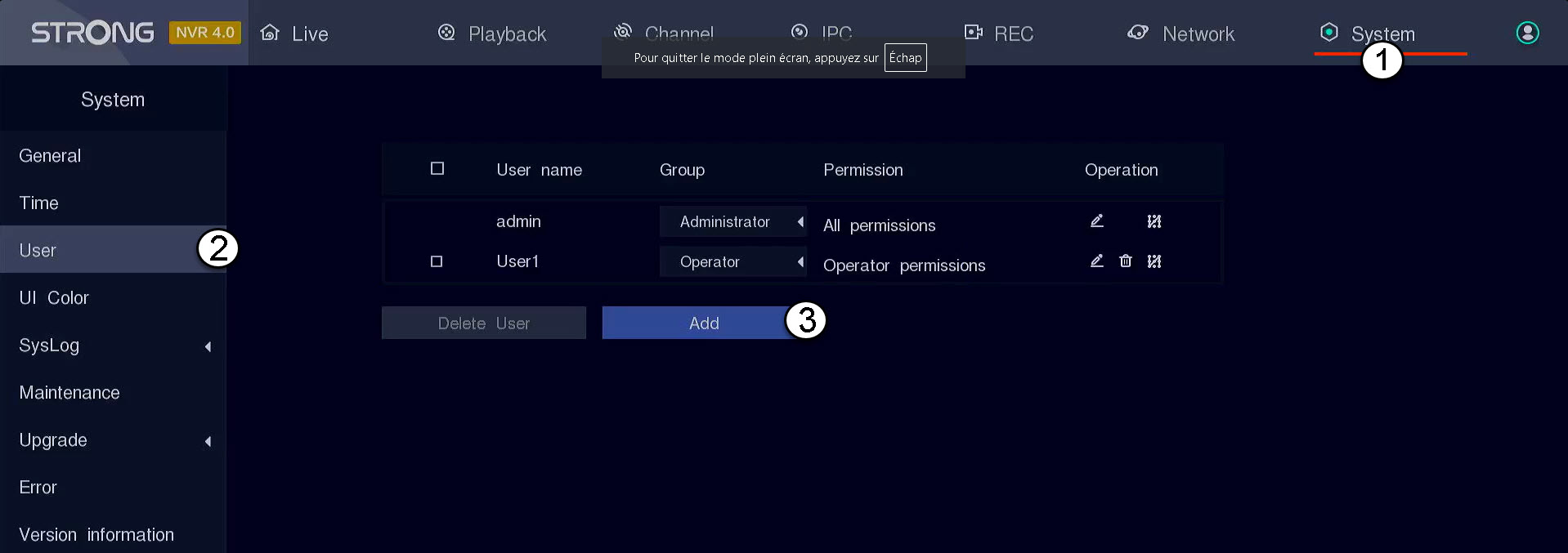
1. Przejdźdo ustawień użytkownika
Kliknij opcję „System”, a następnie wybierz „Użytkownik”. Następnie kliknij przycisk „Dodaj”.
2. Wprowadźdane użytkownika
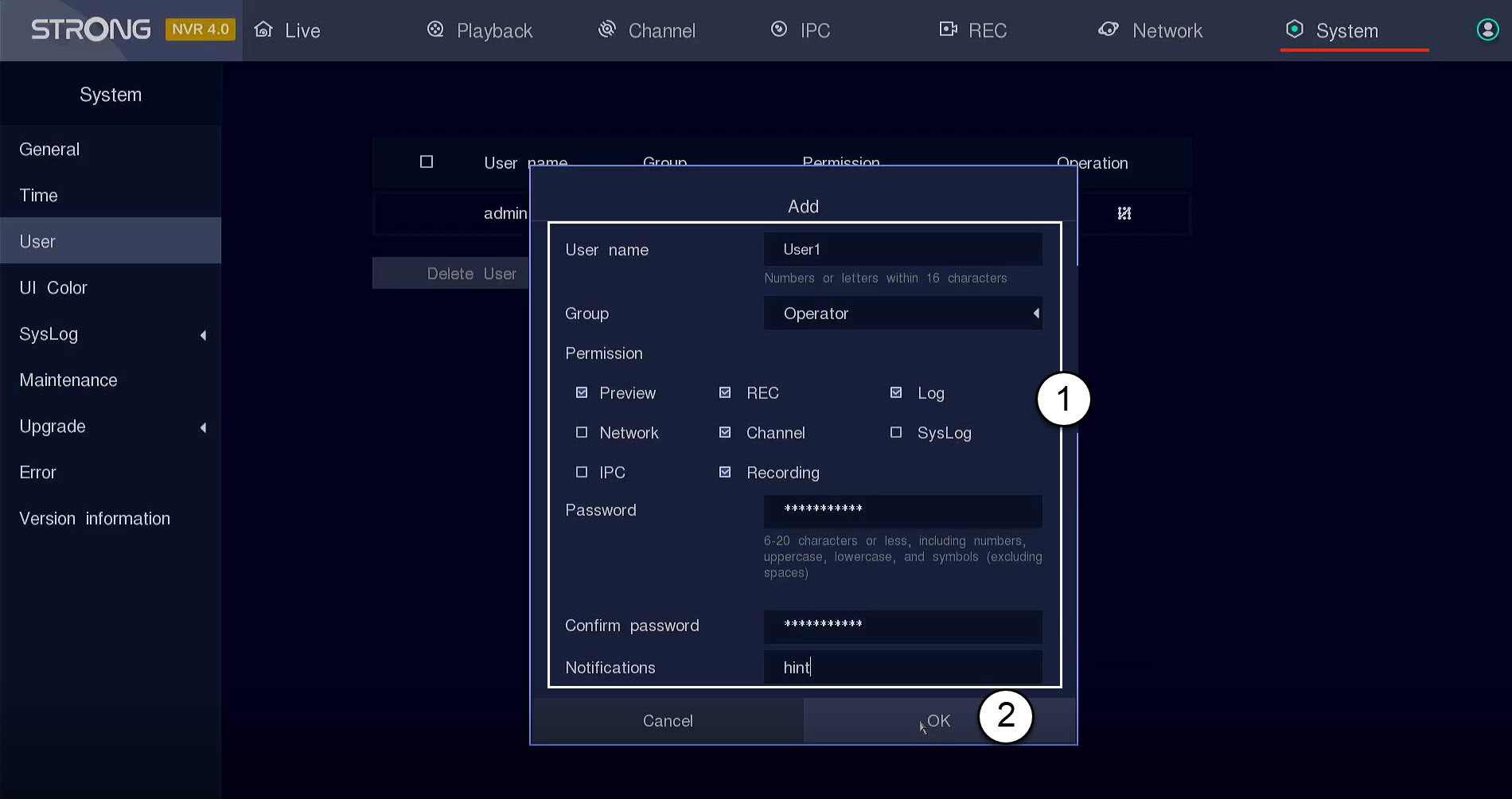
Przed kliknięciem przycisku „OK” należy wypełnić poniższe pola:
- Nazwa użytkownika: Wprowadź nazwę profilu użytkownika. Będzie ona używana do logowania się do interfejsu użytkownika.
- Grupa: Wybierz typ grupy w zależności od poziomu uprawnień (administrator: dostęp do wszystkich funkcji, operator: dostęp do określonych funkcji zdefiniowanych przez administratora, użytkownik: dostęp do określonych funkcji zdefiniowanych przez administratora, takich jak nagrywanie, kanał, podgląd)
- Uprawnienia: Wybierz funkcje, do których użytkownik będzie miał dostęp w zależności od przypisanej mu grupy użytkowników.
- Hasło: Należy ustawić hasło dla użytkownika. Będzie ono służyć do logowania się do interfejsu użytkownika.
- Potwierdź hasło: Wpisz to samo hasło, które podałeś wcześniej.
- Powiadomienie: Wprowadź opis.