Nie znaleziono żadnych elementów.
LEAP AIR | Telewizor 4K z systemem Google TV i obsługą HDR10+
Nie znaleziono żadnych elementów.
Wszystkie pytania
Nie znaleziono żadnych elementów.
LEAP AIR | Telewizor 4K z systemem Google TV i obsługą HDR10+
Nie znaleziono żadnych elementów.
Jak zrestartować urządzenie LEAP AIR?
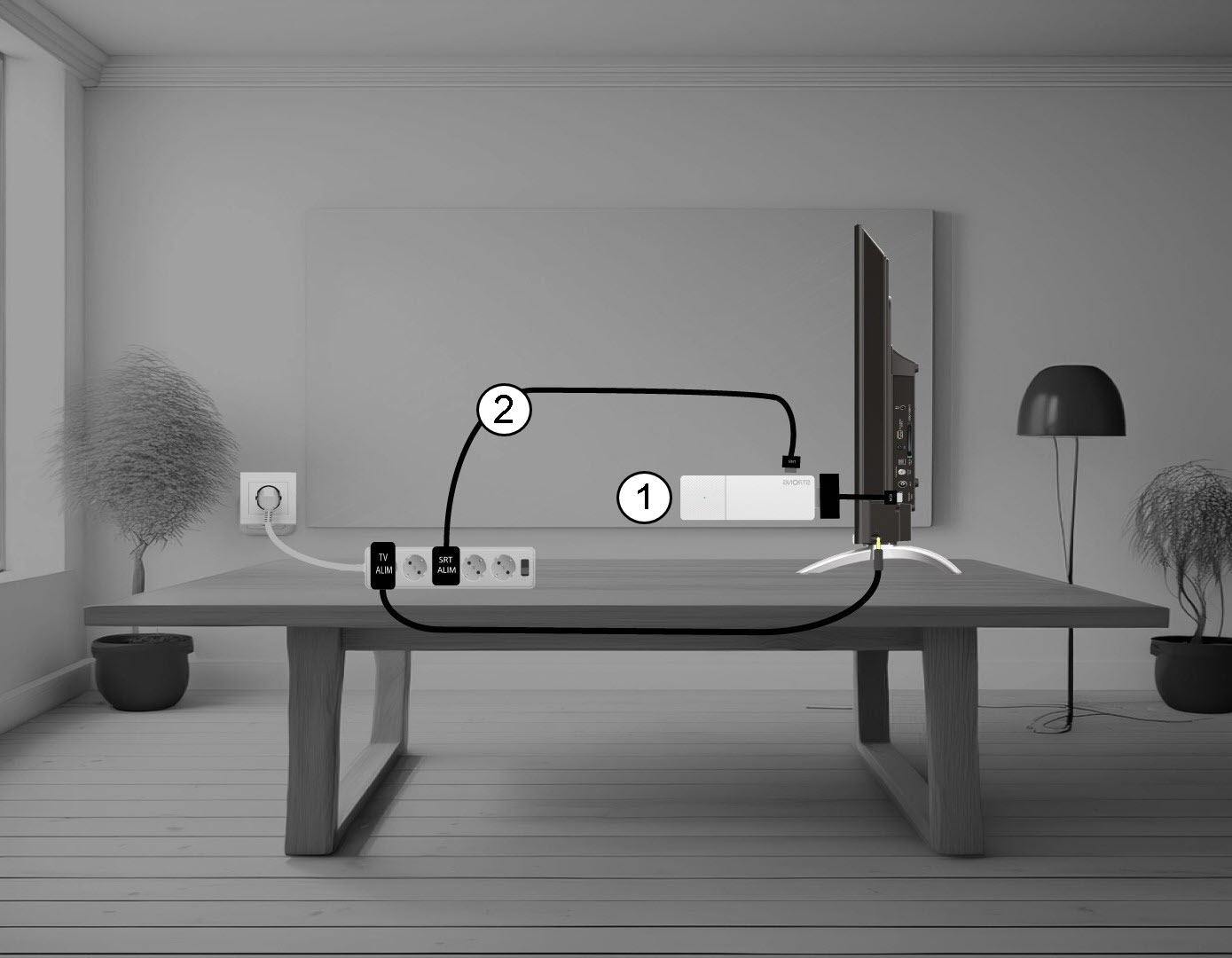
1. Odłączurządzenie LEAP AIR od telewizora
Odłącz kabel HDMI Stick od telewizora (1) oraz kabel USB od urządzenia LEAP AIR (2).
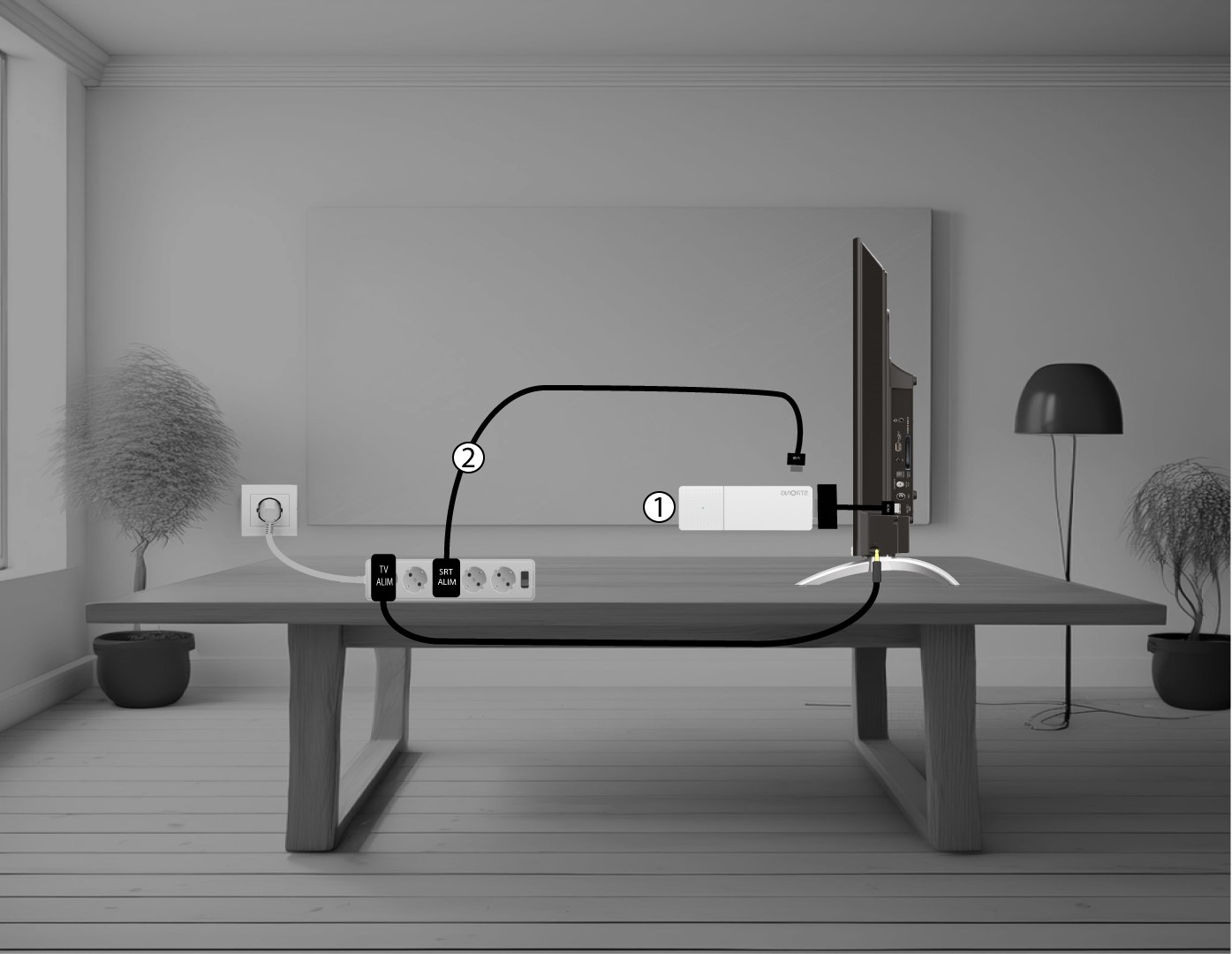
2. Podłączurządzenie LEAP AIR do telewizora
Podłącz ponownie kabel HDMI stick do telewizora (1) oraz kabel USB (2). Następnie podłącz telewizor do zasilania.