
Repeater AX1800
Nie znaleziono żadnych elementów.
Nie znaleziono żadnych elementów.
Wszystkie pytania
Repeater AX1800
Nie znaleziono żadnych elementów.
Nie znaleziono żadnych elementów.
Jak ustawić stały adres IP w moim repeaterze?
1. Połącz sięz interfejsem użytkownika w sieci Web
Aby połączyć się z interfejsem użytkownika, należy postępować zgodnie z poniższą procedurą.
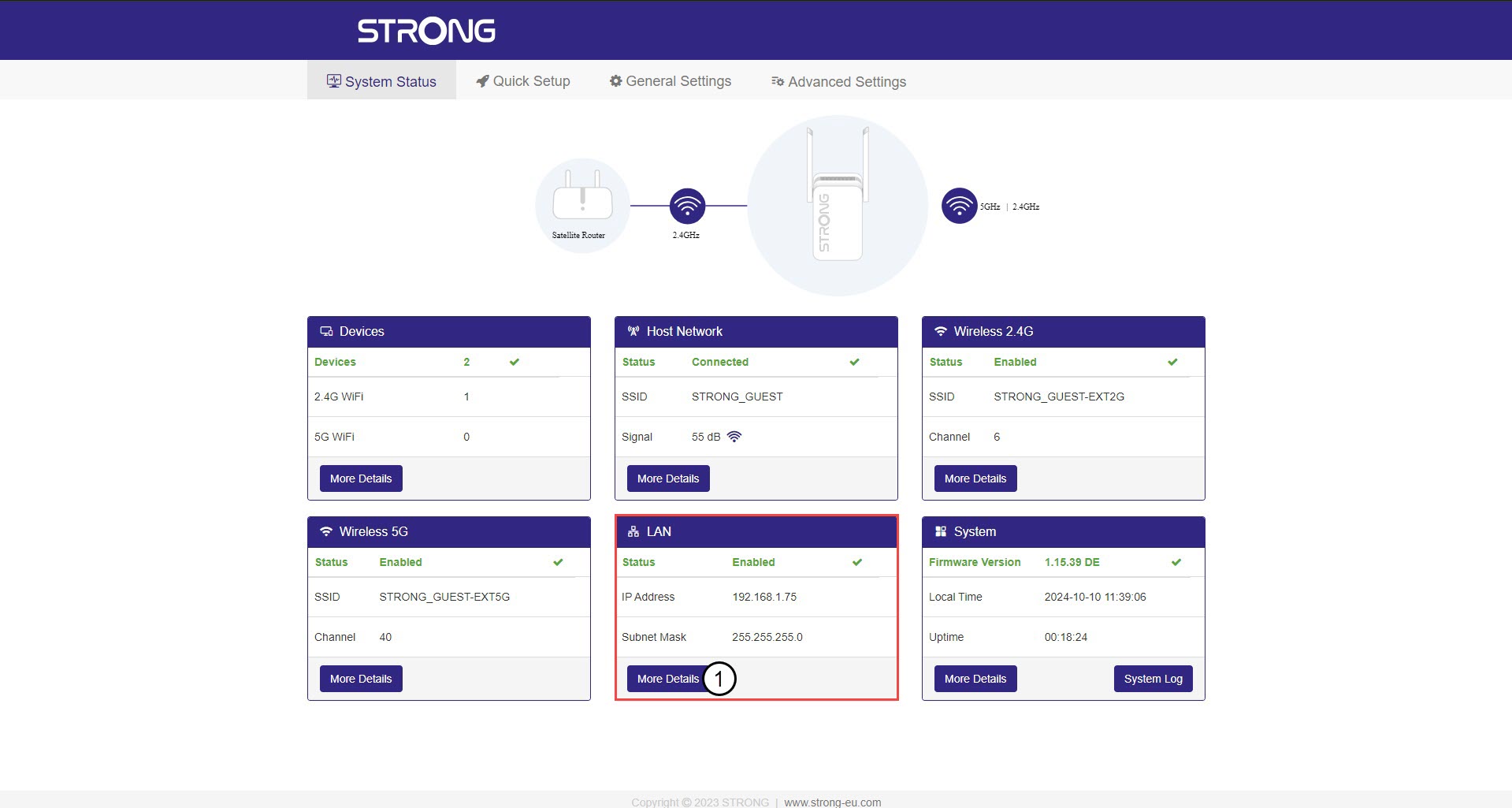
2. Stan systemu
Na ekranie „Stan systemu” kliknij przycisk „Więcej szczegółów ” w sekcji LAN.
3. Stałyadres IP
Kliknij „Ustawienia”, a następnie przełącznik „Adres statyczny ”. Następnie wprowadź poniższe informacje, po czym kliknij „Zapisz i zastosuj”:
- Adres IP: Wprowadź adres IP repeatera.
- Maska podsieci: Wybierz maskę podsieci z listy
- Brama domyślna: Wprowadź adres IP swojego repeatera
- Preferowany serwer DNS: Można wpisać tę samą wartość, co w poprzednim polu.
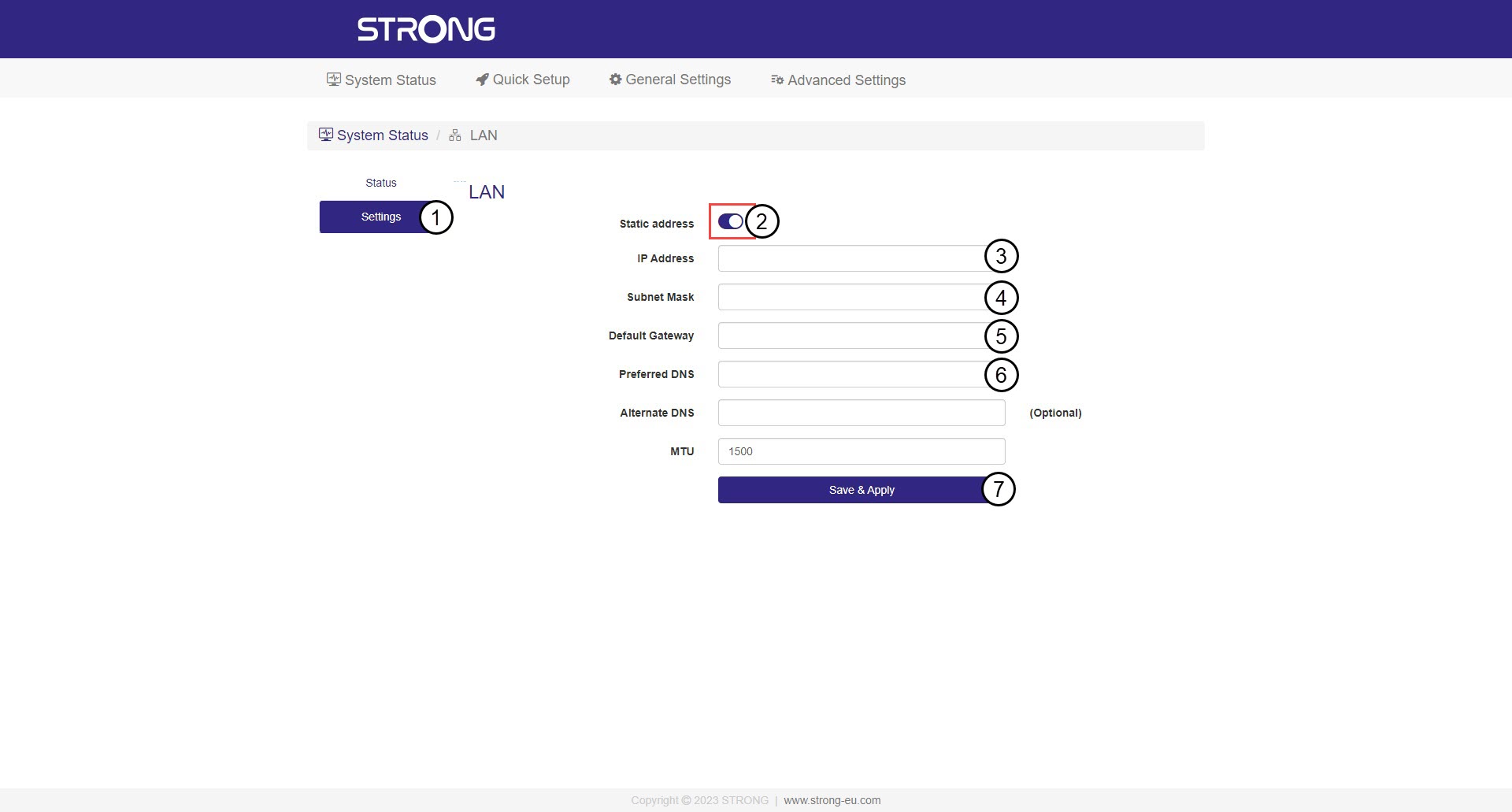

Ostrzeżenie: Zanotuj nowy adres IP swojej sieci. Od tej pory będziesz go używać do łączenia się z interfejsem użytkownika.