
Dwuzakresowy Repeater 1200
Nie znaleziono żadnych elementów.
Nie znaleziono żadnych elementów.
Wszystkie pytania
Dwuzakresowy Repeater 1200
Nie znaleziono żadnych elementów.
Nie znaleziono żadnych elementów.
Jak zaktualizować oprogramowanie sprzętowe mojego repeatera?
1. Sprawdź, czy dostępna jest aktualizacja oprogramowania układowego
Przed aktualizacją należy przejść do sekcji pobierania na naszej stronie internetowej, aby sprawdzić, czy dostępna jest nowa wersja oprogramowania.
2Przejdźdo strony „Pobrane”
Kliknij opcję POMOC > Pliki do pobrania.

3. Wybierzprodukt
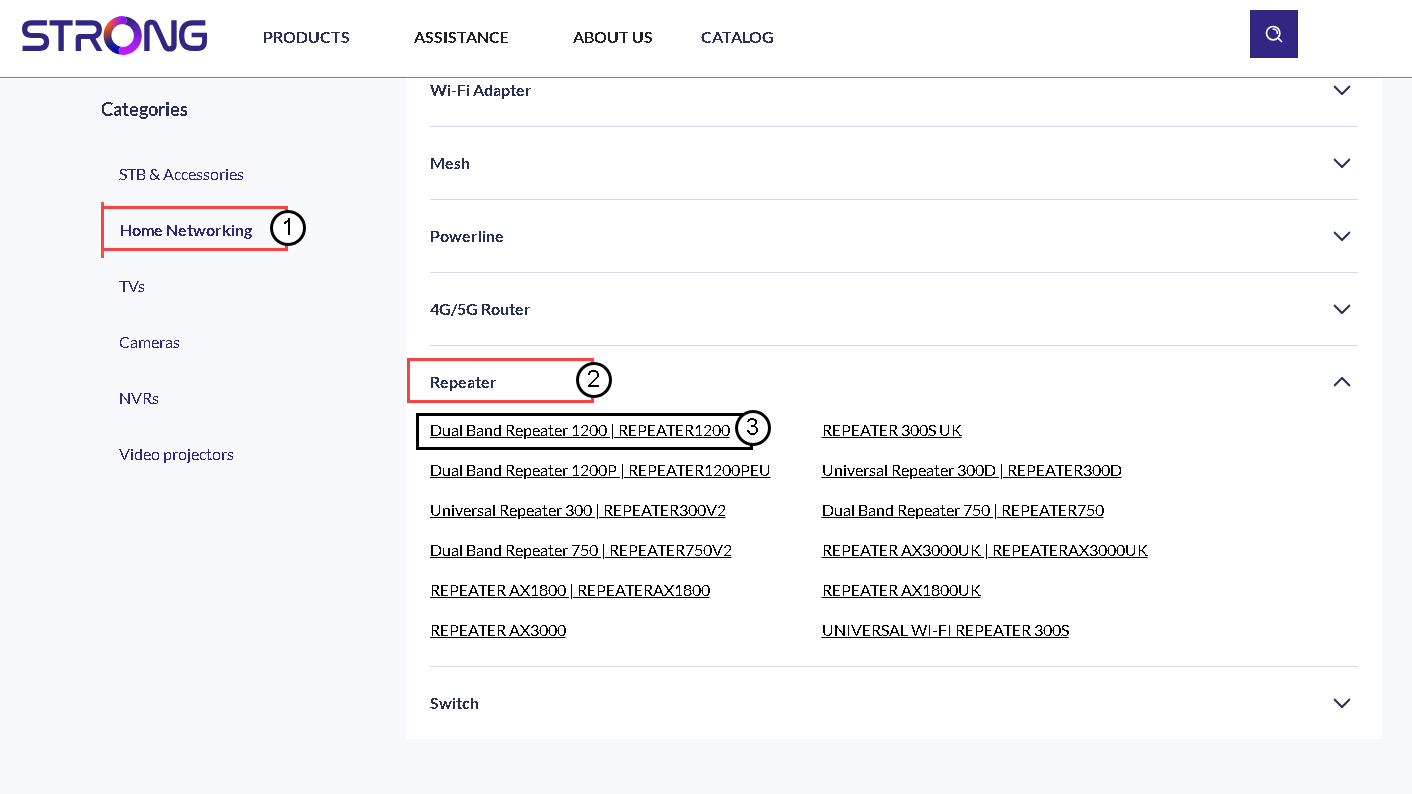
Po przejściu na stronę „Pliki do pobrania” kliknij opcję „Sieci domowe i wzmacniacze sygnału”, a następnie kliknij numer katalogowy produktu.
4. Pobierzoprogramowanie sprzętowe
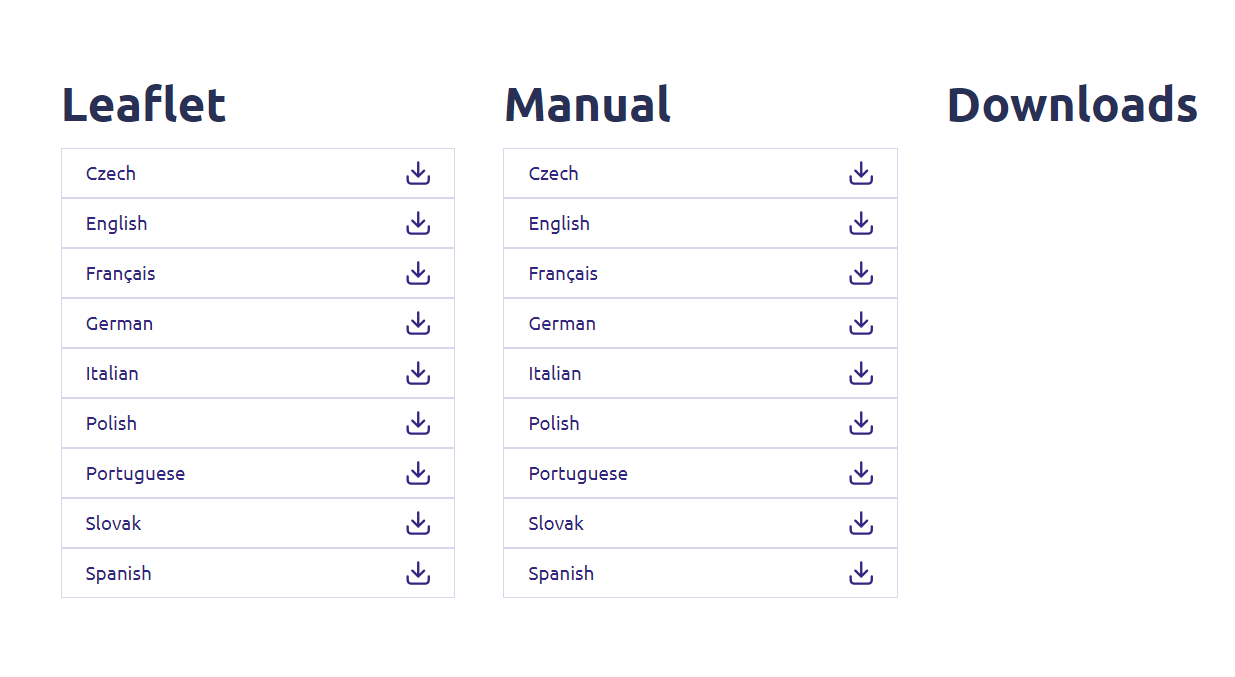
Na poniższej stronie w sekcji „Oprogramowanie sprzętowe” znajdziesz nową wersję oprogramowania. Jeśli plik jest dostępny, pobierz go.
5. Podłącz siędo repeatera
Gdy to zrobisz, połącz się z siecią Wi-Fi repeatera.

6. Uzyskaj dostępdo interfejsu użytkownika w sieci Web
Przejdź do adresu URL interfejsu użytkownika.

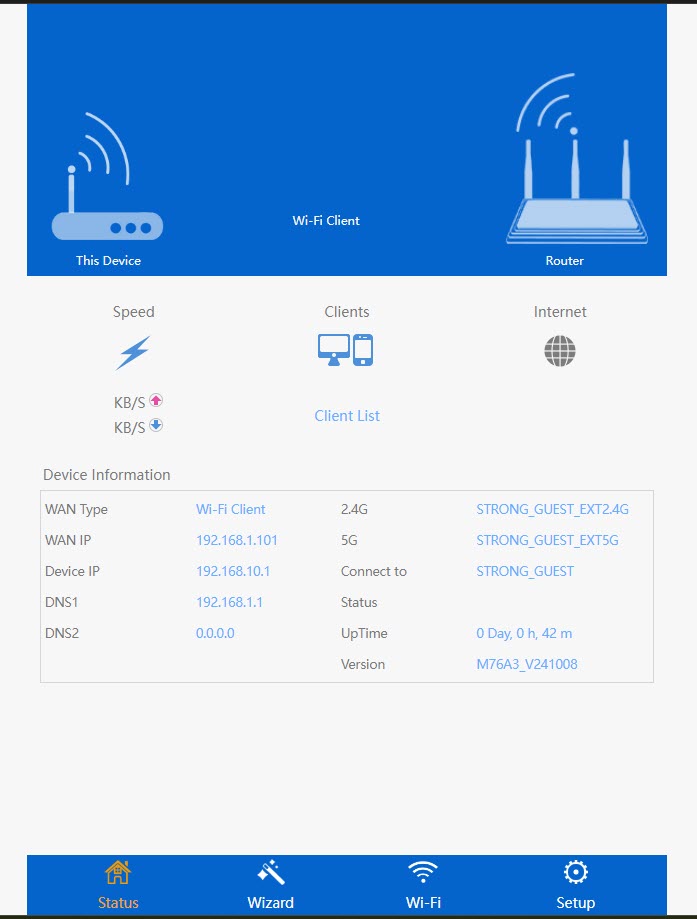
7. Otwórzmenu ustawień
Kliknij „Konfiguracja”.
8. Rozpocznijaktualizację oprogramowania układowego
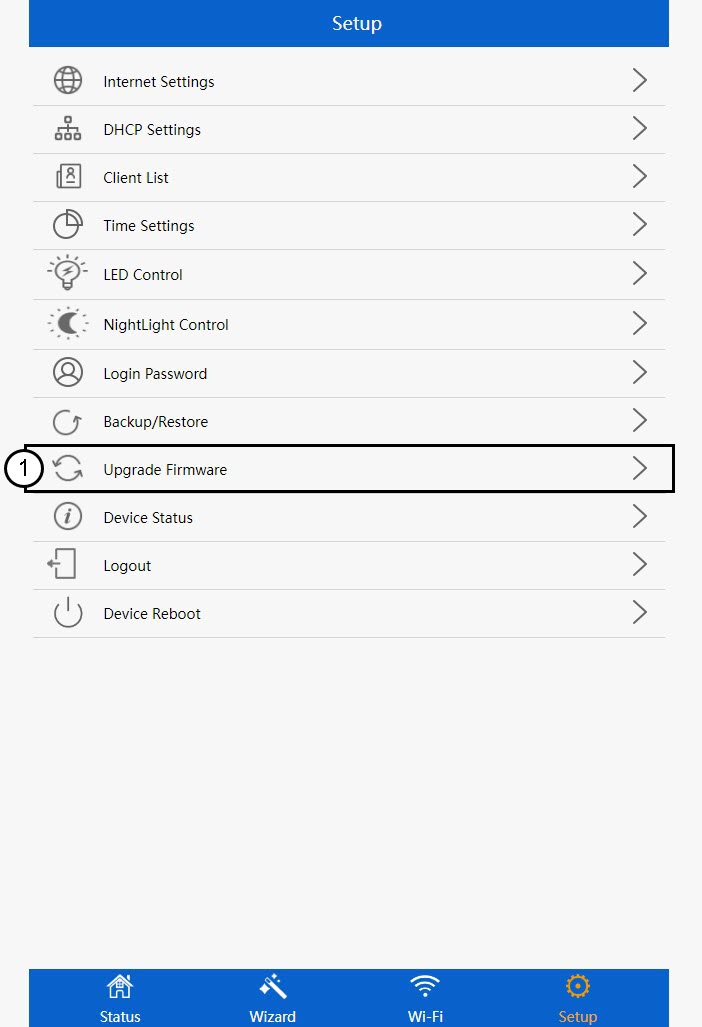
Kliknij opcję „Aktualizuj oprogramowanie sprzętowe”.
9 Zastosujaktualizację
Wybierz plik i kliknij „Zastosuj”. Następnie aktualizacja rozpocznie się automatycznie.
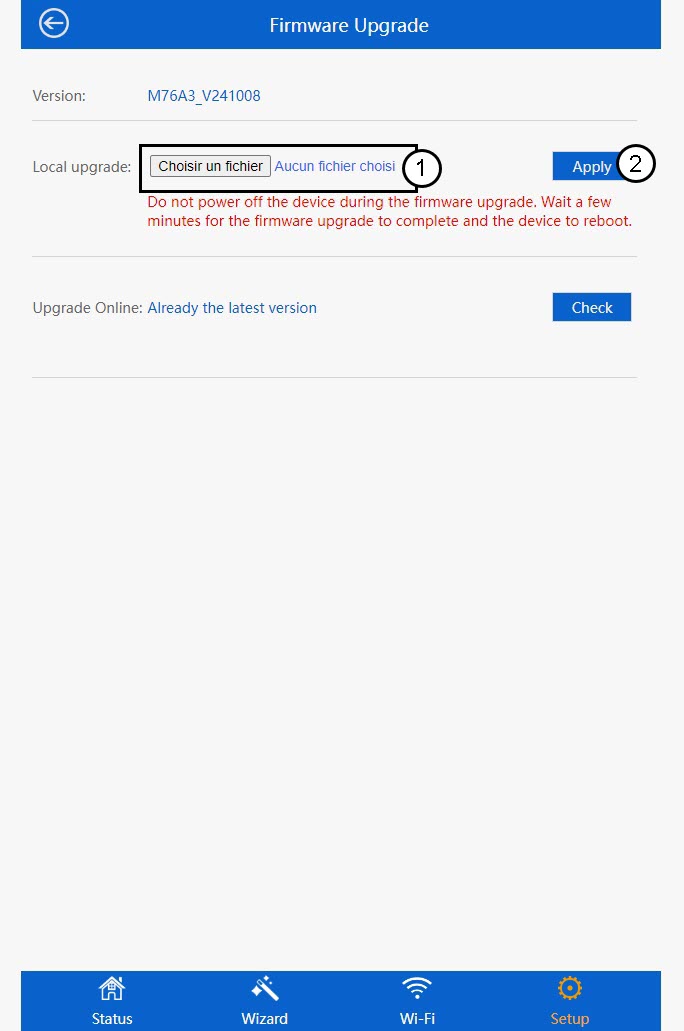
 Ostrzeżenie: Proszę poczekać, aż aktualizacja się zakończy, a urządzenie uruchomi się ponownie. Po zakończeniu aktualizacji konieczne będzie ponowne połączenie z siecią Wi-Fi.