ATRIA Mesh add-on 1200 UK
Wszystkie pytania
ATRIA Mesh add-on 1200 UK
Jak powinienem skonfigurować sieć „ Mesh ”, aby zoptymalizować działanie mojej sieci Wi-Fi?
Aby zoptymalizować zasięg sieci, należy zainstalować urządzenie „ mesh ” w miejscu, w którym występują problemy z zasięgiem, tak aby objąć jak największy obszar w domu. Należy upewnić się, że urządzenia „ mesh ” nie znajdują się w pomieszczeniu, w którym znajduje się ściana nośna, ponieważ im grubsza jest ściana, tym trudniej sygnał Wi-Fi może przez nią przejść.
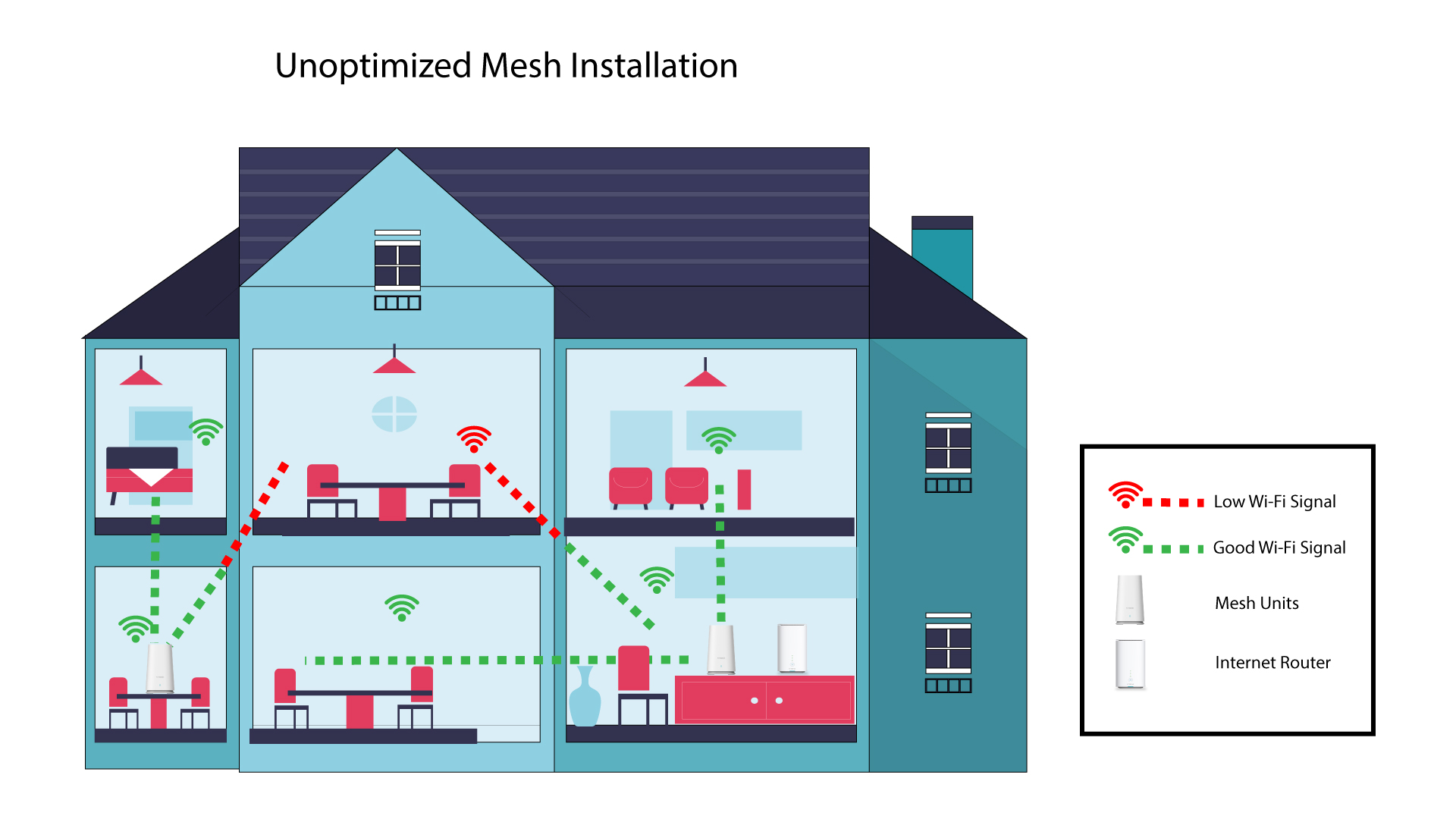
Poniższy schemat przedstawia zasięg sieci Wi-Fi wewnątrz domu, w którym węzły „ mesh ” nie są umieszczone w odpowiednich miejscach, aby zapewnić właściwy zasięg.
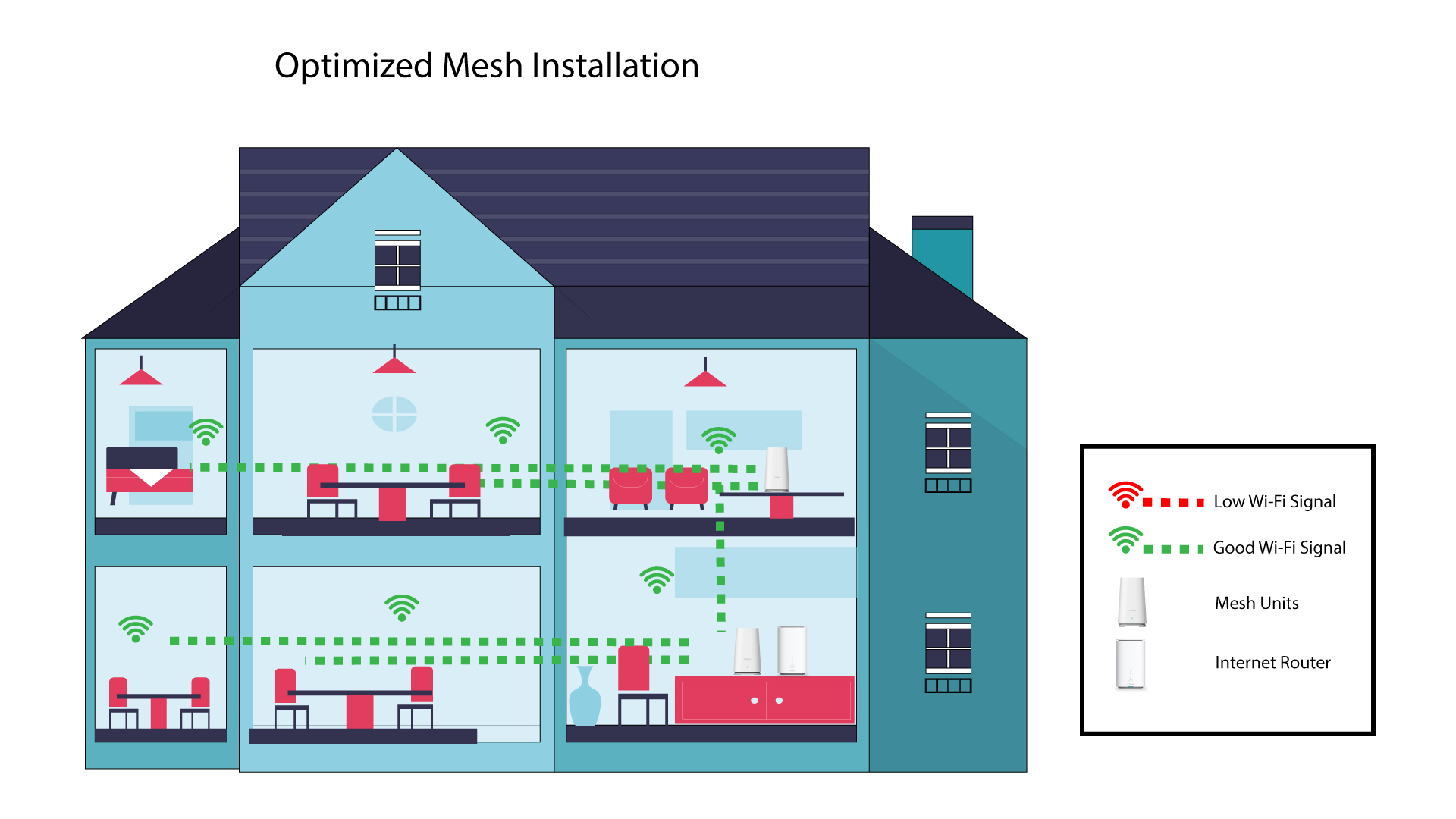
Poniższy schemat przedstawia zasięg sieci Wi-Fi wewnątrz domu, w którym węzły mesh są rozmieszczone w odpowiedniej części budynku, aby zapewnić właściwy zasięg.
1. Pobierzaplikację
Pobierz aplikację Atria „ Mesh ”.
2. Połącz sięz siecią Wi-Fi mesh
Połącz się z siecią Wi-Fi urządzenia mesh .

3Połącz sięz aplikacją
Wprowadź nazwę użytkownika i hasło, a następnie kliknij przycisk „Zaloguj się”.

4 Mojasieć
Kliknij „Moja sieć”

5 Stan sieciMesh
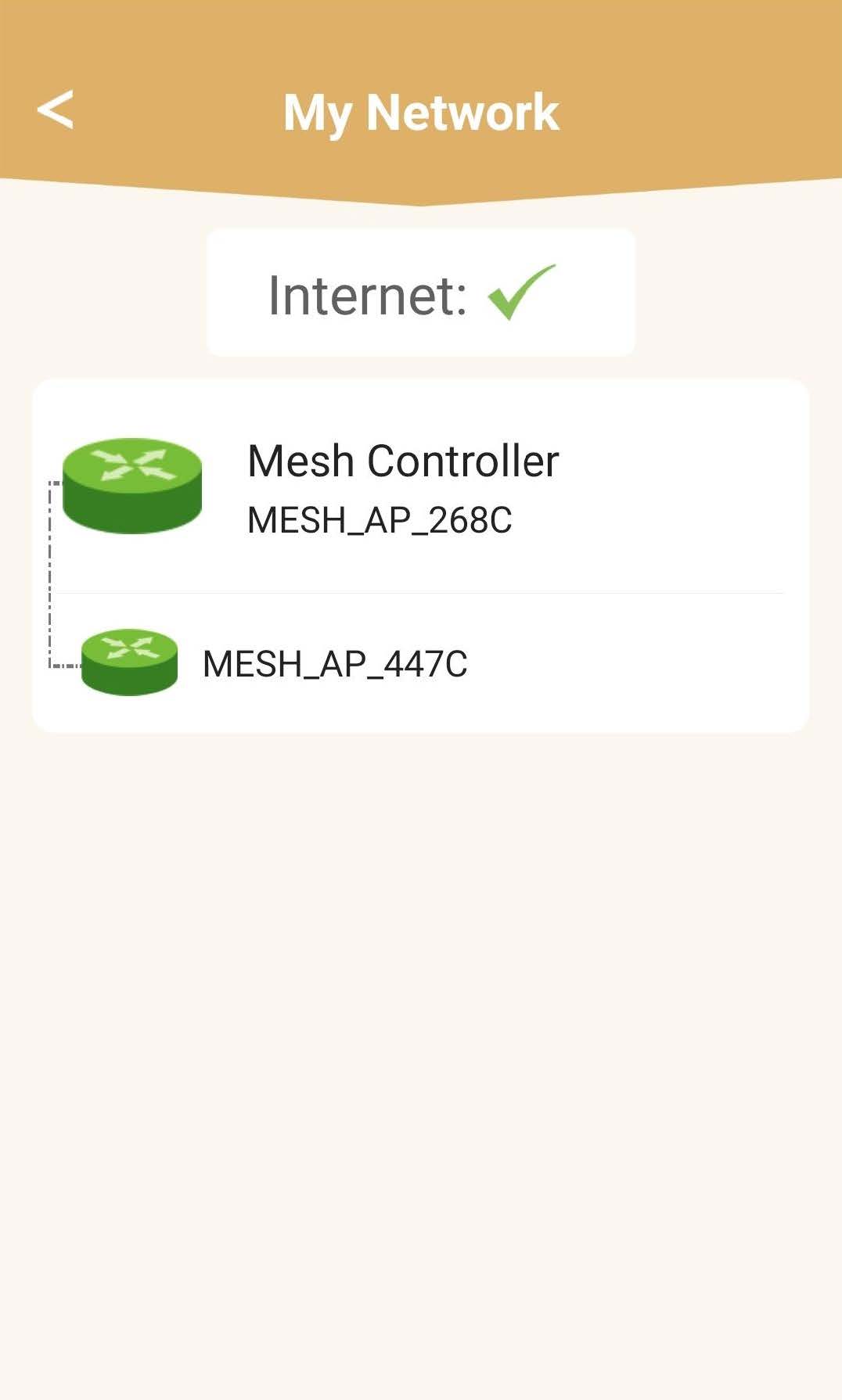
Zobaczysz stan zasięgu zapewnianego przez urządzenia mesh .
Należy pamiętać, że gdy ikony urządzeń mesh są wyświetlane na szaro, zasięg danego urządzenia jest niewystarczający. W takim przypadku należy zmienić położenie urządzenia mesh .
Jeśli urządzenia mesh s są wyświetlane na zielono, oznacza to, że działają prawidłowo i zapewniają wystarczający zasięg.