
PL600SDUOEU
Nie znaleziono żadnych elementów.
Nie znaleziono żadnych elementów.
Wszystkie pytania
PL600SDUOEU
Nie znaleziono żadnych elementów.
Nie znaleziono żadnych elementów.
Jak skonfigurować wysoki poziom bezpieczeństwa 2 w produktach z serii „ powerline ”?
1. Podłączadaptery do listwy zasilającej
Weź listwę z wieloma gniazdkami i podłącz do niej wszystkie adaptery powerline .

2. Podłączadaptery do Internetu
Podłącz jedną z kart sieciowych powerline do bramki internetowej/routera za pomocą kabla RJ45.
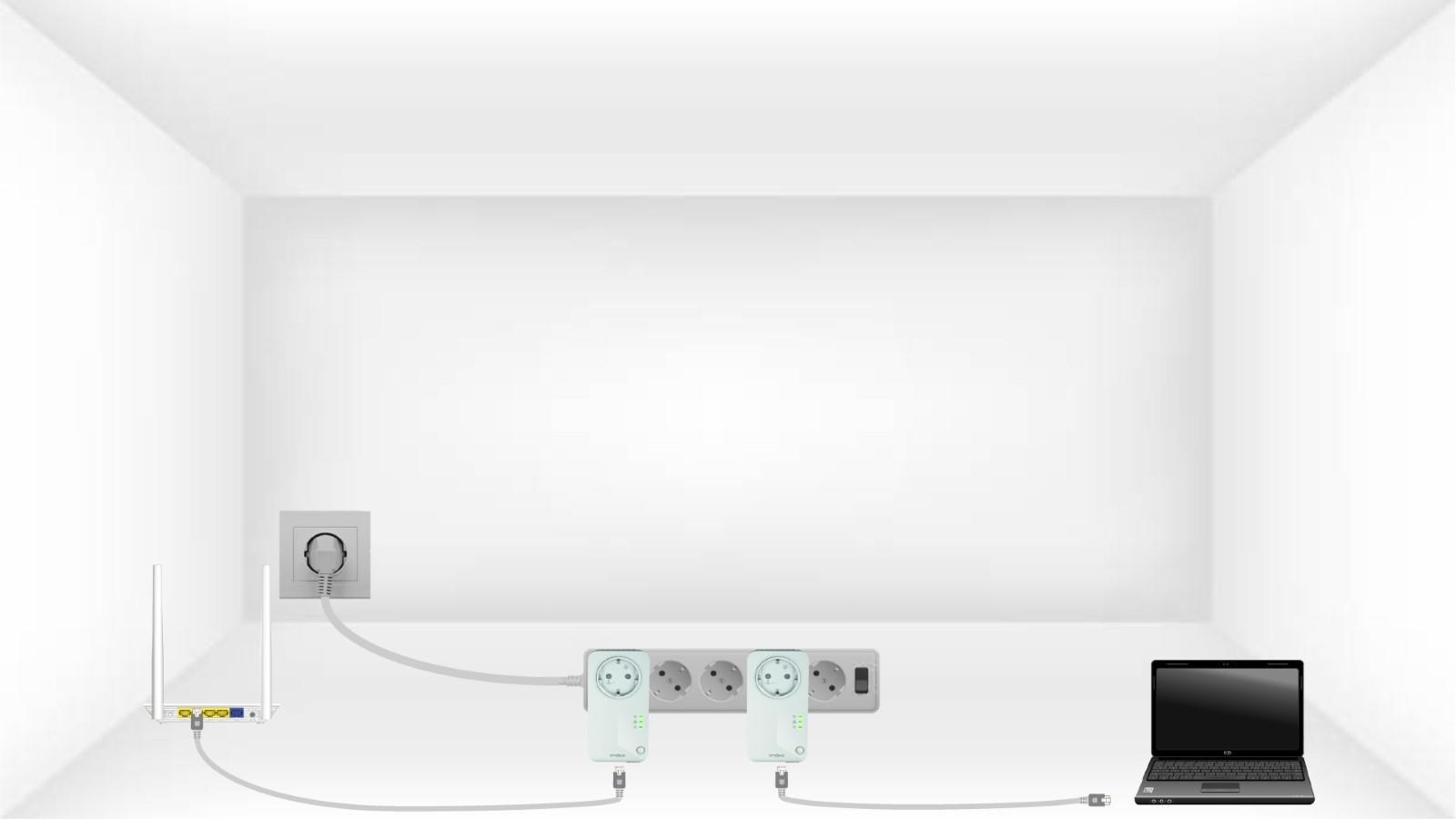
3. Naciśnijprzycisk „Connect & Secure” na pierwszym urządzeniu
Następnie naciśnij przycisk „CONNECT & SECURE” na pierwszym urządzeniu i przytrzymaj go przez 2 sekundy.
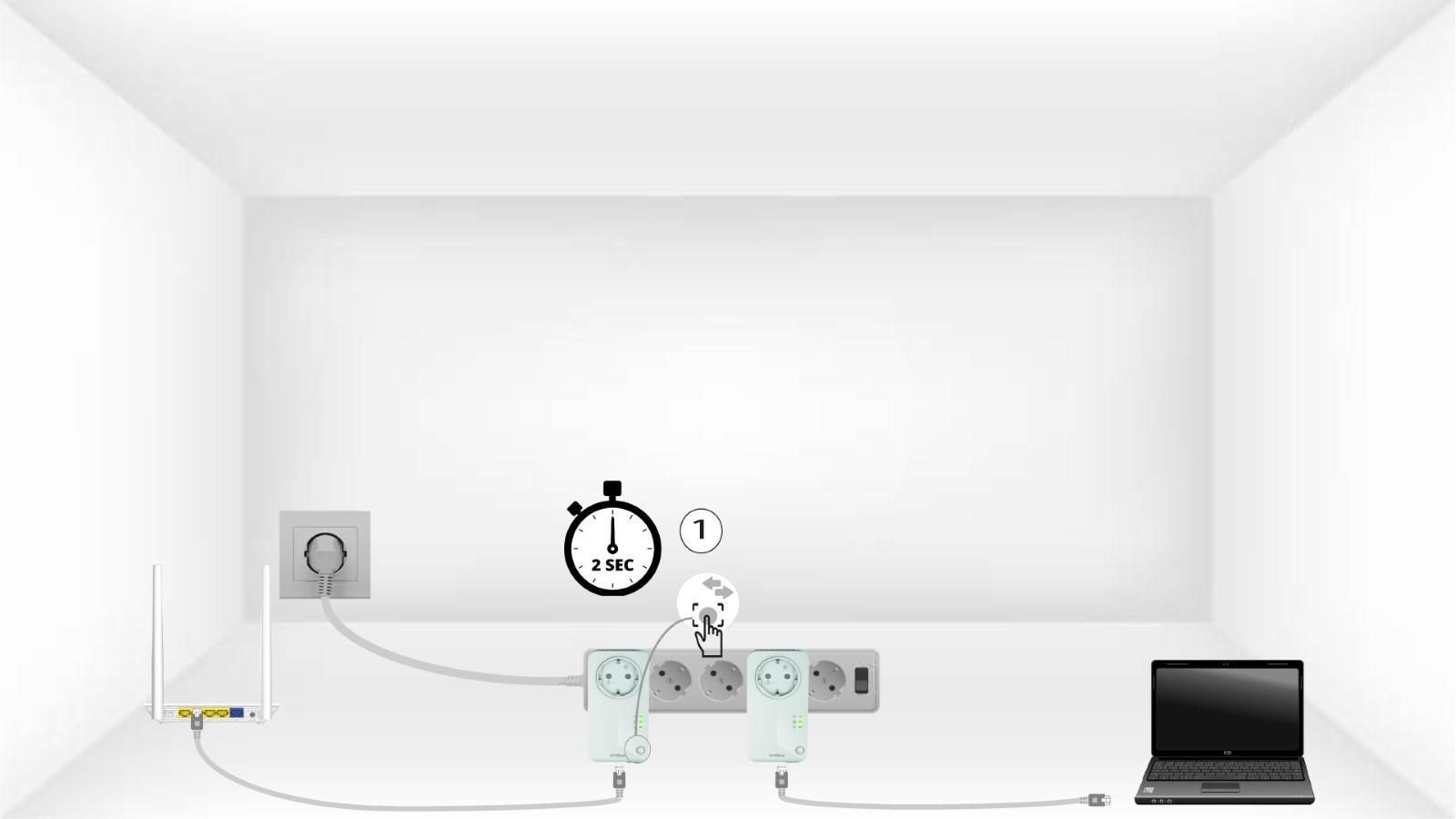
4. Naciśnijprzycisk „Secure & Connect” na drugim urządzeniu
Naciśnij przycisk „CONNECT & SECURE” na drugim urządzeniu i przytrzymaj go przez 2 sekundy. Masz na to maksymalnie dwie minuty.

5.Dioda LED „Home” miga
Dioda LED „Home” powinna migać na obu urządzeniach.
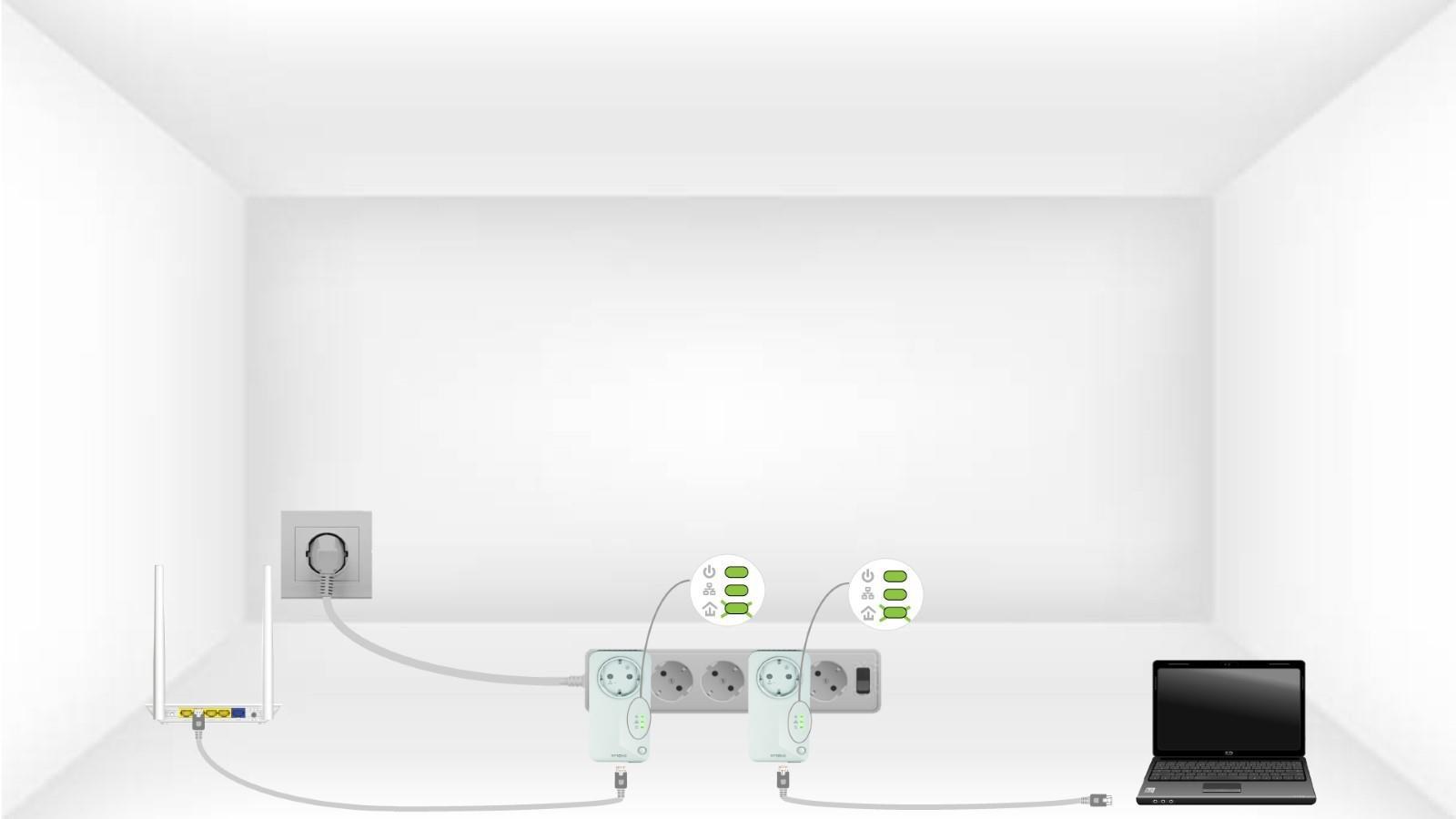
6.Klucz szyfrujący został ustawiony
Twój unikalny klucz szyfrujący został właśnie ustawiony, a wszystkie diody LED urządzeń powinny świecić na zielono.
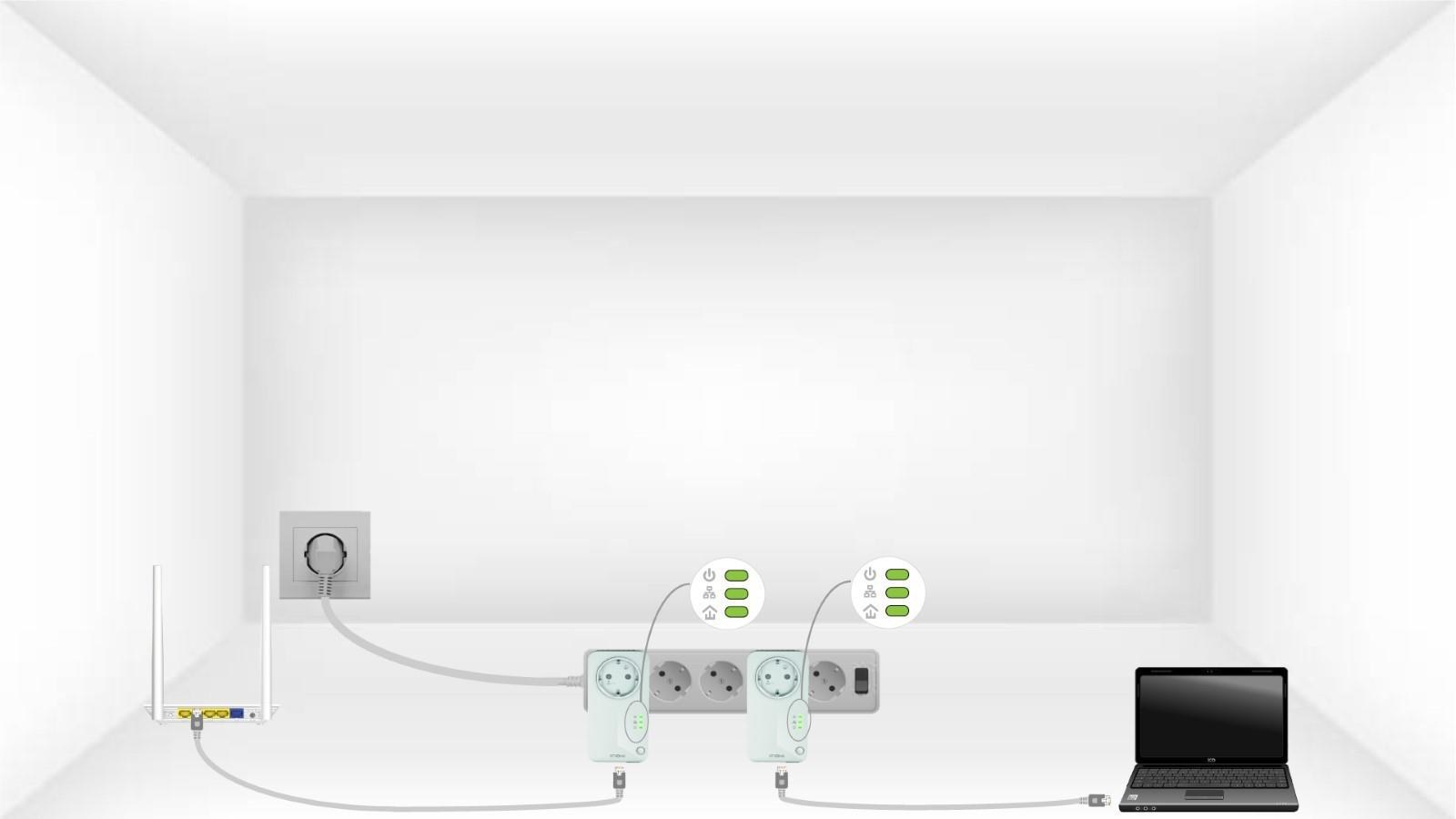
Teraz należy zainstalować adaptery w pomieszczeniach, w których są potrzebne. Zdecydowanie zalecamy, aby nie podłączać adapterów do listwy z wieloma gniazdkami.