
Powerline 600 Triple UK V2
Nie znaleziono żadnych elementów.
Nie znaleziono żadnych elementów.
Wszystkie pytania
Powerline 600 Triple UK V2
Nie znaleziono żadnych elementów.
Nie znaleziono żadnych elementów.
Jak skonfigurować wysoki poziom bezpieczeństwa 2 w produktach z serii „ powerline ”?
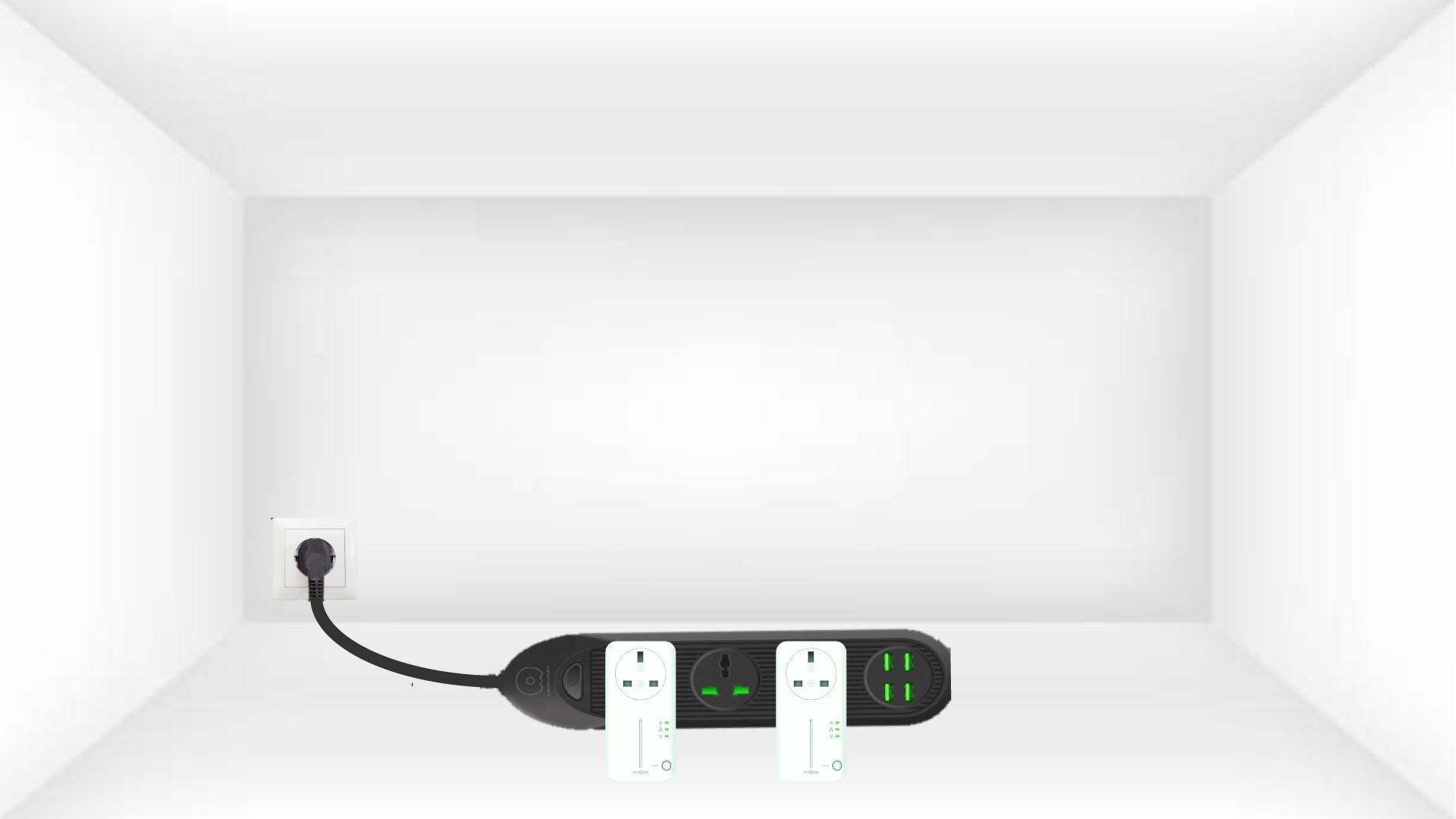
1. Podłączadaptery do listwy zasilającej
Weź listwę zasilającą i podłącz do niej wszystkie adaptery powerline .
2. Podłączadaptery do Internetu
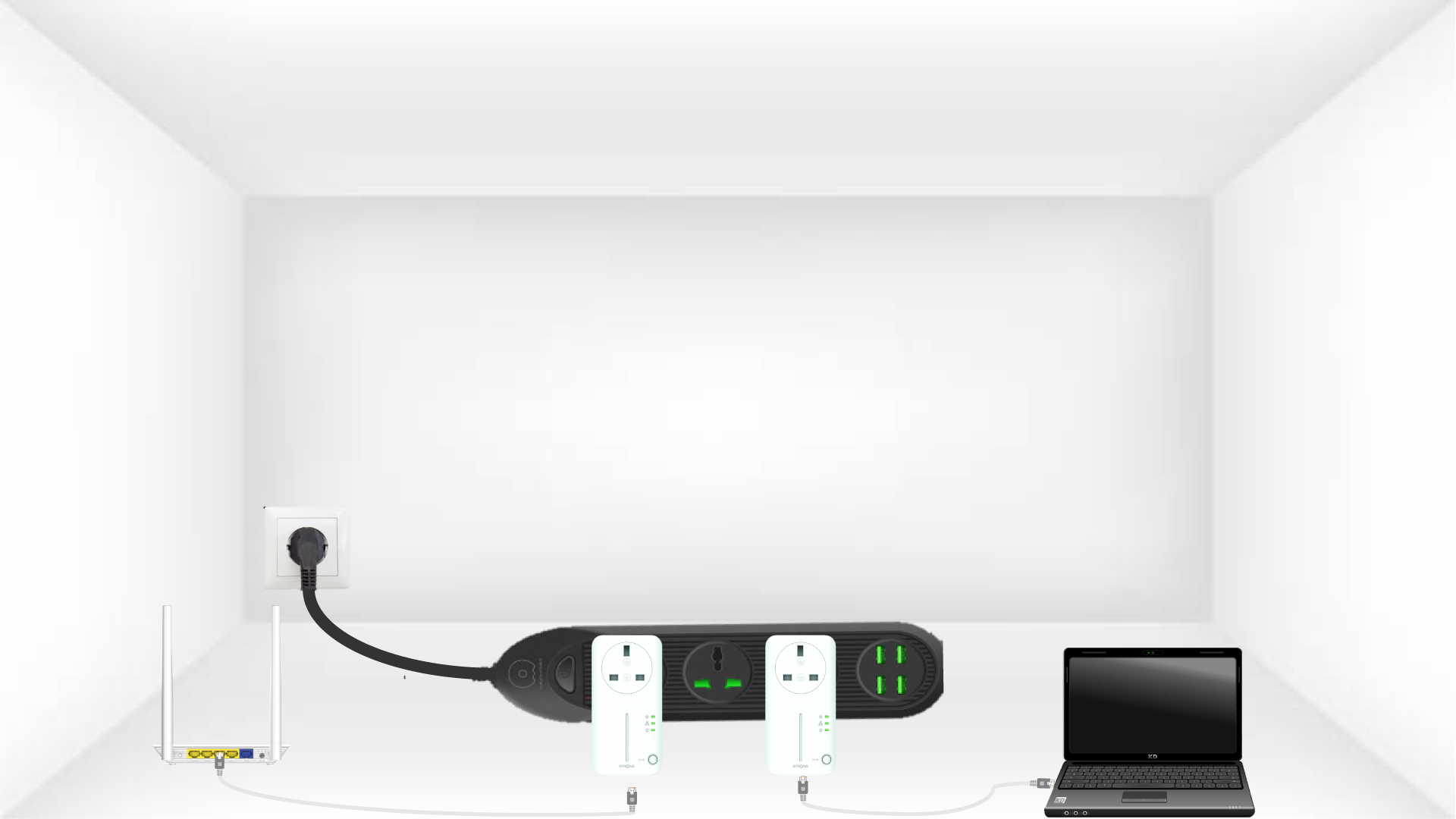
Podłącz jeden z adapterów do bramki internetowej/routera za pomocą kabla RJ45.
3. Naciśnijprzycisk „Połącz i zabezpiecz” (pierwsze urządzenie)
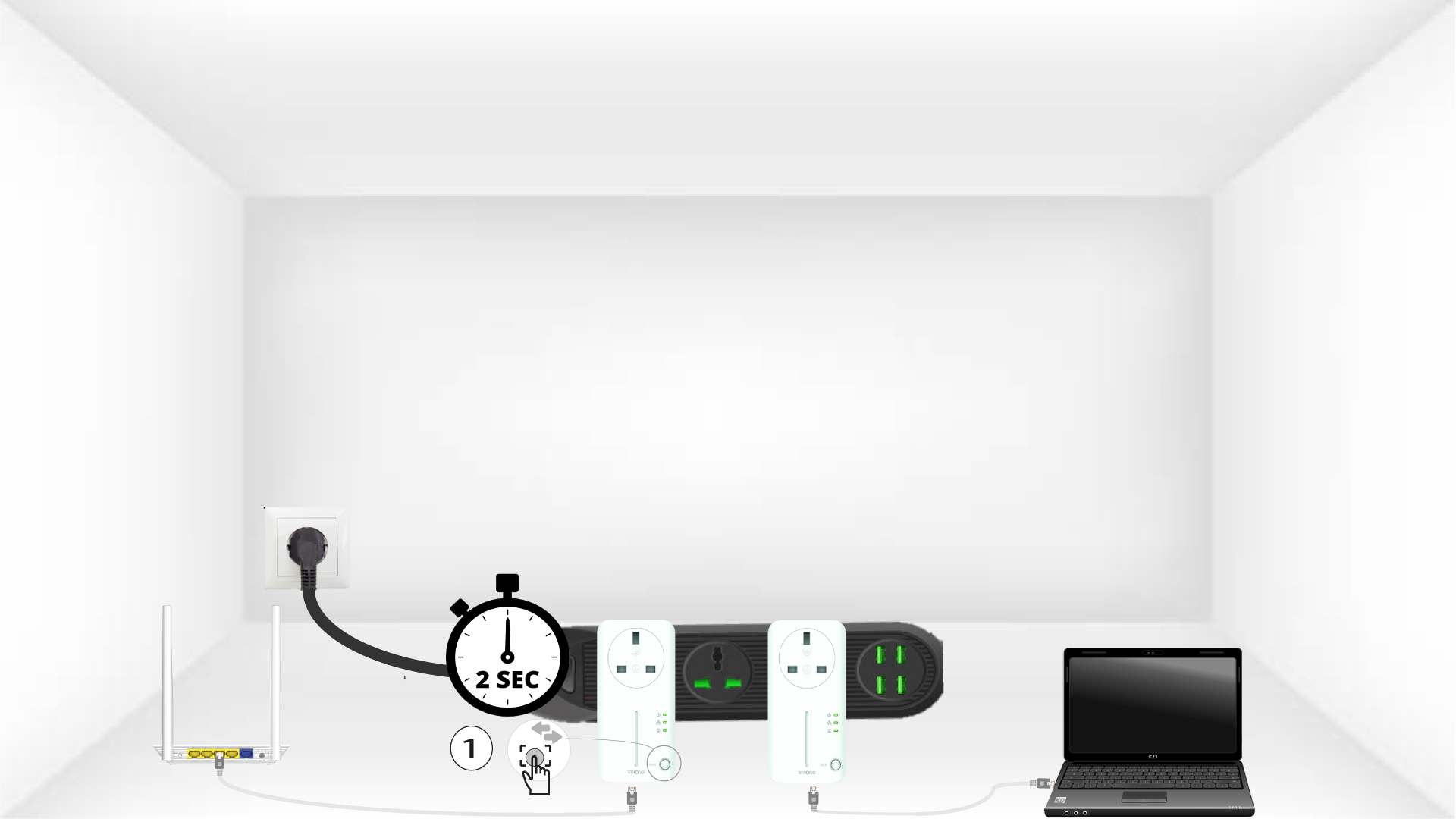
Następnie naciśnij przycisk „CONNECT & SECURE”na pierwszym urządzeniu i przytrzymaj go przez 2 sekundy.
4. Naciśnijprzycisk „Connect & Secure” (drugie urządzenie)
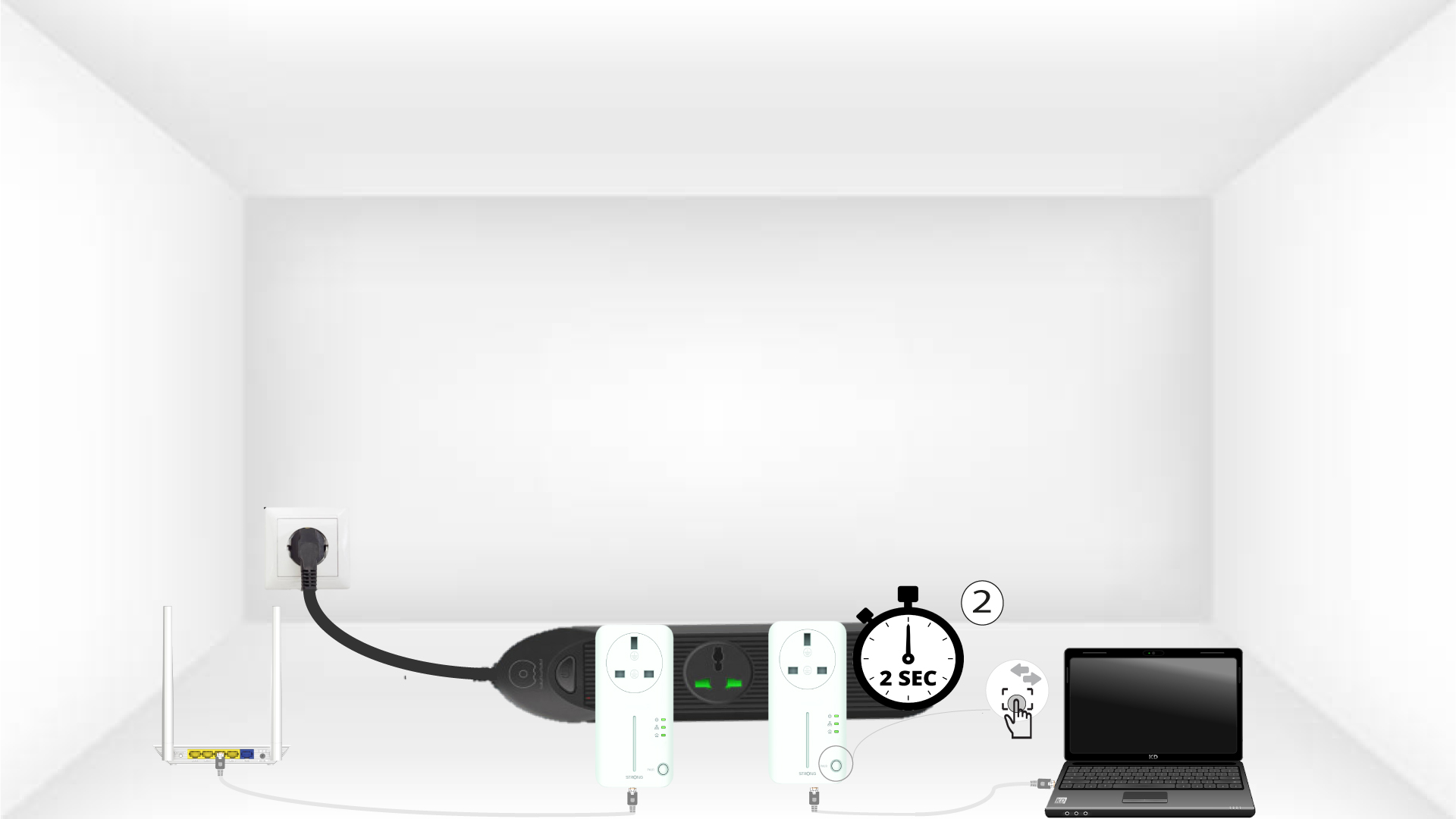
Naciśnij przycisk„CONNECT & SECURE” na drugim urządzeniu i przytrzymaj go przez 2 sekundy. Masz na to maksymalnie dwie minuty.
5.Dioda LED „Home” miga
Dioda LED „Home” powinna migać na obu urządzeniach.
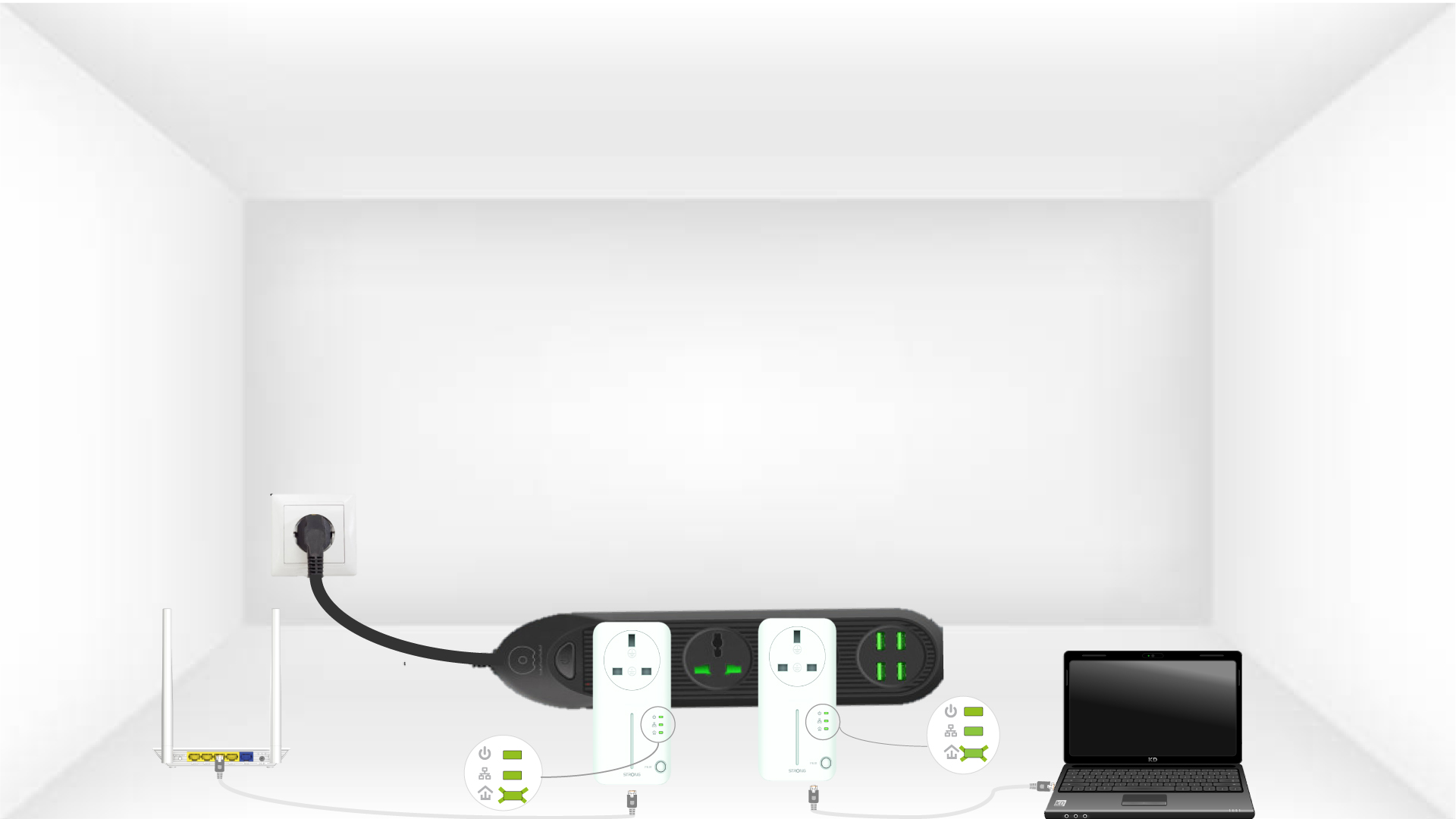
6. Adapterysą ustawione
Twój unikalny klucz szyfrujący został właśnie ustawiony, a wszystkie diody LED urządzeń powinny świecić na zielono.
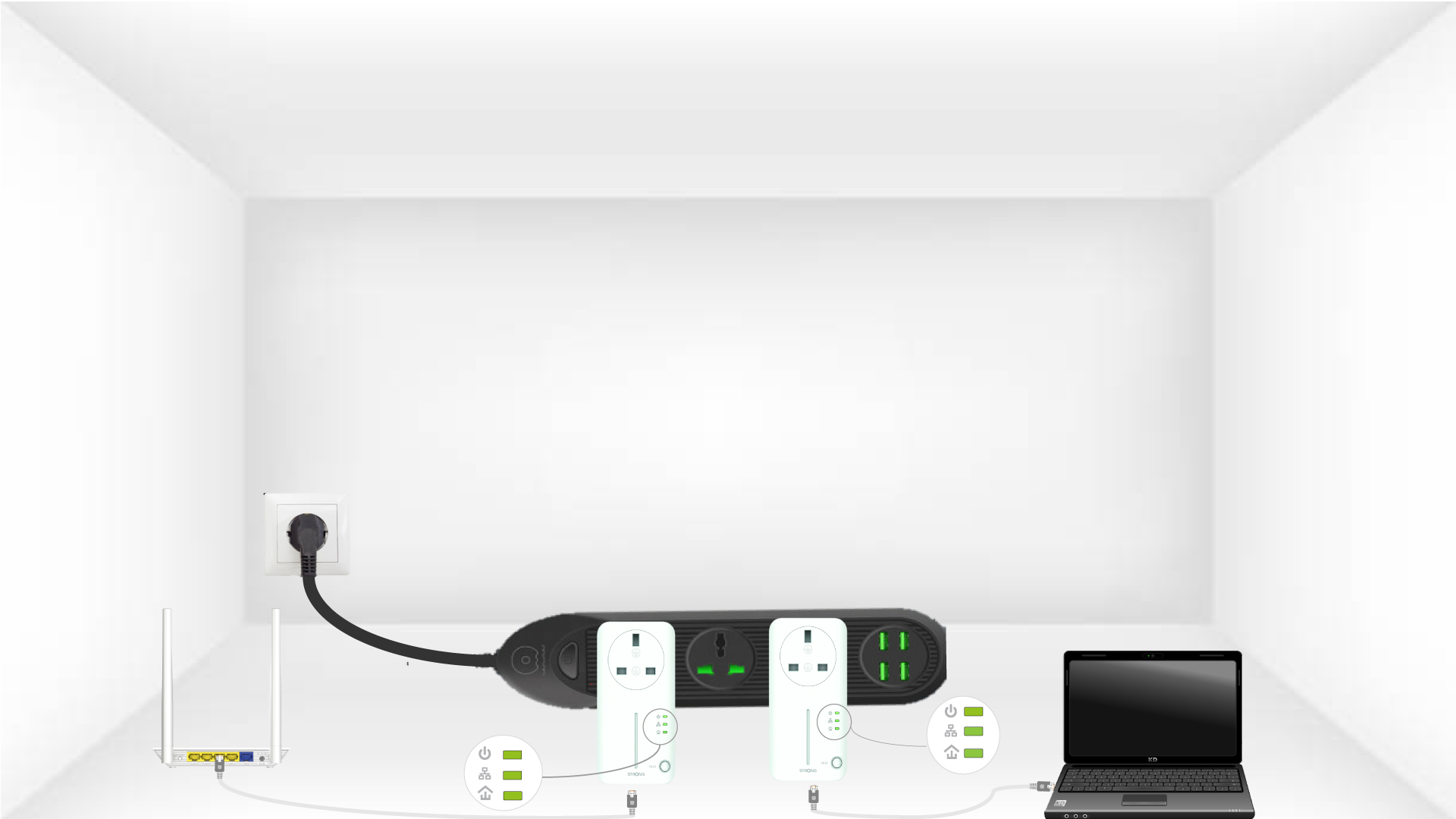
Teraz należy zainstalować adaptery w pomieszczeniach, w których są potrzebne. Zdecydowanie odradzamy podłączanie adapterów do listwy zasilającej.