
Repeater dwupasmowy 750 UK
Nie znaleziono żadnych elementów.
Nie znaleziono żadnych elementów.
Wszystkie pytania
Repeater dwupasmowy 750 UK
Nie znaleziono żadnych elementów.
Nie znaleziono żadnych elementów.
Nie mogę uzyskać dostępu do interfejsu użytkownika (http://strong.ap750) po skonfigurowaniu mojego repeatera. Dlaczego?

OSTRZEŻENIE: To normalne, że po zakończeniu konfiguracji nie można połączyć się z interfejsem użytkownika, ponieważ dane połączeniowe uległy zmianie. Po zakończeniu konfiguracji tworzone są bowiem dwie sieci Wi-Fi. Aby uzyskać dostęp do interfejsu użytkownika, należy połączyć się z jedną z tych sieci.
1. Podłączrouter za pomocą kabla RJ45
Podłącz wzmacniacz sygnału do komputera za pomocą kabla RJ45.
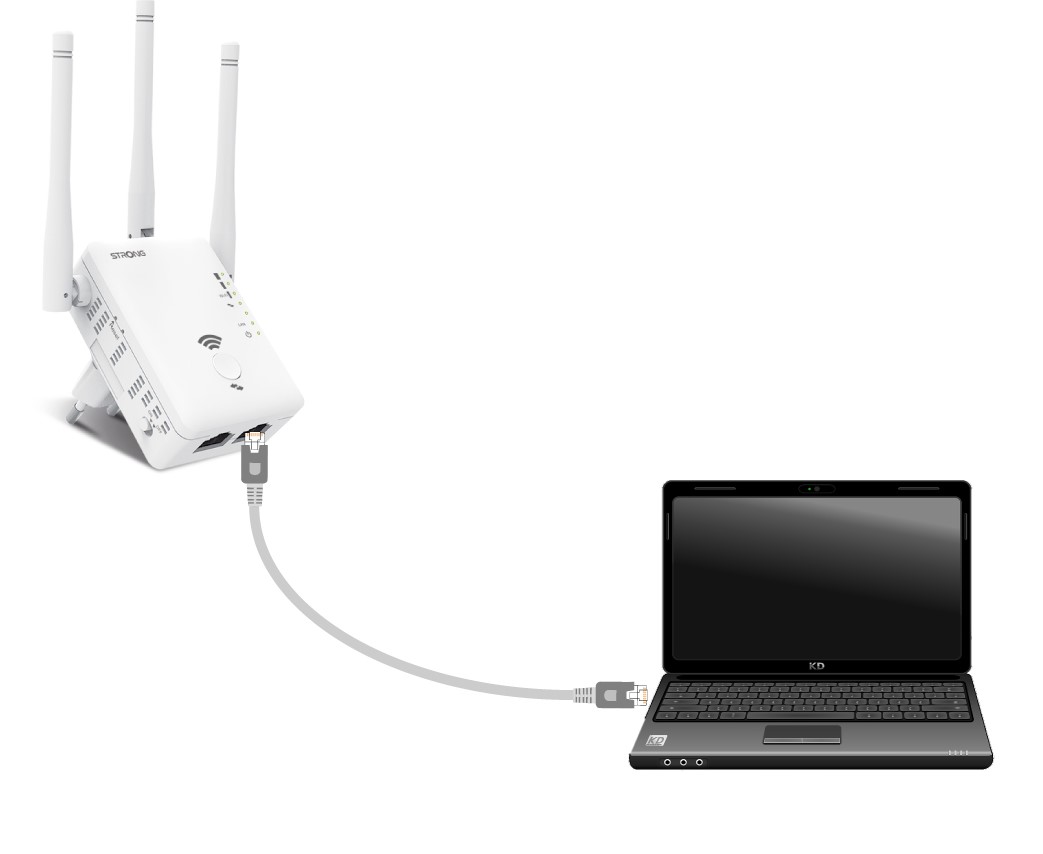
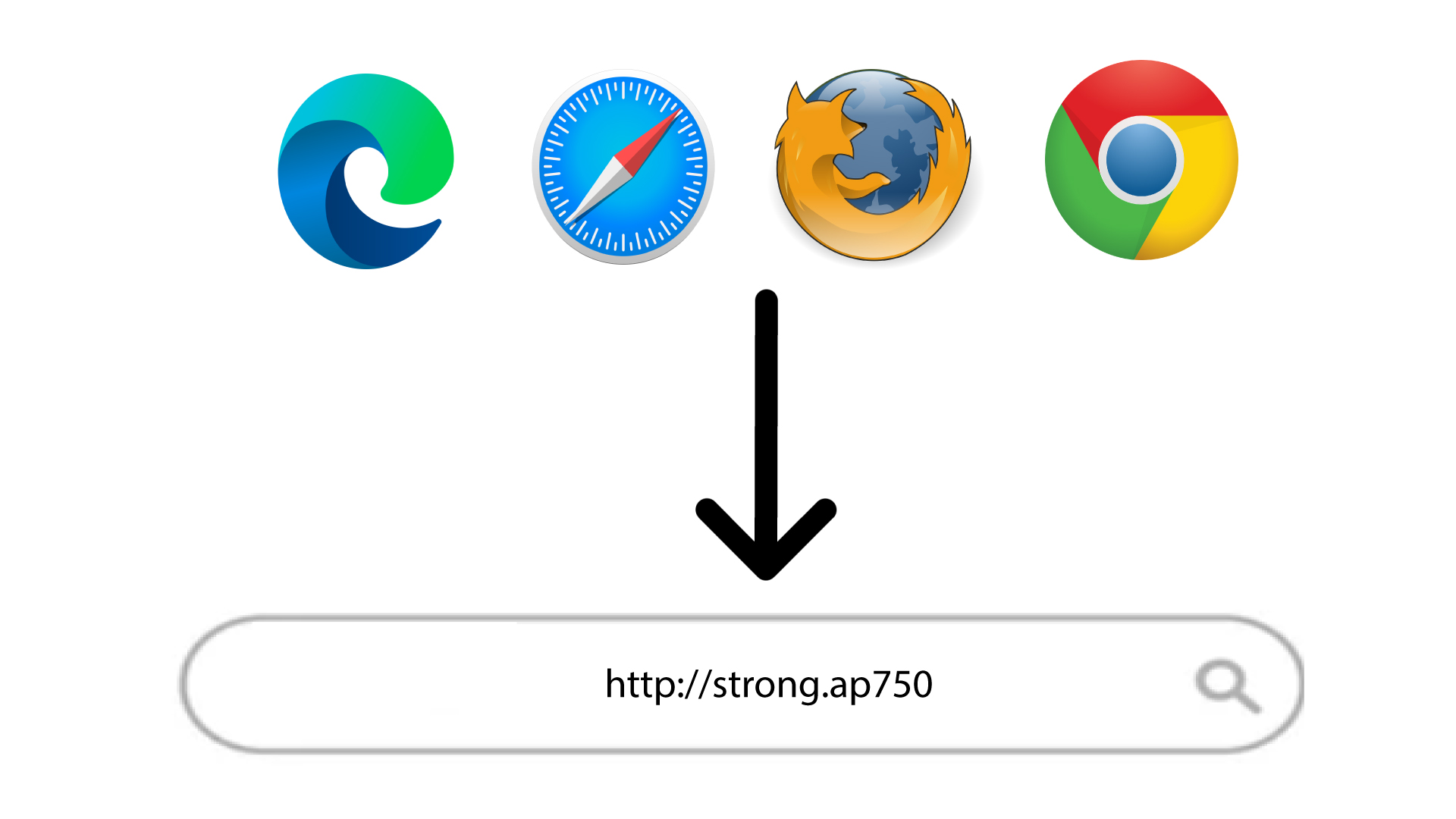
2. Przejdźdo adresu URL interfejsu użytkownika
Wpisz adres URL w przeglądarce.
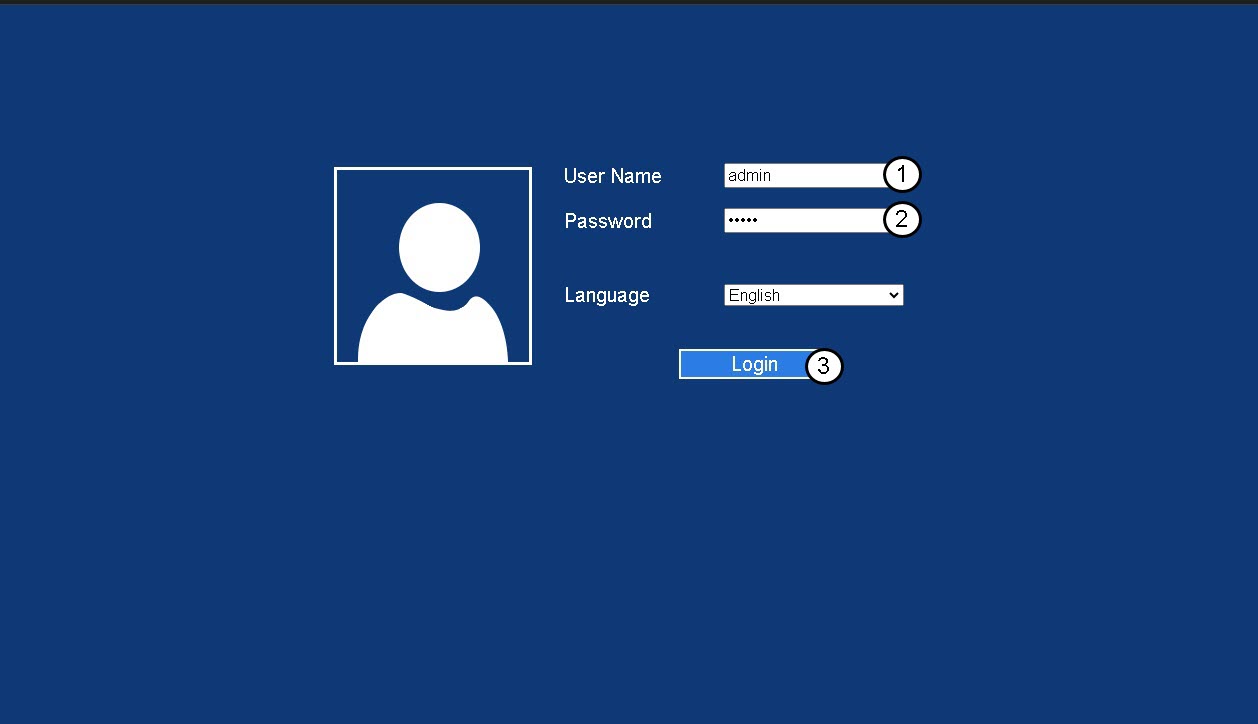
3 Strona logowania
Wpisz hasło administratora i kliknij „Zaloguj się”.
4.Znajdź adres IP routera
W informacjach o urządzeniu poszukaj adresu IP repeatera
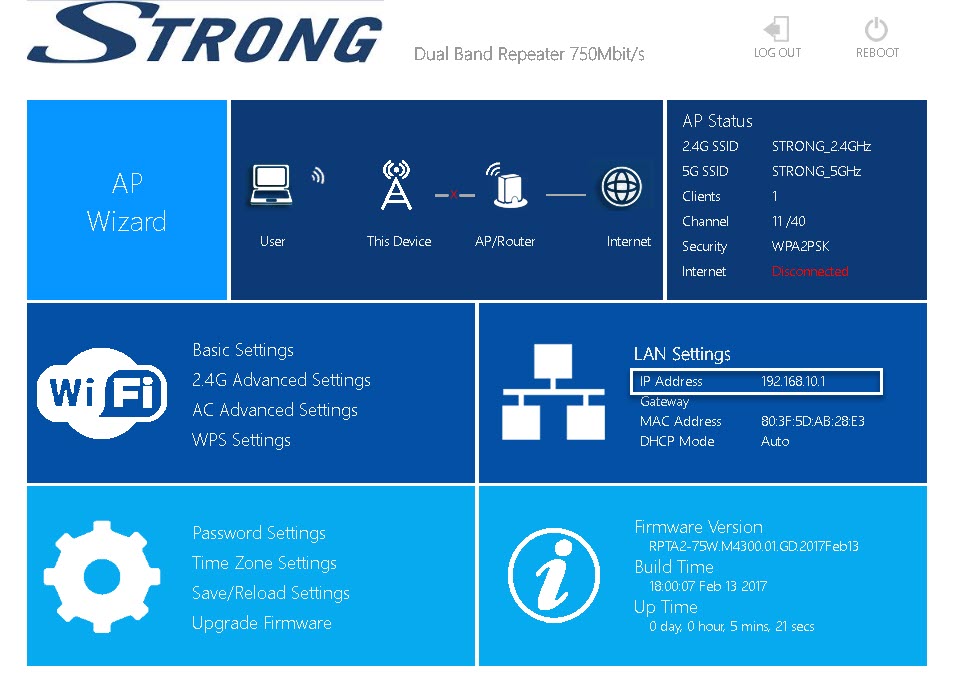
WSKAZÓWKA: Adres IP repeatera zmienia się po skonfigurowaniu go jako urządzenia głównego w sieci Wi-Fi.