
Powerline 600 Duo Wi-Fi EU
Wszystkie pytania
Powerline 600 Duo Wi-Fi EU
Nie mam dostępu do Internetu i/lub dioda LED przy ikonie „domu” nie świeci się.
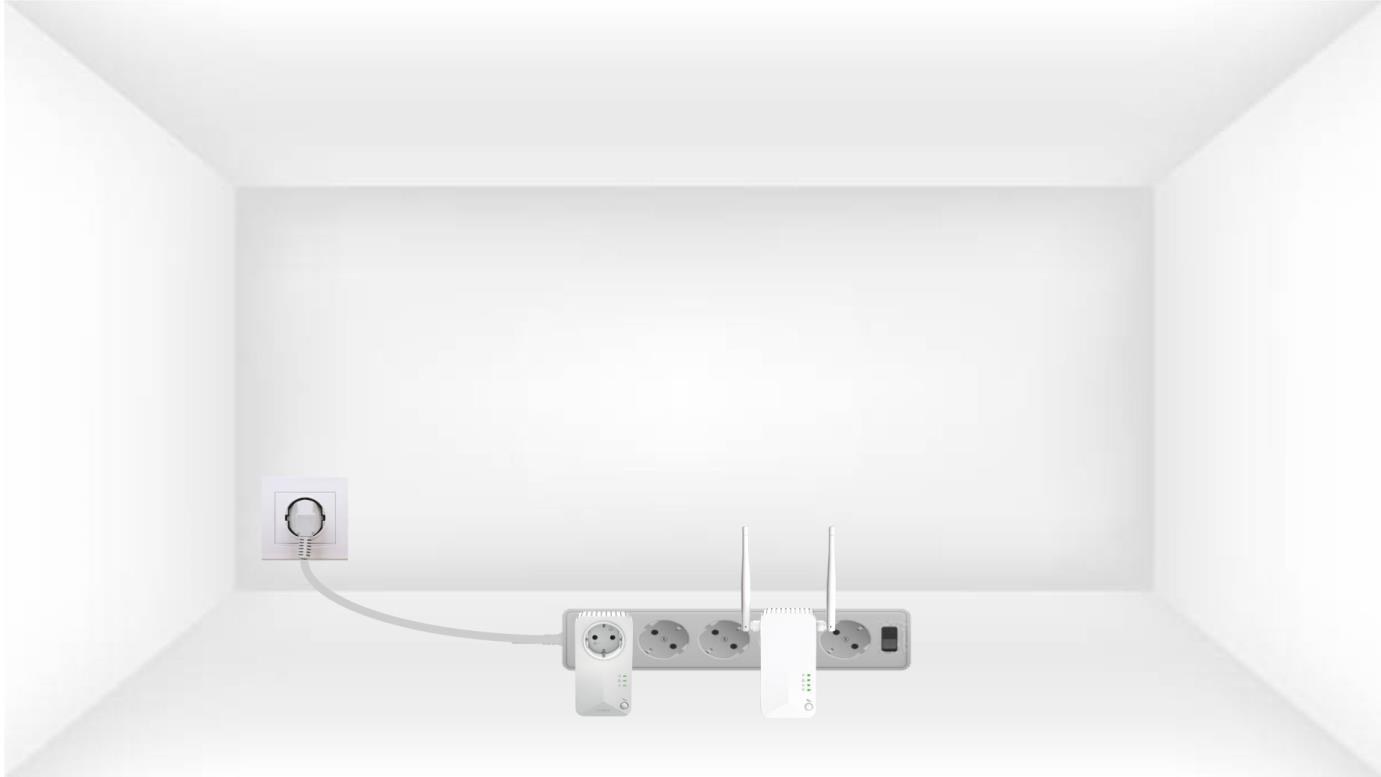
1. Podłączadaptery do listwy zasilającej
Podłącz adaptery jeden po drugim do listwy zasilającej.
2. Podłączadaptery do Internetu
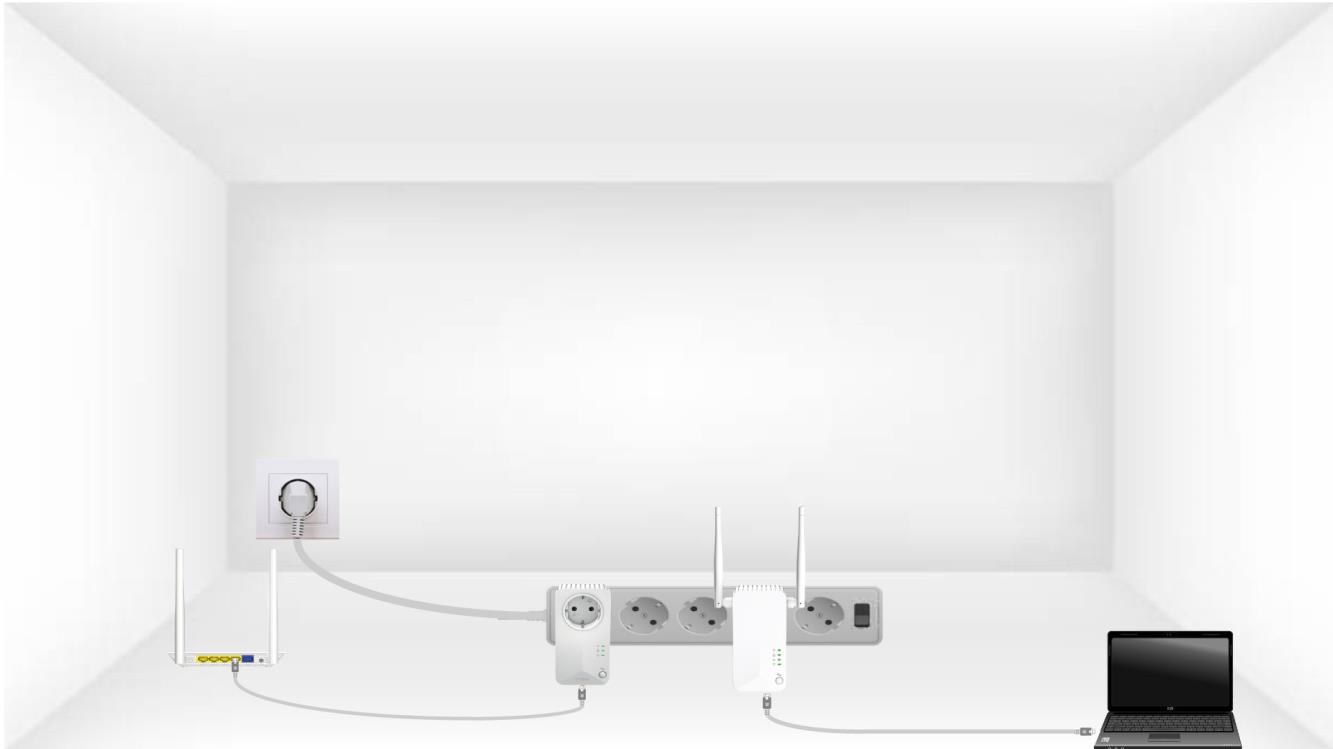
Podłącz każdy adapter do działającego urządzenia (routera internetowego/bramki sieciowej, urządzenia z systemem Android, telewizora Smart TV, komputera itp.) za pomocą kabla Ethernet. Urządzenia muszą się ze sobą komunikować, w przeciwnym razie adapter automatycznie przejdzie w tryb czuwania.
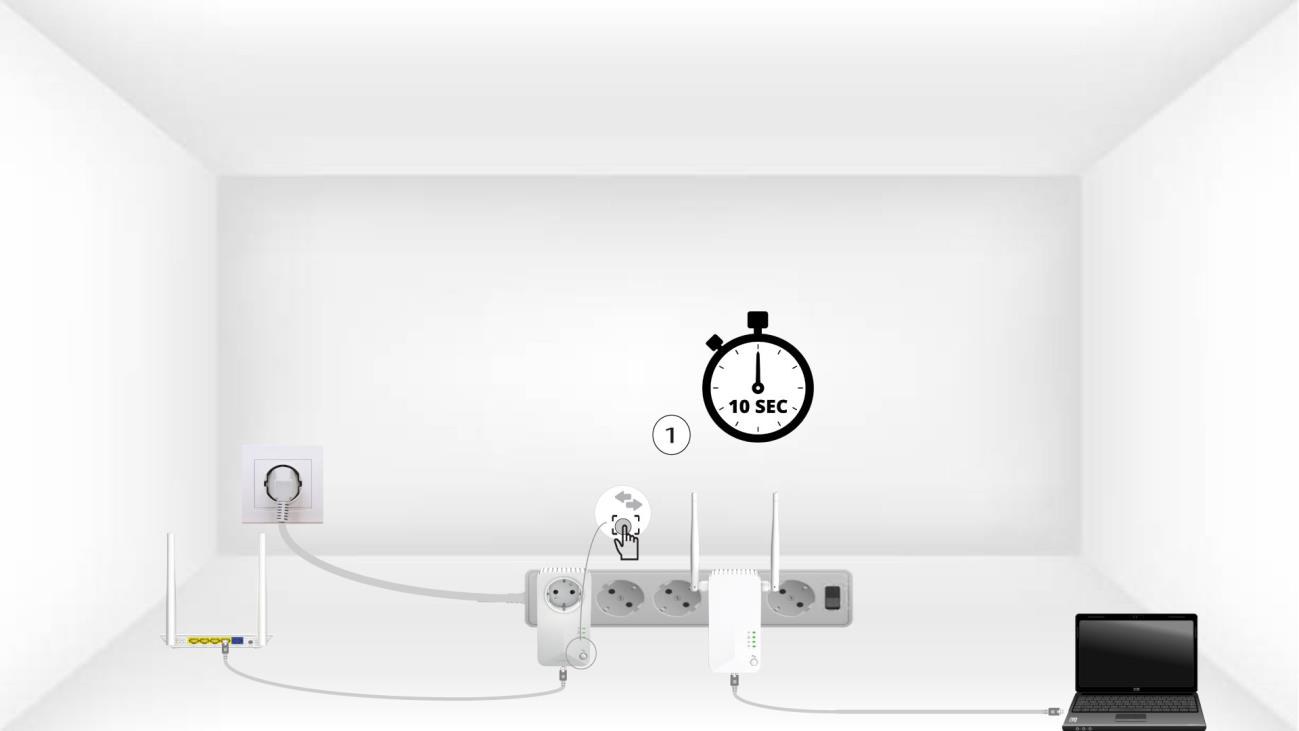
3. Naciśnijprzycisk „Połącz i zabezpiecz” (pierwsze urządzenie)
Po podłączeniu adaptera do zasilania i sieci Ethernet wystarczy nacisnąć przycisk „Connect & Secure” na przednim panelu i przytrzymać go przez 10 sekund.
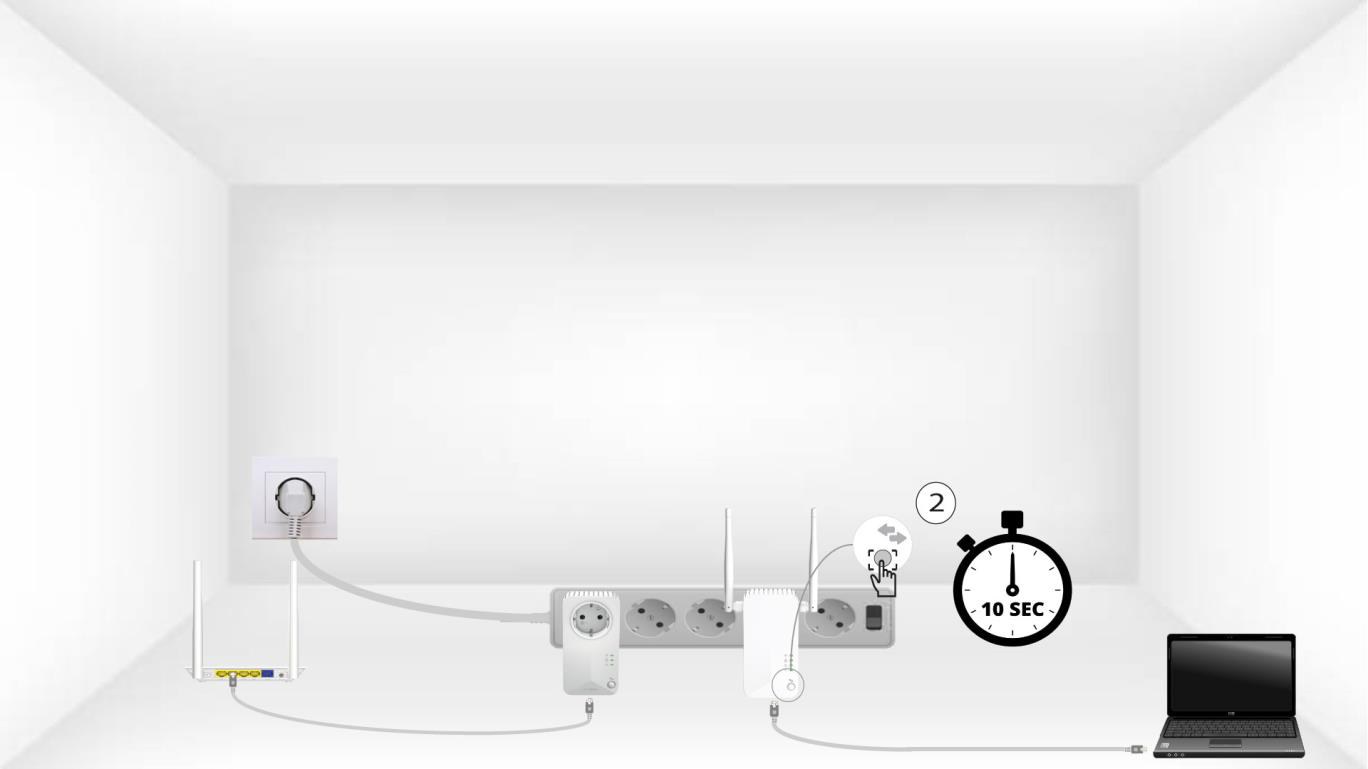
4. Naciśnijprzycisk „Connect & Secure” (drugie urządzenie)
Naciśnij przycisk „Connect & Secure” na przednim panelu drugiego urządzenia i przytrzymaj go przez 10 sekund.
5 Ikona „Strona główna”miga na urządzeniach
Diody LED na panelu głównym powinny zacząć migać.
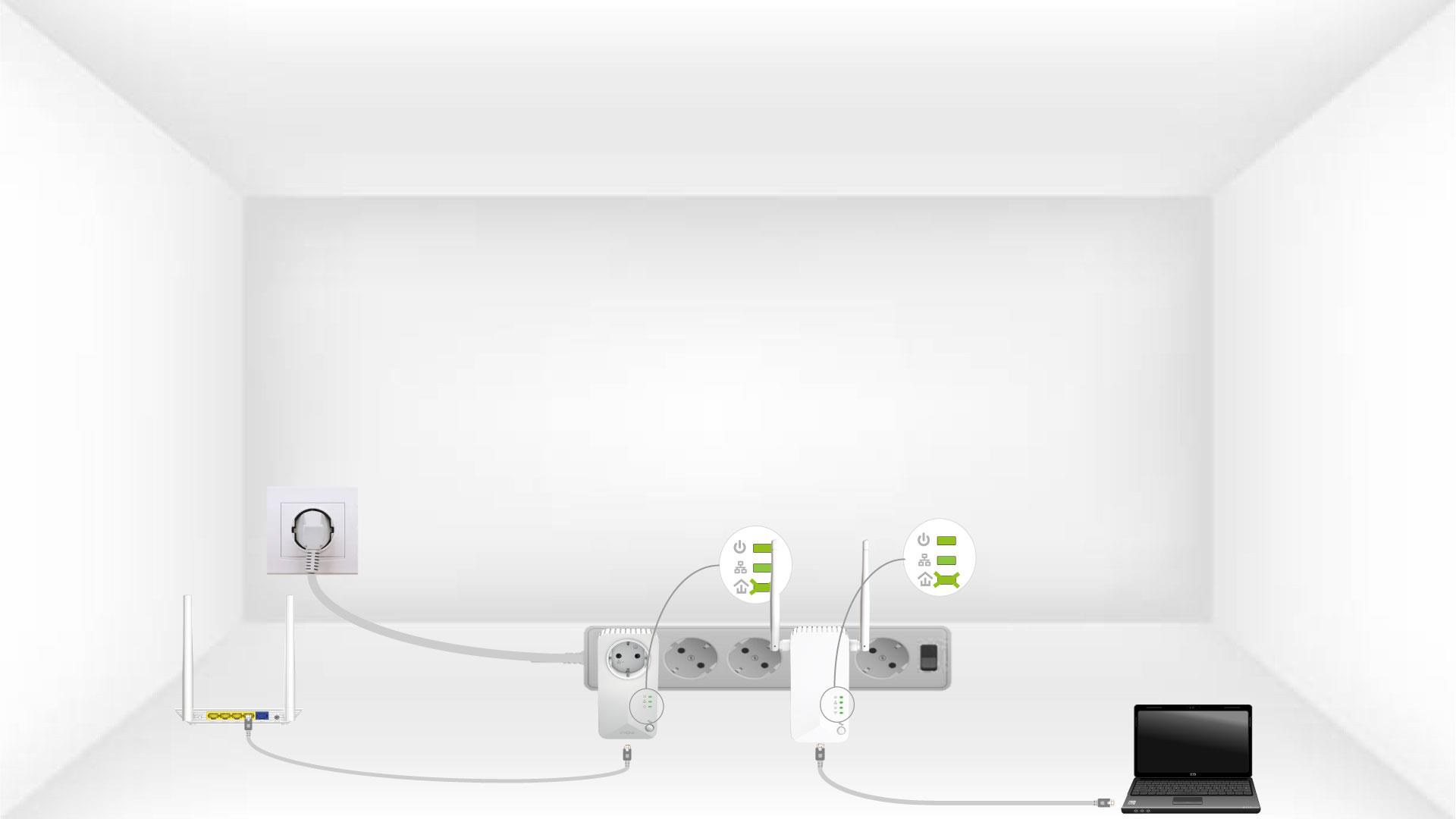
6. Urządzeniazostały zresetowane
Po zakończeniu operacji wszystkie diody LED muszą świecić na zielono.
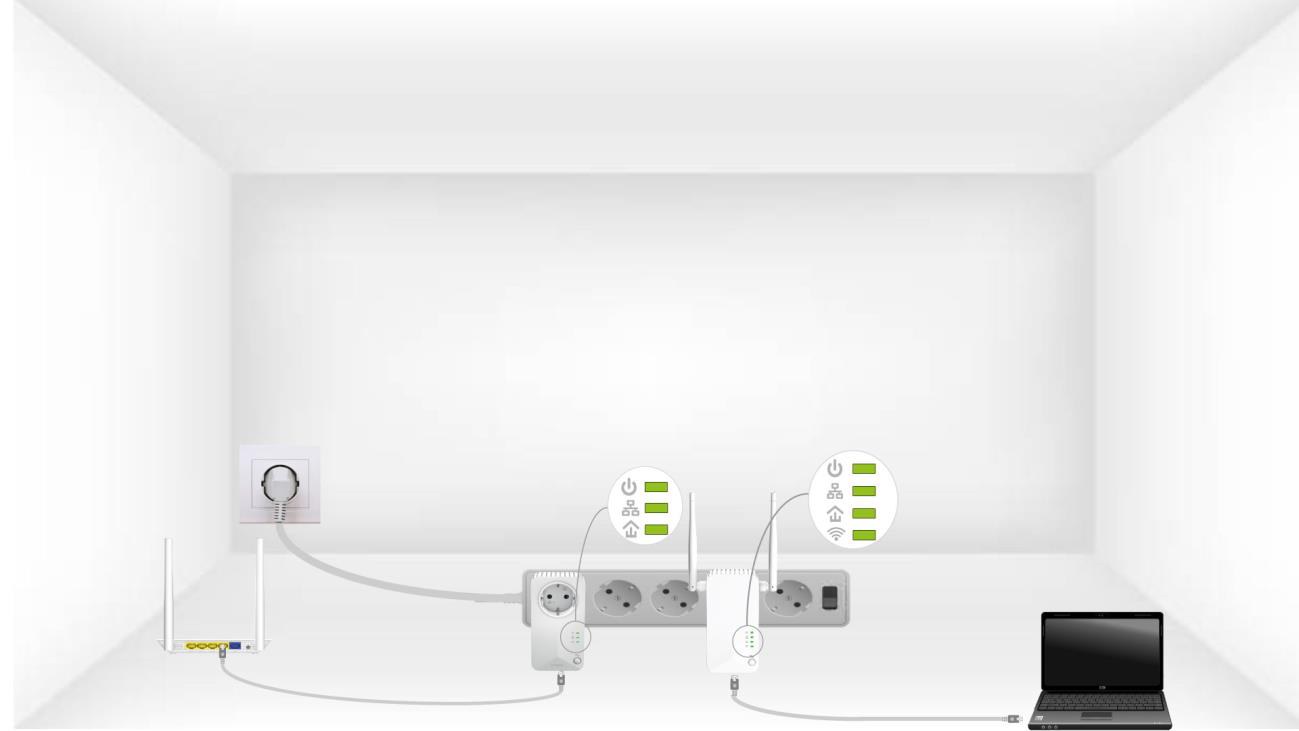
Powtórz tę samą czynność dla trzeciego urządzenia powerline. W tej samej instalacji elektrycznej można podłączyć maksymalnie osiem urządzeń Powerline 600.
Po zresetowaniu wszystkich urządzeń można je umieścić w pomieszczeniu, w którym są potrzebne.