Zestaw trzech urządzeń Powerline Wi-Fi
Nie znaleziono żadnych elementów.
Nie znaleziono żadnych elementów.
Wszystkie pytania
Zestaw trzech urządzeń Powerline Wi-Fi
Nie znaleziono żadnych elementów.
Nie znaleziono żadnych elementów.
Na adapterze Wi-Fi świeci się dioda LED z ikoną domu, ale nie mogę połączyć się z siecią Wi-Fi urządzenia „ Powerline 500”.
1. Połącz sięz siecią Wi-Fi
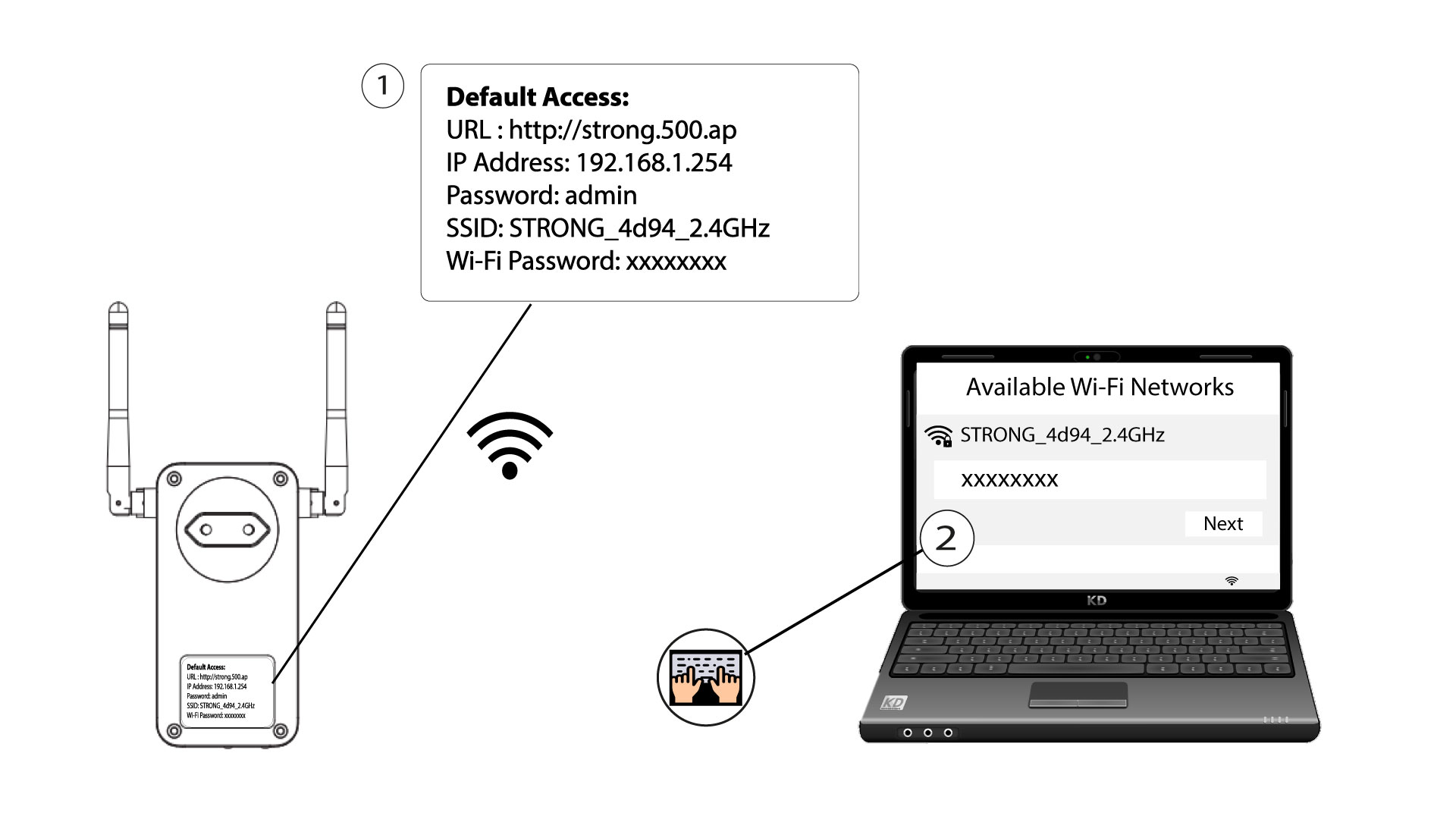
Aby po raz pierwszy połączyć się z siecią Wi-Fi urządzenia „ Powerline ”, należy połączyć się z identyfikatorem SSID podanym z tyłu urządzenia i użyć hasła do sieci Wi-Fi, które również tam znajduje się.
Należy pamiętać, że małą literę „L” można pomylić z wielką literą „i”, dlatego prosimy o wypróbowanie różnych wariantów
2. Zresetujkartę Wi-Fi
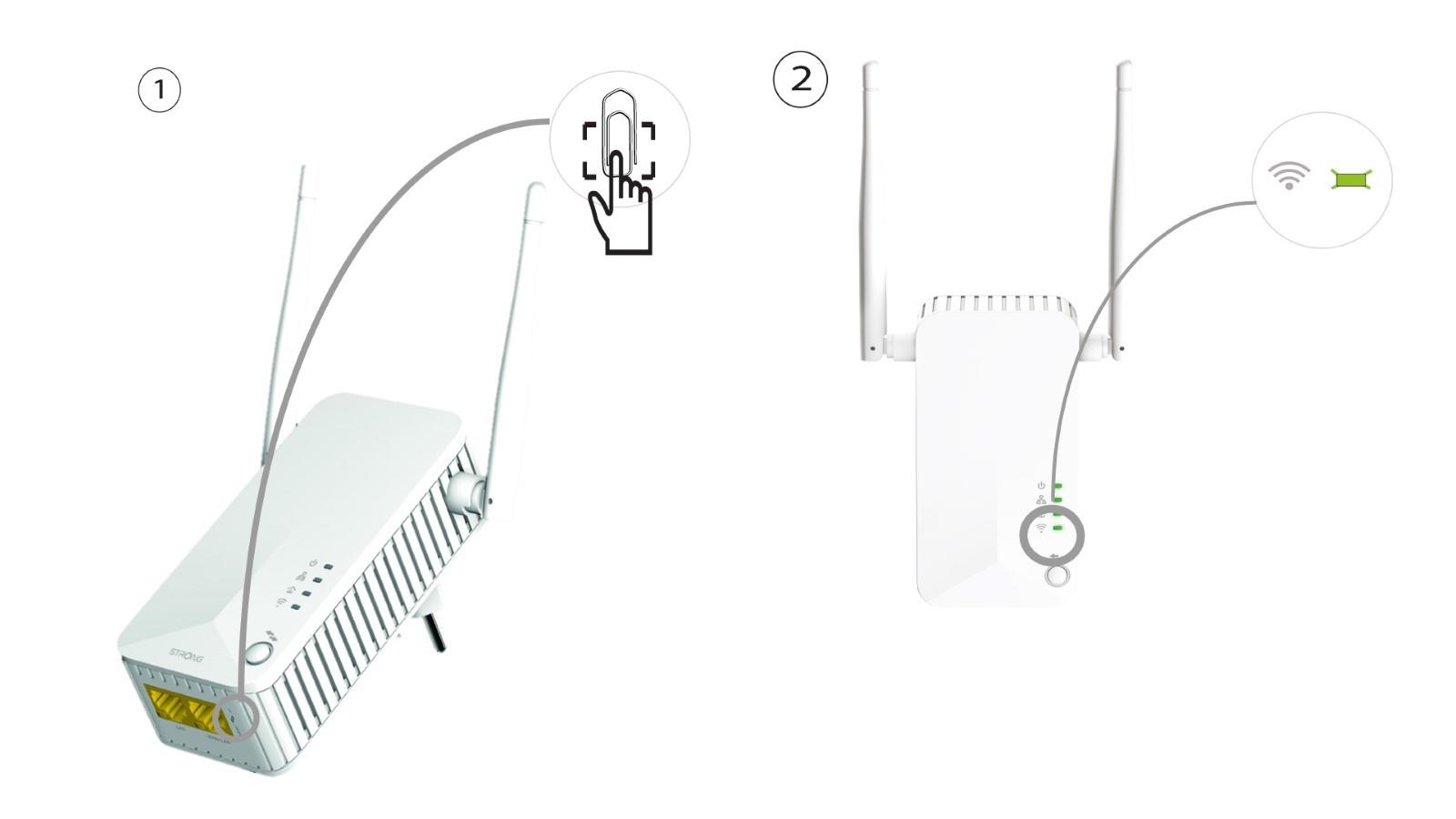
Jeśli nadal nie możesz połączyć się z siecią Wi-Fi „ Powerline 500”, zresetuj urządzenie Wi-Fi „ Powerline ”, wciskając spinacz biurowy w otwór znajdujący się pod urządzeniem, aż diody LED zaczną migać.