
Przenośny hotspot 4G 150
Wszystkie pytania
Przenośny hotspot 4G 150
Co oznaczają poszczególne stany karty SIM w interfejsie użytkownika?

Ostrzeżenie: Przed nawiązaniem połączenia z interfejsem użytkownika w sieci Web upewnij się, że karta SIM jest prawidłowo włożona oraz że kod PIN jest wyłączony lub wprowadzono kod „
”.
1. Stan karty SIM
Stan karty SIM można sprawdzić na ekranie urządzenia 4G PORTABLE HOTSPOT 150:
Po wejściu do interfejsu użytkownika można zauważyć, że obok wiersza stanu karty SIM może pojawiać się kilka różnych komunikatów:
Brak karty SIM lub karta SIM jest nieprawidłowa: Karta SIM została włożona i została wykryta, ale nie działa z powodu kodu PIN.  Karta SIM nie została prawidłowo włożona dourządzenie lub w gnieździe nie ma włożonej karty SIM.
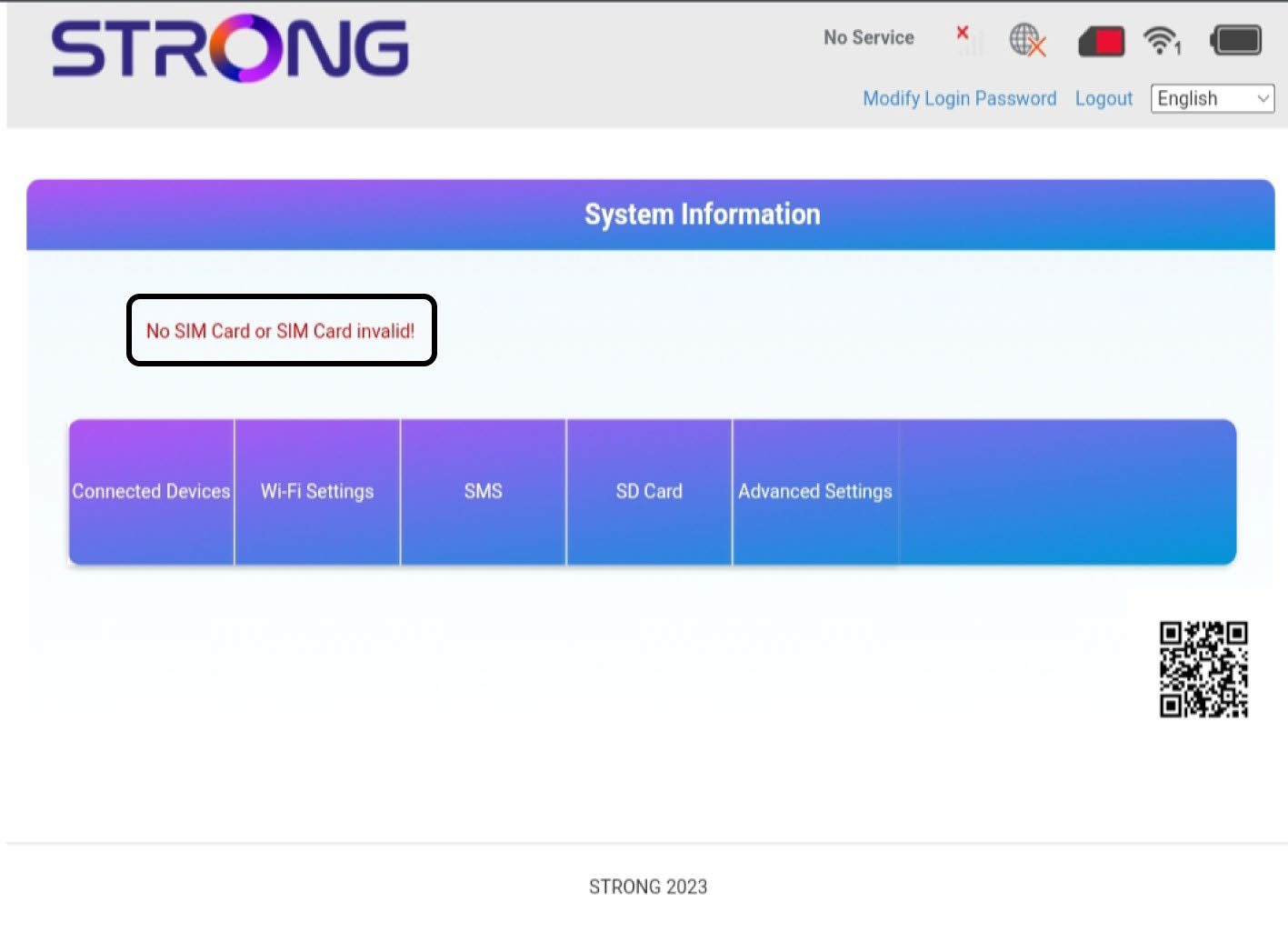
2Stan: Normalny
Normalny stan: Karta SIM jest prawidłowo włożona do urządzenia i odblokowana. Wyświetla się strona główna interfejsu użytkownika.

Ostrzeżenie:
• Jeśli karta SIM jest zablokowana kodem PIN, należy połączyć się z interfejsem użytkownika (Web UI), aby wprowadzić ten kod i odblokować kartę SIM.
• Jeśli karta SIM nie jest wykrywana, sprawdź, czy po włożeniu karty SIM do gniazda jej złota strona nie jest widoczna.
• Jeśli karta SIM nie jest prawidłowo umieszczona, należy ją ponownie umieścić w gnieździe i sprawdzić, czy karta SIM jest dobrze osadzona w adapterze.