CPL 600 Duo Wi-Fi FR V2
Wszystkie pytania
CPL 600 Duo Wi-Fi FR V2
Dlaczego w mojej sieci Wi-Fi o częstotliwości 2,4 GHz występują przerwy w połączeniu i w jaki sposób może pomóc zmiana kanału na 1, 6 lub 11?
Dlaczego w mojej sieci Wi-Fi o częstotliwości 2,4 GHz występują przerwy w połączeniu i w jaki sposób może pomóc zmiana kanału na 1, 6 lub 11?
Aby zminimalizować zakłócenia, zalecamy zmianę kanału Wi-Fi na 1, 6 lub 11. Kanały te są wystarczająco oddalone od siebie, co pozwala uniknąć ich nakładania się, a tym samym zmniejsza ryzyko zakłóceń ze strony innych sieci i urządzeń działających w pobliżu. Wybierając jeden z tych kanałów, można poprawić stabilność i wydajność połączenia Wi-Fi.
Aby zmienić kanał, przejdź do ustawień urządzenia Wi-Fi Powerline za pośrednictwem interfejsu internetowego. Znajdź sekcję „Ustawienia sieci WLAN” > „Ustawienia podstawowe” i wybierz kanał 1, 6 lub 11.
1. Połącz sięz siecią Wi-Fi
W tym celu wprowadź w swoim urządzeniu identyfikator SSID i hasło routera.

2. Wprowadźadres IP interfejsu użytkownika (Web UI)
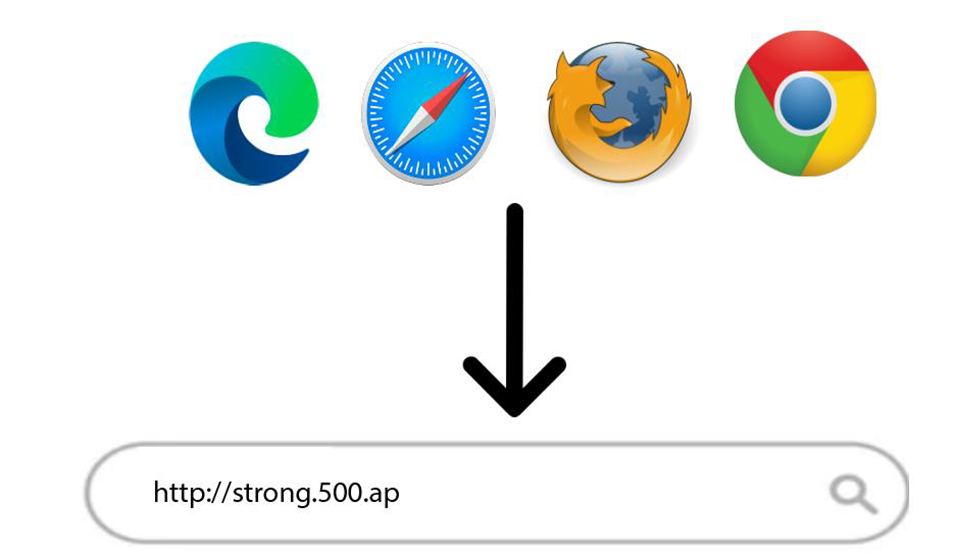
Następnie wpisz w przeglądarce następujący adres IP: http://strong.500.ap
3 Strona logowania
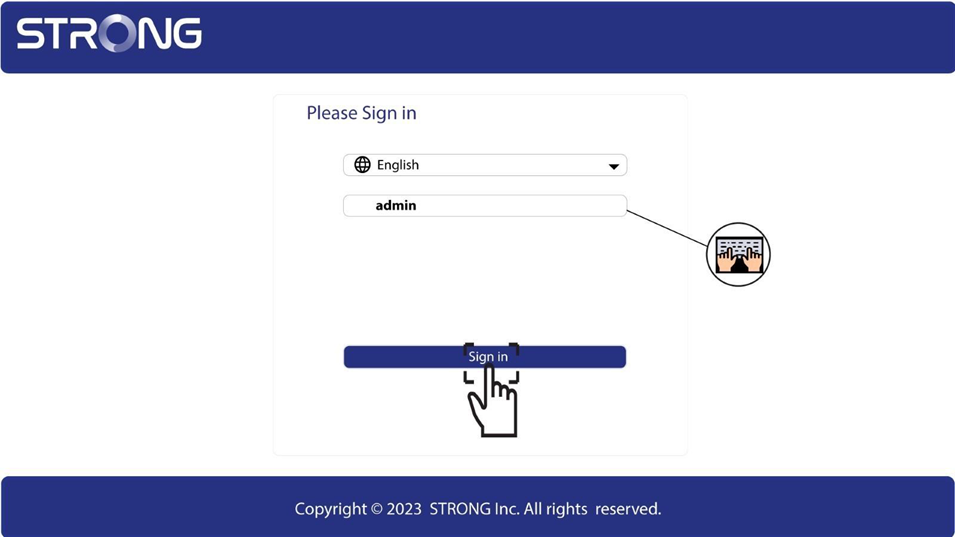
Po przejściu na stronę o podanym adresie IP kliknij, a następnie wprowadź nazwę użytkownika (admin). Następnie kliknij „Zaloguj się”.
4. Ustawienia sieci WLAN
Kliknij „Ustawienia sieci WLAN” i „Ustawienia podstawowe”.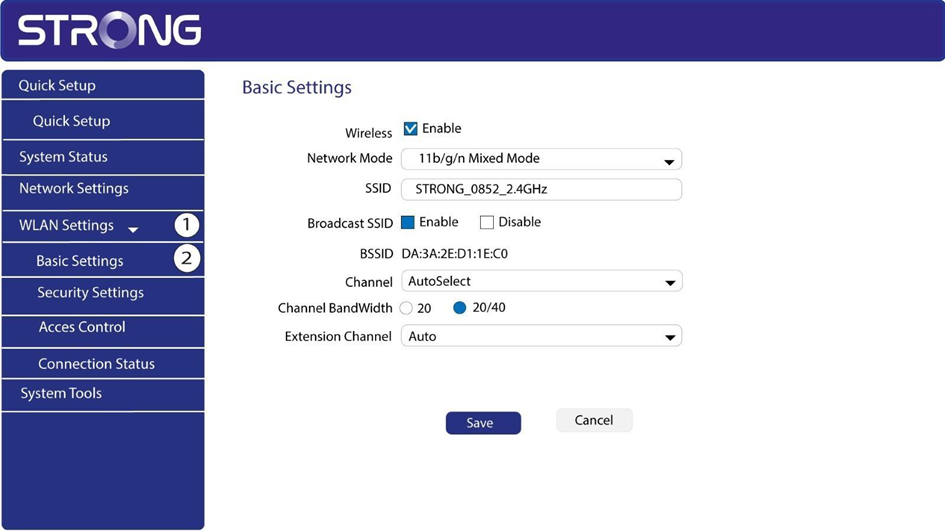
5. Wybierzpasmo sieciowe
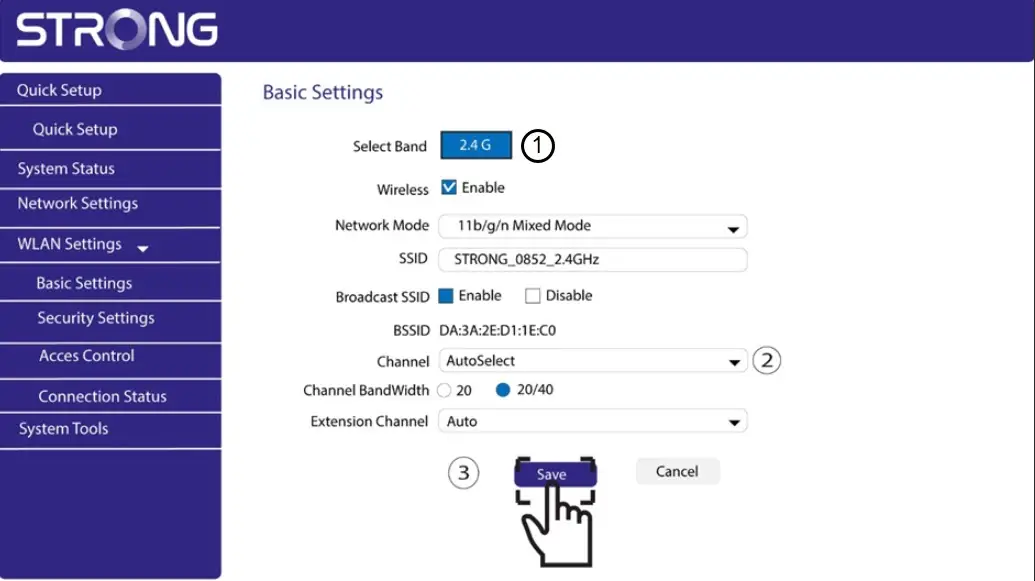
Wybierz pasmo sieciowe 2,4 GHz. Następnie wybierz kanał z listy rozwijanej (1, 6 lub 11) i kliknij „Zapisz”.