Router 4G AIRHOME 200 Mini com antenas 4G amovíveis
Nenhum item encontrado.
Nenhum item encontrado.
Todas as perguntas
Router 4G AIRHOME 200 Mini com antenas 4G amovíveis
Nenhum item encontrado.
Nenhum item encontrado.
Como posso alterar o endereço IP da minha LAN?
1Ligar-seà interface de utilizador web
Para aceder à interface de utilizador da Web, siga o procedimento abaixo:
2Desligara ligação à Internet
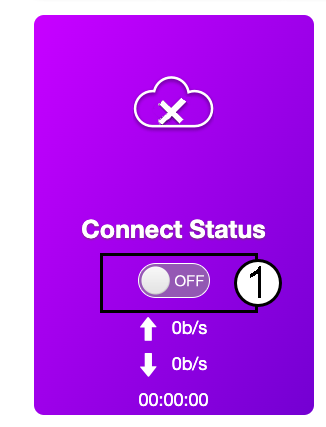
Na página inicial, clique no botão de alternância do estado de ligação para desativar a ligação à Internet.
Não é possível alterar o endereço IP da sua rede local enquanto a ligação à Internet estiver ativa.
3. Definições avançadas
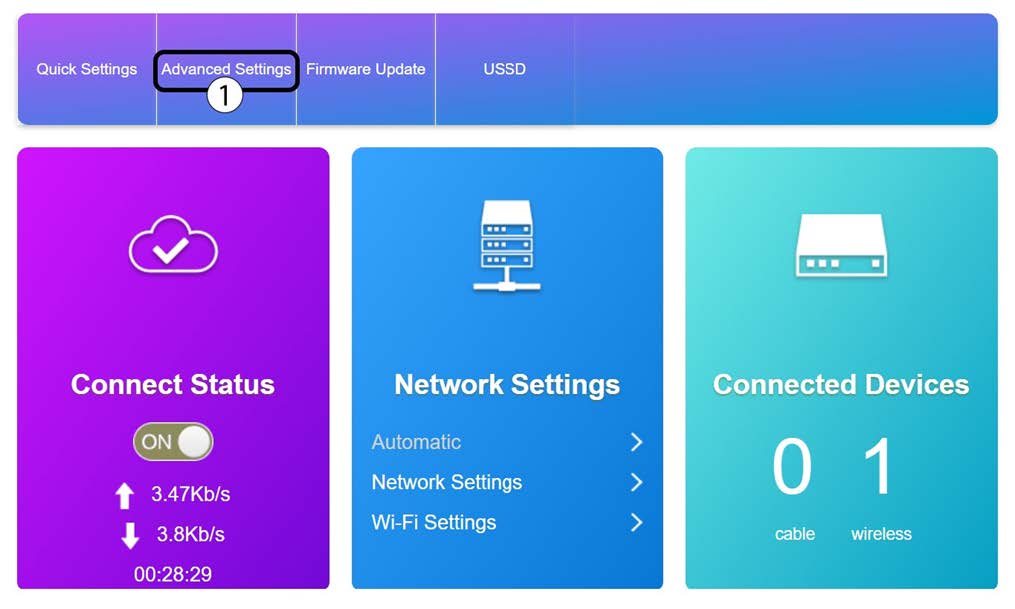
Clique em «Definições avançadas»
4. Configurações do router
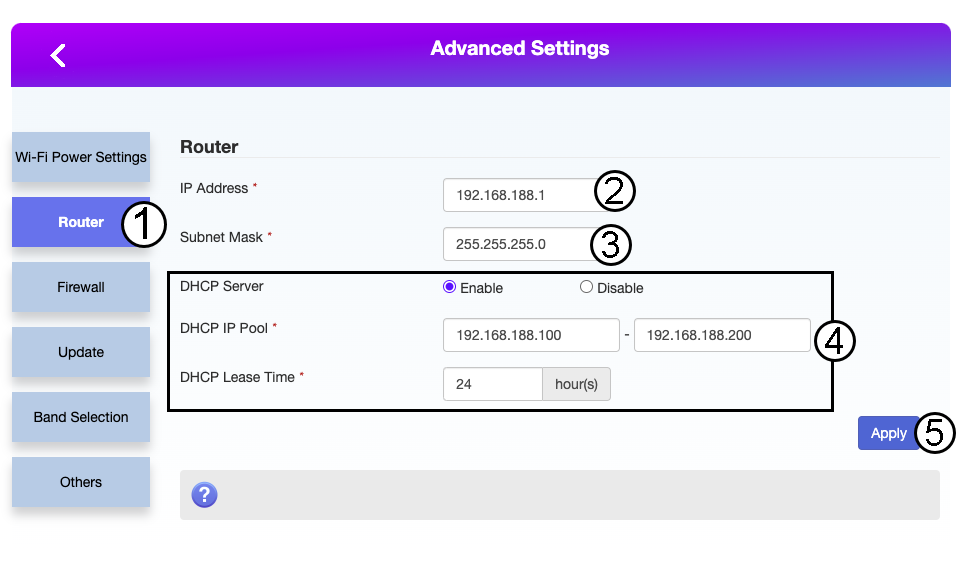
Clique em «Router». Em seguida, introduza as seguintes informações antes de clicar em «Aplicar»:
- Endereço IP: Introduza o novo endereço IP do seu router.
- Máscara de sub-rede: Introduza o endereço IP da máscara de sub-rede
- Servidor DHCP: Ativar o servidor DHCP
- Conjunto de endereços IP do DHCP: Introduza os endereços IP inicial e final para o seu DHCP.
- Tempo de DHCP: Introduza o tempo máximo de concessão em horas.