
Powerline 600 Duo Wi-Fi UK V2
Todas as perguntas
Powerline 600 Duo Wi-Fi UK V2
Como posso alterar o nome do SSID e a palavra-passe da rede Wi-Fi do « Powerline 600»?
1Ligue-seà rede Wi-Fi do adaptador
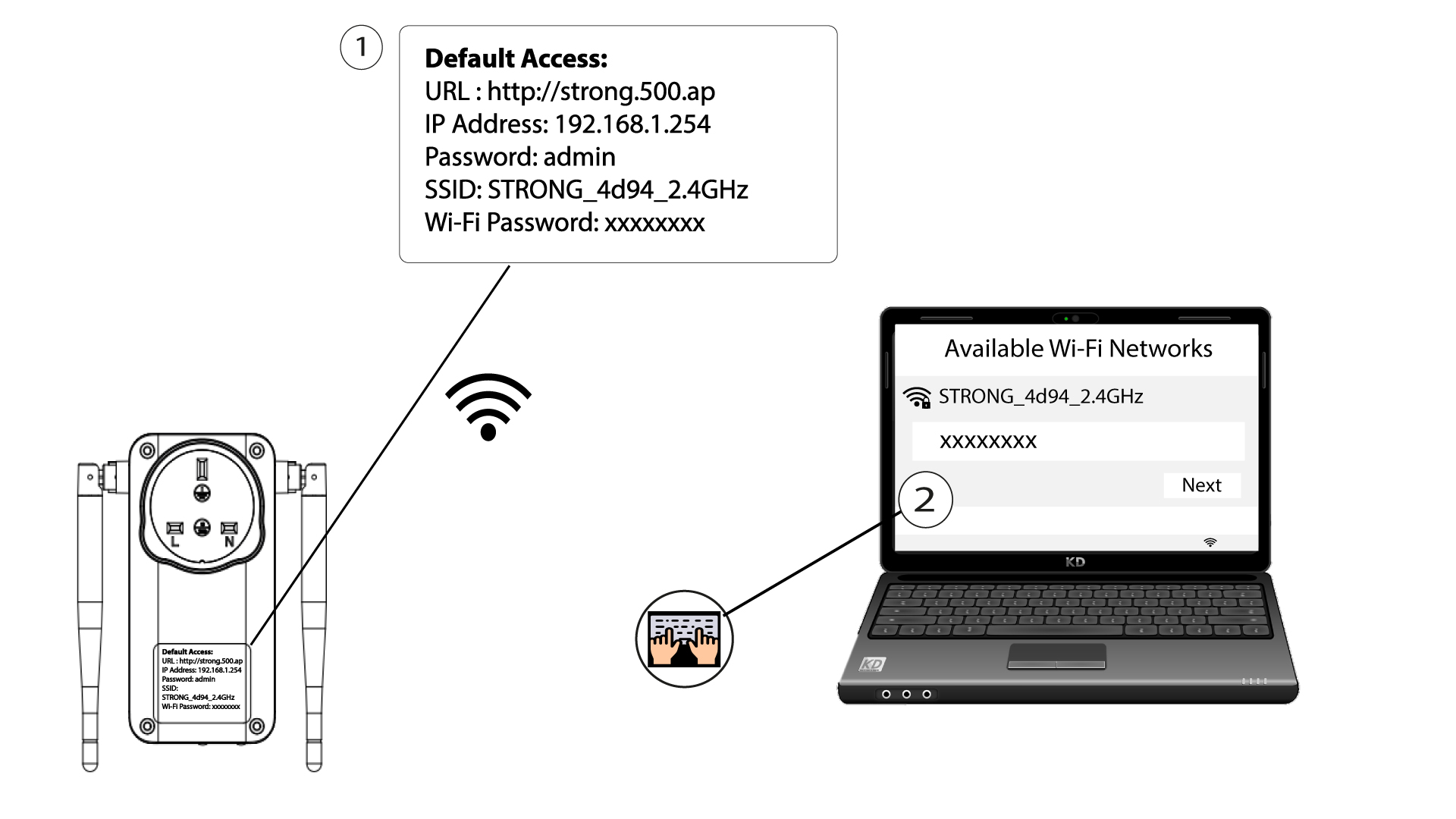
Ligue-se à rede Wi-Fi do « Powerline 600».
2. Acedaao endereço IP da interface de utilizador web
Aceda à interface do utilizador introduzindo o URL: http://strong.500.ap na barra de endereços do seu navegador de Internet.

3Introduzaas suas credenciais
Em seguida, introduza a palavra-passe: admin

4. Configuração rápida
Aceda ao menu, selecione «Configuração Rápida», clique em «Ponto de Acesso (AP)» e, em seguida, clique em «SEGUINTE».

5Alteraro nome da rede e a palavra-passe
Edite o SSID e a frase de acesso. Ao definir a nova frase de acesso, evite utilizar o «I» maiúsculo e o «l» minúsculo, uma vez que podem ser facilmente confundidos. Aconselhamos também que crie uma frase de acesso composta por letras maiúsculas, minúsculas e números alternados. Quando terminar as alterações, clique em «SEGUINTE» para guardar.

6. Anoteas novas informações de rede
Por favor, anote o novo SSID e a nova frase de acesso num papel e, em seguida, volte a ligar todos os seus dispositivos à rede Wi-Fi « Powerline 600», utilizando as novas definições.
