Repetidor AX1800
Todas as perguntas
Como configuro o meu repetidor?
Antes de configurar o seu repetidor, consulte o procedimento seguinte para determinar a localização do mesmo: Qual é a melhor localização para o meu repetidor?
1Ligar-seà interface de utilizador web
Siga um dos procedimentos abaixo para se ligar à interface de utilizador web:
- Como posso ligar-me à interface de utilizador web do repetidor? (Cabo RJ45)
- Como posso ligar-me à interface de utilizador web do repetidor? (Wi-Fi)
2Selecioneo modo para o seu repetidor
O assistente de configuração do repetidor irá abrir. Selecione «Extensor sem fios » e clique em «Seguinte».

3Selecioneo fuso horário
Selecione o fuso horário na lista, caso o que foi detetado automaticamente esteja incorreto, e clique em «Seguinte».

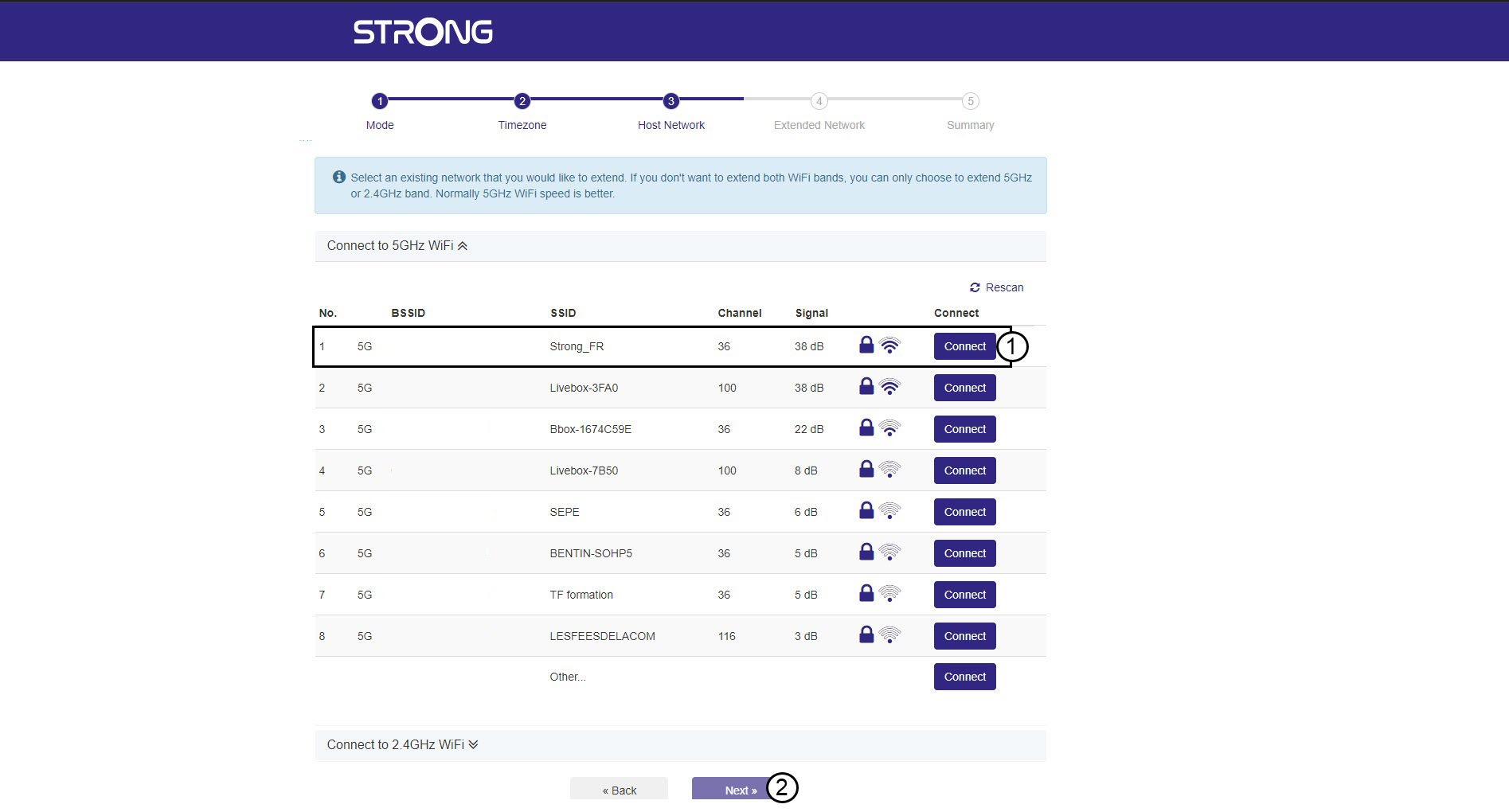
4. Análisedas redes disponíveis
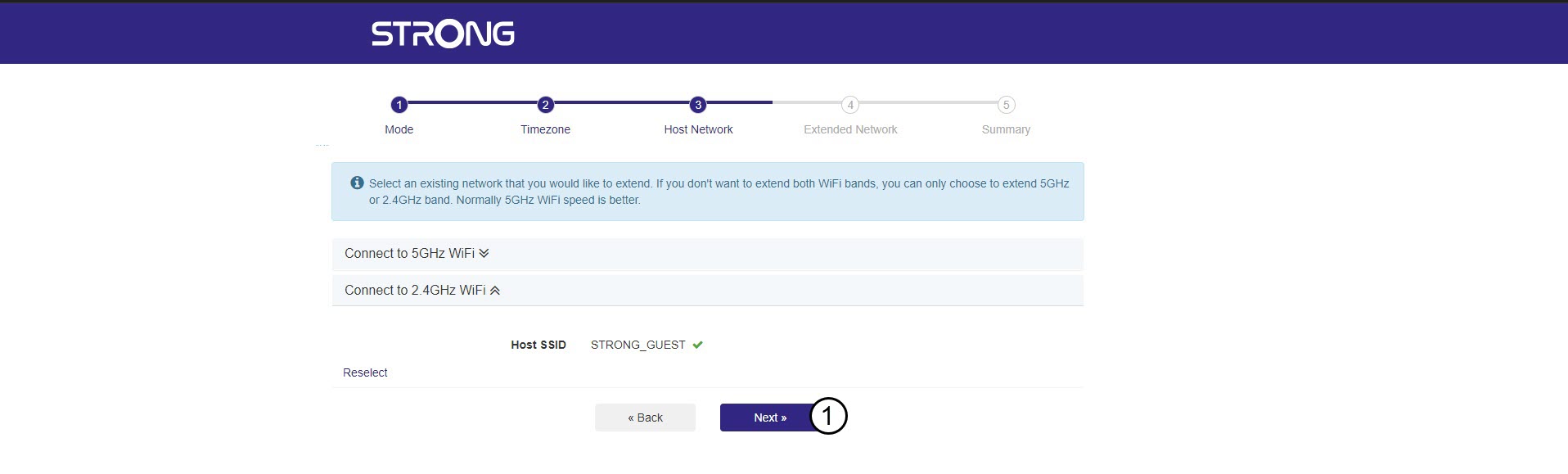
O seu repetidor irá efetuar uma pesquisa de todas as redes Wi-Fi de 2,4 GHz e 5 GHz disponíveis para determinar a rede principal. Selecione o nome da rede Wi-Fi do seu router. Em seguida, clique em «Ligar» e em «Seguinte».
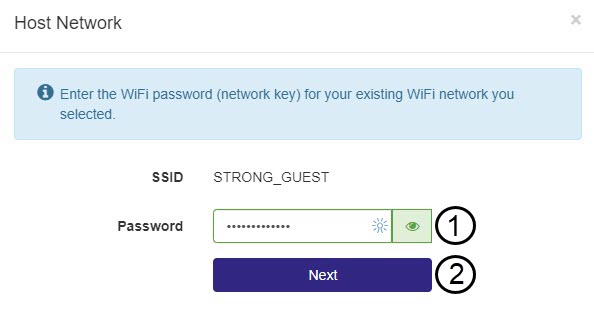
5Introduzaa palavra-passe da rede Wi-Fi anfitriã
Introduza a palavra-passe Wi-Fi do seu router e clique em «Seguinte».
Pode clicar no ícone do olho para visualizar a palavra-passe que está a introduzir.
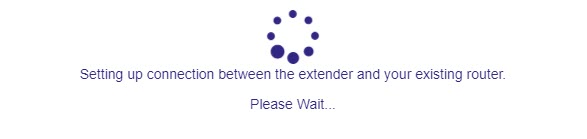
6. Aguardedurante a configuração
Por favor, aguarde enquanto o repetidor está a ser configurado.
7. Confirmara configuração
Clique em «Seguinte» para confirmar a configuração.
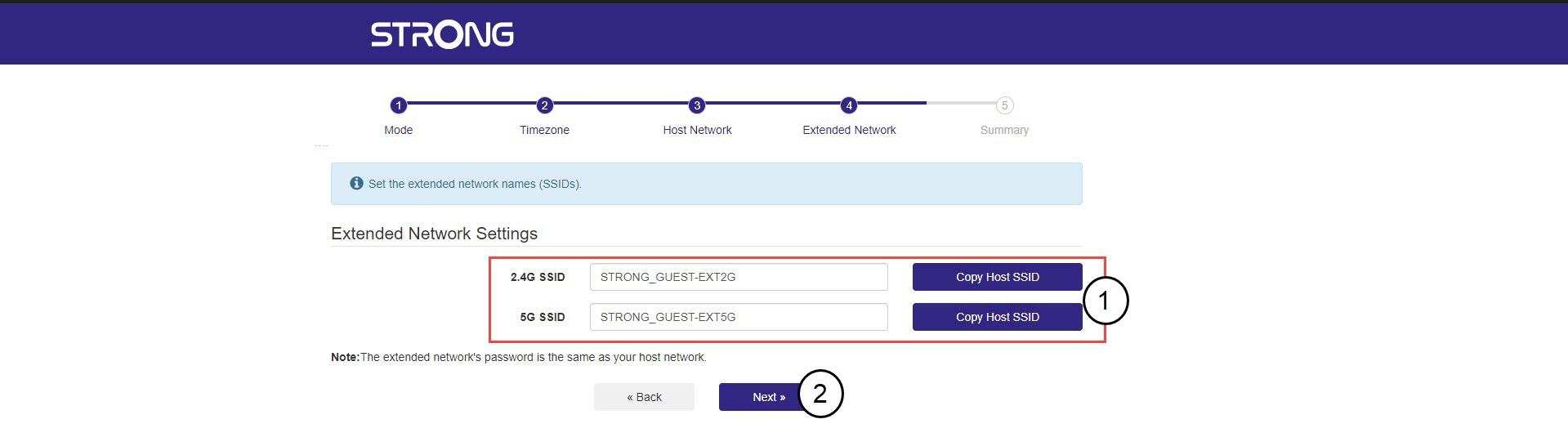
8. Anoteas informações da rede
Anote as informações das novas redes Wi-Fi e clique em «Seguinte».