CÂMARA POE SUPER ESCURA DE 5MP
Todas as perguntas
CÂMARA POE SUPER ESCURA DE 5MP
Como instalo o meu NVR e as câmaras?
Cada câmara está equipada com um cabo em Y que permite o acesso à rede (RJ45), a alimentação elétrica (fonte de alimentação de 12 VCC não fornecida) e, em alguns produtos, uma saída de áudio.
Pode organizar a sua rede e ligar as suas câmaras à mesma de várias formas.
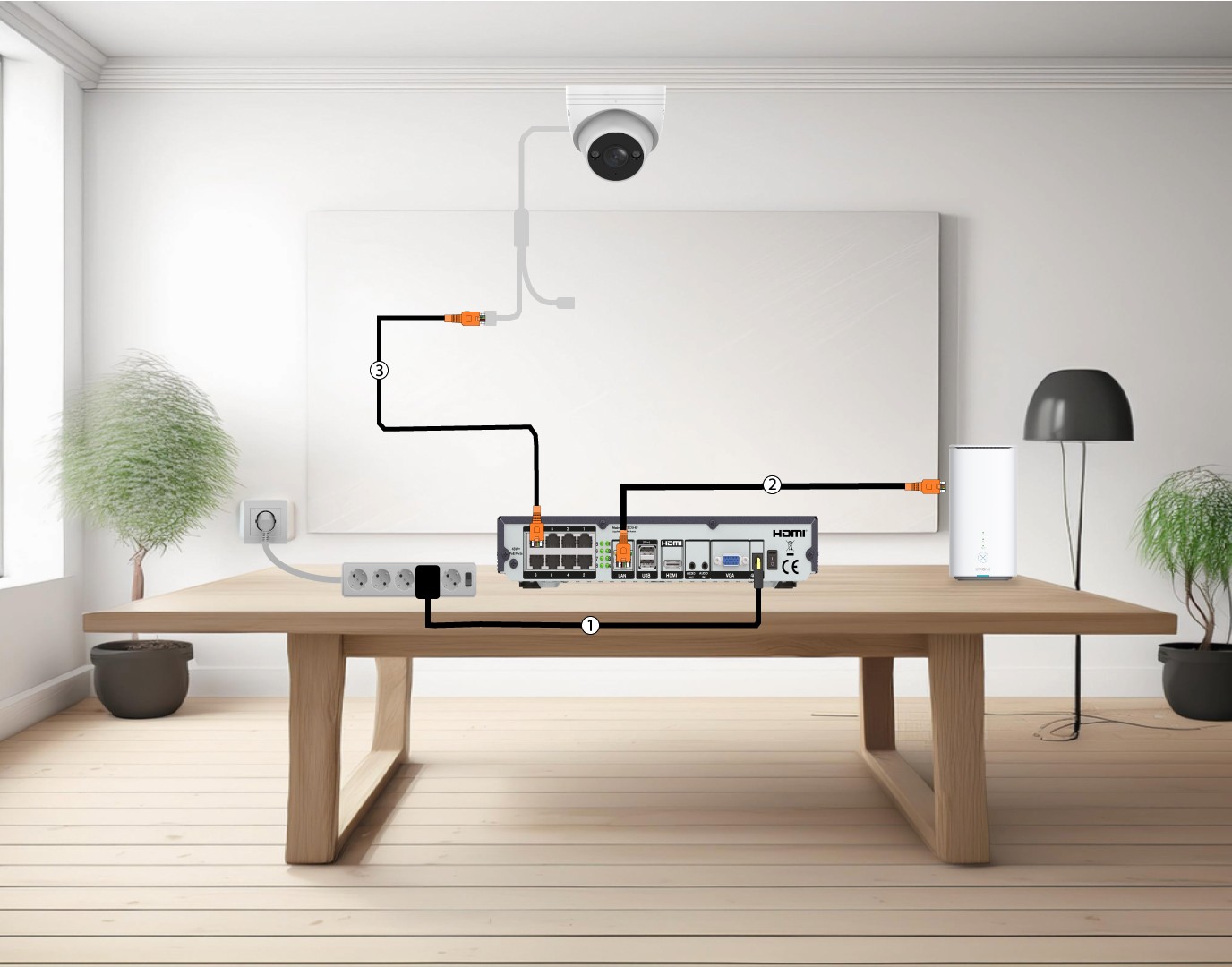
1Ligaras câmaras diretamente a um NVR
Ligue o seu NVR (1) e ligue um cabo Ethernet da porta LAN do NVR ao seu « Box » de Internet(2). Em seguida, ligue um cabo Ethernet das portas POE do NVR à porta Ethernet da câmara (3). O NVR fornecerá alimentação às suas câmaras, pelo que não será necessário ligar um cabo de alimentação.
2. Liguea sua câmara a um POE switch
Para tal, ligue o seu POE switch (1) e ligue o seu switch à Internet box através de um cabo Ethernet (2). Por fim, ligue a sua câmara ao switch , ligando um cabo Ethernet da câmara ao POE switch (3). Neste caso, são necessários os Serviços na Nuvem para gravar.

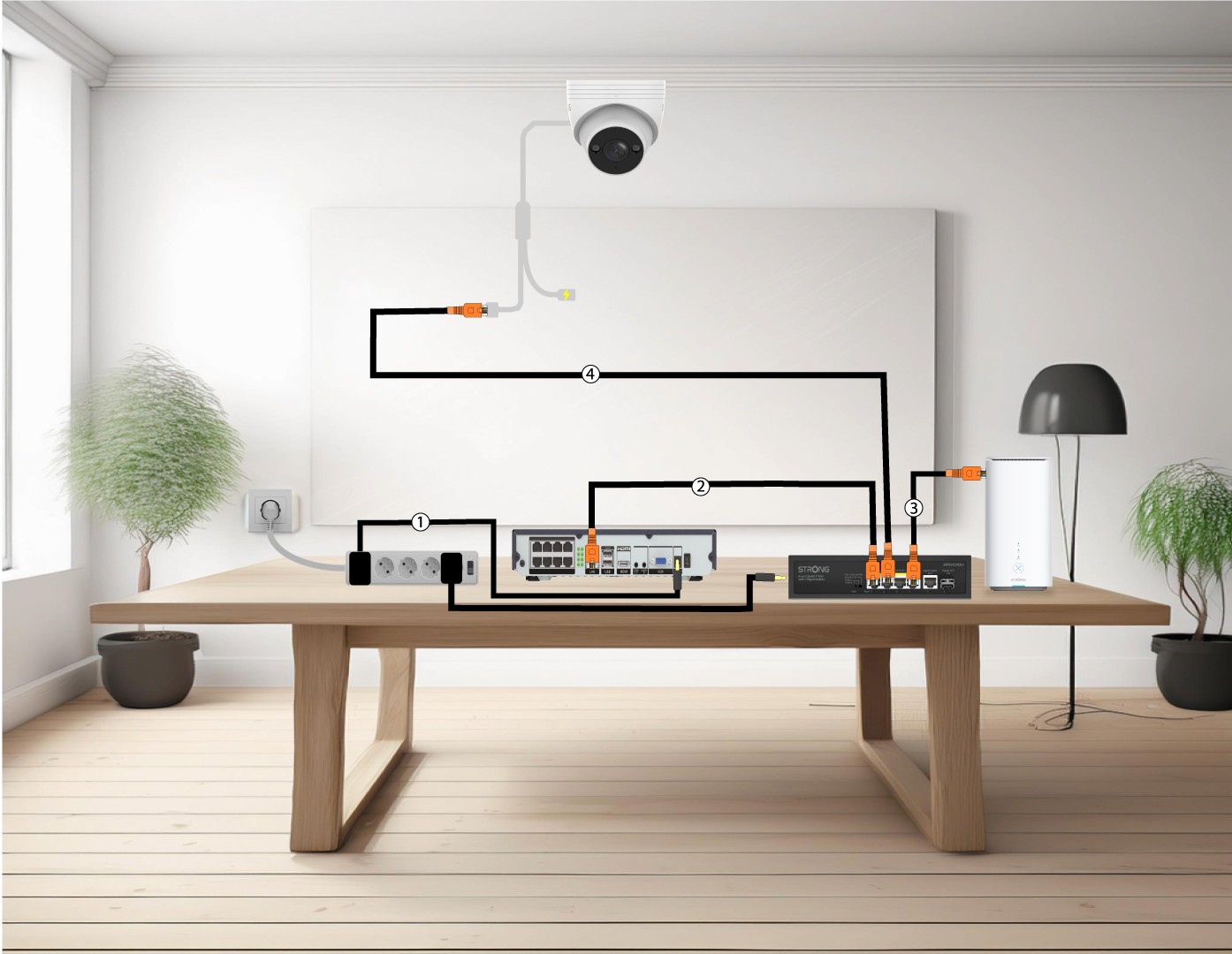
3Ligueas suas câmaras a um Switch POE com um NVR
Para tal, ligue o NVR (1) à corrente e, em seguida, ligue um cabo Ethernet da porta LAN do seu NVR ao seu « switch » POE(2). Depois, ligue o seu « switch » à Internet box através de um cabo Ethernet (3). Por fim, ligue um cabo Ethernet da câmara ao seu « switch » (4).
4Ligueas suas câmaras a um switch e a um NVR sem POE
Para tal, ligue o NVR (1) e, em seguida, ligue um cabo Ethernet da porta LAN do seu NVR ao seu switch (2). Depois, ligue o seu switch à Internet box com um cabo Ethernet (3). Por fim, ligue um cabo Ethernet da câmara ao seu switch (4).

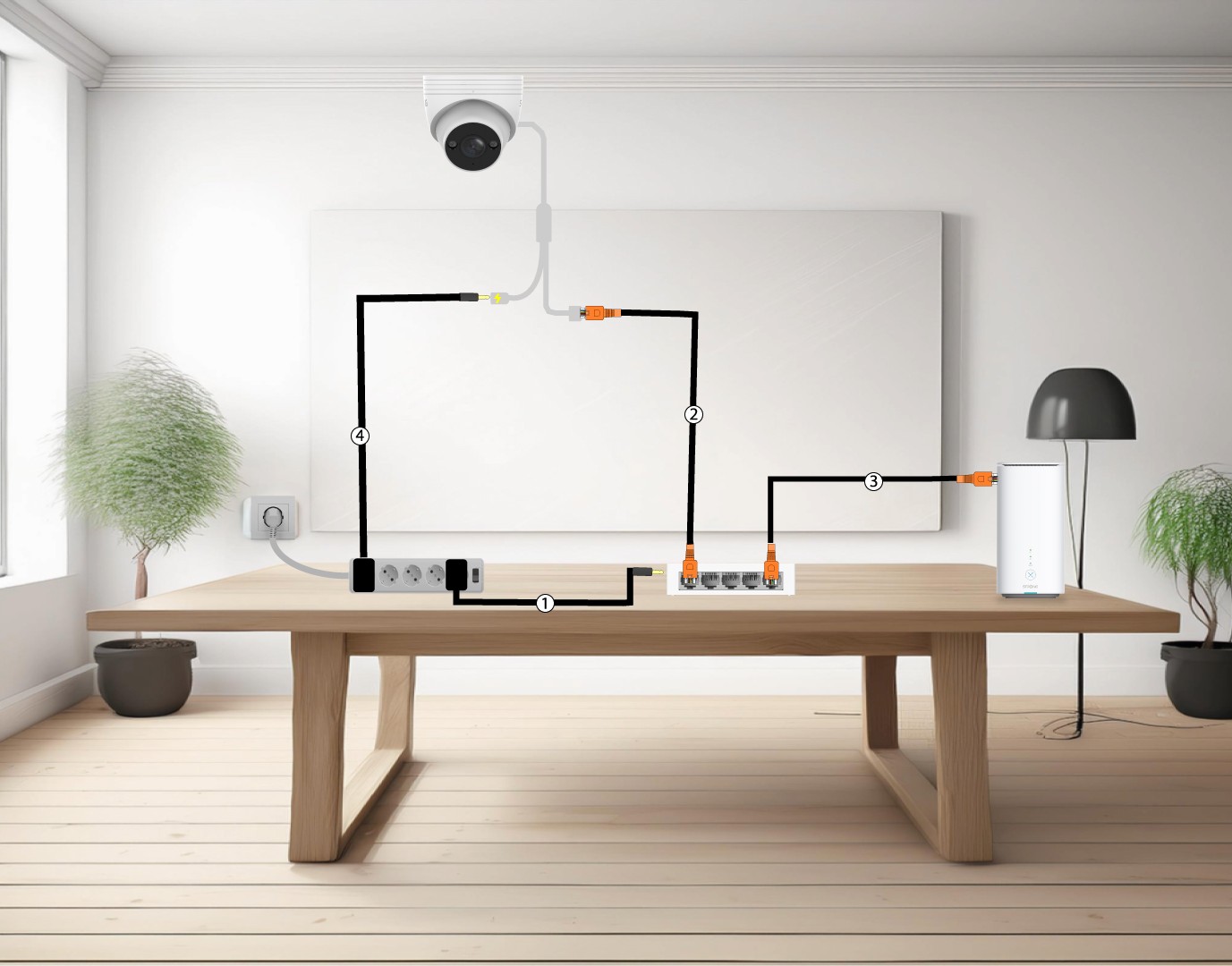
5Liguea sua câmara a uma fonte de alimentação não POE Switch
Para tal, ligue o seu « switch » (1) e ligue o seu « switch » à Internet box através de um cabo Ethernet (2). Em seguida, ligue a sua câmara ao « switch », ligando um cabo Ethernet da câmara ao « switch » (3). Ligue a fonte de alimentação da sua câmara (4).
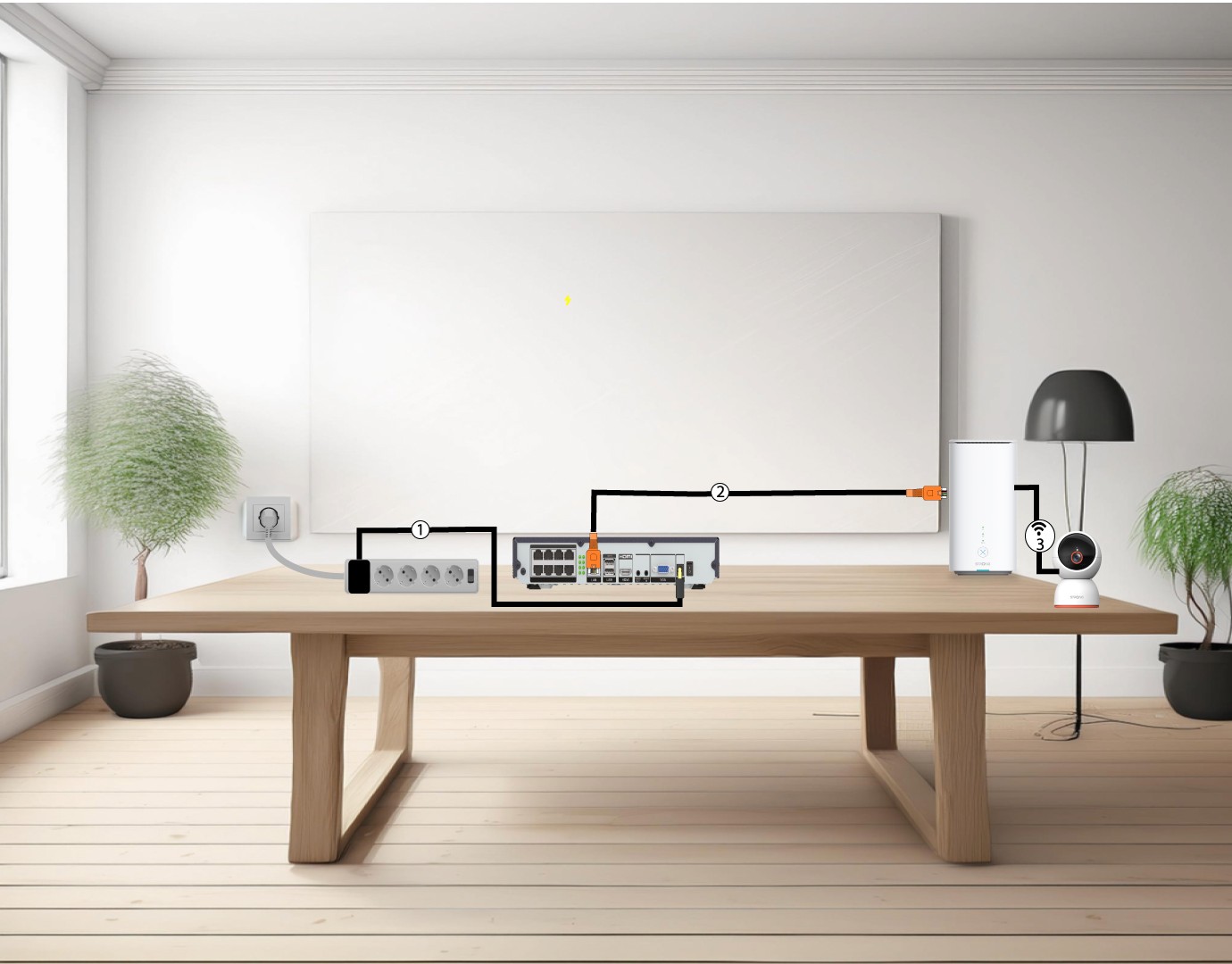
6Ligueas suas câmaras à rede Wi-Fi
Para tal, ligue o NVR (1) e, em seguida, ligue um cabo Ethernet da porta LAN do seu NVR ao seu « box » de Internet (2). Adicione a sua câmara « smart home » à aplicação «Vision by Strong» e ligue-a à sua rede Wi-Fi (3); ela será reconhecida automaticamente pelo seu NVR.