
4G AIRHOME 210 UK antenas 4G fixas
Todas as perguntas
4G AIRHOME 210 UK antenas 4G fixas
Como posso repor o meu router para as predefinições de fábrica?
Por vezes, pode acontecer que o seu dispositivo não esteja a funcionar corretamente e que não tenha acesso à Internet. Nesse caso, sugerimos que reponha o dispositivo para as definições de fábrica e, posteriormente, atualize novamente o firmware, se necessário.
Tem duas formas de o fazer: pode reiniciar o dispositivo premindo o botão de reinicialização ou através da interface de utilizador web.
CASO 1: Botão de reinicialização
Para tal, prima o botão «Reset», situado no lado direito do router, durante dois segundos.

1 CASO2: Reinicialização na interface de utilizador web
Para aceder à interface de utilizador web, siga as orientações descritas em: Como posso aceder à interface de utilizador web?
2. Atualização do firmware
Em seguida, clique em «Atualização de firmware».

3. Reporas definições de fábrica
Clique em «Outros». Na secção «Reiniciar e Repor», clique em «Repor as definições de fábrica»
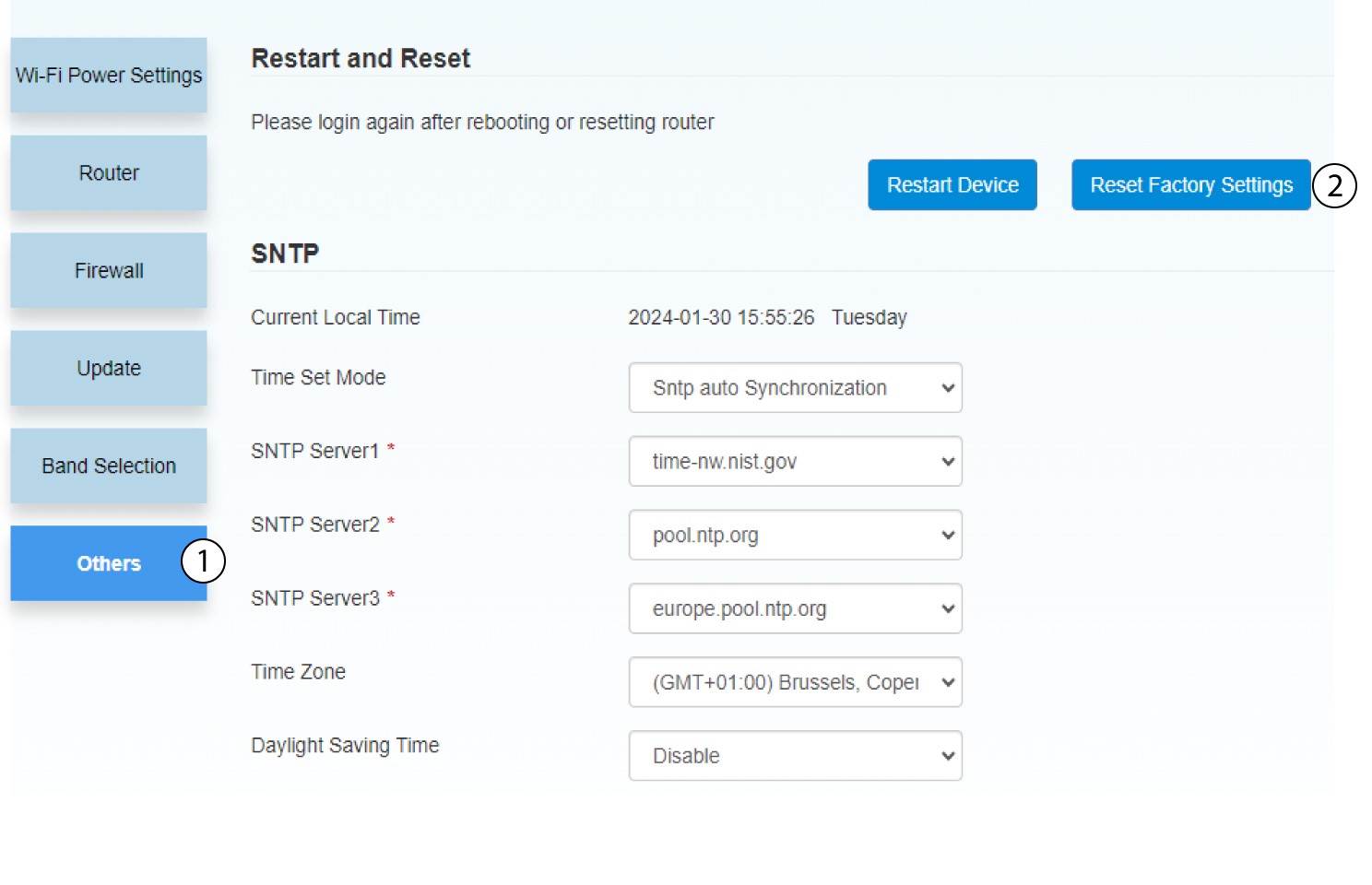
4Notificação pop-up
Clique em «SIM» na mensagem que aparece.
