Repetidor Universal 300S
Todas as perguntas
Repetidor Universal 300S
Como posso atualizar o firmware do meu repetidor?
1Acedaà secção de downloads em https://www.strong-eu.com/
Antes da atualização, deve aceder à secção de downloads do nosso site para verificar se existe uma nova versão do software disponível.
2Descarregar
Para aceder aos ficheiros para descarregar, clique em «Assistência» e «Descarregar» na barra superior e no respetivo submenu.

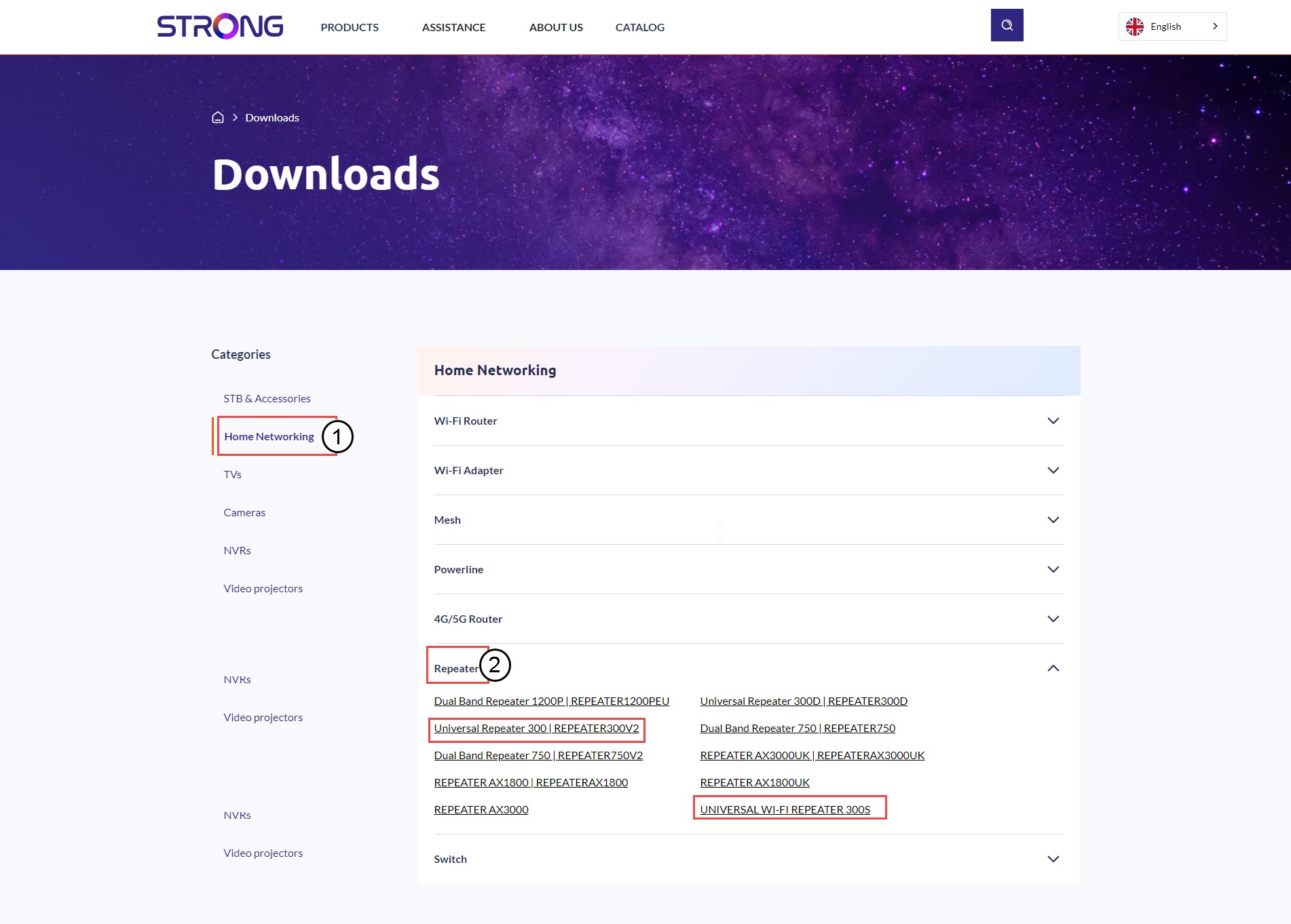
3Selecionea referência do seu produto
Depois de aceder à página «Downloads», clique em «Redes domésticas e repetidores» e, em seguida, clique na referência do produto.
4. Secção de firmware
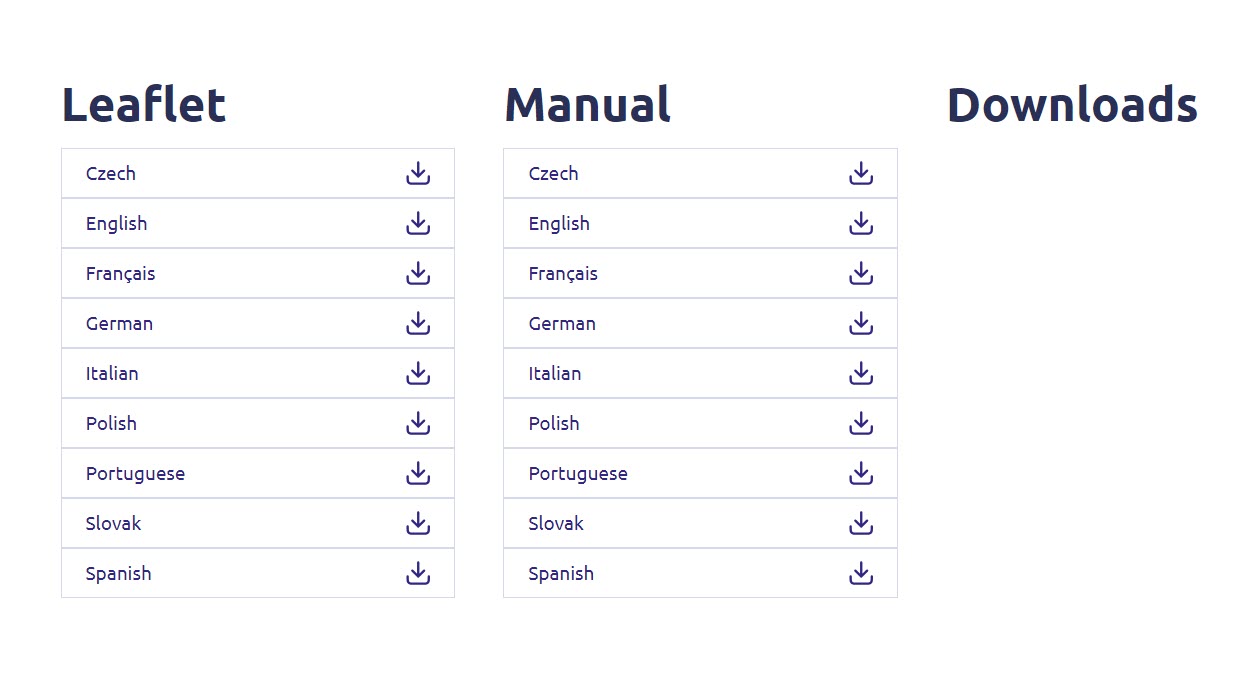
Na página abaixo, encontrará a nova versão do software na secção de firmware.
Se não encontrar uma secção dedicada ao firmware na página de downloads, isso significa que não há nenhuma nova versão de software disponível.
5Ligar-seà interface de utilizador web
Siga este procedimento para se ligar à interface de utilizador web.
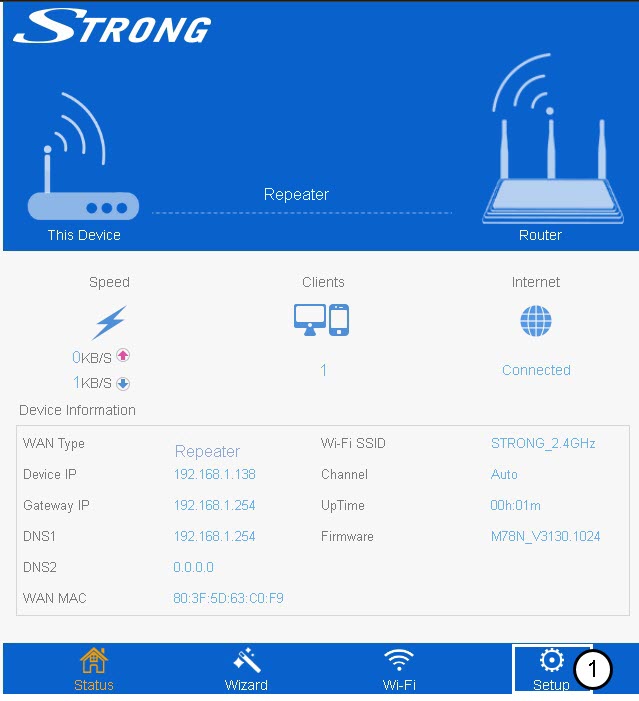
6Configuração
Clique em «Configuração».
7. Atualizaro firmware
Clique em «Atualizar firmware».
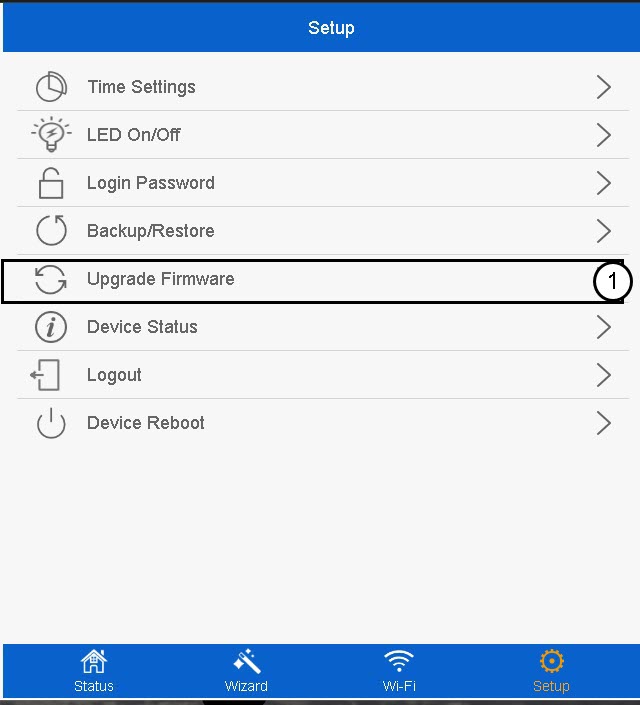
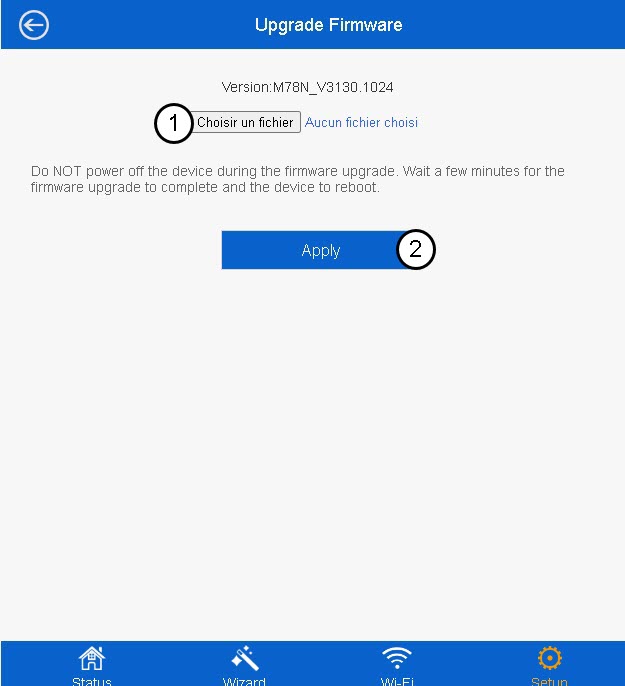
8Selecioneo ficheiro do firmware
Selecione o ficheiro de firmware no seu dispositivo e clique em «Aplicar».