
Repetidor de banda dupla 1200
Nenhum item encontrado.
Nenhum item encontrado.
Todas as perguntas
Repetidor de banda dupla 1200
Nenhum item encontrado.
Nenhum item encontrado.
Como posso atualizar o firmware do meu repetidor?
1Verificarse há uma atualização de firmware
Antes da atualização, deve aceder à secção de downloads do nosso site para verificar se existe uma nova versão do software disponível.
2Acedaà página de transferências
Clique em ASSISTÊNCIA > Transferências.

3Selecioneo seu produto
Depois de aceder à página «Downloads», clique em «Redes domésticas e repetidores» e, em seguida, clique na referência do produto.
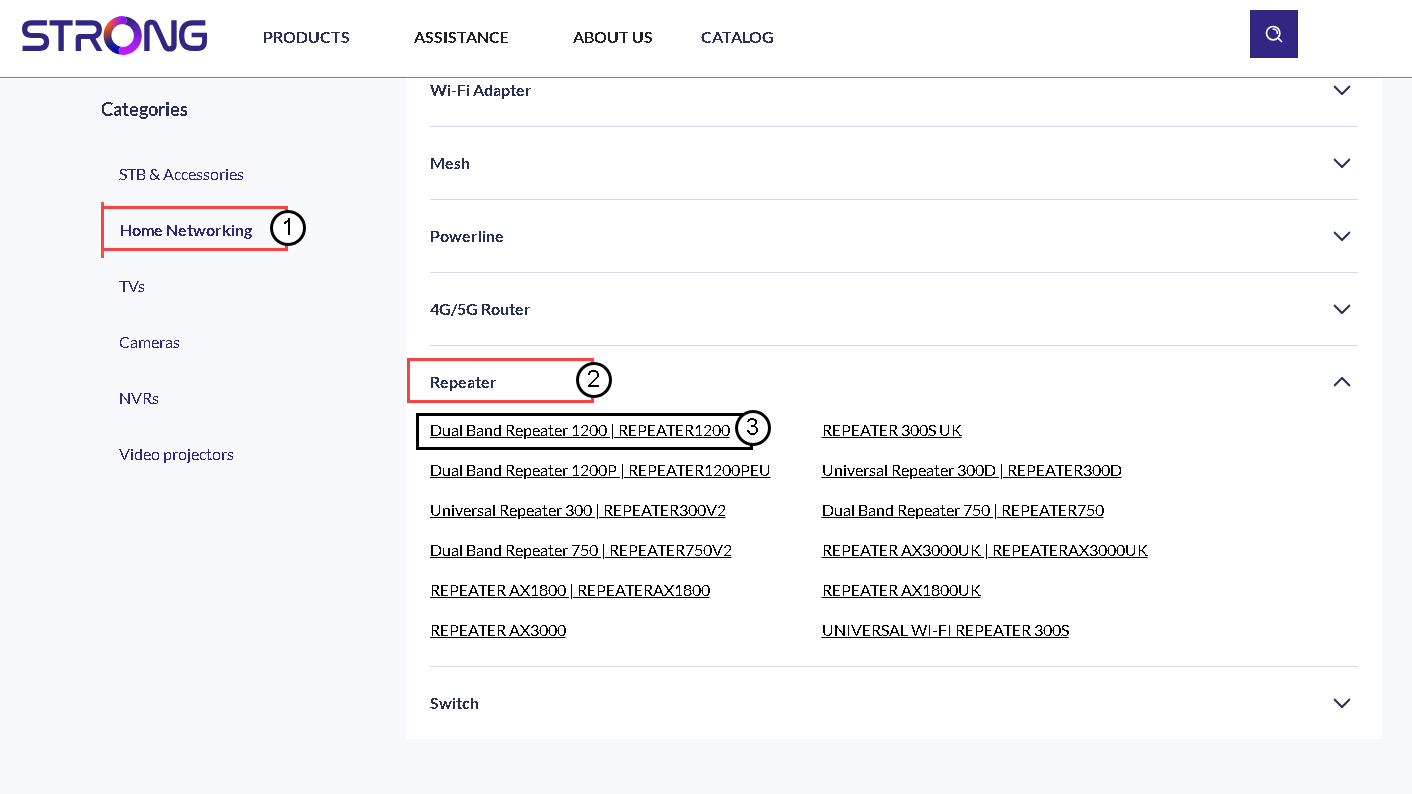
4. Descarregaro firmware
Na página abaixo, encontrará a nova versão do software na secção de firmware. Se houver um ficheiro disponível, faça o download.
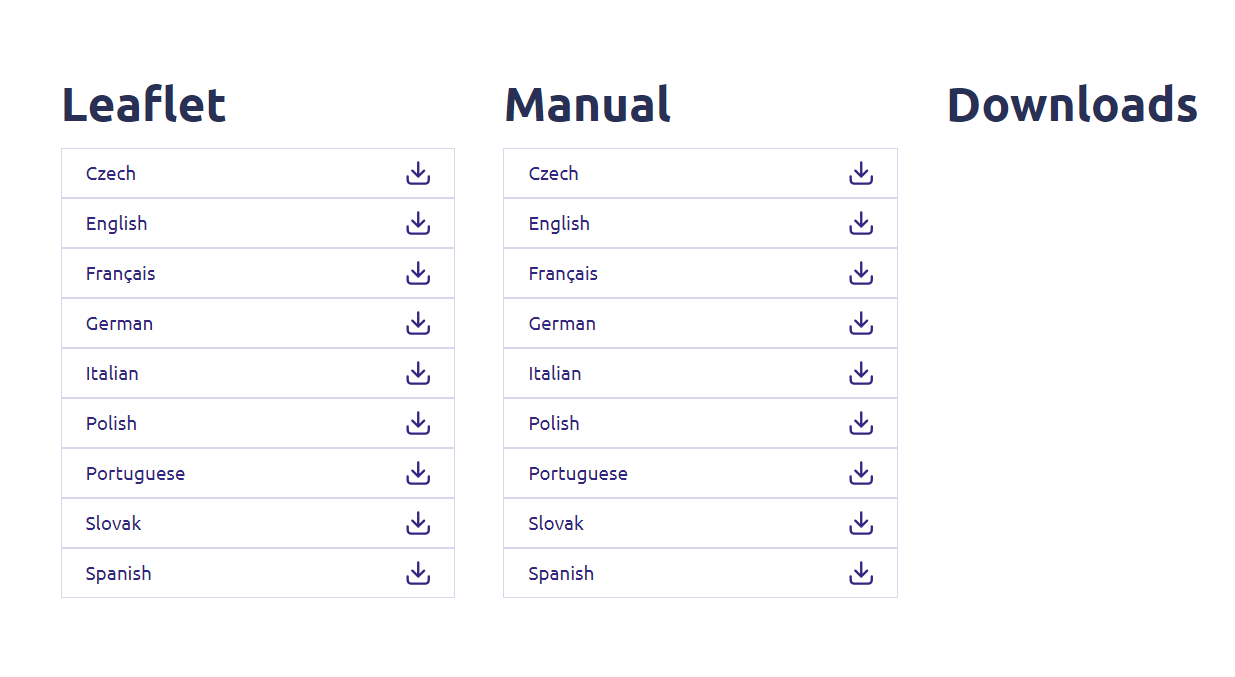
5Ligar-seao repetidor
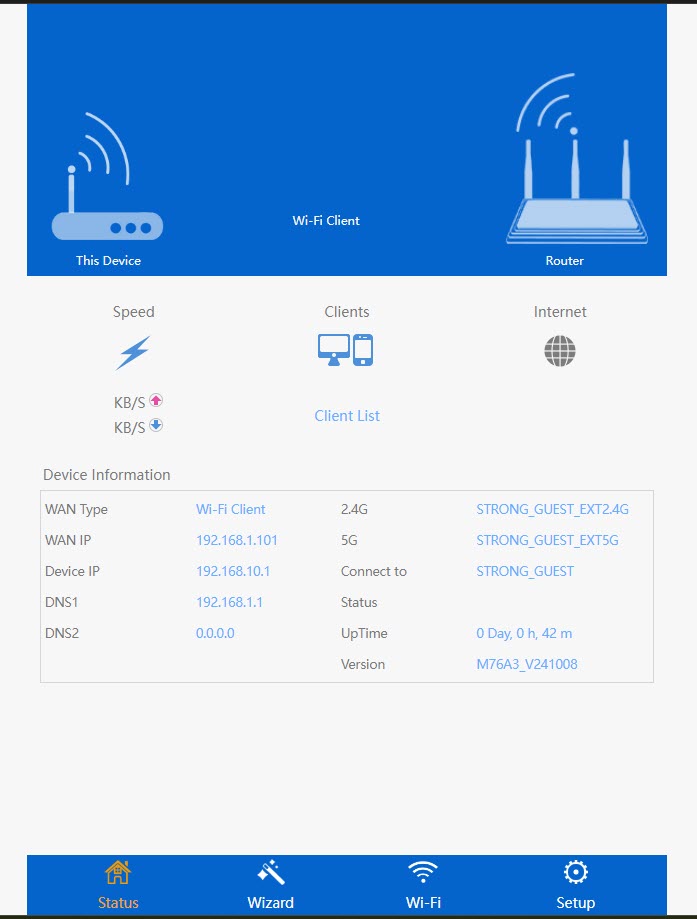
Depois de fazer isto, liga-te à rede Wi-Fi do repetidor.

6. Acederà interface de utilizador web
Aceda ao URL da interface de utilizador web.

7. Abriro menu de configuração
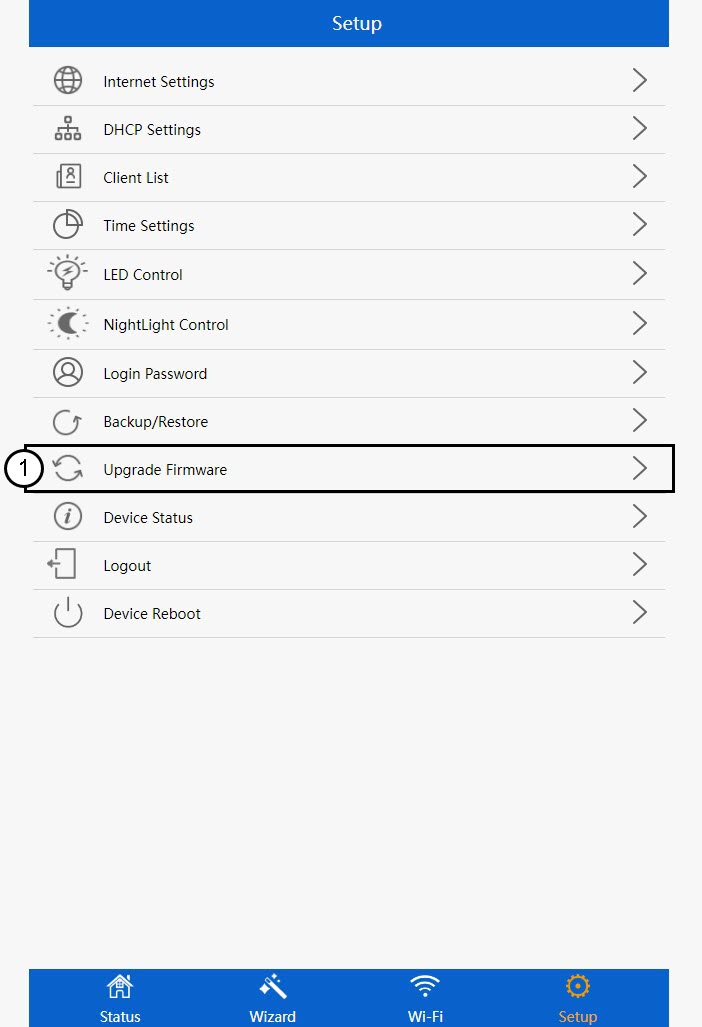
Clique em «Configuração».
8Iniciara atualização do firmware
Clique em «Atualizar firmware».
9Aplicara atualização
Selecione o seu ficheiro e clique em «Aplicar». A atualização será então iniciada automaticamente.
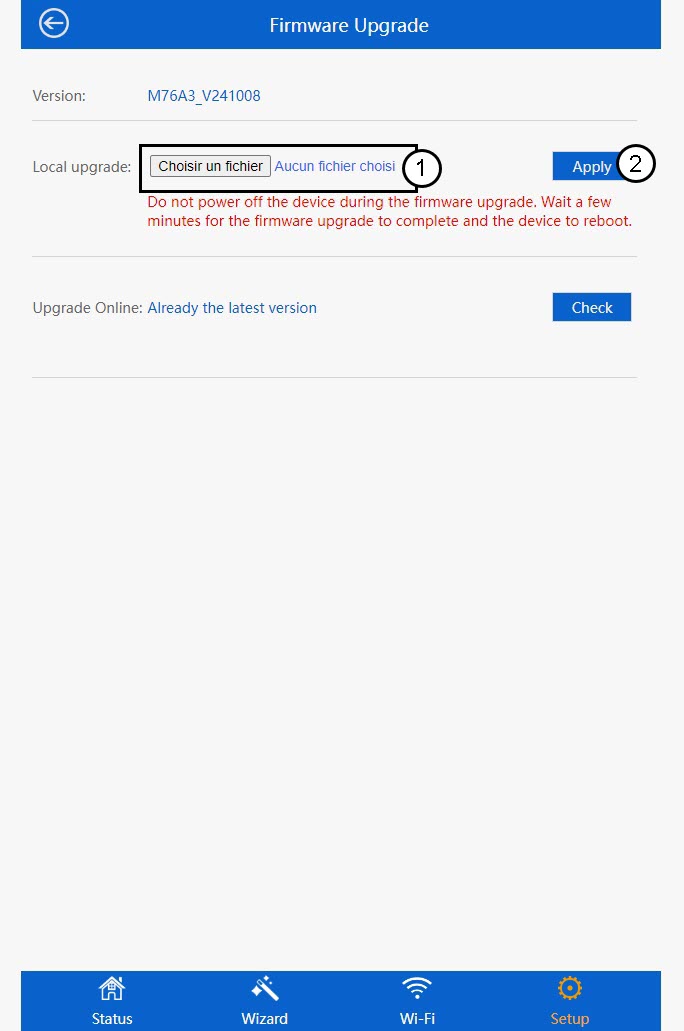
 Aviso: Por favor, aguarde até que a atualização esteja concluída e o dispositivo reinicie. Terá de voltar a ligar-se à rede Wi-Fi após a atualização.