
Powerline 600 Duo Wi-Fi Mini
Todas as perguntas
Powerline 600 Duo Wi-Fi Mini
Não tenho acesso à Internet e/ou o LED do ícone «casa» não acende.
Deve repor os adaptadores para as definições de fábrica. Para repor os adaptadores, siga os passos abaixo.
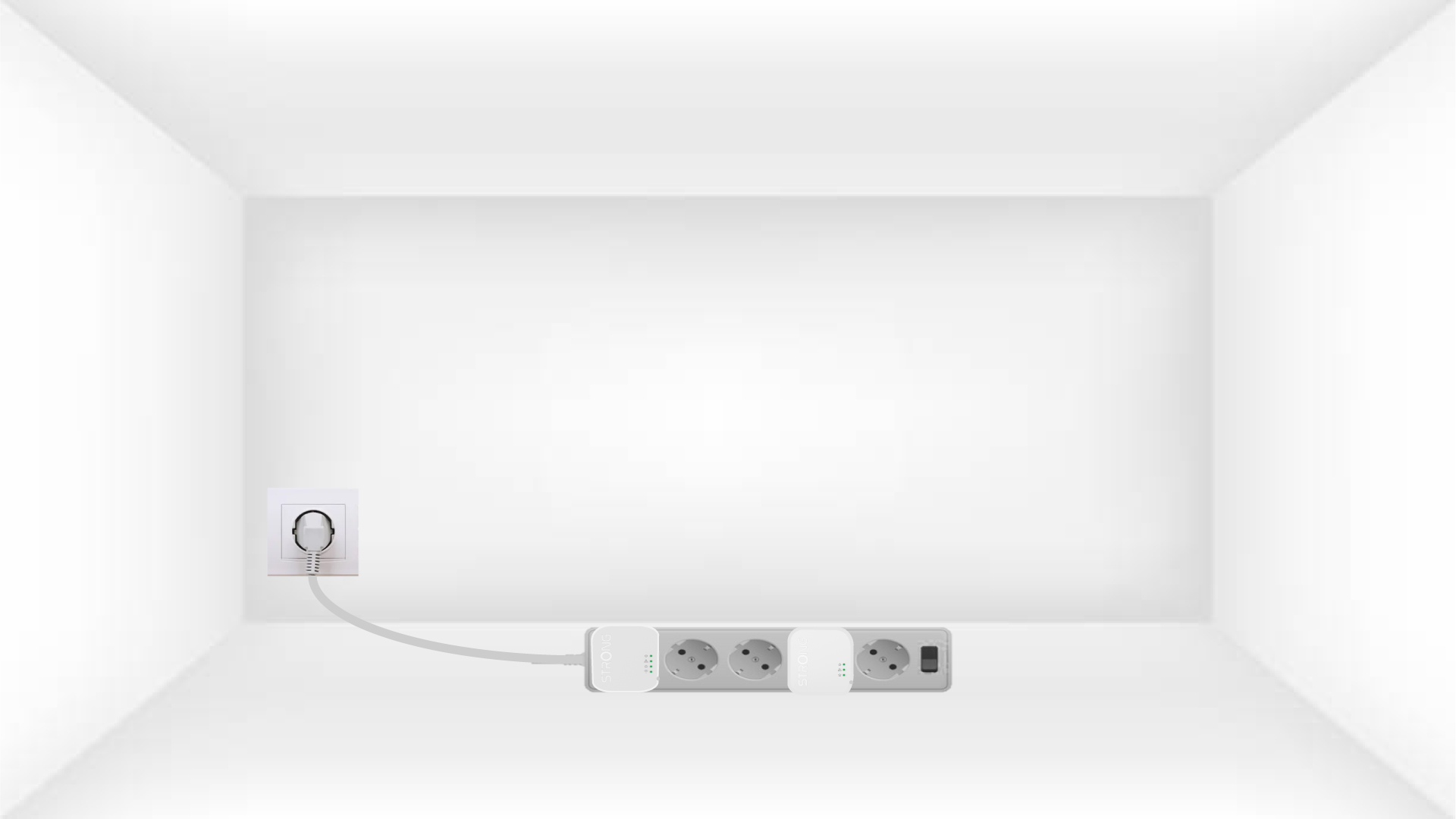
1. Ligueos adaptadores a uma extensão
Ligue os adaptadores, um a seguir ao outro, a uma extensão.
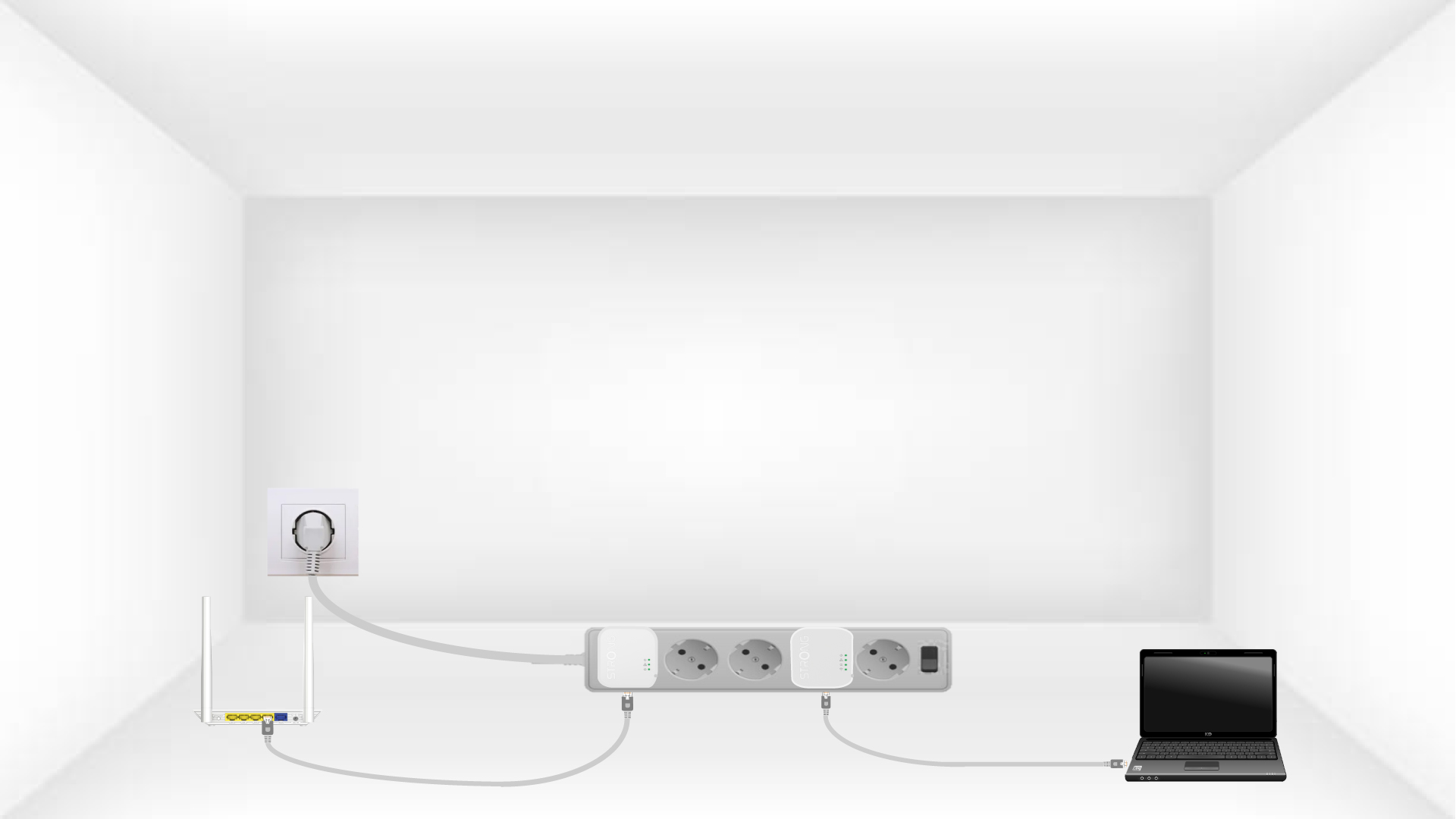
2Ligaros adaptadores à Internet
Ligue cada adaptador a um dispositivo em funcionamento (router/gateway de Internet, Android box, Smart TV, computador, etc.) com um cabo Ethernet. É necessário que haja comunicação entre os dispositivos; caso contrário, o adaptador entrará automaticamente no modo de espera.
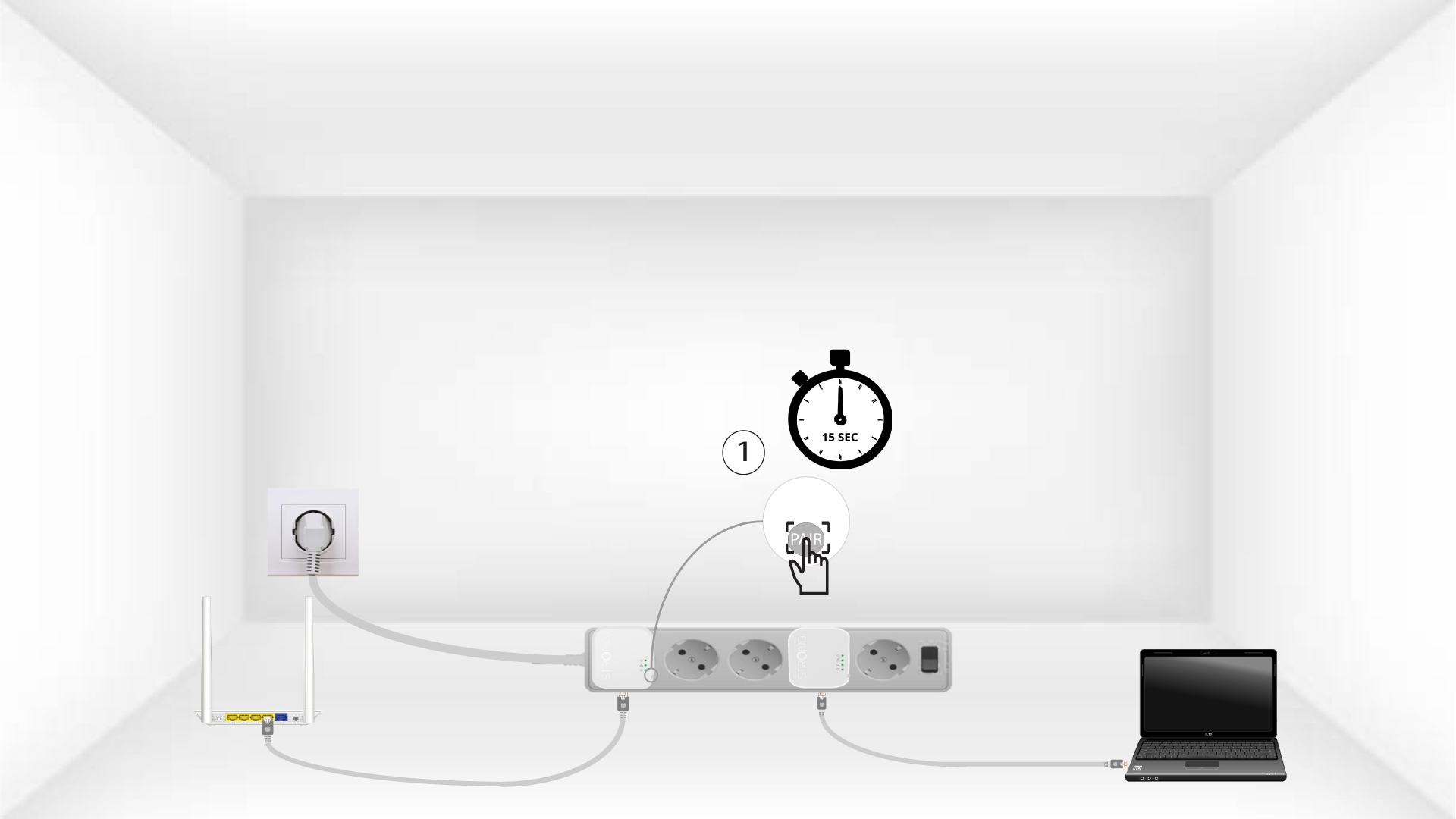
3Primao botão «Connect & Secure» (primeiro adaptador)
Assim que o adaptador estiver ligado à tomada e conectado à rede Ethernet, basta premir o botão «Connect & Secure», situado no lado direito do dispositivo, durante 15 segundos.
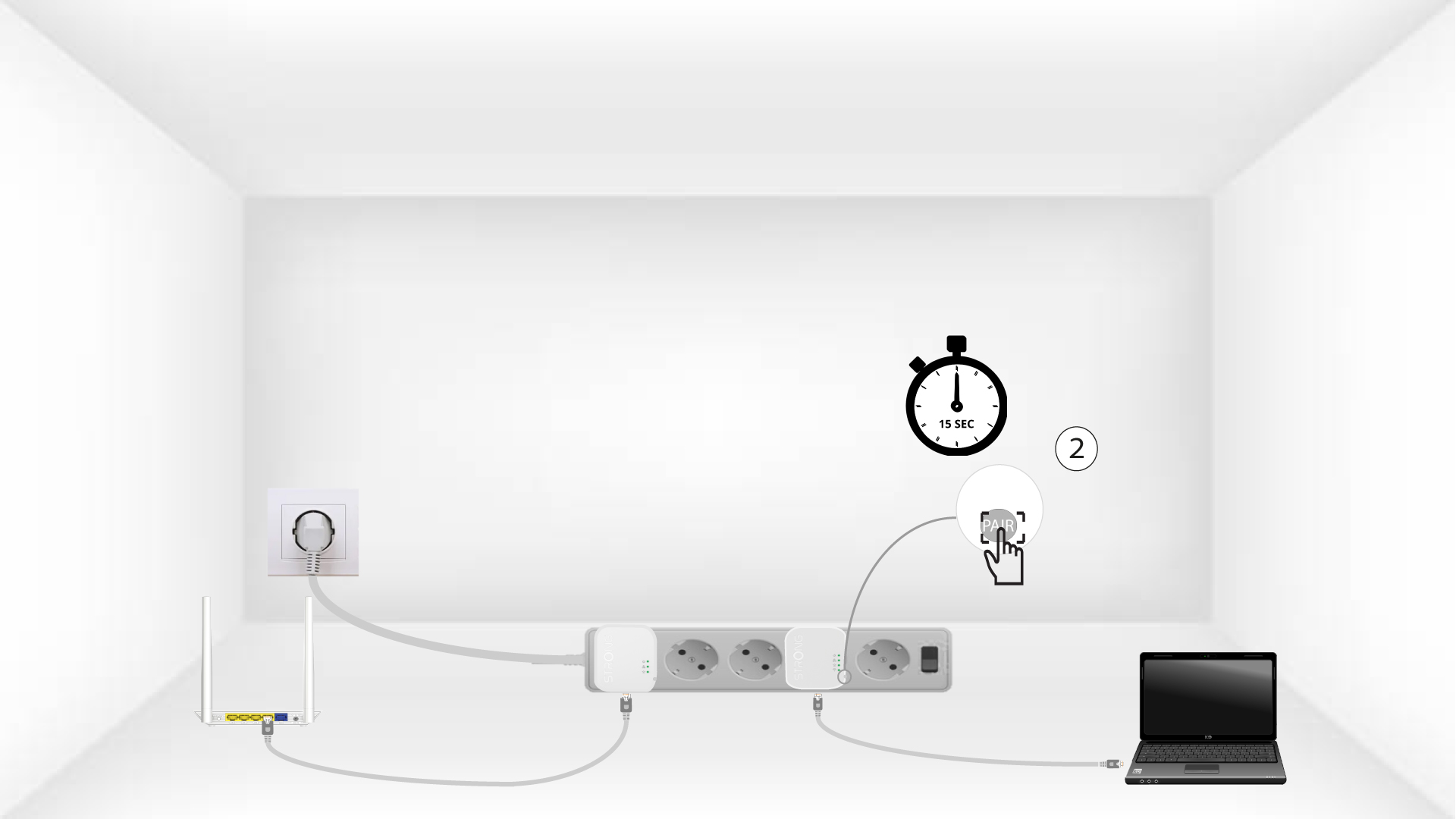
4. Primao botão «Connect & Secure» (segundo adaptador)
Prima o botão «Connect & Secure», situado no lado direito do segundo dispositivo, durante 15 segundos.
A luz LED «5Home» pisca
Os LEDs da casa devem começar a piscar.
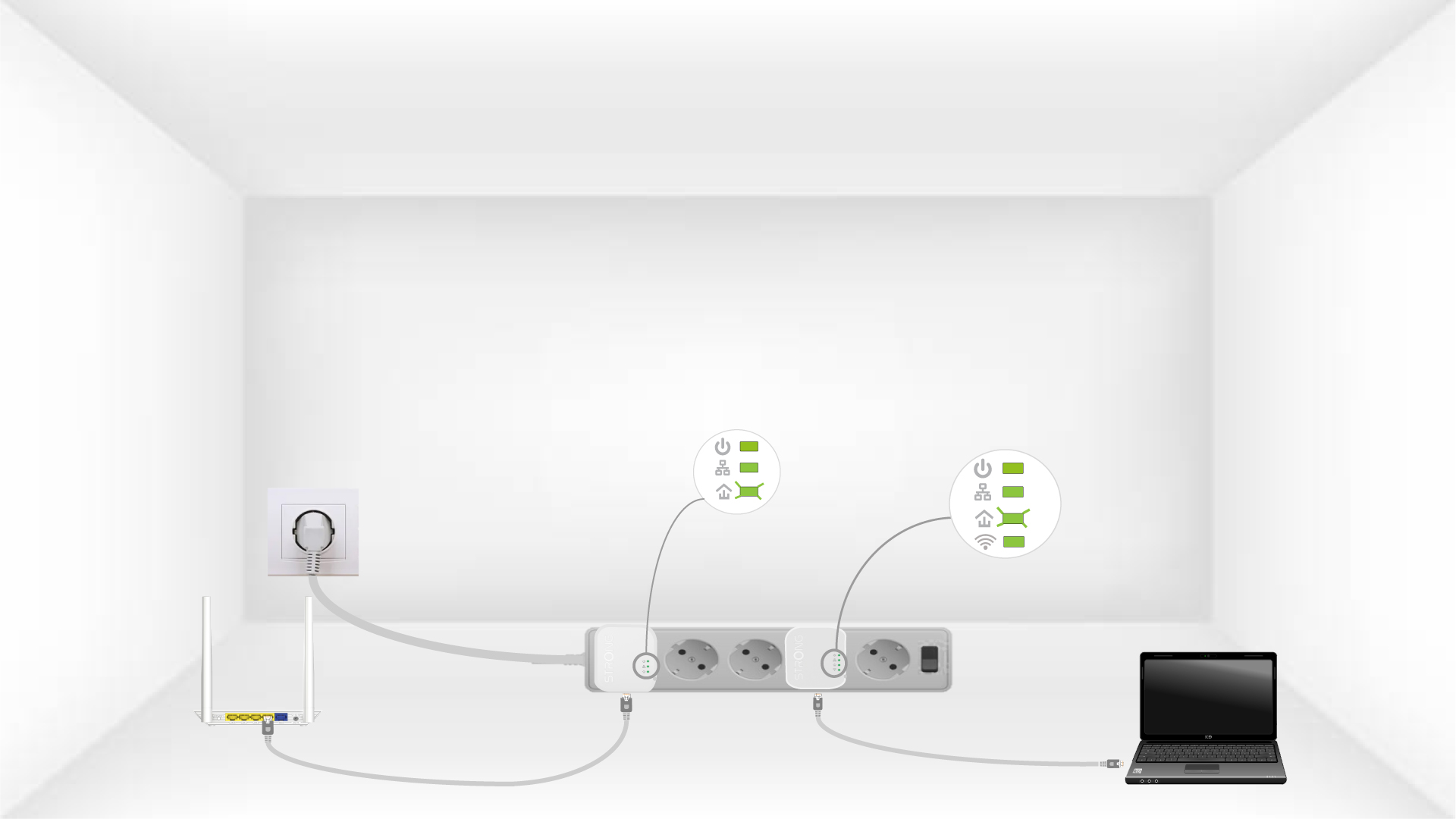
6Os dispositivossão reiniciados
No final das operações, todos os LEDs devem estar verdes.
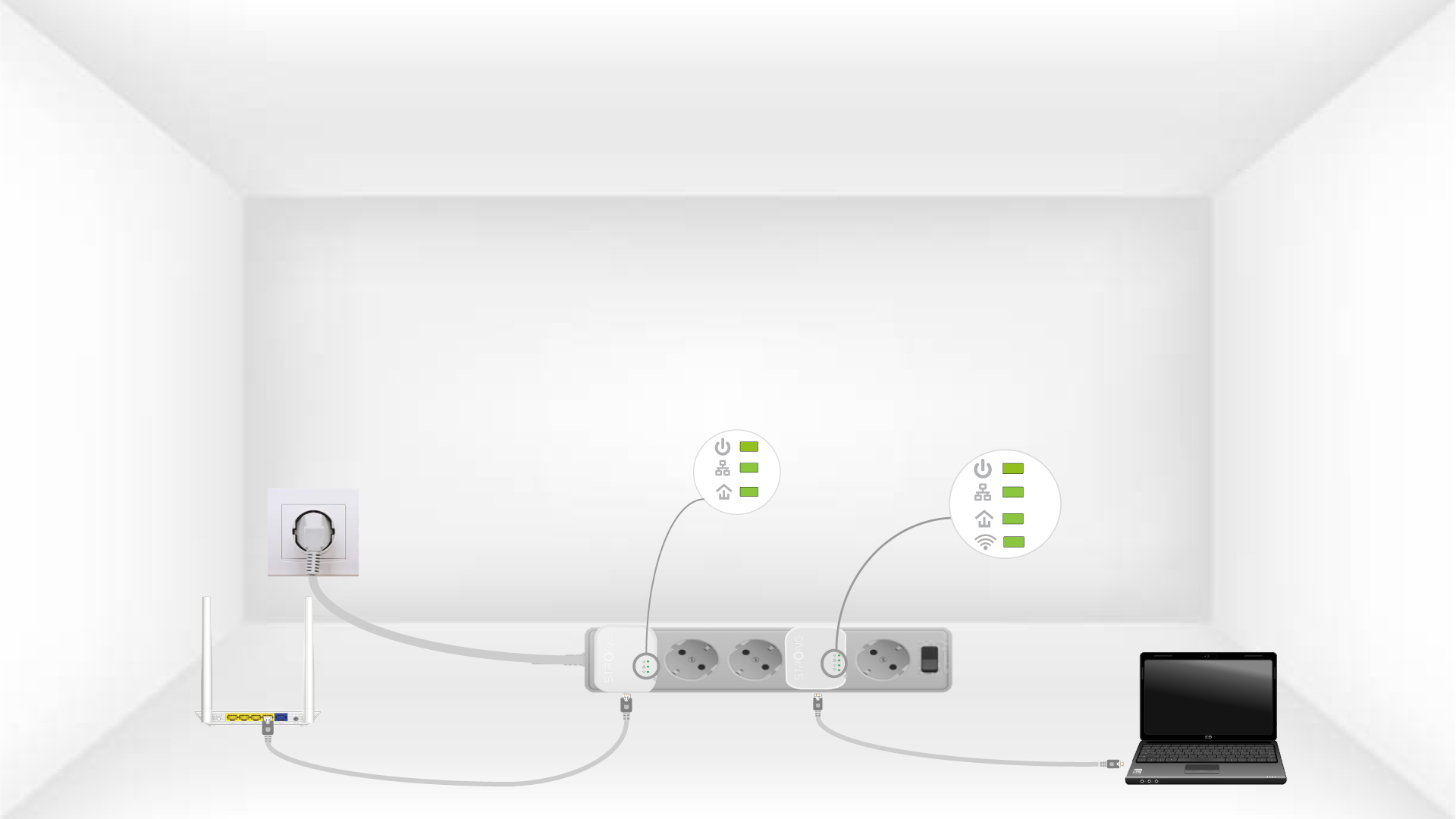
Repita a mesma operação para um terceiro powerline. Pode ter até oito Powerline 600 Mini na mesma instalação elétrica.
Depois de reiniciar todos os dispositivos, pode colocá-los na divisão onde precisar deles.