Conjunto de três dispositivos Powerline Wi-Fi
Nenhum item encontrado.
Nenhum item encontrado.
Todas as perguntas
Conjunto de três dispositivos Powerline Wi-Fi
Nenhum item encontrado.
Nenhum item encontrado.
O LED com o ícone de casa está aceso no adaptador Wi-Fi, mas não consigo ligar-me à rede Wi-Fi do Powerline 500.
1Ligar-seà rede Wi-Fi
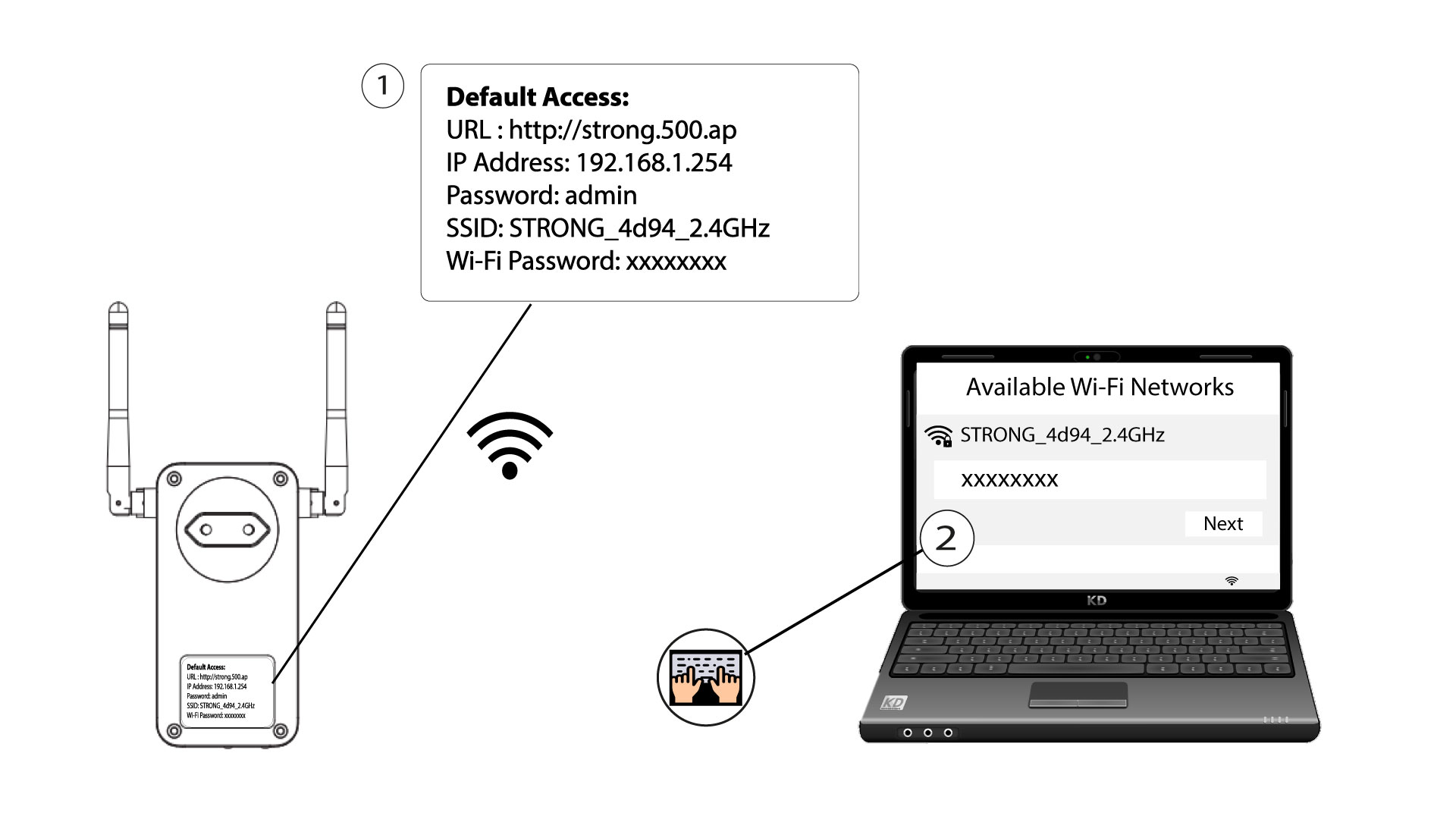
Para se ligar à rede Wi-Fi do seu Powerline pela primeira vez, deve ligar-se ao SSID indicado na parte de trás do produto e utilizar a palavra-passe Wi-Fi também indicada.
Tenha em atenção que o «L» minúsculo pode ser confundido com o «i» maiúsculo; por isso, experimente as diferentes possibilidades
2. Reiniciaro adaptador Wi-Fi
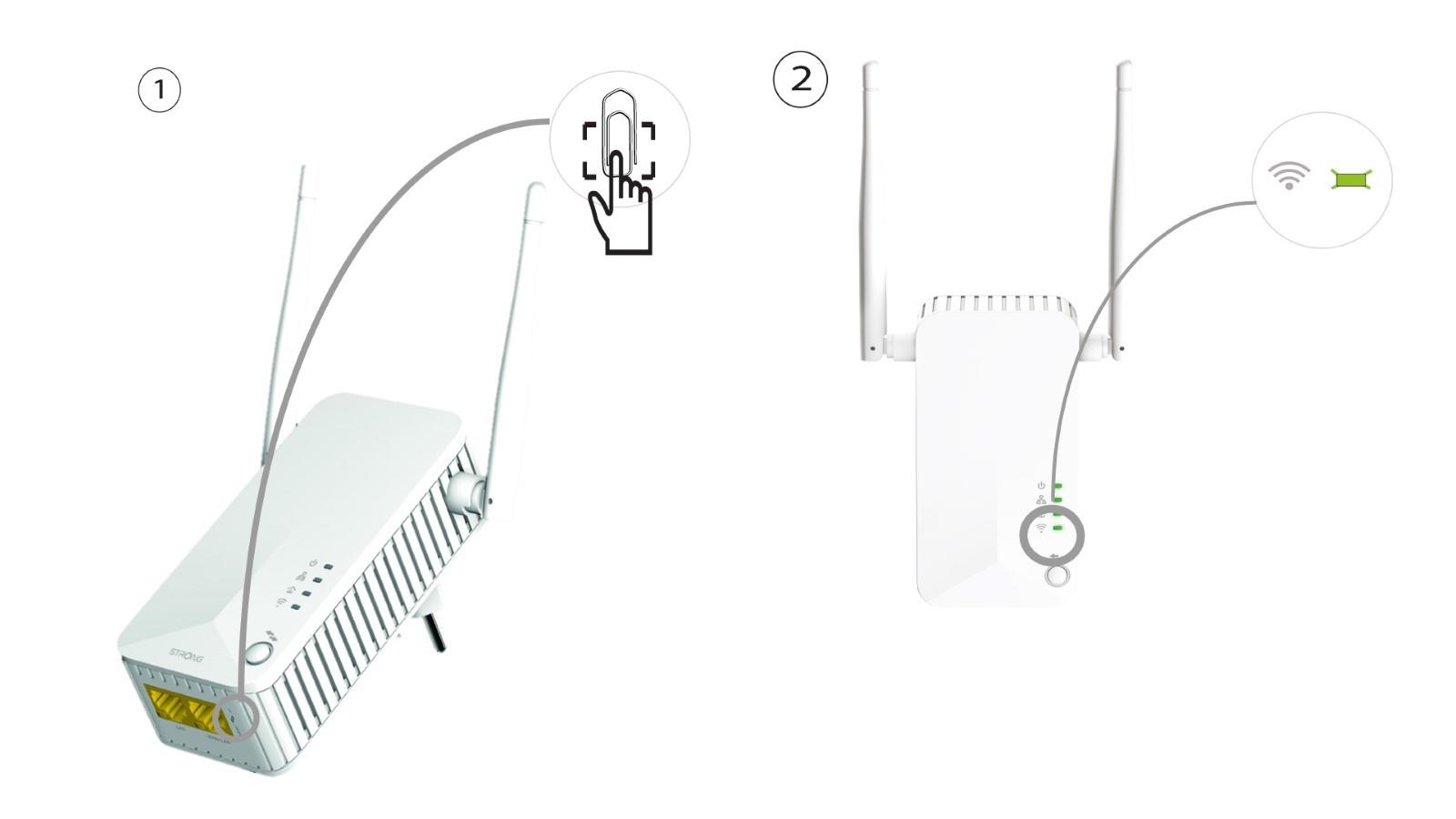
Se ainda assim não conseguir ligar-se à rede Wi-Fi do « Powerline 500», reinicie a rede Wi-Fi do « Powerline » premindo um clipe de papel no orifício situado por baixo do dispositivo até os LEDs começarem a piscar.