Репеатер АКС1800
Сва питања
Репеатер АКС1800
Како да конфигуришем свој репетитор?
Пре него што конфигуришете репетитор, проверите следећу процедуру да бисте одредили локацију репетитора: Која је најбоља локација за мој репетитор?
1 Повежите се са веб интерфејсом
Пратите једну од доле наведених процедура да бисте се повезали са веб интерфејсом:
- Како да се повежем са веб интерфејсом репетитора? (RJ45 кабл)
- Како да се повежем са веб интерфејсом репетитора? (Wi-Fi)
2 Изаберите режим за ваш репетитор
Отвориће се чаробњак за подешавање репетитора. Изаберите Бежични продужетак и кликните на Даље .

3 Изаберите временску зону
Изаберите временску зону са листе ако је она која је аутоматски детектована погрешна и кликните на Даље.

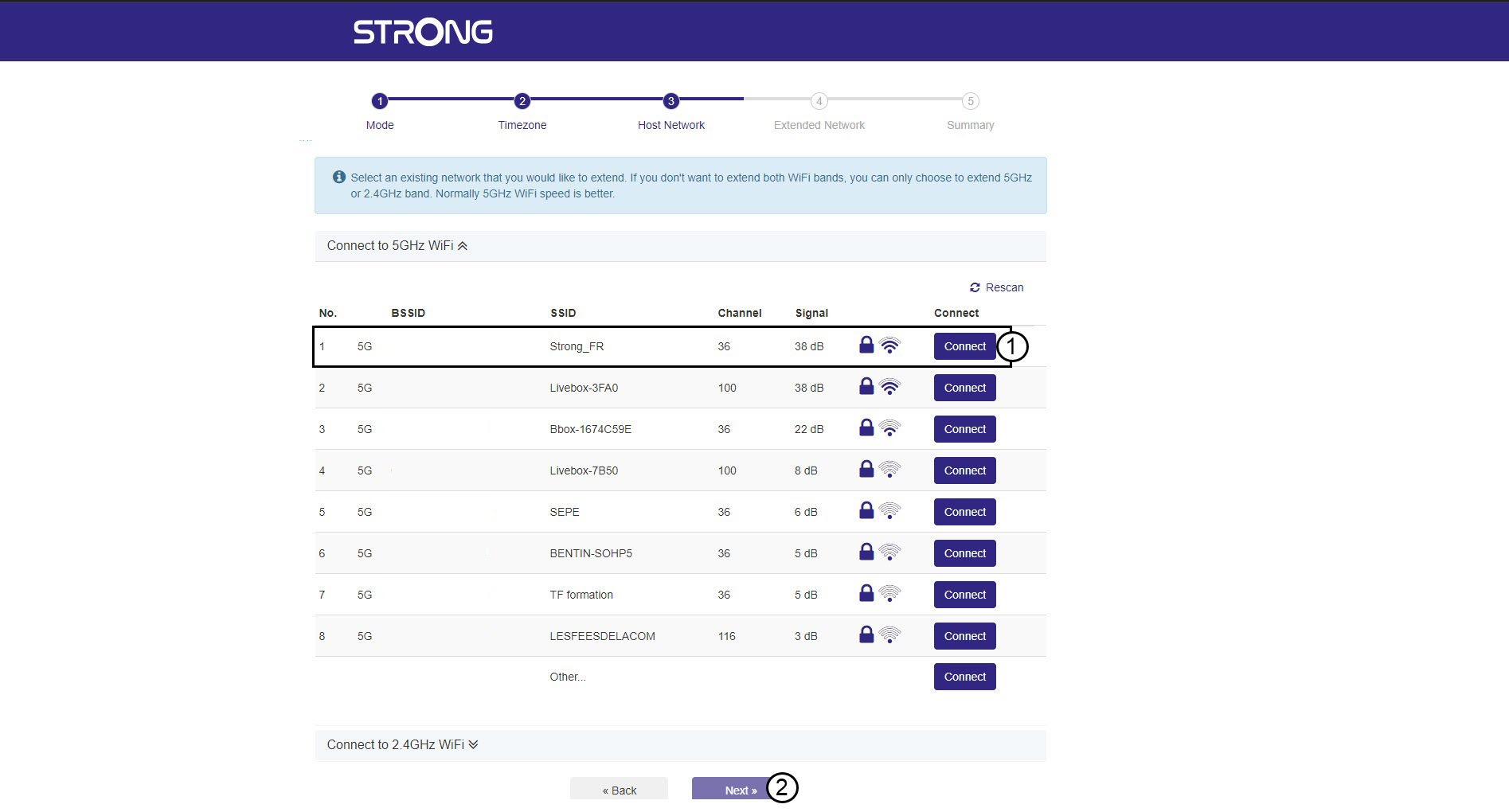
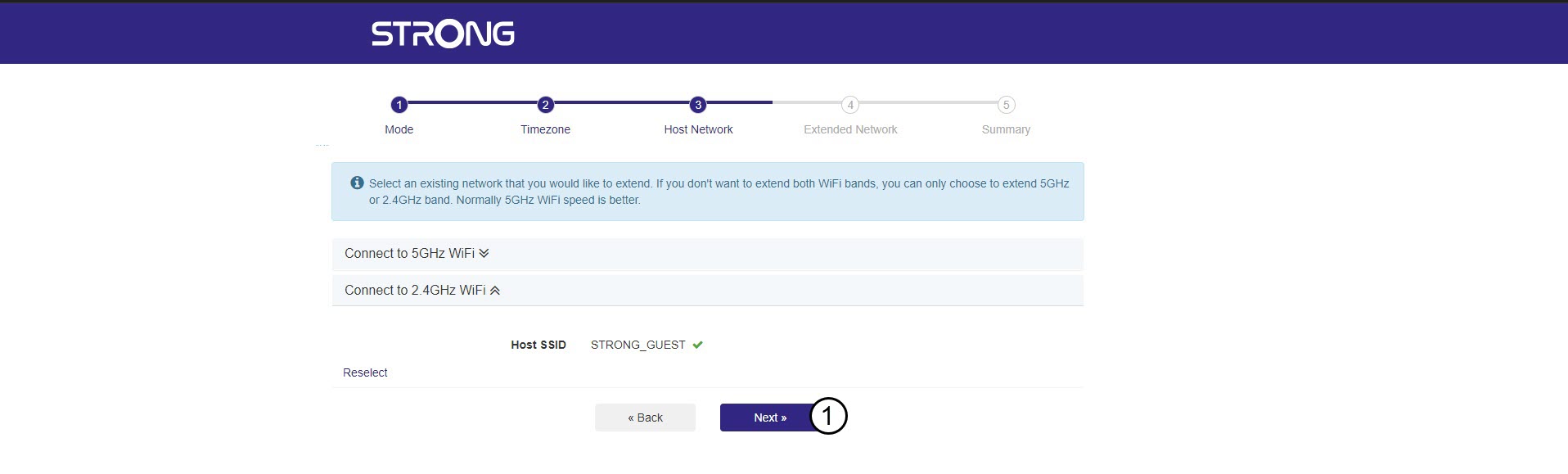
4 Скенирање доступне мреже
Ваш репетитор ће скенирати све доступне 2.4G и 5G Wi-Fi мреже како би одредио мрежу домаћина. Изаберите назив Wi-Fi мреже вашег рутера. Затим кликните на Повежи се и Даље .
5 Унесите лозинку за Wi-Fi мрежу домаћина
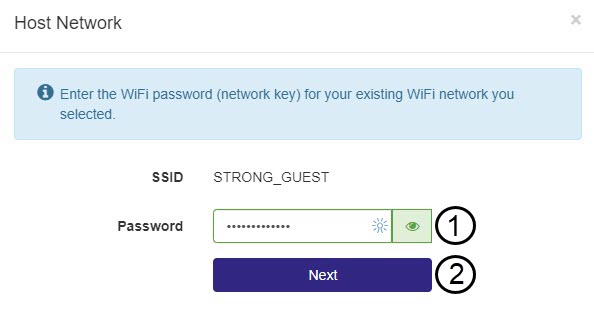
Унесите лозинку за Wi-Fi вашег рутера и кликните на Даље .
Можете кликнути на икону ока да бисте приказали лозинку коју уносите.
6 Сачекајте током конфигурације
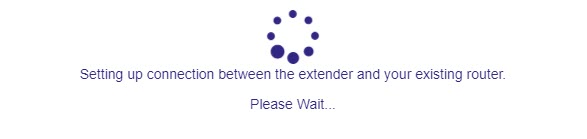
Молимо сачекајте док се репетитор конфигурише.
7 Потврдите конфигурацију
Кликните на Даље да бисте потврдили конфигурацију.
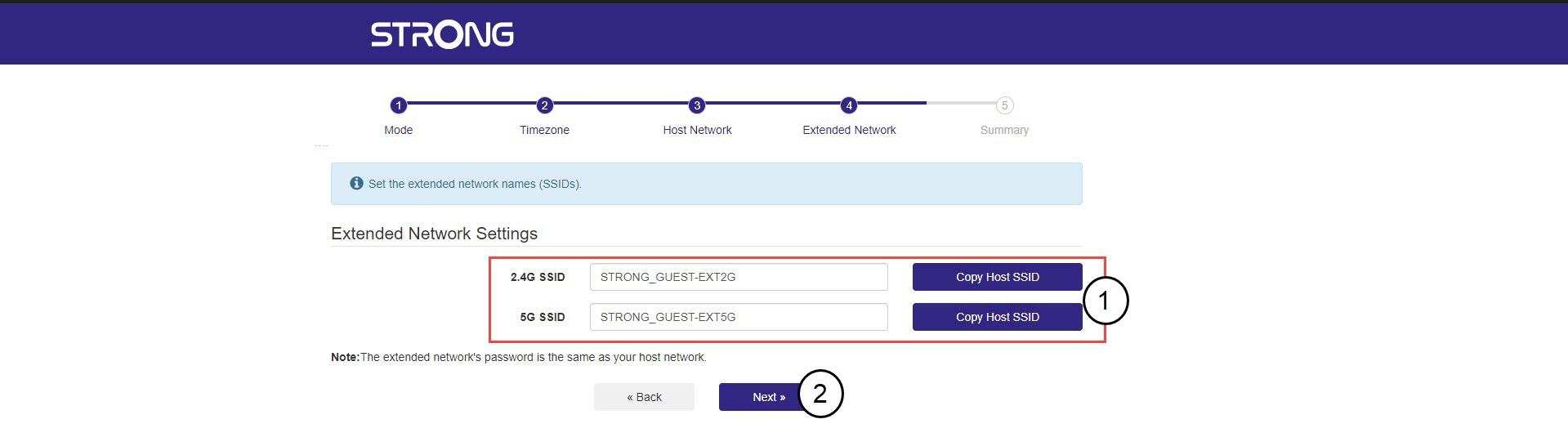
8 Запишите информације о мрежи
Запишите информације о новим Ви-Фи мрежама и кликните на Даље .