
4Г ЛТЕ рутер 300 UK
Нема пронађених ставки.
Нема пронађених ставки.
Сва питања
4Г ЛТЕ рутер 300 UK
Нема пронађених ставки.
Нема пронађених ставки.
Како да деактивирам Wi-Fi?
Ако више волите да користите рутер тако што га директно повежете са уређајем помоћу Етернет кабла, могуће је деактивирати Ви-Фи.
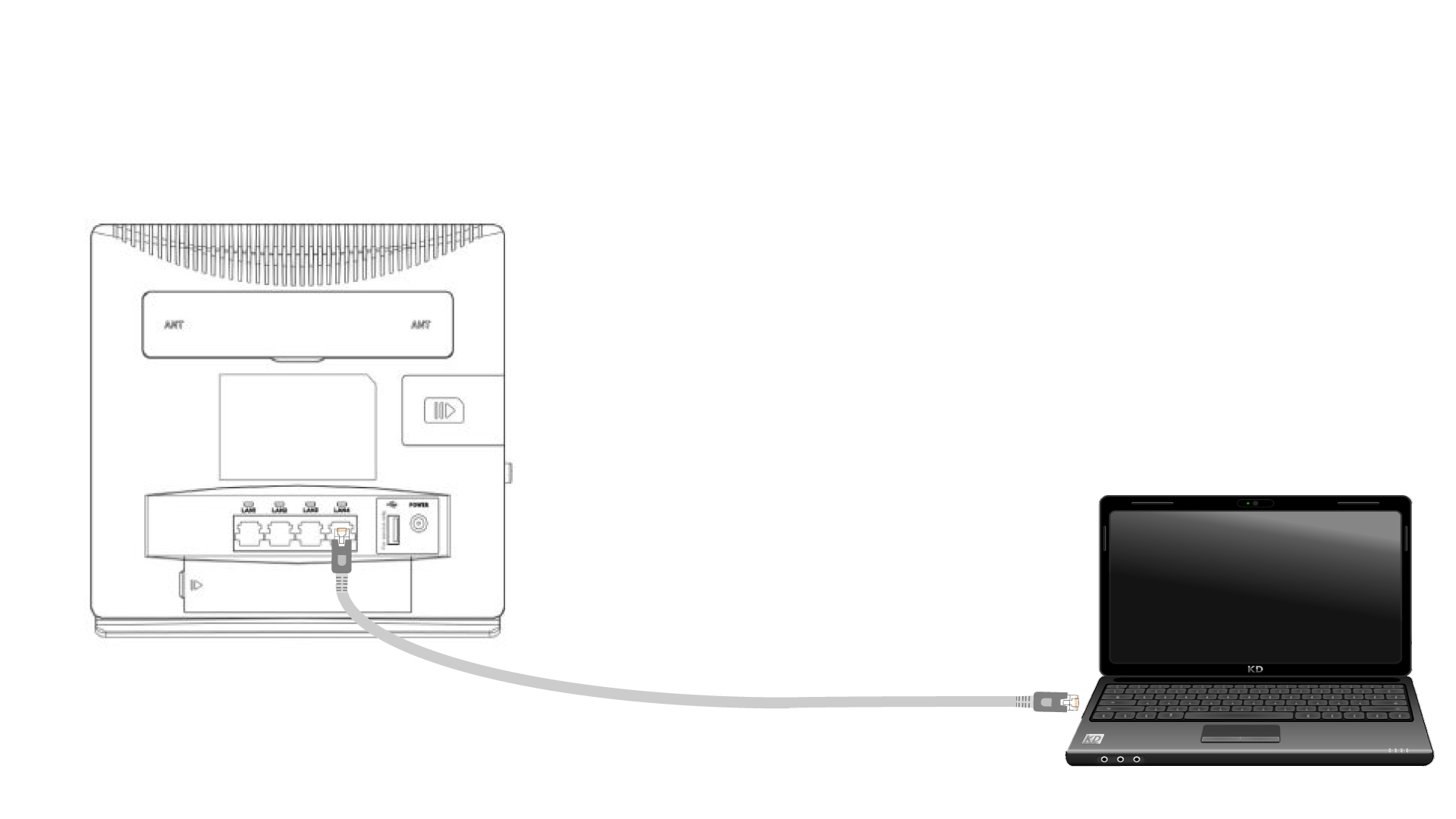
1 Повежите се са рутером помоћу етернет кабла
Прикључите RJ45 кабл на рутер да бисте приступили веб интерфејсу, пратите доленаведену процедуру да бисте се повезали са веб интерфејсом (након корака 2):
2 подешавања Wi-Fi мреже
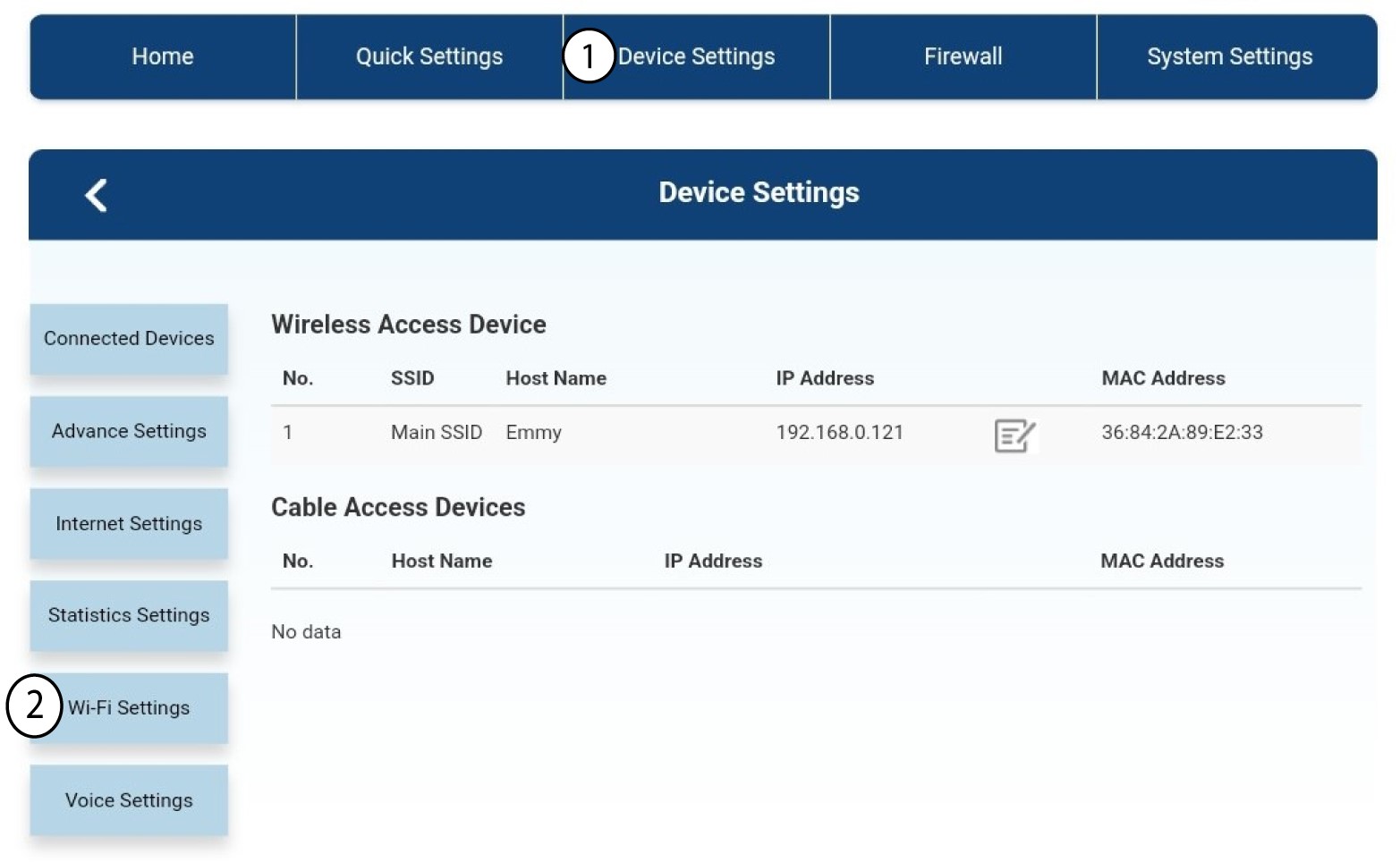
Затим кликните на Подешавања уређаја , а након тога изаберите Подешавања Ви-Фи мреже .
3 Деактивирајте Wi-Fi
У подешавањима Wi-Fi -ја изаберите Wi-Fi Switch Затим кликните на поље Онемогућено и дугме Примени .
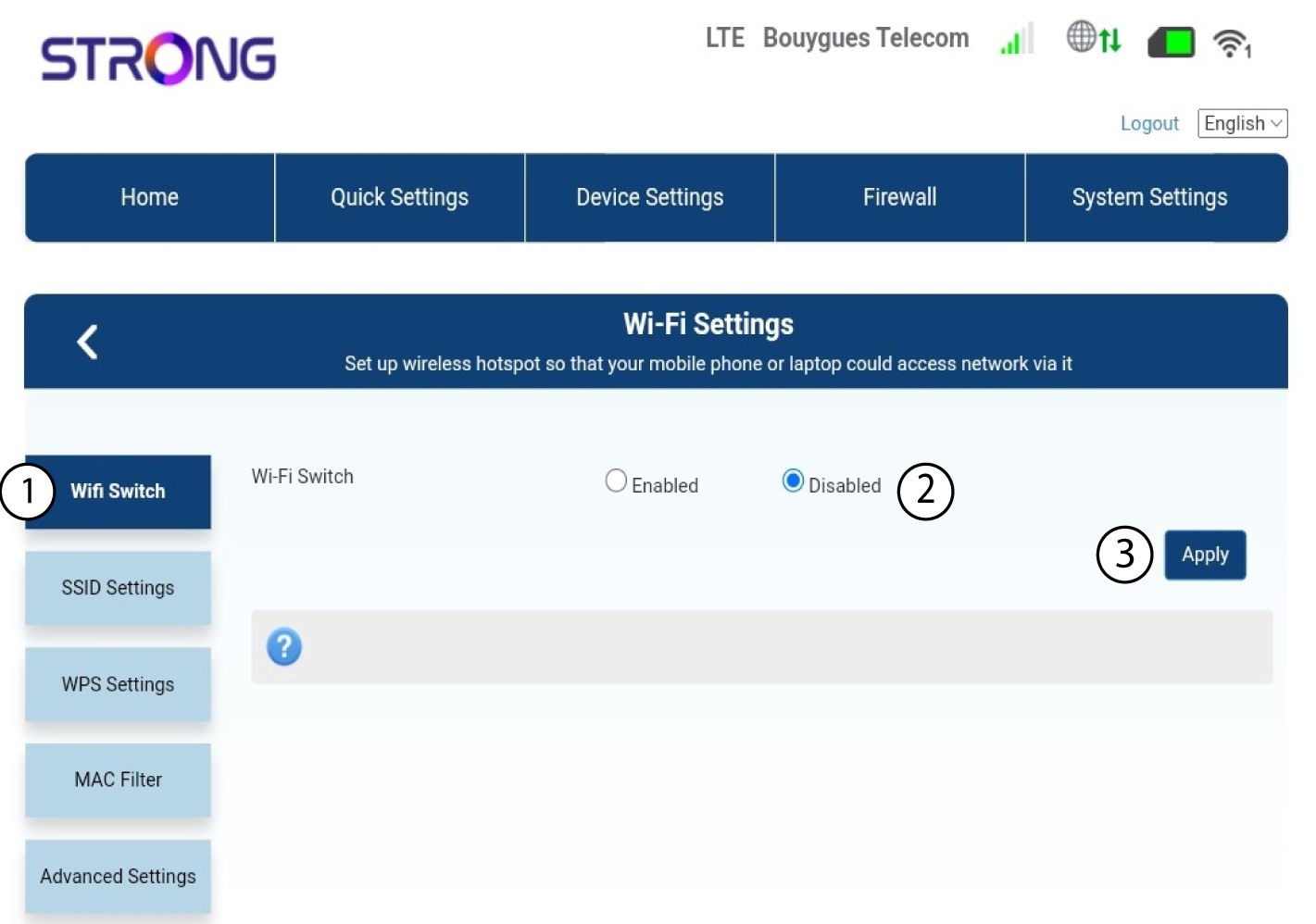

Wi-Fi мрежа рутера је деактивирана. Сви уређаји који су претходно били повезани на мрежу биће аутоматски искључени. Да бисте поново активирали Wi-Fi, морате да одете у веб интерфејс или можете да вратите рутер на фабричка подешавања.