LEAP 41 | 4K Google TV са HDR10+
Сва питања
LEAP 41 | 4K Google TV са HDR10+
Како да поново конфигуришем подешавања јачине звука мог SRT 41 када је ниво јачине звука пренизак?
Савети: Ако је ниво јачине звука вашег SRT 41 пренизак, можете пратити доленаведену процедуру да бисте ресетовали параметре вашег SRT 41. Током инсталације вашег SRT 41, можете подесити контролу јачине звука да се њоме обрађује путем HDMI-CEC-а. Када је ова опција омогућена, даљински управљач вашег SRT 41 може се користити за подешавање нивоа јачине звука вашег телевизора. Ову функцију можете активирати или деактивирати у подешавањима екрана и звука вашег телевизора. Подразумевани ниво јачине звука вашег SRT 41 је подешен на одређени ниво и може бити пренизак. Ако је јачина звука
прениско, боље је деактивирати ову опцију. Како можете активирати или деактивирати ову функцију?
1 Подешавања
У том случају, притисните дугме Подешавања на вашем Google даљинском управљачу и притисните OK .
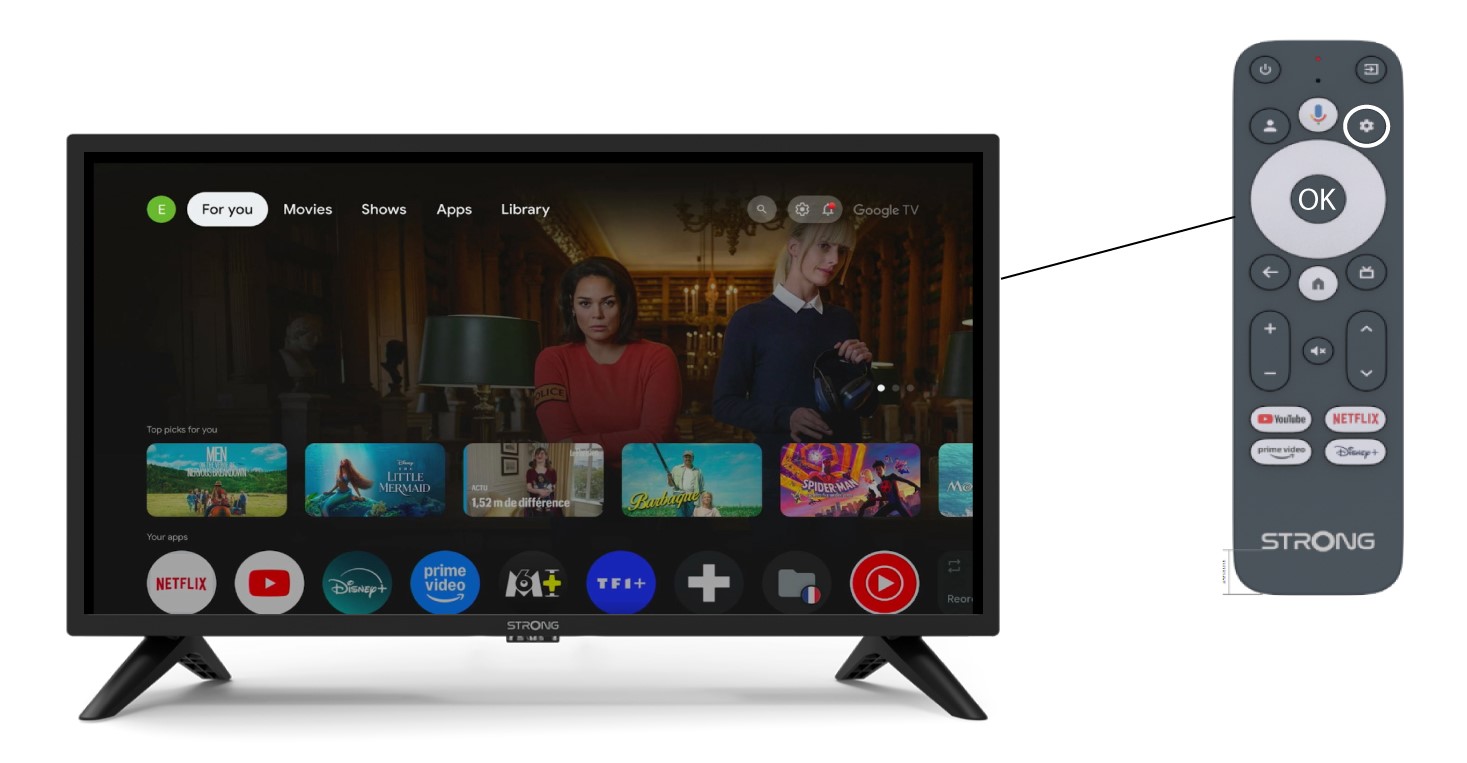
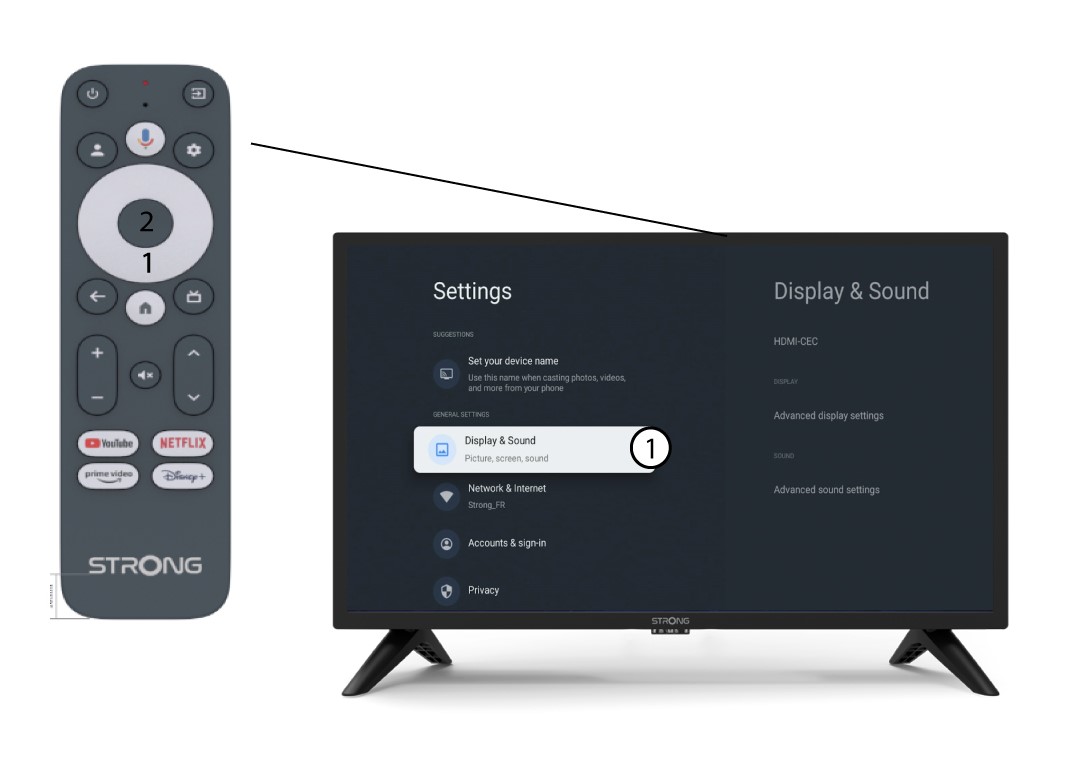
2 Екран и звук
На страници са подешавањима која се приказује на екрану, изаберите „Приказ и звук“ .
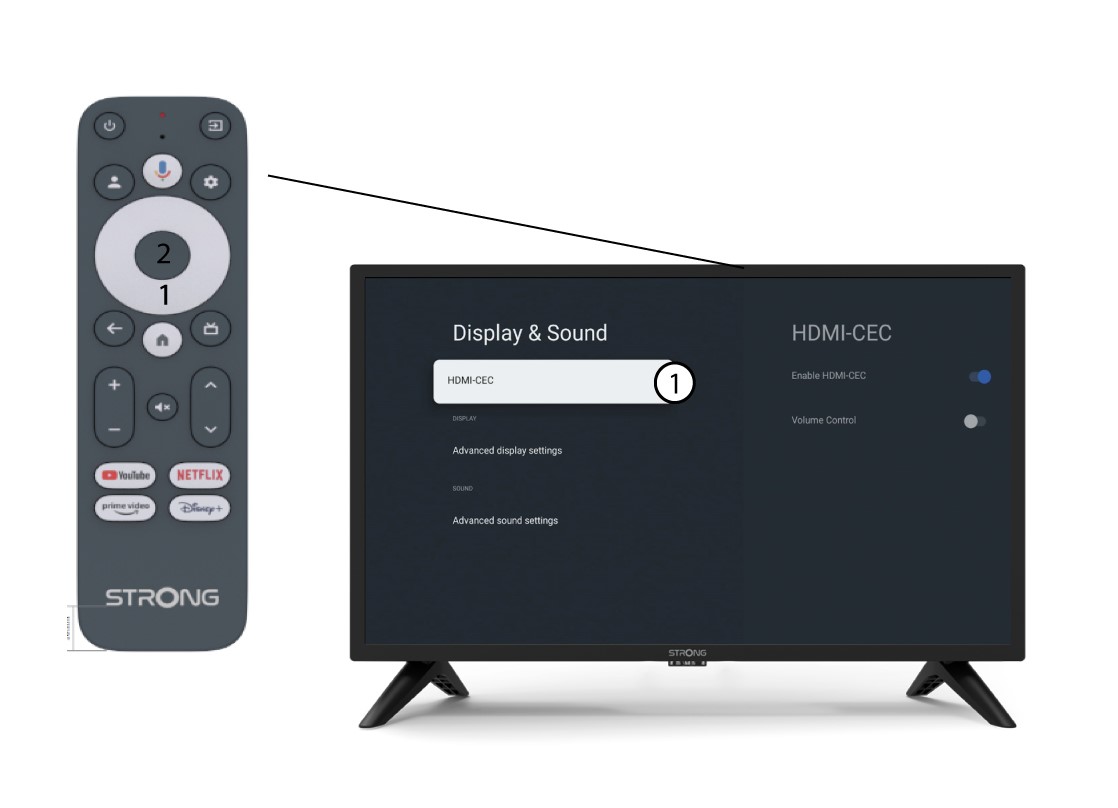
3 HDMI CEC
Затим притисните десни тастер за навигацију и изаберите „HDMI-CEC“.
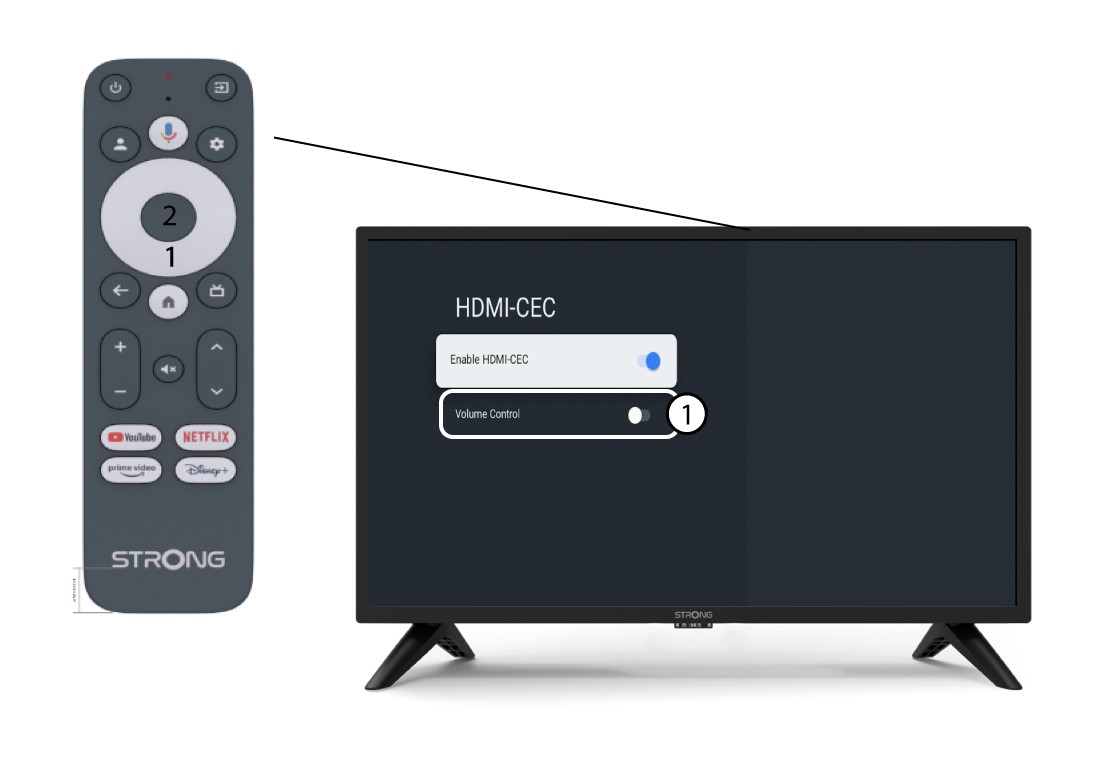
4 Контрола јачине звука
Изаберите „ Контрола јачине звука“ и притисните дугме OK да бисте switch ИСКЉУЧИТЕ ову функцију.
5 Почетни екран
Притисните дугме HOME да бисте се вратили на почетни екран.
Подешавање јачине звука се сада може поново извршити помоћу даљинског управљача SRT 41.