
4G AIRHOME 210 UK са фиксним 4G антенама
Нема пронађених ставки.
Нема пронађених ставки.
Сва питања
4G AIRHOME 210 UK са фиксним 4G антенама
Нема пронађених ставки.
Нема пронађених ставки.
Како да ресетујем рутер на фабричка подешавања?
Понекад је могуће да ваш уређај не ради исправно и да немате приступ интернету. У том случају, предлажемо да ресетујете уређај на фабричка подешавања и поново ажурирате његов фирмвер ако је потребно.
Имате два начина да то урадите, можете ресетовати уређај притиском на дугме за ресетовање или то учинити преко веб интерфејса.
СЛУЧАЈ 1: Дугме за ресетовање
Да бисте то урадили, притисните дугме за ресетовање на десној страни рутера две секунде.

1 СЛУЧАЈ 2: Ресетовање у веб интерфејсу
Да бисте се повезали са веб корисничким интерфејсом, пратите смернице наведене у: Како да приступим веб корисничком интерфејсу?
2 Ажурирање фирмвера
Затим кликните на Ажурирање фирмвера .

3 Ресетујте фабричка подешавања
Кликните на Остало. У одељку Поново покрени и ресетуј кликните на Ресетуј на фабричка подешавања
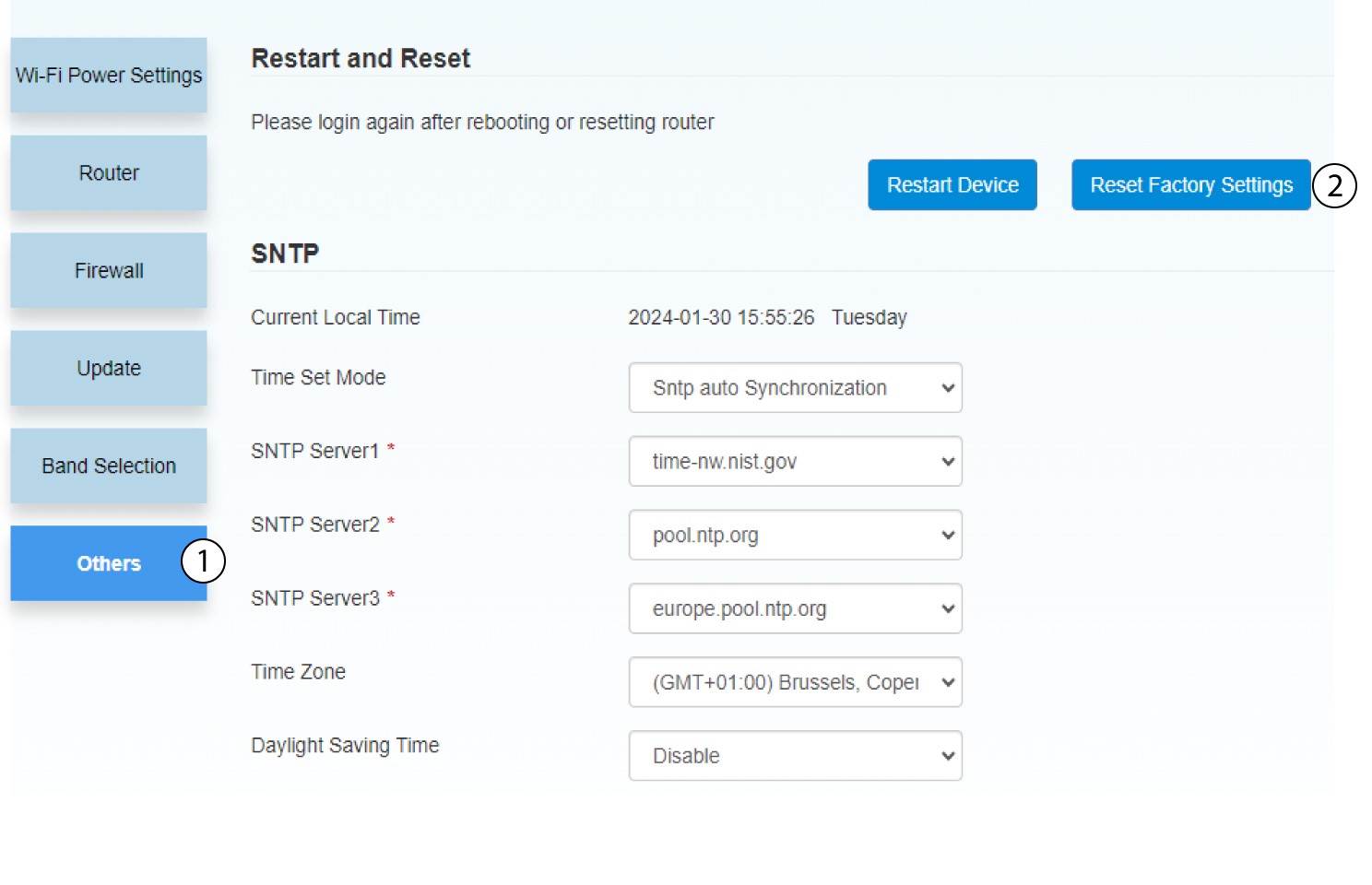
4 Искачуће обавештење
Кликните на ДА у искачућем прозору са поруком.
