Нема пронађених ставки.
4К ГООГЛЕ ТВ БОКС С3+ | ДОЛБИ ВИСИОН АТМОС
Нема пронађених ставки.
Сва питања
Нема пронађених ставки.
4К ГООГЛЕ ТВ БОКС С3+ | ДОЛБИ ВИСИОН АТМОС
Нема пронађених ставки.
Како да ресетујем LEAP S3 на фабричка подешавања?

Упозорење: Када ресетујете уређај на фабричка подешавања, све апликације и прилагођена подешавања ће бити избрисани. Мораћете поново да инсталирате све апликације од нуле .
1 Укључите уређај
Укључите телевизор и LEAP S3.
2 Идите до менија Подешавања
Притисните икону зупчаника (дугме Подешавања) на даљинском управљачу. Затим притисните дугме OK на даљинском управљачу да бисте отворили мени Подешавања.

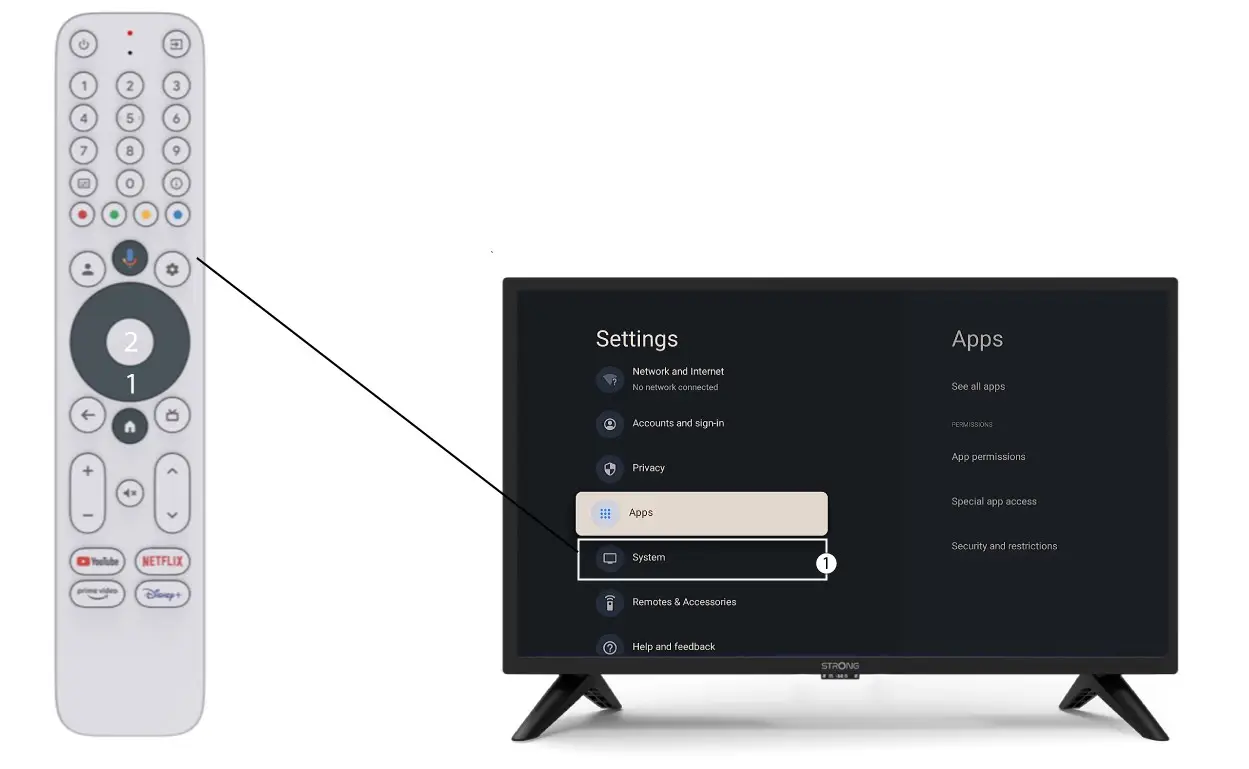
3 Системска подешавања
У менију Подешавања изаберите Систем и притисните OK .
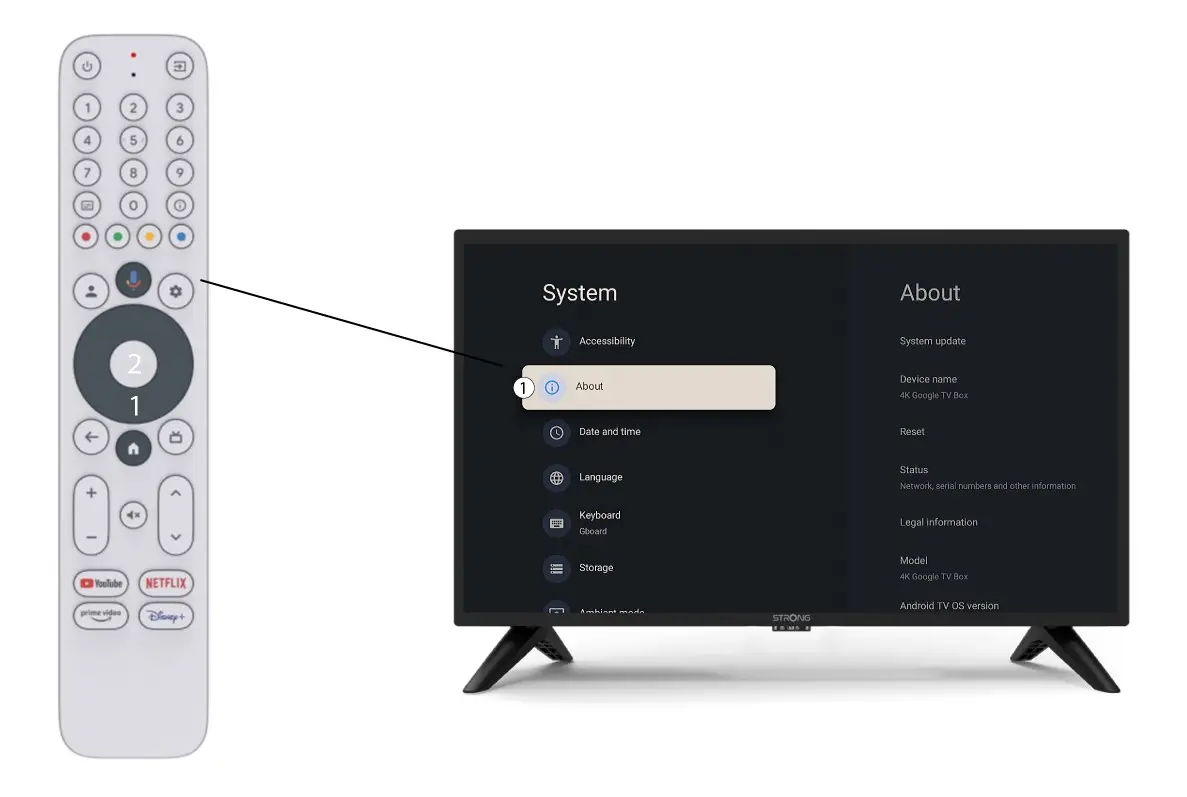
4 О нама
Изаберите „О програму“ у менију „Системска подешавања“ и притисните дугме „ОК“ на даљинском управљачу.
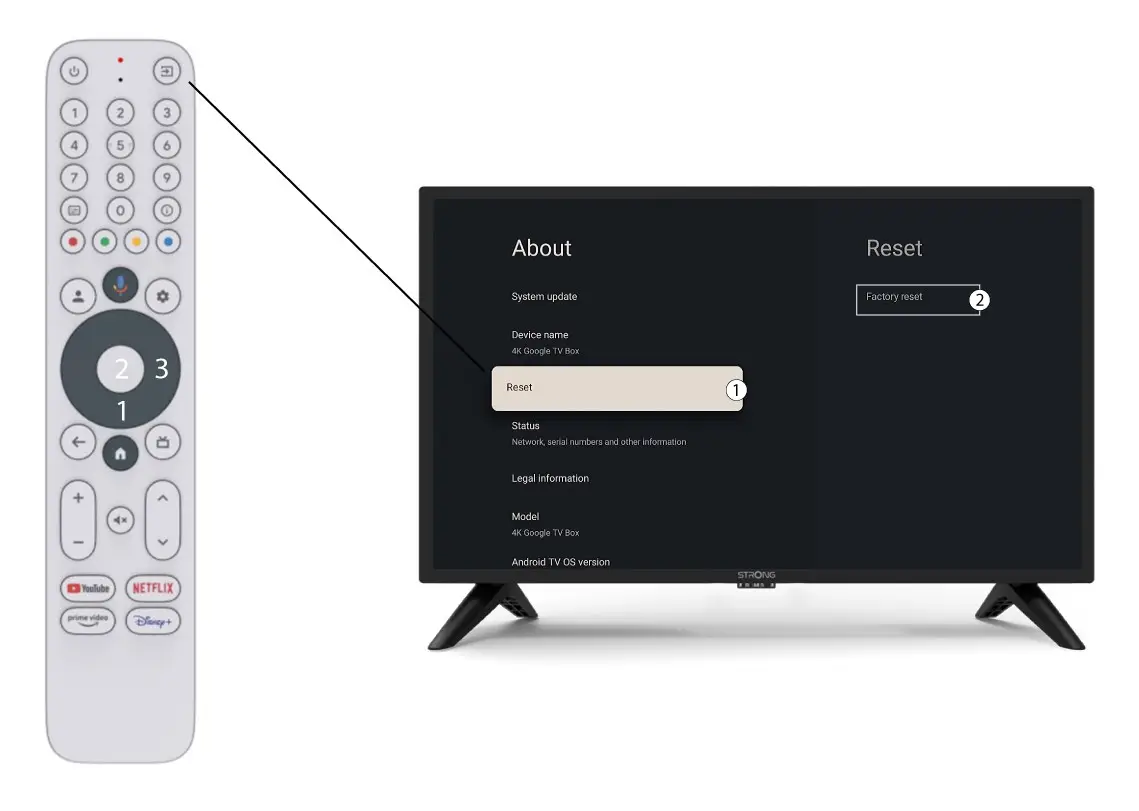
5. Ресетовање на фабричка подешавања
Изаберите Ресетовање и изаберите Фабричко ресетовање пре него што притиснете ОК.